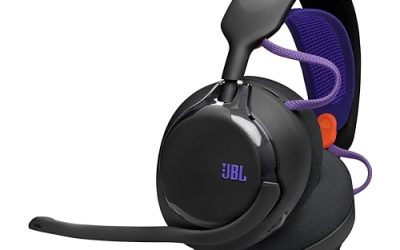
- Top Pick: PULSE Elite Wireless Headset – For PS5, PC & MAC
- Best Value: Razer BlackShark V2 X Wired PlayStation Gaming Headset, Black | 50mm Drivers, Cardioid Mic, Lightweight, Comfortable Noise Isolating Earcups, For PS5, Xbox Series X, PC, Switch, 3.5 mm Jack
- Premium Choice: Turtle Beach Stealth 600 Wireless Multiplatform Gaming Headset for PS5 & PC | PlayStation, PS4, Bluetooth, 50mm Drivers, Rechargeable 80-Hr Battery, Noise-Cancelling Flip-to-Mute Mic, Memory Foam, White
For most PS5 owners the Sony Pulse Elite is the easiest headset to recommend as a first choice, the Razer Kaira Pro for PlayStation suits buyers watching their budget, the Astro A50 suits players who want a premium base-station setup, and the Pulse Explore earbuds suit those who dislike over-ear headsets. This guide compares the main options using maker-stated details and reviewer reports, and explains fit, connection and microphone trade-offs.
As an Amazon Associate we earn from qualifying purchases at no extra cost to you.



What to look for in a PS5 headset
- Connection: the PS5 supports USB dongles, wired 3.5mm jacks on the controller, and Sony’s PlayStation Link wireless. Standard Bluetooth headsets generally do not connect to the console for game audio, so check the packaging for PS5 support.
- 3D audio: the console’s Tempest 3D AudioTech works with headphones, and makers tune their headsets to take advantage of it.
- Microphone: a detachable boom is usually clearer than a built-in one.
- Weight and clamp: long sessions are affected by weight, with heavier pairs tiring some wearers.
- Battery: wireless runtime varies widely between models.
At a glance
| Headset | Best for | Key stated details | Limits |
|---|---|---|---|
| Sony Pulse Elite | Best official all-rounder; PlayStation Portal owners | Planar magnetic drivers and PlayStation Link per TechRadar | One report says availability on the maker’s US store has been limited; premium tier |
| Sony Pulse Explore | Earbud fans | Wireless earbuds designed for PlayStation Link | Fit varies by ear; no boom microphone |
| Razer Kaira Pro for PlayStation | Value wireless pick | Hypersense haptics, 2.4GHz and Bluetooth, up to 30 hours of battery | Reviewers describe the mic as only adequate |
| Astro A50 (Gen 4) | Premium base-station setup | Dolby Audio; base station doubles as a charging stand | Reviewers note 675g weight, a 15-hour battery and older Bluetooth 4.0 |
| SteelSeries Arctis Nova Pro Wireless | Feature-rich wireless users | Named top wireless headset in one roundup | Premium tier; larger setup |
| HyperX Cloud Alpha Wireless | Long battery life | Praised in roundups for very long battery life | Check PS5 dongle support in the maker’s listing |
Sony Pulse Elite: the official all-rounder
TechRadar calls the Pulse Elite the best official PS5 headset and the best for PlayStation Portal because of PlayStation Link connectivity, which provides low-latency wireless audio without a separate dongle on supported devices. It uses planar magnetic drivers, which reviewers link to detailed sound. One report notes the US PlayStation Direct store listed the headset as unavailable at the time of writing, and mentions that Sony announced a cheaper Pulse headset due in November 2026, so supply and range may shift.
Choose it if you want tight console integration and a polished design, and also own a PlayStation Portal.
Sony Pulse Explore: earbuds for the console
TechRadar’s reviewer says they are particularly partial to the Pulse Explore earbuds. Earbuds suit players who find over-ear headsets hot or heavy, or who want something to carry for portable use. The trade-offs are typically a smaller battery and no boom mic. Fit depends on ear shape, and the included tips can help.
Choose them if you want a light, pocketable option from the console maker.
Razer Kaira Pro for PlayStation: the value pick
GamesRadar names the Kaira Pro as its favourite Razer headset for PS5, praising the Hypersense haptics, PlayStation styling and sound. Razer lists up to 30 hours of battery and both 2.4GHz and Bluetooth connectivity. The microphone is described as just okay, so voice-chat clarity is the compromise. Haptics add rumble synced to in-game audio, which some players love and others switch off.
Choose it if you want wireless play and extras without stepping into the premium tier.
Astro A50: premium base station
The Astro A50 Gen 4 is the premium pick in several roundups. It includes Dolby Audio and a base station that doubles as a charging stand, which keeps the headset docked when not in use. Downsides reviewers mention are its weight, a battery life of about 15 hours, and older Bluetooth 4.0. A newer A50 X exists at a higher cost tier, according to a roundup. The Astro line suits players who want to switch between console and PC from a single base.
Choose it if you want a docked setup and tolerate extra weight.
SteelSeries and HyperX alternatives
The SteelSeries Arctis Nova Pro Wireless is named the top wireless headset in one roundup, and the HyperX Cloud Alpha Wireless is praised for its battery. Both are popular on PC, so confirm the model listing explicitly states PS5 support and the type of dongle supplied.
Fit, comfort and compatibility notes
- Glasses wearers: look for soft ear-pad materials and a lighter clamp. Heavier headsets can press on temples.
- Head size: check the headband adjustment range on the maker’s page.
- Console model: the PS5 Slim and Pro use the same audio connections as the original console.
- Volume safety: keep listening levels moderate for long sessions, and take breaks. If you have ringing in the ears or hearing discomfort, see a doctor or audiologist.
- Sharing with PC: some dongles work on both PC and PS5, which saves buying a second headset.
Budget tiers
- Budget: wired headsets that plug into the controller jack, or the Kaira Pro in the lower wireless range.
- Mid-range: Razer Kaira Pro, HyperX wireless models.
- Premium: Sony Pulse Elite, Astro A50, SteelSeries Arctis Nova Pro Wireless.
Pick X if…
| If you… | Pick | Reason |
|---|---|---|
| Want the most integrated option | Pulse Elite | PlayStation Link and official support |
| Hate big headsets | Pulse Explore | Earbud form factor |
| Are on a tighter budget | Razer Kaira Pro | Wireless with haptics at a lower tier |
| Want a dock and charging stand | Astro A50 | Base station doubles as charger |
| Play long sessions away from a charger | HyperX Cloud Alpha Wireless | Battery praised by reviewers |
| Use a PC too | SteelSeries Arctis Nova Pro Wireless | Strong PC and console crossover |
Wired versus wireless for PS5
Wireless headsets offer freedom of movement and cleaner desks, but they introduce batteries, dongles and the occasional pairing problem. Wired models plug into the controller’s 3.5mm jack, never run out of power and are usually in the budget tier, although you give up features such as dedicated game and chat balance dials, which wireless models often add. Battery runtimes range widely: Razer lists up to 30 hours on the Kaira Pro, while reviewers cite about 15 hours on the Astro A50 Gen 4. If you play most evenings, a model with a dock or charging stand reduces the chance of a dead headset mid-session.
Microphone and chat tips
Voice quality depends on mic type, placement and background noise. A boom mic placed a couple of finger-widths from the corner of the mouth usually sounds clearer than one tucked away. Noise-reducing mic modes can help in a busy household, and many headsets include a mute indicator light. On PS5, you can adjust mic monitoring and chat levels in the audio settings, and the console’s 3D audio profile can be tuned to your ears using its setup option. Take regular breaks from long sessions and keep volume at a comfortable level.
Setting up 3D audio and game chat balance
After connecting a headset, open the console’s sound settings and choose the headphone output. Run the 3D audio profile setup if the maker’s headset supports it, because it adapts positional sound to your ears. Then test chat volume with a friend or in a party, and adjust the game and chat mix on the headset or in the console menu. Keep firmware current through the maker’s app or the console prompt, since updates can improve connection stability. If you hear lag or dropouts with a wireless set, move the dongle away from other USB devices and keep a clear line to the headset.
Alternatives
- Wired headsets: no battery to worry about, and the audio goes through the controller’s 3.5mm jack.
- Standard headphones plus a clip-on microphone, for players who already own good headphones.
- Wireless earbuds with a PS5-compatible dongle, if the maker lists support.
Frequently Asked Questions
Can I use Bluetooth headphones on a PS5?
Generally not for native game audio. The console supports specific wireless formats, such as USB dongles and PlayStation Link, so check that a headset lists PS5 support before buying.
Is the Sony Pulse Elite worth it?
TechRadar names it the best official PS5 headset, citing planar magnetic drivers and PlayStation Link. It sits in the premium tier, so it makes most sense if you want tight console integration.
What is the best headset for a PlayStation Portal?
TechRadar names the Pulse Elite as best for PlayStation Portal because of PlayStation Link. Other headsets may work through Bluetooth or wired audio depending on the model.
Do I need a headset with a good microphone?
If you play online with friends, yes. A detachable boom microphone is usually clearer, and reviewers criticise the Kaira Pro’s mic for being only adequate, so voice quality may matter more than extras.
Are heavy headsets bad for long sessions?
Weight affects comfort over hours. Reviewers note the Astro A50 weighs about 675g. If you game for long stretches, a lighter model or earbuds may be more comfortable.
Can I use the same headset on PC and PS5?
Many headsets with a USB dongle work on both, but the maker must list support. Read the product page for each platform’s connection method.