- Top Pick: PlayStation Disc Drive For PS5 Digital Edition Consoles (slim)
- Best Value: PlayStation 5 Slim Ultra HD Blu-ray Disc Drive, Black (Renewed)
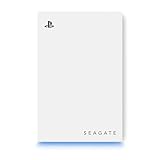
- Premium Choice: Seagate 5TB Game Drive for PlayStation | USB 3.0 (STLV5000100) | Officially Licensed HDD for PlayStation. Archive PS5 games. Play PS4 games directly. Blue LED. 3-Year Warranty
The only disc drive designed for the PS5 Digital Edition and PS5 Pro is Sony’s own detachable Disc Drive, so the real choice is not between brands but between buying that drive, buying a console with a built-in drive, or staying fully digital. This guide explains how the drive works, who benefits, what to consider before paying for it, and which alternatives suit different buyers.
- Short answer: is there more than one PS5 disc drive?
- At a glance
- Sony Disc Drive for PS5 Digital Edition and PS5 Pro
- Factors to weigh before buying
- Disc model versus Digital Edition plus drive
- Tips for avoiding poor purchases
- Care and handling
- Pick X if…
- Who should not buy the add-on drive
- Setting up the drive step by step
- Disc versus digital: a quick cost view
- Alternatives
- Frequently Asked Questions
As an Amazon Associate we earn from qualifying purchases at no extra cost to you.



Short answer: is there more than one PS5 disc drive?
For the Digital Edition and the PS5 Pro, the add-on drive comes from PlayStation. PlayStation describes it as built for the PS5 Digital Edition (Slim) and PS5 Pro consoles, playing 4K Ultra HD Blu-ray, Blu-ray and DVD discs, and needing an internet connection to pair with the console during setup. Search results for “best PS5 disc drives” often include unrelated external Blu-ray players or older replacement-part drives, which are not designed to add game support to a console. Buyers should be cautious about unbranded drives that claim PS5 compatibility, because the console pairs each drive to its own system and the maker does not list generic third-party options.
At a glance
| Option | Best for | Key stated details | Limits |
|---|---|---|---|
| Sony detachable Disc Drive | Digital Edition or PS5 Pro owners with discs | Plays 4K UHD Blu-ray, Blu-ray and DVD; attaches to the console; pairs over the internet during setup | Premium-tier add-on; must be paired online; reviewers describe the price as steep for what it does |
| PS5 disc model (Slim) | Buyers who know they want a built-in drive | Built-in disc drive, same game library | Larger than the Digital Edition; the drive cannot be removed |
| PS5 Digital Edition only | Players who buy digital | No disc mechanism, lower cost tier | No physical games, no resale |
| Standalone 4K Blu-ray player | Movie fans | Plays discs on a TV without the console | Does not play PS5 games |
Sony Disc Drive for PS5 Digital Edition and PS5 Pro
The detachable drive attaches to the console and is recognised once it has been paired. The maker states the pairing step requires an internet connection, which is worth knowing if the console is offline. Once paired, it supports game discs plus 4K UHD Blu-ray, regular Blu-ray and DVD playback. Engadget’s earlier review described it as a modest feature at a premium cost, which is a fair framing: it adds capability but not performance.
If you are on a PS5 Pro, the drive is the way to play physical PS5 games, because the Pro ships without one in many regions. Check the region listings and the physical connection style on the maker’s product page before buying, as the attachment method is designed for the Slim-era shell and the Pro.
Choose it if you have a shelf of physical games, buy second-hand or discounted discs, or want a 4K Blu-ray player under the TV.
Factors to weigh before buying
- Disc library size: if you own ten or more discs, the drive pays for itself over time compared with buying digital copies.
- Resale value: physical games can be sold or lent, which digital copies cannot.
- Install space: games on disc still install to the console, so you still need storage. An M.2 SSD upgrade is often a better first purchase if the drive is full.
- Noise: reviewers note that disc drives spin audibly during play and installation.
- Pairing: the drive is tied to the console it was paired with, so you cannot freely move it between consoles without re-pairing.
- Warranty: buy from authorised sellers and read the warranty page on the maker’s site.
Disc model versus Digital Edition plus drive
If you are still choosing a console and know you want discs, the disc model is generally the more sensible route because the drive is built in. The Digital Edition plus an add-on drive costs more overall in the premium tier but gives flexibility: you can start digital and add discs later. For a PS5 Pro owner there is no disc model, so the add-on drive is the only path.
Tips for avoiding poor purchases
- Buy the drive that carries PlayStation branding and lists the model name for your console.
- Avoid sellers who offer an unbranded external drive for PS5 games.
- Look for the original box, power requirements and pairing instructions.
- If a listing lacks a clear model number or compatibility statement, treat it with suspicion.
Care and handling
- Keep the console and drive on a stable surface and avoid moving them while a disc is spinning.
- Keep discs in cases, clean them with a soft cloth wiped from centre to edge, and avoid stickers.
- Do not force a disc into the slot. If one gets stuck, contact PlayStation support rather than taking the drive apart.
- Keep vents clear to avoid heat build-up.
Pick X if…
| If you… | Pick | Reason |
|---|---|---|
| Own a PS5 Pro and buy physical games | Sony Disc Drive | Only maker-supported route for discs |
| Own a Digital Edition and a few discs | Sony Disc Drive | Adds disc playback without changing console |
| Are buying a new console and like discs | PS5 disc model | Built in, nothing to pair |
| Buy everything digitally | Skip the drive | Saves cost and desk space |
| Want 4K movies only | Standalone 4K Blu-ray player | Often a cheaper route for movies |
| Are short on storage | M.2 SSD | Discs still install to the console |
Who should not buy the add-on drive
Several buyer types are better served by skipping it. If you mostly play free-to-play titles or subscription games, a disc drive adds cost without adding anything you will use. If your console storage is nearly full, the drive does not solve that, because disc installs still consume space and an M.2 SSD does more for day-to-day convenience. If you want to watch 4K movies but rarely play physical games, a standalone 4K Blu-ray player may be simpler, and it keeps your console free for gaming.
Setting up the drive step by step
- Power the console fully off, not rest mode, before attaching anything.
- Attach the drive following the maker’s printed instructions, making sure the connector seats firmly.
- Power the console on and connect it to the internet so the pairing step can complete.
- Insert a game disc and wait for the installation prompt. Leave the disc in for play.
- If pairing fails, restart the console and confirm the system software is up to date through the settings menu.
If you later sell or give away the console, remember to unpair the drive according to the maker’s guidance so the new owner can set up their own.
Disc versus digital: a quick cost view
Digital storefront games are convenient, but physical copies can be borrowed, resold and often found at lower prices in later months. Over a few years, a player who buys several titles a year may recover the drive’s cost through second-hand and sale pricing. A player who buys one or two games a year will likely not. Keep in mind that some physical releases are only a download key or ship with partial data, so read the case before buying. Think about shelf space and the risk of scratched discs, too, since a damaged disc cannot be replaced by the console.
Alternatives
- Internal M.2 SSD: storage options such as the WD Black SN850P (PlayStation lists it as licensed) or the Samsung 990 Pro (praised by GamesRadar) remove the need to delete installed games.
- Digital sales and subscriptions: PlayStation Plus tiers offer a library of downloadable games.
- Used disc model: buying a second-hand disc console is possible, but check the seller’s return policy and that the console is not locked.
Frequently Asked Questions
Will the PS5 disc drive work on any PS5?
PlayStation says the drive is for the PS5 Digital Edition (Slim) and PS5 Pro. The disc model already has its own drive. Read the maker’s product page for the exact models supported.
Do I need the internet to use the disc drive?
Yes, during setup. The maker states an internet connection is needed to pair the drive with the console. After that, the drive works with the system as configured.
Can the drive play 4K Blu-ray movies?
PlayStation lists support for 4K Ultra HD Blu-ray, Blu-ray and DVD discs. Playback features depend on your TV and the media app that opens the disc.
Is a third-party PS5 disc drive available?
The maker lists its own drive as the supported add-on, and no generic option is documented. Avoid listings that promise compatibility without naming a supported model.
Do disc games still need installing?
Yes. Game discs install data to the console’s storage, and the disc is used for verification. This is why many buyers add an SSD alongside the drive.
Is it better to buy a disc console instead?
If you already know you want discs, the disc model avoids the add-on cost and pairing step. If you prefer a smaller console or already own a Digital Edition or Pro, the detachable drive keeps your options open.