

- Top Pick: Cricut StickerPix Print + Cut™ Essential Bundle, Sea Green | All-in-One Photo Printer, Label Maker, & Sticker Maker Machine – Includes Sticker & Photo Paper – 300 DPI – Amazon Exclusive
- Best Value: Cricut StickerPix Print + Cut™ Essential Bundle, Powder Blue | All-in-One Photo Printer, Label Maker, & Sticker Maker Machine – Includes Sticker & Photo Paper – 300 DPI
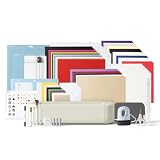
- Premium Choice: Cricut Explore® 5 Ultimate Bundle + Digital Content, Taupe | Includes Supplies for 135 Projects + Bonus Digital Content – Works with 100+ Materials – Sleek, Simplified Design
The best printer for Cricut Print Then Cut is a refillable-tank inkjet: the Epson EcoTank ET-2800 or Canon PIXMA G3270 class suits a budget-minded crafter, the Canon PIXMA G620 or Epson EcoTank Photo ET-8550 suits someone printing stickers and photo art, and a regular cartridge inkjet such as the Canon PIXMA TS8320 or HP Envy Photo series is fine if you print only now and then. The cutting machine does not care which brand you pick; it reads registration marks from a normal inkjet print, so the decision is about ink cost, color quality and paper handling.
- What Cricut actually needs from a printer
- Top picks at a glance
- Epson tank printers for everyday crafting
- Canon G620 and Epson ET-8550 for sticker and art work
- Cartridge printers if you craft occasionally
- Best printers for print and cut Cricut: setup tips
- Best printers for crafters beyond Cricut
- Running cost
- Pick X if…
- Alternatives
- Compatibility notes
- Sticker sheets, printable vinyl and iron-on: which media pairs with which printer
- Common problems and how to avoid them
- Choosing between a tank and a cartridge printer
- Frequently Asked Questions
As an Amazon Associate we earn from qualifying purchases at no extra cost to you.



What Cricut actually needs from a printer
Print Then Cut works by printing your design with a black registration border, loading the sheet onto a cutting mat, and letting the machine’s sensor find the marks before it cuts. Cricut publishes size limits for the printable area, and those limits depend on the cutting machine model, so read your machine’s guide. Any ordinary inkjet that prints sharp, dark registration marks on the stock you choose will work. Roundups from Jennifer Maker, Itechguides and Makers Gonna Learn agree on that, and one comparison of three Canon models found they printed similarly, with only the cheapest producing lighter output and less crisp marks.
Inkjets are preferred over lasers because specialty papers such as sticker paper, printable vinyl and iron-on sheets are made for inkjet ink. Laser toner can melt some of these materials. What matters in practice is:
- a rear or straight paper path for thick sheets,
- borderless printing or accurate margins,
- low ink cost per page,
- reliable color on glossy, matte and vinyl surfaces.
Top picks at a glance
| Model | Best for | Key stated specs | Limits |
|---|---|---|---|
| Epson EcoTank ET-2800 | Budget tank option | Four 522 bottles; Epson rates black about 4,500 and color about 7,500 pages per bottle | Four-color ink; manual duplex; independent tests found lower yields than rated |
| Epson EcoTank ET-2980 | Same tank cost with auto duplex | 502 bottles; set rated up to 5,500 color or 6,600 mono pages | No photo-grade extra inks |
| Canon PIXMA G620 | Sticker and photo art | Six dye inks in 57 mL bottles; borderless 4×6 to 8.5×11; Canon rates up to 3,800 4×6 photos per set | Letter-size printing focus |
| Epson EcoTank Photo ET-8550 | High-end crafters who want large sheets | Six inks; up to 13 x 19 in; rear pass for cardstock up to 1.3 mm per Epson | Large, heavy and higher in cost |
| Canon PIXMA TS8320 / TS9521C | Cartridge printers with strong photo output | Reviewers describe sharp registration marks and good color | Cartridge ink costs more per page; availability varies |
| HP Envy Photo 7900 series | Occasional crafting plus home use | Reviewers cite borderless photo quality | Ink program rules vary; read the terms |
Epson tank printers for everyday crafting
Crafters who print dozens of sticker sheets a month feel the cost of cartridge ink fast. The EcoTank ET-2800 and ET-2980 refill from bottles, so the per-page cost is a fraction of a cartridge printer’s. Both are compact. The ET-2980 is the one to look at if you also print double-sided documents because it duplexes automatically. Neither adds the photo-oriented inks that make skin tones and gradients look richer.
Canon G620 and Epson ET-8550 for sticker and art work
The Canon G620 is a six-color dye-ink tank printer. Canon lists red and gray in addition to cyan, magenta, yellow and black, which broadens the color range for illustrations. It also lists borderless printing up to 8.5 x 11 in. The ET-8550 goes wider and also adds photo black and gray to its set, and handles larger sheets through a rear feed. Both support AirPrint, which helps if you design on an iPad. If you only cut at 8.5 x 11 in, the extra width of the ET-8550 is not something you will use.
Cartridge printers if you craft occasionally
If a printer will sit idle for weeks, a cartridge model can make sense. The Canon PIXMA TS series and the HP Envy Photo family appear on many Cricut roundups. The trade-off is ink cost per page and, on some HP plans, ink subscription terms. Read the plan rules before enabling them, because some subscriptions restrict which cartridges you may use.
Best printers for print and cut Cricut: setup tips
- Use the Cricut Design Space calibration step the first time. It adjusts the sensor for your printer and paper.
- Turn off any “fit to page” or scaling in the print dialog so the registration marks keep their size.
- Choose the paper type that matches your sheet in the printer driver. Printable vinyl and sticker paper often need a matte or specialty setting.
- Print in a lit room; the sensor reads dark marks best on a clean, flat sheet.
- Keep the printer on a stable surface so a thick sheet is not pushed off-angle.
Best printers for crafters beyond Cricut
The same printers handle greeting cards, scrapbook pages, iron-on transfers and paper crafts. Crafters who print heavy cardstock often should look for a rear straight-through feed. Those who use sublimation, which needs a dedicated printer and ink, should not use these models for that.
Running cost
For high volume, a tank printer is clearly cheaper per page than a cartridge model. Ratings such as “3,800 4×6 photos” or “7,500 color pages” come from the makers’ own methods; expect lower numbers in real use, especially for full-coverage sticker sheets. Dye inks are vivid but can fade; pigment black is better for text. For stickers that will be handled or exposed to water, a laminate sheet over the print is the usual approach.
Pick X if…
| Pick this if… | Choose |
|---|---|
| You print many sheets and want low ink cost | Epson ET-2800 or ET-2980 |
| You make stickers, art prints and planners | Canon PIXMA G620 |
| You print larger than Letter | Epson ET-8550 |
| You craft a few times a month | A cartridge printer like the Canon TS series |
| You need an all-round office printer | HP Envy Photo or similar |
Alternatives
- Cricut’s own printing options: if you only need a few designs, sticker sheets printed by a service avoid buying a printer.
- Laser printers: fine for plain paper and cardstock, but poor for inkjet vinyl and photo stickers.
- Dedicated sticker printers: small label or photo printers exist, but they limit your material choice.
Compatibility notes
Cricut Design Space runs on Windows, macOS, iOS and Android. A printer that supports AirPrint or the Windows driver of your choice works with the print dialog. Confirm the printer driver supports your OS version in the maker’s support page before buying, especially with older Macs.
Sticker sheets, printable vinyl and iron-on: which media pairs with which printer
Print Then Cut covers more than one material, and each has quirks. Printable sticker paper is the easiest, since it behaves like thick glossy or matte photo paper. Printable vinyl is similar but has a coating that needs time to dry; handling it too soon smears the ink. Printable iron-on is printed in reverse and then cut and pressed, so confirm that your design software mirrors the image. Cardstock and cotton paper work as well, though thick sheets benefit from a rear feed. In every case the paper maker’s pack gives the correct paper type setting for the printer driver, and choosing the wrong one is a common reason for pale or oversaturated output.
Common problems and how to avoid them
- Cuts land off the printed edge: usually a calibration issue. Run the machine’s calibration, confirm the mat is clean and that the sheet is pressed flat against the mat.
- Registration marks fail to read: bright light, glossy surfaces and pale printing are the usual causes. Try a different light level and clean the print head.
- Colors look dull: check the paper type setting and the color profile in the print dialog.
- Streaks: run a nozzle check and a head cleaning, and avoid cleaning repeatedly since it uses ink.
- Curling sheets: store the media flat and in its sleeve, and print one sheet at a time.
Choosing between a tank and a cartridge printer
The decision usually comes down to how often you print. If you make sheets weekly, a tank printer pays back its higher purchase through lower ink cost. If you make a few projects a season, a cartridge printer avoids the risk of dried ink in the head, because tank printers also benefit from regular use. Whichever type you pick, print a small color page every week or two to keep nozzles clear, and follow the maker’s instructions for refilling so the right bottle goes into the right tank. Canon notes that the G620 bottles use a keyed nozzle so each fits only its own tank, which reduces the risk of mixing colors.
Frequently Asked Questions
Can I use a laser printer with Cricut?
You can print plain paper or cardstock from a laser, but most printable vinyl and sticker papers are made for inkjets. Laser heat can warp or melt them. Use an inkjet for specialty media.
Do I need a special printer for Print Then Cut?
No. Any inkjet that prints clear registration marks works. Cricut publishes size limits for the print area, so check your machine’s guide.
Why are my registration marks not detected?
Common causes are light ink, glossy or dark paper, scaled printing, or bright light on the sheet. Lower the paper reflectivity, turn off scaling and run the calibration again.
Are tank printers worth it for crafters?
If you print often, yes. Bottle ink is cheaper per page than cartridges. The upfront cost is higher, and light users may never recover it.
What paper should I use for stickers?
Choose inkjet printable sticker paper or vinyl, matte or glossy depending on the finish you want. Match the paper type setting to your sheet in the driver.
Does a printer need borderless printing for Cricut?
Not required. Print Then Cut leaves a margin for the registration frame, but borderless output helps if you design full-bleed stickers and cut slightly inside the edge.







