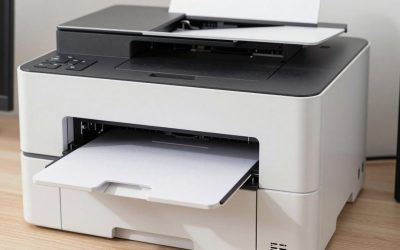
For a small business starting out, a desktop UV flatbed in the Procolored V4 or V6 Panda class is the usual budget route for phone cases, keychains and small signs; the Epson SureColor V1070 is the more established mid-to-premium A4 option; the eufyMake E1 is a newer design aimed at smaller studios and makers; and Mimaki UJF machines are for production shops. This guide explains what a UV printer actually does, which stated specs matter, and how to choose without chasing the cheapest machine.
UV Printers for Small Business — Top Picks on Amazon
Compare the current top-rated UV Printers for Small Business with live pricing and verified customer reviews.
Check Price on AmazonPrice & availability shown on Amazon. As an Amazon Associate we earn from qualifying purchases.- UV Printers at a Glance
- What a UV Printer Does
- Products Small Businesses Actually Sell
- Business Checklist Before You Buy
- Desktop UV Printers for Phone Cases
- Cheapest UV Printer: What to Watch For
- Print Area, Height and Weight
- Running Cost and Maintenance
- Safety and Setup
- Pick X If… Decision Table
- Alternatives
- Questions to Ask a Supplier
- Who Should Wait
- Frequently Asked Questions
UV Printers at a Glance
| Model | Best for | Key stated specs | Limits |
|---|---|---|---|
| Procolored V6 Panda | Phone cases, cards, small panels on a budget | Maker lists a single L800-based head, 170 x 297 mm print area (resellers list a wider 210 mm), up to 110 mm object height, 1440 x 1440 dpi, Pro RIP software, about 33.5 kg | Windows RIP workflow; bottled ink; roughly 23 minutes for an A4 print per one listing |
| Procolored V4 (A5) | Cheapest entry for cases, keychains, badges | Roundups describe it as the budget A5 flatbed | Smaller bed than the V6; less room for growth |
| Procolored V11 Pro | Dual-head A3 for faster, larger jobs | Roundups describe a dual-head A3 package with jigs | Larger footprint and higher outlay |
| Epson SureColor V1070 | Established A4 desktop with maker support | Epson lists A4 flatbed, 8.3 x 11.7 inch print area, media up to 2.75 inches thick, CMYK plus white and varnish, Windows only | Heavy at about 59 kg; priced well above entry machines |
| eufyMake E1 | Makers and small studios wanting texture effects | Listings give a 330 x 420 mm print area, 1440 dpi, CMYKWG inks, 5 mm raised texture, 1.5 kg load | Retailers disagree on maximum object height (about 100 to 130 mm) |
| Mimaki UJF-3042 MkII e | Production print shops | Reported to handle objects up to 6 inches thick | Premium equipment for established businesses |
What a UV Printer Does
A UV flatbed prints directly onto hard objects. LED lamps cure the ink as it lands, so the print is dry immediately and can sit on acrylic, metal, glass, wood, leather or plastic. That is why small businesses use them for phone cases, keychains, trophies, tags and signage. A white ink channel lets you print on dark or clear items, and many models add a varnish channel for gloss and texture.
It is a different tool from a DTF or sublimation printer. Those transfer a design to fabric or coated items; a UV printer prints the object itself.
Products Small Businesses Actually Sell
The safest first products are items with a flat or gently curved surface and a clear market: phone cases, keychains, acrylic signs, name badges, wooden plaques, coasters and metal tags. Start with one or two products so you can learn the jig, the primer and the white-ink workflow before offering dozens of blanks. Glossy or smooth plastics often need a primer or adhesion promoter, and the maker or ink supplier should list which materials need pre-treatment. Samples are cheap marketing: print a few finished pieces and test durability by scratching, flexing and wiping them before taking orders.
Business Checklist Before You Buy
- Estimate how many items you can realistically sell per week; a slow trickle of orders can leave ink to cure in lines and print heads to clog.
- Add the cost of jigs, primer, cleaning fluid, spare parts and software to your plan, not just the printer.
- Confirm where the machine will sit, who will clean it, and how you will dispose of waste ink under local rules.
- Read the maker’s manual for room temperature and humidity limits; many UV printers work best in a stable, moderate environment.
- Check any intellectual property rules before printing branded or licensed artwork on products you sell.
Desktop UV Printers for Phone Cases
People searching for desktop UV printers for phone cases generally land on the Procolored range. The V4 is the budget A5 pick in roundups, the V6 Panda is the step up with an A4-length bed, and the V11 Pro uses two heads for faster output. A phone case is only about 75 mm wide, so a narrow bed is enough, but you need a jig or tray to hold the cases in place. Look for a printer with automatic height sensing, as the V6 lists, since cases and keychains vary in thickness.
Cheapest UV Printer: What to Watch For
Searching for the cheapest UV printer finds many low-cost machines. Treat price as one factor. Reviewers describe the entry Procolored models as traditional Windows RIP machines using bottled ink and legacy Epson-derived printheads, which means setup, maintenance and consumable ink matter more than headline specs. The printhead is the consumable that fails first; ask the supplier about replacement parts, warranty terms and how to get support.
Print Area, Height and Weight
- Print area: A5 and A4 beds cover phone cases and small plaques. A3 suits larger signage.
- Object height: The V6 Panda is listed up to 110 mm and the Epson V1070 up to 2.75 inches (about 70 mm). Check the maker’s number rather than a reseller’s.
- Weight: The V6 is listed at about 33.5 kg and the V1070 at about 59 kg. You will need a sturdy bench.
- Speed: One V6 listing states about 23 minutes for an A4 print, so output is not instant.
Running Cost and Maintenance
UV ink is a consumable, and so are printheads, lamps and cleaning supplies. The V6 listing states automatic head cleaning every 10 hours while powered on, using ink each day. If a machine sits idle, expect more cleaning cycles. A rough guide: low volume suits a budget machine; steady daily work pays back better on a mid-range or premium printer with factory support. Beyond ink, plan for primers, pre-treatments for some materials, jigs and a ventilated workspace.
Safety and Setup
- UV inks can irritate skin; wear gloves and follow the safety data sheet.
- Provide ventilation and follow the maker’s guidance about fumes and storage.
- Do not look at the UV lamps and keep them covered per the maker’s instructions.
- Use a stable, level bench and a dedicated electrical outlet; consult a qualified electrician if you are unsure about the supply.
- Most models are Windows only. Epson says the V1070 works with Windows, and Procolored supplies its own RIP. Mac users should confirm software support with the maker before buying.
Pick X If… Decision Table
| Pick this | If you… |
|---|---|
| Procolored V4 | want the lowest entry point for cases and keychains |
| Procolored V6 Panda | need an A4-length bed and a tall object limit on a budget |
| Procolored V11 Pro | want dual-head speed and an A3 bed |
| Epson SureColor V1070 | want a major brand, maker support and a proven A4 workflow |
| eufyMake E1 | make textured, premium-looking items on a bigger bed |
| Mimaki UJF series | run a full production shop |
| A print service | only need a few items and want to test demand first |
Alternatives
- UV DTF printers. These print film transfers that stick to objects, which can be easier for curved items.
- Sublimation. Cheaper for mugs and coated blanks, but needs sublimation-ready products.
- Outsourced printing. A trade printer prints and ships your designs while you test products.
Questions to Ask a Supplier
- Who supplies printheads and how long do they last?
- What software is included and which operating systems does it support?
- Is training or remote setup help provided?
- What is the warranty and what voids it?
Who Should Wait
If you have no orders yet, a trade print service lets you test products and pricing before committing to equipment, ink and a dedicated workspace. A UV printer rewards steady use and an owner who is happy to learn jigs, white ink and maintenance. If that does not describe your plan, wait.
Frequently Asked Questions
What is the best UV printer for a small business?
For tight budgets, roundups point to the Procolored V4 or V6 Panda. For a more established A4 option with maker support, the Epson SureColor V1070 is often named. Choose by object size, volume and the support you need.
Can a UV printer print phone cases?
Yes. Phone cases are one of the most common uses, held on a jig. Auto height sensing helps with different case thicknesses.
How much desk space do I need?
The V6 Panda lists about 33.5 kg and the V1070 about 59 kg with a footprint near 28 inches square. Plan on a strong, level bench and room for ink, jigs and ventilation.
Is a UV printer safe to use at home?
Treat it like workshop equipment. Wear gloves, ventilate the room, follow the ink safety sheet and have electrical needs checked by an electrician if you are unsure.
Do UV printers need Windows?
Many do. Epson lists the V1070 as Windows only, and Procolored uses its own RIP. Ask the maker about Mac support before buying.
What is the difference between UV flatbed and UV DTF?
A flatbed prints directly on the object and cures instantly. UV DTF prints a film transfer you apply afterward, which suits curved or irregular items. Many shops end up using both.