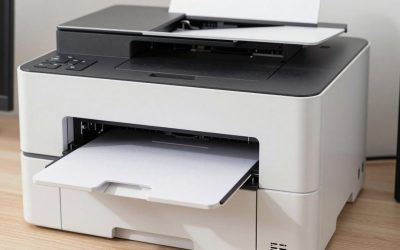
For casual MTG proxies and home card projects, a tank inkjet such as the Epson EcoTank ET-2850 suits a budget-minded player printing a few decks, the Epson EcoTank Photo ET-8550 suits someone printing in volume on thicker stock, and the Canon PIXMA PRO-200 suits those who care most about colour on photo-style card stock; a colour laser is the alternative if you want sharp small text and smear-free sheets. This guide covers what matters for card printing in general, including trading cards, playing cards and photo cards, and explains the trade-offs by use.
Printers for MTG Proxies and Card Printing — Top Picks on Amazon
Compare the current top-rated Printers for MTG Proxies and Card Printing with live pricing and verified customer reviews.
Check Price on AmazonPrice & availability shown on Amazon. As an Amazon Associate we earn from qualifying purchases.- Before You Buy: A Note on Proxies
- Card Printers at a Glance
- What Makes a Good Card Printer
- Epson EcoTank ET-2850: The Budget Starting Point
- Epson EcoTank Photo ET-8550: For Volume and Heavier Stock
- Canon PIXMA PRO-200: Colour First
- Laser Printers for Cards
- Trading Cards, Playing Cards and Photo Cards
- Running Cost Without Numbers
- Setup and Compatibility Tips
- Pick X If… Decision Table
- Alternatives
- Frequently Asked Questions
Before You Buy: A Note on Proxies
Proxies are stand-in cards used for casual play, deck testing or custom projects. They are not tournament legal, and they should never be passed off as genuine cards or sold as originals. Everything below assumes personal, casual use or original card designs of your own.
Card Printers at a Glance
| Printer | Best for | Key stated specs | Limits |
|---|---|---|---|
| Epson EcoTank ET-2850 | Budget proxies, sleeved paper cards | 4-colour tank system; one review lists thick stock up to about 200 gsm | Heavier cardstock can feed crooked from a bottom tray according to the same review |
| Epson EcoTank Photo ET-8550 | High volume, thicker stock, photo cards | The maker lists 6 colours, 13 x 19 inch borderless printing and media up to 1.3 mm thick | Large and heavy; supply of the model has varied |
| Canon PIXMA PRO-200 | Best colour, glossy photo-style cards | 8 dye inks; borderless up to 13 x 19 inches per retailer specs | Cartridge ink; dye inks are less fade-resistant than pigment; Canon’s own store lists it as unavailable |
| Brother MFC-J4335DW | Home-office all-in-one that also prints cards | Named by a Draftsim roundup as a best overall pick | Cartridge ink; check the paper weight your own model accepts |
| Colour laser (for example HP or Canon imageCLASS lines) | Crisp small text, quick runs on cardstock | Toner fuses to the sheet; no smudging from damp ink | Fuser heat can affect thick or coated stock; colour range is narrower than photo inkjets |
What Makes a Good Card Printer
Resolution and small text
MTG rules text is tiny, so sharpness matters. Reviewers suggest working from 300 dpi artwork at a true card size of 63 x 88 mm (2.5 x 3.5 inches) and printing at 100 percent scale. One reviewer says print starts to look soft below 4800 x 1200 dpi, which is the figure most current tank and photo inkjets list.
Paper weight and path
Thick stock is where cheap printers struggle. Guides for home proxies suggest stock between roughly 60 and 110 lb, or around 300 gsm matte for something close to a real card, while commercial proxy services use heavier 350 gsm material. A printer with a straighter paper path or rear feed copes better. The ET-8550’s maker lists media up to 1.3 mm thick, which is a clearer stated limit than most. If you only print on standard paper and sleeve the result in front of a bulk card, almost any printer works.
Borderless or not
Opinions differ. Full-art and full-bleed designs need borderless output, but at least one proxy guide warns that fit-to-page and borderless modes can resize cards, so print at actual size and turn scaling off. Test one sheet, measure it, then print the batch.
Epson EcoTank ET-2850: The Budget Starting Point
The ET-2850 is a refillable-tank printer with four inks. A Deck Grimoire review recommends it as an entry point for MTG proxies and lists lower per-100-card ink costs than cartridge models. The same review warns that cardstock above about 200 gsm can jam or feed crooked. The paper limits come from a single review rather than a maker sheet, so treat them as a guide and print a trial card first. It suits players who print on standard or lightweight card and sleeve everything.
Epson EcoTank Photo ET-8550: For Volume and Heavier Stock
Epson lists the ET-8550 as a six-colour tank printer that prints up to 13 x 19 inches borderless, takes media up to 1.3 mm thick, and offers automatic two-sided printing. Epson quotes page yields of several thousand per bottle set and claims a 4 x 6 inch photo can be printed at a fraction of cartridge cost. For card work, the wide tray lets you lay out many cards per sheet and the thick media support helps with heavier stock. It also works for photo cards and trading card designs where colour depth matters.
Canon PIXMA PRO-200: Colour First
The PRO-200 uses an eight-colour dye ink set and prints borderless up to 13 x 19 inches. Reviewers praise colour and glossy output, which is attractive for full-art proxies and photo cards. The trade-off is cartridge ink and a running cost that one review puts at roughly double the ET-8550 per 100 cards. Canon’s own shop lists it as no longer available, so expect to find it through resellers, and consider that if you want support from the maker.
Laser Printers for Cards
A colour laser gives crisp text and dry prints that will not smear when you cut and sleeve. Guides warn that thick stock and double-sided printing need settings adjusted to avoid flaking toner or jams. Laser colours are less rich than a photo inkjet for detailed art, but for text-heavy custom cards or playing cards with simple graphics, a laser is a sensible option. Check the maker’s maximum paper weight and whether it accepts cardstock.
Trading Cards, Playing Cards and Photo Cards
- Trading cards: match the card size, keep margins tight, and consider printing on a matte stock for a more authentic feel.
- Playing cards: printing a full custom deck means duplex alignment; a printer with automatic two-sided printing helps, but expect to adjust back-to-front registration.
- Photo cards: glossy photo paper with a dye or pigment photo printer gives the best result; borderless is useful here.
Running Cost Without Numbers
Refillable-tank printers (ET-2850, ET-8550) have much lower ink cost per card than cartridge printers like the PRO-200 or Brother. Lasers have low per-page cost once you own the toner, but the first set is a hefty outlay. Card stock and sleeves are usually the larger ongoing cost. Budget buyers should favour a tank printer; mid-range buyers might consider a photo tank; the premium route is a pro photo inkjet for colour accuracy.
Setup and Compatibility Tips
- Print from a PDF at 100 percent scale with no page scaling.
- Choose the paper type closest to your stock in the driver; matte or cardstock settings reduce smearing.
- Print a single test sheet and hold it against a real card to compare size and weight.
- Use a guillotine or rotary trimmer and a corner rounder for a finished look.
- Let ink prints dry before stacking.
Pick X If… Decision Table
| Pick this | If you… |
|---|---|
| Epson EcoTank ET-2850 | print the occasional deck and sleeve the cards |
| Epson EcoTank Photo ET-8550 | print in bulk, on heavier stock, or want 13 x 19 inch sheets |
| Canon PIXMA PRO-200 | want the richest colour for full-art or photo cards |
| Brother MFC-J4335DW | need one home-office machine that also prints cards |
| Colour laser | prioritise crisp text, dry prints and quick runs |
| Print service | only need a deck or two and want a finished card feel |
Alternatives
- Print-on-demand services. Roundups list several online services that print cardstock proxies; this avoids buying a printer for small projects.
- Print shop cardstock. A local shop can print your PDF on heavy stock and cut it.
- Older tank or cartridge models. The Canon PIXMA MG3620 and Epson ET-series models are mentioned by older roundups as budget options; confirm they are still sold in your region.
Frequently Asked Questions
What is the best printer for MTG proxies on a budget?
Roundups lean toward the Epson EcoTank ET-2850 for budget proxy printing. It has refillable tanks and a low per-card ink cost, but it handles lighter stock better than heavy cardstock. Print a test card and sleeve it before committing to a large run.
Are inkjet or laser printers better for trading cards?
Inkjets generally give more vibrant colour for detailed art, while lasers give sharper small text and dry, smear-free sheets. If your cards are art-heavy, choose an inkjet; for text-heavy custom cards, a laser is a good fit. Always check the maker’s paper-weight limit.
What paper should I use for card printing?
Many home printers handle matte cardstock around 60 to 110 lb, or roughly 300 gsm for a closer feel to a genuine card. If your printer jams on thick stock, use lighter paper and a sleeve with a backing card. Check the paper limits listed by the maker.
Can I print borderless cards at home?
Yes, if the printer supports borderless output, as the ET-8550 and PRO-200 do up to 13 x 19 inches. Some guides advise printing at exactly 100 percent because borderless and fit-to-page modes can alter size. Trial-print and measure first.
Is printing MTG proxies legal?
Rules vary, and proxies are generally intended for casual play and are not allowed in sanctioned tournaments. Selling copies as genuine cards is not acceptable. If you want certainty about your situation, read the game publisher’s policy or seek legal advice.
Can I use these printers for playing cards and photo cards?
Yes. Photo-oriented inkjets give the best colour for photo cards, and a model with automatic two-sided printing helps for playing card backs. Expect to calibrate front-to-back alignment and use a trimmer for clean edges.