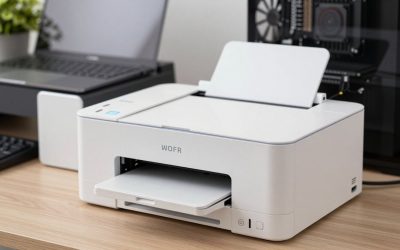
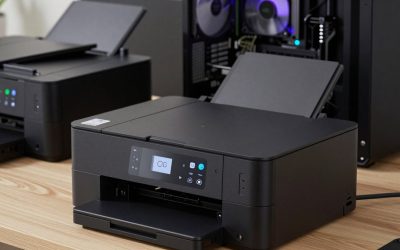
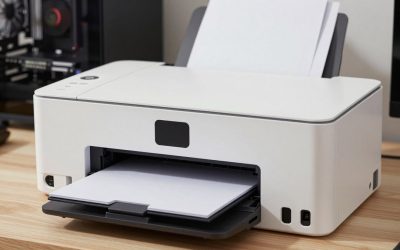
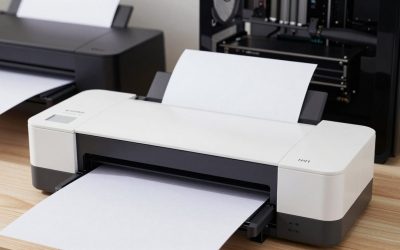
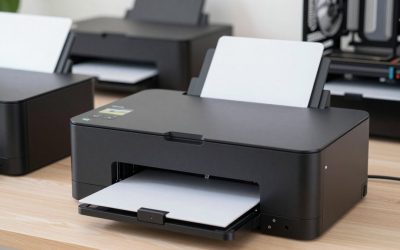
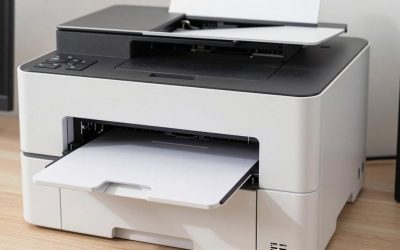
- Top Pick: HP Envy 6155 Wireless All-in-One Color Inkjet Printer, Print, Scan, Copy, Duplex Printing Best-for-Home, 3 Month Trial of Instant Ink Included, AI-Capable (C2WR7A) Portobello
- Best Value: Epson Expression Premium XP-7100 Wireless Color All-in-One Inkjet Printer | 5-color print, scan, copy; up to 15.8 ppm, ADF, borderless photo printing; ideal for home and photo projects
- Premium Choice: Liene M100 4×6'' Photo Printer, Wi-Fi Picture Printer, 20 Sheets, Full-Color Photo, Instant Phone Printer for iPhone, Android, Smartphone, Thermal Dye Sublimation, Portable Photo Printer for Home Use
For printing professional-looking photos at home, the Canon PIXMA PRO-200 is the usual beginner-friendly pick for vivid colour on glossy paper, the Epson SureColor P700 suits photographers who want pigment inks, strong black-and-white and matte fine-art papers, and the Epson SureColor P900 is for those who need prints wider than 13 inches. This guide is aimed at enthusiasts stepping up from a home all-in-one, and it focuses on the choice between dye and pigment ink, paper pairing and running costs rather than repeating a general ranking.
As an Amazon Associate we earn from qualifying purchases at no extra cost to you.

Photo Printers at a Glance
| Model | Best for | Key stated specs | Limits |
|---|---|---|---|
| Canon PIXMA PRO-200 | Colourful glossy prints, beginners | Eight dye inks, up to 13 x 19 inch borderless, 4800 x 2400 dpi, Wi-Fi, Ethernet, AirPrint | Dye ink is less fade-resistant than pigment; Canon’s US shop lists it as unavailable |
| Canon imagePROGRAF PRO-310 | Gallery-style prints from pigment ink | Nine pigment inks plus a Chroma Optimizer, 13 x 19 inch tray, 13 x 70 inch manual feed, borderless supported | Also listed as unavailable at Canon USA; higher cost than the PRO-200 |
| Epson SureColor P700 | Fine-art, matte and black-and-white work | Ten UltraChrome Pro10 pigment inks, 13 x 19 inch borderless, 4.3 inch touchscreen, roll feeder support, ratings of up to 200 years colour and 400 years black-and-white in display | Reviewers report bronzing on some glossy papers |
| Epson SureColor P900 | Prints up to 17 inches wide | Same pigment technology in a 17 inch format | Large and costly |
| Epson EcoTank Photo ET-8550 | Low running cost, 13 x 19 inch | Six-colour tank, 13 x 19 inch borderless | Not a pro-grade pigment set |
| Canon PIXMA G620 | Everyday photo prints, letter size | Six dye inks, up to about 3,800 4 x 6 photos per ink set by the maker | Letter-size maximum |
Dye Versus Pigment: The Core Decision
Dye ink gives bright, saturated colour and a glossy finish with a smooth look on photo paper, which is why the PRO-200 earns praise for vivid output. Pigment ink sits on the surface in particles, usually lasts longer under display and works across glossy, lustre and matte papers. Epson rates the P700’s inks for display permanence of up to 200 years for colour and 400 years for black-and-white under controlled conditions, which are lab-based ratings and not a promise for your wall. Roundups note that dye inks are less archival, though the PRO-200 uses Canon’s ChromaLife100+ system with its own stated permanence. If you sell or hang prints for decades, lean pigment; if you print for albums and gifts, dye is fine.
Canon PIXMA PRO-200: The Easy Step Up
CNN Underscored named the PRO-200 best overall in its photo printer roundup, finding its print quality comparable to Canon’s pricier PRO-300 and slightly better than the Epson P700. It is a straightforward desktop printer with AirPrint support, and it handles 13 x 19 inch borderless prints. The trade-offs are cartridge ink and the fact that Canon’s own shop lists it as no longer available, so check stock with resellers and consider support.
Epson SureColor P700: Pigment and Black-and-White
Epson lists ten inks, including violet, with dedicated Photo Black and Matte Black channels so you can switch paper types without changing cartridges. Reviewers favour Epson for neutral greys, matte fine-art papers and black-and-white. A roll feeder for panoramic prints is supported. Digital Camera World notes bronzing on some glossy papers, so choose papers recommended by the maker for glossy work.
Epson SureColor P900 and Canon PRO-310
The P900 brings pigment technology to a 17 inch format for prints up to 17 x 22 inches. The Canon imagePROGRAF PRO-310 is a 13 inch pigment alternative with nine colour inks and a Chroma Optimizer; Canon lists its input tray at 13 x 19 inches and a manual feed up to 13 x 70 inches. Both are for photographers who print regularly for sale or exhibition.
Canon Professional Printers and Best Epson Printer for Photographers
People often search for Canon professional printers or the best Epson printer for photographers. In practice: Canon’s PRO-200 and PRO-310 represent the entry and pigment sides of its 13 inch range, and Epson’s P700 and P900 do the same at 13 and 17 inches. The right one depends on ink type, size and paper preference, not brand loyalty.
Paper and Colour Management
- Use the maker’s paper and its ICC profiles, or those from the paper brand, to get predictable colour.
- Pair glossy and lustre papers with the PRO-200, and fine-art cotton or matte with the P700.
- Calibrate your monitor; prints look wrong if the screen is too bright.
- Soft-proof in Lightroom or Photoshop before printing.
- Let prints dry or gas off per the paper maker’s guidance before framing.
From Beginner to Serious Hobbyist: What to Expect
Moving from a home all-in-one to a dedicated photo printer changes more than image quality. You will start choosing paper surfaces, thinking about viewing light, and printing proofs before the final. Many photographers begin with letter-size or A4 test prints on cheaper paper, adjust brightness and contrast, then print the keeper on the final stock. A pro-style printer also has more ink tanks to replace, and a few models use a separate matte black ink, so switching paper types may use a small amount of ink. None of this is difficult, but it rewards patience. If your goal is simply good family snapshots, a six-colour tank printer is plenty; if you plan to frame, sell or enter prints in exhibitions, a dedicated 13 inch printer is a better match.
Glossy, Lustre, Matte and Fine Art Papers
- Glossy and lustre: punchy colour and detail, the natural pairing for dye inks like the PRO-200.
- Matte and cotton rag: a soft, gallery look; pigment printers like the P700 and PRO-310 are made for these.
- Baryta and fibre-based: a traditional darkroom feel, popular for black-and-white prints.
- Canvas and textured paper: check the maker’s media list before loading; very thick material may need the manual or rear feed.
Paper makers publish ICC profiles for popular printers. Download the profile for your exact printer and paper combination, and select it in your editing software so colours print as you saw them on screen.
Running Cost Without Numbers
Premium photo printers use small cartridges and cost more per print than tank models. The ET-8550 and G620 have the lowest ink cost per photo, which Epson and Canon both highlight. Paper is the bigger expense for fine-art work. Budget buyers should consider a tank photo printer; mid-range buyers the PRO-200; premium buyers the P700, P900 or PRO-310. Printers that sit unused can clog, so print regularly.
Fit, Setup and Compatibility
- A 13 inch printer is wide, so measure your desk and allow room at the back for paper.
- Connect by Wi-Fi, Ethernet or USB; the P700 and PRO-200 support all three.
- Keep the machine in a stable-temperature room; extreme humidity affects paper.
- Follow the maker’s instructions for ink installation and head alignment.
Pick X If… Decision Table
| Pick this | If you… |
|---|---|
| Canon PIXMA PRO-200 | want vivid colour and simple operation at 13 x 19 inches |
| Epson SureColor P700 | print black-and-white, matte or fine-art papers |
| Epson SureColor P900 | need prints wider than 13 inches |
| Canon imagePROGRAF PRO-310 | want Canon with pigment inks |
| Epson EcoTank Photo ET-8550 | print many photos and want low ink cost |
| Canon PIXMA G620 | print letter-size photos with cheap refills |
| A lab service | print only a few large pieces a year |
Alternatives
- Online photo labs offer large prints without hardware.
- Dye-sublimation 4 x 6 printers for quick snapshots.
- Older pro models such as the previous-generation Epson P600 appear used; support and ink may be limited.
Who Should Not Buy a Pro Photo Printer
If you print a handful of photos a year, a lab will be cheaper and simpler than owning a machine with many ink tanks that can dry out. If you rarely print above 8 x 10 inches, a six-colour tank printer is likely enough. Larger printers also need space and a stable surface. Only buy a 13 or 17 inch model if you will print often enough to keep the heads healthy, and follow the maker’s maintenance guidance.
Frequently Asked Questions
What is the best printer to print professional photos at home?
The Canon PIXMA PRO-200 is a common pick for colour and ease, while the Epson P700 suits pigment and black-and-white. Choose by ink type and paper preference.
Is a 13 x 19 inch printer big enough?
For most home displays, yes. If you want prints over 13 inches wide, look at the Epson P900.
Dye or pigment: which lasts longer?
Pigment inks are generally rated for longer display life, as with Epson’s P700 ratings. Dye gives vivid colour but is less archival.
What is the best printer for photographers who are beginners?
The PRO-200 is simple and delivers strong colour. The ET-8550 is a lower-running-cost alternative.
Why do some glossy prints from pigment printers look odd?
Some pigment prints show bronzing on glossy papers. Use papers recommended for the printer, or switch to lustre or matte.
Do I need colour management?
It helps. Use the paper maker’s profile and a calibrated monitor for predictable results.