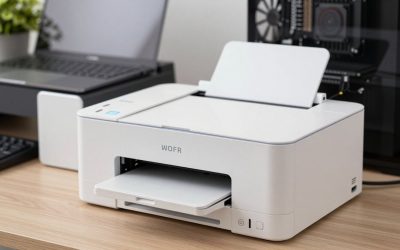
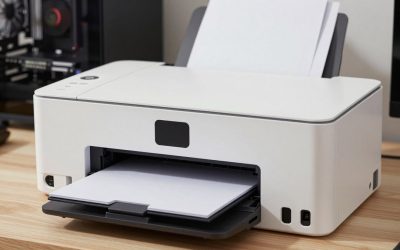
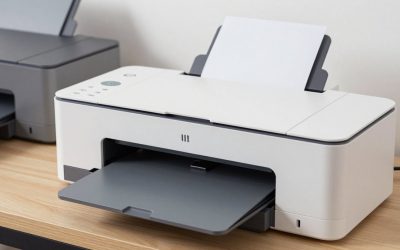
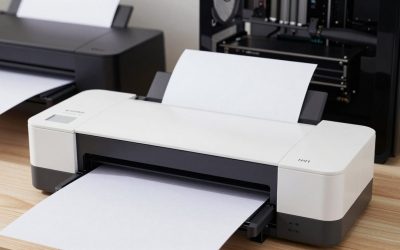
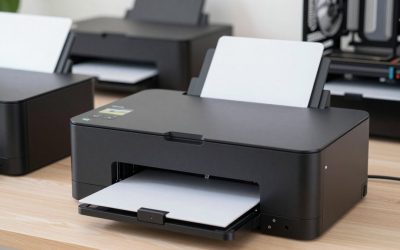
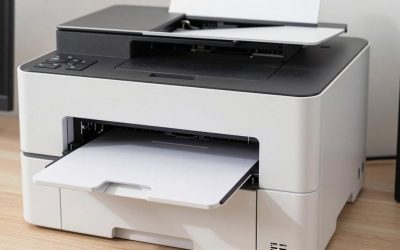
- Top Pick: Brother MFC-L2820DW Wireless Compact Monochrome All-in-One Laser Printer with Copy, Scan and Fax, Duplex, Black & White | Includes Refresh Subscription Trial(1), Works with Alexa
- Best Value: HP Color LaserJet Pro MFP 3301sdw | Color Printer | Wireless | All-in-One | Duplex
- Premium Choice: HP LaserJet MFP M235sdw | Monochrome | Laser Printer | All-in-One | Duplex | Fast Black-and-White Printing | All-in-One | Print, Copy and Scan | Wireless Printing | Automatic Two-Sided Printing
For a home that prints mostly black text, the Brother DCP-L2640DW or the Brother MFC-L2820DW is the sensible wireless all-in-one laser, while families that want color should look at the Brother MFC-L3720CDW, and small offices that print in volume should look at the HP Color LaserJet Pro MFP 3301sdw or the Canon imageCLASS MF753Cdw II. A wireless all-in-one laser combines printing, copying and scanning (sometimes faxing) with toner that does not dry out, so it suits people who print in bursts. This guide sorts the current models by what you print, how much, and what you need around the printer: a feeder, fax, Ethernet or color.
As an Amazon Associate we earn from qualifying purchases at no extra cost to you.


Wireless All-in-One Lasers at a Glance
| Model | Color | Best for | Key stated specs | Limits |
|---|---|---|---|---|
| Brother DCP-L2640DW | Mono | Home use, students, budget laser | Up to 36 ppm; 250-sheet tray; 50-sheet feeder; starter toner about 700 pages; Ethernet and dual-band Wi-Fi | No fax; black and white only |
| Brother MFC-L2820DW | Mono | Home office needing fax and a touchscreen | 34 ppm; recommended up to 2,500 pages a month; 50-page feeder; fax at 33.6K bps; auto duplex | Mono only; reviewers mention rear jam access |
| HP LaserJet Pro MFP 3101sdw | Mono | Small team, fast mono | Up to 35 ppm; 21 ipm duplex; recommended 350 to 2,500 pages a month; 138A toner about 1,500 pages, 138X about 4,000 | No fax on the “sdw” version; check the part number |
| Brother MFC-L3720CDW | Color | Family and home office color | 19 ppm black and color; 1,000-page standard toner; 3.5-inch touchscreen; Wi-Fi Direct, AirPrint | Slower than office models; separate drum and waste box |
| HP Color LaserJet Pro MFP 3301sdw | Color | Faster color for a busy home office | 26 ppm; 250-sheet tray; 50-sheet feeder; dual-band Wi-Fi and Gigabit Ethernet; 218A toner about 1,200 pages, 218X up to about 3,200 black | Starter toner only 500 to 600 pages |
| Canon imageCLASS MF753Cdw II | Color | Heavier color workloads | Up to 35 ppm; 5-inch touchscreen; single-pass duplex feeder; 069 toner 1,900 to 2,100 pages, 069 H up to 7,600 black | Larger and heavier; retailer availability varies |
What “Wireless” Means on a Laser All-in-One
Every model above joins Wi-Fi, and the Brother and HP machines list dual-band operation, meaning both 2.4 GHz and 5 GHz. Most also carry Ethernet and USB. Wi-Fi Direct, listed by Brother on the MFC-L3720CDW, lets a phone connect to the printer without the home router. AirPrint and Mopria handle printing from Apple and Android phones without drivers, and the makers’ own apps add scanning to a phone. If you share the printer between several computers, wireless saves a cable; if you scan a lot of documents to a network folder, Ethernet is steadier.
Best Picks by Buyer
Budget laser for home: Brother DCP-L2640DW
This is the pure print, copy and scan machine in the group. Brother lists up to 36 pages a minute, a 250-sheet tray, a 50-page feeder and automatic duplex printing. The starter toner is rated at about 700 pages and the drum at about 15,000. The recommended monthly volume is up to 2,500 pages against a 35,000 maximum, which is generous for a household. The reviewer listings for 2026 place it near the top of budget lasers; it lacks fax and color.
Home office with fax: Brother MFC-L2820DW
Adds a fax modem (33.6K bps, 400 pages of memory according to Brother) and a touchscreen to a similar base. RTINGS names it the best black-and-white printer it has tested, and Cuttles puts it forward for offices needing fax. Castle Ink notes the large feeder and touchscreen, but also that paper jams must be cleared from the rear and that Wi-Fi sometimes needed manual recovery after sitting idle. If you do not need fax, the DCP-L2640DW covers the same ground.
Fast mono for a small team: HP LaserJet Pro MFP 3101sdw
HP lists up to 35 pages a minute and 21 images a minute duplex, with a recommended volume of 350 to 2,500 pages a month. Standard 138A toner is rated at about 1,500 pages and the high-yield 138X at about 4,000, per HP’s data sheet. DeskComfort and RottenPanda pick it for small teams. The “sdw” lacks fax, which belongs to the “fdw” sibling.
Color for the household: Brother MFC-L3720CDW
At 19 pages a minute in both black and color, it is slower than office lasers, yet Brother rates it for up to 3,000 pages a month recommended and includes a 50-page feeder, duplex printing and cloud connections to Google Drive, Dropbox and OneNote. Standard toner is rated at 1,000 pages, the drum at 20,000, and the waste toner box at 50,000. It fits students and home businesses that print colored flyers and school projects.
Faster color: HP Color LaserJet Pro MFP 3301sdw and Canon MF753Cdw II
The HP is rated 26 ppm and has Gigabit Ethernet and dual-band Wi-Fi, and ThirstyBear names it the best color laser all-in-one. Tom’s Guide has put the Canon MF753Cdw II at the top of its office list, which lists 35 ppm, a recommended 750 to 4,000 pages a month, and high-capacity 069 H toner at up to 7,600 black pages. Both are large machines and both suit shared use better than a bedroom desk.
Running Cost on a Laser All-in-One
Laser running cost depends on two numbers: pages per toner cartridge and how many cartridges you need. A mono laser has one toner and a drum. A color laser has four toners plus drum and sometimes a waste box. Compare yields rather than tiers:
- Mono standard toner: around 700 pages on the Brother DCP-L2640DW and MFC-L2820DW starter, about 1,500 on the HP 138A. High-yield versions raise this and typically lower the page cost.
- Color standard toner: about 1,000 on the Brother L3720CDW, about 1,200 on the HP 218A and about 1,900 to 2,100 on the Canon 069. High-capacity cartridges stretch these to as much as 2,500 to 5,500 pages for colors and 3,200 to 7,600 for black.
- Starter cartridges: The HP 3301sdw ships with starters rated at roughly 600 black and 500 per color, so plan to buy toner soon after setup.
Makers publish these figures based on standard test pages with about five percent coverage, so dense graphics will use toner faster. Third-party toner can reduce cost, but quality and warranty vary; read the maker’s terms first.
Setup and Compatibility Notes
- Join the printer to the 2.4 GHz band if setup stalls, even on dual-band models, and then let it fall back to 5 GHz if desired.
- Reserve a fixed address for the printer in your router so computers do not lose it after a restart.
- Check that your operating system version is supported. Windows and macOS have drivers from Brother, HP and Canon; Chromebooks and phones typically use driverless printing.
- If fax matters, confirm the exact model suffix before buying: for HP, “fdw” includes fax and “sdw” does not, and sources differ on the 3301sdw, so read HP’s specification page.
- Allow room: color lasers are deeper and heavier than inkjets and need clear space for the paper path and toner access.
Pick X If… Decision Table
| Pick this | If you |
|---|---|
| Brother DCP-L2640DW | print mostly text at home and want the lowest-tier laser with a feeder |
| Brother MFC-L2820DW | need fax and a touchscreen alongside mono printing |
| HP LaserJet Pro MFP 3101sdw | share a mono printer with a few people and want speed |
| Brother MFC-L3720CDW | want color at home, with moderate speed and a feeder |
| HP Color LaserJet Pro MFP 3301sdw | need faster color and Gigabit Ethernet |
| Canon imageCLASS MF753Cdw II | print color regularly and want larger-yield toner and a big touchscreen |
Alternatives to Consider
- HP LaserJet MFP M140w: A compact mono laser listed by Cuttles as a budget choice for light use.
- Ink tank all-in-ones: If you need photos, a Canon MegaTank or Epson EcoTank often costs less per color page than a color laser.
- Brother MFC-L5915DW: A heavier-duty mono unit rated by Brother at up to 50 ppm and a 70-page feeder, suited to busy offices rather than homes.
Frequently Asked Questions
Is a laser all-in-one better than an inkjet for home?
It depends on what you print. Lasers suit text, forms and occasional bursts because toner does not dry out and pages come out fast. Inkjets and tanks handle photos and colorful graphics better.
Do I need a color laser?
Only if you regularly print colored charts, flyers or school projects. A mono laser costs less to buy and to run, and many homes never miss color. If you do need it, remember that four toner cartridges raise the cost of upkeep.
What is the difference between a duty cycle and a recommended volume?
The duty cycle is the maximum a printer can handle in a month, while the recommended volume is the range the maker suggests for normal life. For example, Brother lists a 35,000-page maximum and a 2,500-page recommendation for the MFC-L2820DW. Staying within the recommendation is better for longevity.
Can a wireless laser share between several computers?
Yes. Once it is on the network, every computer, tablet and phone on the same network can print to it. Installing the maker’s driver or app on each device is usually enough.
Why does my wireless printer go offline?
Common causes are a router change, a new address assigned after a restart, or deep sleep after idle time. Reserving an address and re-joining the network usually fixes it. If problems continue, using Ethernet is the steadier option.
Does a laser all-in-one need fax?
Most homes do not, and fax is a separate model variant on many lines. Check with any bank, school or medical office you deal with before paying for it, since many now accept scans by email.