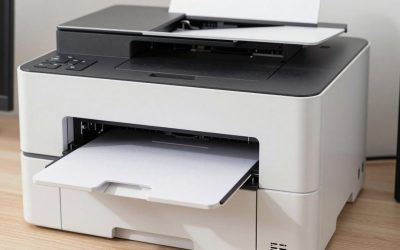
- Top Pick: HP Envy 6155 Wireless All-in-One Color Inkjet Printer, Print, Scan, Copy, Duplex Printing Best-for-Home, 3 Month Trial of Instant Ink Included, AI-Capable (C2WR7A) Portobello
- Best Value: Brother MFC-J1360DW Color Inkjet All-in-One Wireless Printer for Home Office, Print Scan Copy, Mobile Printing with USB Printer Cable and Print Like a Pro eBook Guide Bundle
- Premium Choice: Brother Work Smart 1410 Wireless Color Inkjet All-in-One Printer with 2.7” Touchscreen and Automatic Duplex Printing | Includes Refresh Subscription Trial(1) (MFC-J1410DW)
For most households that print more than a few pages a month, a refillable ink tank all-in-one such as the Canon PIXMA MegaTank G3290 or the Epson EcoTank ET-2850 is the budget choice that stays cheap, while the HP Envy 6555e suits people who print rarely and want the lowest outlay today. Anyone who mostly prints black text and does not need color should look at a small mono laser all-in-one like the Brother DCP-L2640DW instead. “Budget” has two meanings with printers, a low purchase tier and a low cost per page, and the models that win on one often lose on the other. This guide separates them so you can pick the one that matches how you actually print.
- At a Glance: Budget All-in-One Printers Compared
- What “Budget” Really Means for a Printer
- Running Cost Without the Price Tags
- Ink Tank, Cartridge or Laser: Which Budget Route?
- Features Worth Paying Attention To
- Setup and Compatibility Notes
- Pick X If… Decision Table
- Alternatives
- Common Mistakes When Buying Cheap
- Frequently Asked Questions
As an Amazon Associate we earn from qualifying purchases at no extra cost to you.


At a Glance: Budget All-in-One Printers Compared
| Model | Type | Best for | Key stated specs | Limits |
|---|---|---|---|---|
| Canon PIXMA MegaTank G3290 | Ink tank | Frequent home printing, low page cost | About 11 ipm black, 6 ipm color; bottle sets rated up to 6,000 black or 7,700 color pages in default mode; up to 2 years of ink in the box; auto 2-sided printing | No document feeder; slow color |
| Epson EcoTank ET-2850 | Ink tank | Light to moderate home use, compact footprint | 10.5 ISO ppm black, 5 ISO ppm color; replacement black bottle rated 7,500 pages, color bottles 6,000 pages; 100-sheet tray | Slow duplex; no feeder; modest monthly volume |
| HP Envy 6555e | Cartridge inkjet | Occasional printing, lowest outlay | Up to 10 ppm black, 7 ppm color (ISO); 100-sheet tray; 35-sheet feeder; recommended 100 to 400 pages a month | Cartridge ink costs more per page; HP+ conditions |
| Brother DCP-L2640DW | Mono laser | Text-heavy homes and students | Up to 36 ppm; 250-sheet tray; 50-sheet feeder; starter toner about 700 pages; Ethernet and dual-band Wi-Fi | Black and white only; no fax |
| Brother MFC-T780DW | Ink tank (higher tier) | Heavier printing at the lowest running cost | Up to 16 ppm; 150-sheet tray; 20-sheet feeder; up to 3 years of ink in the box; 3-year warranty | Costs more upfront than the others; stock may vary |
What “Budget” Really Means for a Printer
A printer is a razor-and-blades product. The cheapest cartridge inkjets are priced low because the maker expects to earn the difference on replacement ink. An ink tank model flips that: the machine costs more at the checkout, but each refill bottle holds enough ink for thousands of pages. A mono laser sits between the two, with a moderate purchase tier and toner that lasts well for text.
The practical rule reviewers keep repeating is to match the printer to your volume. TechRadar’s all-in-one roundup notes that an ink tank saves more over the long term but that the HP Envy 6555e remains a reliable pick if you want the cheapest start. Tom’s Guide names the Canon MegaTank G3290 as its budget recommendation, citing low ink cost and an affordable purchase tier. Those two views are consistent: low print volume favors a cartridge inkjet, anything regular favors tanks or laser.
Running Cost Without the Price Tags
Instead of dollars, compare pages per refill. Makers publish page yields, and although every maker warns that real results vary with content, coverage and settings, the figures are useful for ranking.
- Canon G3290: Canon lists a full bottle set at up to 6,000 black pages or 7,700 color pages in default mode, and higher in economy mode. Each black bottle holds 135 ml and each color bottle 70 ml.
- Epson ET-2850: Epson lists the 502 black bottle (127 ml) at 7,500 pages and each 70 ml color bottle at 6,000 pages. In-box ink ratings differ by region, so read the spec sheet for your market.
- Brother MFC-T780DW: Brother lists starter bottles at roughly 14,625 black pages and 4,400 color pages, and describes up to three years of ink in the box.
- Brother DCP-L2640DW: The starter toner is rated at about 700 pages, and the drum unit at 15,000 pages. High-yield toner cartridges exist and cut the cost per page compared with the standard one.
- HP Envy 6555e: Cartridge yields are far shorter than tank bottles, which is why the page cost is the highest of the group. HP also promotes a subscription ink plan for it.
The lesson is that a printer with thousands of pages per refill is often the better value even if it sits a tier higher at purchase. If you print a few dozen pages a year, though, ink in a tank can dry or clog from disuse, so a laser or a cartridge machine can make more sense.
Ink Tank, Cartridge or Laser: Which Budget Route?
Ink tank all-in-ones
The Canon G3290 and Epson ET-2850 are the classic budget tanks. Both print, copy and scan, both are wireless, and both are small enough for a desk. Neither has an automatic document feeder, so copying a ten-page document means lifting the lid ten times. Color speed is slow on both, roughly 5 to 6 pages a minute, which is fine for photos and homework but frustrating for a color-heavy report. Reviewers also point out that the tank models take a little patience when filling the first time, since bottles are keyed to prevent mixing colors.
Cartridge inkjets
The HP Envy 6555e brings a 35-sheet feeder and a 100-sheet tray to the low tier, plus a larger set of app features. The trade-off is that HP+ printers are tied to the maker’s own cartridges, need an account and an internet connection, and the maker’s own materials describe the conditions. If you accept those terms and print only a few pages a week, it is a tidy, inexpensive option. For anyone who prints more, ink cost climbs quickly.
Mono laser all-in-ones
A black-and-white laser is the quiet budget winner for essays, forms, recipes and shipping paperwork. The Brother DCP-L2640DW is a print, copy and scan machine at up to 36 ppm with a 50-sheet feeder and both Ethernet and dual-band Wi-Fi. The toner does not dry out between uses, which makes it a good match for occasional users who print black text only. It will not print a photo or a colored chart in color, so choose it only if you are sure.
Features Worth Paying Attention To
- Automatic document feeder: Essential if you scan or copy multipage paperwork. Of the five models above, the Envy 6555e, the L2640DW and the MFC-T780DW have one.
- Automatic duplex printing: Saves paper. The Canon G3290, Epson ET-2850, Brother T780DW and L2640DW all offer it, but the speeds vary and the ET-2850’s 2-sided speed is slow.
- Paper tray size: 100 sheets means refilling often. A 250-sheet tray, as on the Brother laser, is better for families.
- Monthly volume: Makers list a recommended range. The Envy 6555e suggests 100 to 400 pages, the Epson ET-2850 up to 500 recommended, the Canon G3290 up to 3,000 maximum, and the Brother laser 2,500 recommended. Stay inside the range for fewer problems.
Setup and Compatibility Notes
All the models here connect over Wi-Fi and print from phones using each maker’s app, with AirPrint support on the Apple side in most cases. Many budget printers only support the 2.4 GHz band, which matters if your router combines bands under one name. The Brother models listed also support 5 GHz. Before buying, confirm that your computer’s operating system is supported, since older Windows and macOS versions can lose driver support. Chromebooks usually work with driverless printing over the network. Finally, if you are on a shared network at a dormitory or in an apartment block, check whether the router isolates devices, because that can stop the printer from being found.
Pick X If… Decision Table
| Pick this | If you |
|---|---|
| Canon PIXMA MegaTank G3290 | print every week, want color at a low page cost and can live without a feeder |
| Epson EcoTank ET-2850 | want a compact tank printer with long-lasting bottles for light to moderate use |
| HP Envy 6555e | print only now and then and need a feeder at a low starting point |
| Brother DCP-L2640DW | mostly print black text and want speed, a big tray and toner that will not dry out |
| Brother MFC-T780DW | print a lot and will spend more upfront for the lowest running cost and a feeder |
Alternatives
- Brother MFC-J4335DW: A cartridge inkjet that TechSifted lists as a budget pick, worth comparing against the HP Envy for light use.
- HP LaserJet MFP M140w: A compact mono laser that Cuttles calls its budget choice for light-volume home use.
- Canon PIXMA TR4720: A low-outlay cartridge all-in-one with a feeder, which Thirstybear lists as a budget pick.
Common Mistakes When Buying Cheap
The first is judging by the purchase tier alone. A printer that is a tier cheaper but needs a cartridge change every few hundred pages will pass the tier difference in a year or two for a regular printer. The second is ignoring the starter cartridge. Many cartridge printers ship with half-size starter ink, so the first refill comes soon. The third is skipping the feeder. If you ever scan receipts, contracts or school forms, a flatbed-only machine becomes a chore. The fourth is buying off-brand ink without reading the warranty terms, since some makers state that damage from third-party supplies is not covered, and HP+ printers will not accept them at all.
Frequently Asked Questions
What is the cheapest all-in-one printer to run?
Ink tank models and mono lasers have the lowest cost per page. The Brother MFC-T780DW and the Canon G3290 are rated for thousands of pages per refill set, and the Brother DCP-L2640DW is economical for black text. Cartridge inkjets such as the HP Envy 6555e cost the most per page.
Is an ink tank printer worth it if I print rarely?
Usually not for very light use. Ink in a tank can dry if the printer sits idle for months, and the higher upfront tier takes years to recover with few pages. A mono laser is a better fit for rare text printing, because toner does not dry out.
Do I need a document feeder?
Only if you copy or scan multipage documents. For single photos or the occasional page, a flatbed alone is enough. The Canon G3290 and Epson ET-2850 have no feeder, so they suit single-page jobs best.
Can I use third-party ink or toner?
On most non-HP+ printers it works physically, but quality and warranty coverage depend on the maker’s terms. HP+ printers such as the Envy 6555e are designed for original HP cartridges only. Read the warranty before switching.
Should I get a laser or an inkjet at a low budget?
Choose a laser if you print mostly black text and want speed and reliability. Choose an inkjet or ink tank if you need color photos or graphics. If you want both, the tank printers cover color at a low cost per page.
How long does the ink in the box last?
The makers’ figures are page-based. Canon says up to two years of ink comes in the G3290 box, and Brother says up to three years for the MFC-T780DW, both based on typical household use. Heavy printing will use it faster.