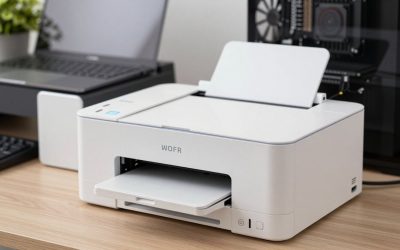
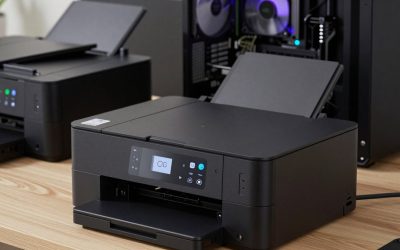
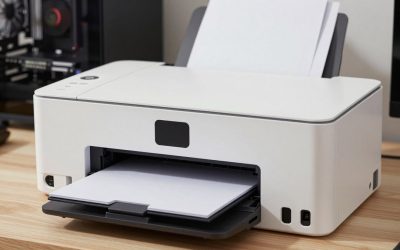
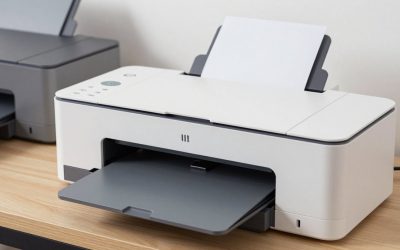
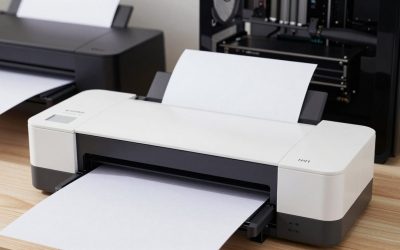
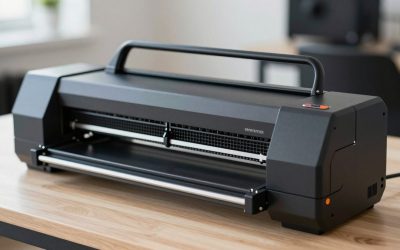
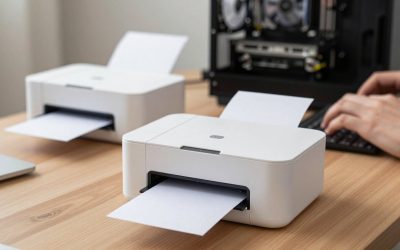
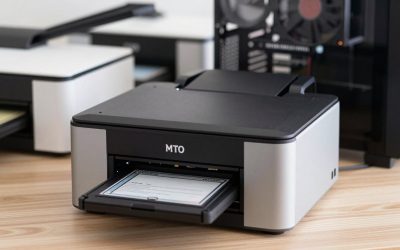
- Top Pick: Liene PixCut S1 Color Sticker Printer & Cutting Machine – All-in-One Sticker Maker for DIY Crafts, Custom Labels & Gifts. Thermal Dye-Sublimation Photo Printer, 300 DPI, Precise AI Auto-Cutting
- Best Value: Liene PixCut S1 Inspire Kit – All-in-One Color Sticker Printer & Cutting Machine, Thermal Dye-Sublimation Photo Printer, 300 DPI, Color Label Maker with 180 Sheets (36 Photo + 144 Sticker Paper)
- Premium Choice: Mini Sticker Printer-T02 Mini Thermal Printer AI Sticker Maker with 600 Pcs | Bluetooth Portable Mini Printer, Sticker Maker Machine Print Pods for Gifts, Study, Journaling with 600 Pcs Labels(3 Rolls)
For stickers, a refillable-tank photo inkjet such as the Canon PIXMA G620 or Epson EcoTank Photo ET-8550 gives the richest color, the Epson EcoTank ET-2800 or ET-2980 is the low-cost option for high volume, and an ordinary cartridge inkjet is fine if you only print stickers occasionally. Laser printers rarely suit inkjet vinyl. The right pick depends on how many sheets you print, the media you use, and whether you need the stickers to survive water and sun.
As an Amazon Associate we earn from qualifying purchases at no extra cost to you.


What matters when printing stickers
Stickers put different demands on a printer than documents do. You print full-coverage color on glossy or matte sheets, often with a cutting machine finishing the shapes afterward. That means ink use per page is high, color accuracy matters, and the paper path must handle thicker and sometimes curly media. Makers and reviewers repeat the same factors:
- Ink cost per page: full-page art is ink-hungry, so tank printers pay off sooner.
- Color range: extra inks like red and gray widen the gamut.
- Rear or straight feed: reduces jams with vinyl and stiff sticker paper.
- Borderless printing: useful for full-bleed designs.
- Durability of the print: dye ink is vivid but less water resistant than pigment; lamination helps.
Best printers for stickers at a glance
| Model | Best for | Key stated specs | Limits |
|---|---|---|---|
| Canon PIXMA G620 | Vivid photo-style stickers | Six dye inks (CMY, red, gray, black) in 57 mL bottles; borderless 4×6 to 8.5×11; up to 3,800 4×6 photos per set per Canon | Letter size focus; dye ink needs lamination for water exposure |
| Epson EcoTank Photo ET-8550 | Large sheets and detailed art | Six inks; prints to 13 x 19 in with borderless support; rear feed for thick media up to 1.3 mm | Large, heavier, higher up-front tier |
| Epson EcoTank ET-2800 | Budget high-volume | Four 522 bottles; about 4,500 black and 7,500 color pages per bottle (Epson rating) | Four inks; independent tests found lower yields |
| Epson EcoTank ET-2980 | Budget with auto duplex | 502 bottles; up to 5,500 color pages for the box set | Fewer colors than photo models |
| Canon PIXMA TS8320 / TS9521C | Cartridge photo printers | Reviewers report sharp output | Higher ink cost per sticker |
Photo tank printers: Canon G620 and Epson ET-8550
These two lead most sticker roundups because their extra inks matter for artwork. The G620’s dye inks are vivid, and Canon lists a long-life ChromaLife dye formulation. Canon quotes the yield in 4 x 6 photos per ink set, and for sticker sheets with large color areas you should expect lower numbers. The ET-8550 adds photo black and gray inks, and its 13 x 19 in capability lets you fit more stickers on a sheet, which cuts the number of passes. Epson lists its bottle yields at 6,200 pages per color, but those are standard-document yields.
Budget tank printers: Epson ET-2800 and ET-2980
If you print sticker sheets for resale or classroom use in bulk, the lowest-cost option is often a basic tank model. The ET-2800 and ET-2980 are the ones reviewers cite most. The ET-2980 adds automatic duplex, which is irrelevant for stickers but handy for other printing. Four-color systems reproduce fewer saturated shades than photo models, so very vivid greens and reds look a bit flatter.
Best printable vinyl for inkjet printers
Choose vinyl sold for inkjets, in matte or glossy, with a permanent or removable adhesive according to use. Waterproof printable vinyl is usually a coated film; the coating absorbs ink, so let prints dry fully before handling. Many makers advise laminating or sealing the print for outdoor or dishwasher exposure. Set the printer to the paper type that matches the sheet so it puts the correct amount of ink down; too much ink can bleed or smear.
Best printers to print on vinyl: what is realistic
Home inkjets can print on vinyl sheets with a coating made for them, but they are not designed for roll vinyl or outdoor signs. For durable outdoor stickers, such as car decals, consider printing on a dedicated product or using an outside printer service. Commercial label and eco-solvent printers exist, but they are professional equipment, not home printers.
Best waterslide decal paper
Waterslide decal paper comes in clear and white versions, and in versions for inkjet and for laser printers. The instructions on the pack decide which printer works. After printing, most inkjet decal papers need a clear sealing spray so the ink does not run when the decal is soaked. White decal paper is opaque, while clear paper lets the surface color show through and shows no white ink under the print because home inkjets cannot print white. Applications include models, ceramics and glass, and they require a kiln or sealer according to the paper maker’s instructions for durable results.
Running cost
With tank printers, the main recurring costs are sticker paper or vinyl, and ink. Makers quote page yields from standard documents, but sticker sheets use more ink because most of the sheet is colored. Plan for lower yields than the rating. Cartridge printers cost more per sticker, but suit light use. Keep a log of ink level changes for your first fifty sheets to estimate real consumption.
Pick X if…
| Pick this if… | Choose |
|---|---|
| You sell art stickers and need strong color | Canon PIXMA G620 |
| You print larger sheets, up to 13 x 19 in | Epson ET-8550 |
| You print many simple sheets cheaply | Epson ET-2800 or ET-2980 |
| You print stickers once in a while | A cartridge photo inkjet |
| You need outdoor or vehicle stickers | A professional print service |
Alternatives
- Print-on-demand services: good for durable, weatherproof stickers without equipment.
- Thermal label printers: work for simple one-color labels, not for color art.
- Cutting machines with pre-printed sheets: if you buy printed sheets, you only need a cutter.
Setup and compatibility notes
- Match the driver’s paper type to your sticker media.
- Let prints dry before stacking.
- If you use a cutting machine, calibrate its sensor against your printer’s registration marks.
- Keep sticker paper flat and away from humidity.
- All of the printers above support Wi-Fi; Canon and Epson list AirPrint for Macs and iPads.
Finishing: cutting, laminating and sealing
Printing is only half the job. Sticker sheets can be hand-cut with scissors or a craft knife, cut with a cutting machine that reads registration marks, or die-cut by a service. Kiss-cutting, where the blade cuts the sticker layer but not the backing, is the usual goal. A cutting machine paired with a printer such as those above gives the cleanest result, but it needs a calibration step for each new media type.
To protect the print, many makers suggest a clear laminate sheet or a protective spray. Laminate adds water resistance and scratch protection, and is the usual approach for bottle stickers, planner stickers and anything that will be handled often. Spray sealers are cheaper but need ventilation and an even hand. Always let the ink dry before sealing, or colors can run, particularly with dye ink on glossy vinyl.
Print quality tips
- Design at the final size and at a resolution suited to the printer; low-resolution images look soft on a glossy sheet.
- Use the printer’s best or high quality setting for final sheets and draft for tests.
- Avoid very dark, full-sheet backgrounds, which use a lot of ink and may leave the surface tacky for longer.
- Keep a spare nozzle check page, so you can spot clogged nozzles before wasting vinyl.
- Store sticker paper in its original packaging in a cool, dry place.
Storage, drying and shelf life
Printed sticker sheets should lie flat to dry, away from direct sun and heat, for the time the paper maker states. Stacking too early can transfer ink to the back of the next sheet. Once dry, store finished stickers flat in a sleeve. Unused sheets absorb humidity, which causes curling and feed problems, so reseal the pack after each session. Sticker adhesives have a limited shelf life, and the maker of your paper or vinyl should list how long unprinted stock stays usable.
If you sell stickers, be consistent: use the same paper type, the same print quality setting and the same sealing method for every batch, so customers receive a uniform product.
Frequently Asked Questions
Can I print waterproof stickers at home?
You can use waterproof printable vinyl, but the ink itself may not be waterproof. Sealing or laminating the print is the usual fix. Follow the vinyl maker’s instructions.
Should I use dye or pigment ink for stickers?
Dye ink gives brighter color on glossy media, while pigment ink resists water and fading better. Laminating helps either way.
Is a laser printer good for stickers?
It works for laser-compatible label sheets, such as address labels, but not for most inkjet vinyl. Heat from the fuser can damage the wrong media.
Do I need borderless printing?
It is useful for full-bleed designs. Most cutting workflows leave a margin anyway, so it is optional.
Can a home printer print white ink?
No. Home inkjets do not print white. Use white sticker material or clear stock over a colored surface.
How can I reduce ink use?
Use the draft or standard quality setting when you can, and avoid large solid fills. Printing multiple designs on one sheet cuts waste.