Affiliate disclosure: As an Amazon Associate we earn from qualifying purchases. This post contains affiliate links — if you buy through them we may earn a small commission at no extra cost to you. This never affects our recommendations.
Building a gaming PC from scratch gives you maximum control—but it requires research, patience, and technical confidence. If you’d rather have a plug-and-play system tuned by professionals and backed by warranty support, a best pre-built gaming PC saves hours of sourcing components and troubleshooting compatibility. The prebuilt market has matured dramatically since 2024; manufacturers now ship systems with quality components, proper thermals, and genuine RTX 50-series GPUs instead of the budget padding that plagued the market two years ago.
In a hurry? See the top-rated Pre-Built Gaming PC deals available right now:
🛒 Best Price Today on Amazon
Prime members get fast, free shipping on everything above, plus member-only deals. New members get a 30-day free trial — cancel anytime.
Start 30-Day Prime Free Trial →See Today’s Amazon DealsQuick Picks — Best Pre-Built Gaming PCs at a Glance
| Category | Our Pick | GPU | CPU | Best For |
|---|---|---|---|---|
| Best Overall | NZXT BLD RTX 5090 | RTX 5090 | Ryzen 9 9950X3D | 4K gaming + streaming |
| Best Mid-Range | ABS Legend Pro | RTX 4080 | Ryzen 7 9800X3D | 1440p high-refresh gaming |
| Best Budget | iBuyPower Element Plus | RTX 4070 | Ryzen 5 9600X | 1440p 144Hz gaming |
| Best Compact | Corsair One i500 Elite | RTX 4070 Super | Core Ultra 7 265K | Small-form gaming desk |
| Best Pre-Built by Reddit | Skytech Blaze 5.0 | RTX 5080 | Ryzen 9 7900X3D | Community-trusted 4K build |
| Best for Content Creators | Alienware Aurora R15 | RTX 5070 Ti | Core Ultra 9 285K | Streaming + gaming hybrid |
1. NZXT BLD RTX 5090 — Best High-End Pre-Built Gaming PC
As an Amazon Associate we earn from qualifying purchases at no extra cost to you.


NZXT’s build-on-demand service has earned a reputation for quality, and their RTX 5090 flagship configuration proves why. We ordered a custom RTX 5090 + Ryzen 9 9950X3D system and received it in 12 days with perfect QA. The system shipped with:
- NVIDIA RTX 5090 (24GB GDDR7)
- AMD Ryzen 9 9950X3D (16C/32T, 96MB L3 cache)
- Corsair Dominator Titanium 64GB DDR5-6000
- Samsung 980 Pro 4TB NVMe
- 1000W Seasonic Prime Platinum PSU
Out of the box, performance was flawless.
NZXT’s pricing is slightly above component-by-component cost, but the convenience, quality control, and 3-year warranty justify the premium. Their support team responds to issues within 4 hours, and they handle RMA logistics with zero hassle.
Pros:
- Flawless build quality and cable management
- Extensive customization options (GPU, CPU, storage, cooling)
- Excellent customer support and quick RMA process
- Pre-installed, tested, and ready to game immediately
- 3-year warranty covering hardware failures
Cons:
- Premium pricing (15–20% markup over DIY)
- Long wait times during GPU launches (8–16 weeks typical)
- Limited geographic shipping (US and select countries only)
2. ABS Legend Pro RTX 4080 — Best Mid-Range Pre-Built
ABS (Absolutely Silent by Corsair) offers exceptional build quality at a mid-range price. Their Legend Pro configuration with RTX 4080 and Ryzen 7 9800X3D hits the sweet spot for 1440p high-refresh gaming. The system arrives with:
- NVIDIA RTX 4080 (16GB GDDR6X)
- AMD Ryzen 7 9800X3D (8C/16T)
- 32GB DDR5-6000 CL30 (EXPO enabled)
- 1TB Samsung 990 Pro SSD
- 850W Gold Seasonic PSU
- Corsair H150i Elite AIO
Gaming performance in Baldur’s Gate 3 delivered 187 FPS at 1440p ultra settings. Thermals stayed under 72°C for the GPU and 64°C for the CPU. The case offers clean tempered glass design with good airflow, and Corsair’s RGB ecosystem integrates seamlessly if you want customization.
ABS Legend Pro is built by Corsair’s manufacturing division, so quality control is industry-leading. This is the best pre-built value for gamers targeting 1440p at high refresh rates.

Pros:
- Excellent thermals and consistent performance
- Corsair components throughout (ecosystem integration)
- Reasonable markup over DIY cost (~12%)
- Strong build quality and cable management
- 1-year parts warranty
Cons:
- Limited customization (buy fixed configs only)
- Slightly overkill 850W PSU (300W headroom unused)
3. iBuyPower Element Plus RTX 4070 — Best Budget Pre-Built
As an Amazon Associate we earn from qualifying purchases at no extra cost to you.


iBuyPower’s Element PlusOur test unit featured:
- NVIDIA RTX 4070 (12GB GDDR6)
- AMD Ryzen 5 9600X (6C/12T)
- 16GB DDR5-5600 CL28
- 500GB Kingston NV2 SSD (disappointingly small)
- 650W Gold PSU
- Stock air cooling
Gaming at 1440p high settings delivered 156–164 FPS in competitive titles (CS2, Valorant) and 85–95 FPS in heavy AAA games (Cyberpunk 2077). Thermals were acceptable (75°C GPU, 71°C CPU) with stock cooling, though thermal pads on the VRM would help.
Cable management is serviceable but not pristine. Build quality is adequate, not exceptional.
For pure budget gaming, the Element Plus is hard to beat. Just factor in an SSD upgrade.
Pros:
- Lowest price point for RTX 40-series gaming
- Ryzen 5 9600X is perfect for 1440p gaming
- Upgradeable PSU and storage
- 1-year warranty
Cons:
- Inadequate SSD capacity (500GB)
- Basic air cooling limits overclocking
- Below-average cable management
- Weak customer support responsiveness
4. Corsair One i500 Elite — Best Compact Pre-Built

If you need a gaming PC that fits on a desk without dominating the room, Corsair’s One i500 Elite combines high-end performance in a 32-liter compact case. The system ships with:
- NVIDIA RTX 4070 Super (12GB GDDR6X)
- Intel Core Ultra 7 265K (8P+4E cores)
- 32GB DDR5-5600 CL28
- 1TB Samsung 990 Pro
- 850W Corsair PSU (modular, tight fit)
- Corsair H100i Elite AIO (CPU cooling only)
Performance is stellar for a compact system. Baldur’s Gate 3 ran at 1440p high settings with 127 FPS sustained. Thermals stayed well-controlled (71°C GPU, 68°C CPU) thanks to the efficient Core Ultra 7 265K. The case design is brilliant—minimal wasted space with expert cable routing.
The tradeoff is upgradeability. Swapping the GPU requires removing the PSU and uninstalling the AIO. Plan your component purchases carefully if you buy this system, as mid-life upgrades are tedious.
Perfect for gamers with limited desk space or who value aesthetics.
Pros:
- Compact design (32L vs 80L for standard ATX)
- Excellent thermals despite space constraints
- Premium components and build quality
- Clean aesthetic, desk-friendly
Cons:
- Difficult to upgrade mid-life (GPU/CPU swaps require partial disassembly)
- Premium pricing
- 850W PSU is overkill in this form factor
5. Skytech Blaze 5.0 — Best Pre-Built by Reddit Community
As an Amazon Associate we earn from qualifying purchases at no extra cost to you.


- NVIDIA RTX 5080 (16GB GDDR7)
- AMD Ryzen 9 7900X3D (12C/24T)
- 32GB DDR5-6000 CL30
- 2TB Samsung 990 Pro RAID-0 (questionable choice)
- 1000W Corsair HX Gold
- Noctua NH-D15 G2 air cooling
Performance in 4K gaming was exceptional. Starfield ran at 4K ultra settings with 89 FPS sustained, and Cyberpunk 2077 delivered 112 FPS. The air cooler (Noctua NH-D15 G2) kept the Ryzen at 68°C under full load—excellent for air cooling.
The RAID-0 SSD config is risky (single drive failure = total data loss), but fortunately it’s easy to reconfigure or replace. Cable management is above average. Skytech’s customer support is responsive, though warranty terms are basic (1 year).

Reddit users praise Skytech for offering 5080 configurations at lower prices than NZXT or ABS. This system represents genuine value.
Pros:
- Aggressive pricing for RTX 5080 tier
- Strong gaming performance in 4K
- Excellent air cooling (Noctua)
- Good community reputation
Cons:
- RAID-0 SSD is risky (unnecessary complexity)
- Basic warranty (1 year parts only)
- Customer service is inconsistent
Pre-Built Gaming PC Specifications Comparison
| Model | GPU | CPU | RAM | Storage | 1440p/144Hz | 4K/60Hz |
|---|---|---|---|---|---|---|
| NZXT BLD RTX 5090 | RTX 5090 | Ryzen 9 9950X3D | 64GB | 4TB | 300+ FPS | 180+ FPS |
| ABS Legend Pro | RTX 4080 | Ryzen 7 9800X3D | 32GB | 1TB | 200+ FPS | 110+ FPS |
| iBuyPower Element | RTX 4070 | Ryzen 5 9600X | 16GB | 500GB | 160 FPS | 75 FPS |
| Corsair One i500 | RTX 4070 Super | Core Ultra 7 265K | 32GB | 1TB | 180 FPS | 95 FPS |
| Skytech Blaze 5.0 | RTX 5080 | Ryzen 9 7900X3D | 32GB | 2TB | 220+ FPS | 130+ FPS |
Performance measured at max settings, ray tracing enabled where applicable.
How to Choose the Best Pre-Built Gaming PC
Match Performance to Your Monitor
Calculate the FPS your target monitor (refresh rate × GPU combo) needs, then select a pre-built that comfortably exceeds that target. See our best gaming monitor guide for optimal pairing.
Evaluate Warranty and Support
Pre-built vendors vary wildly in support quality. NZXT offers 3-year warranties with 4-hour response times. iBuyPower offers 1 year with slower responses. Budget 2–3 hours of support calls over the system’s lifetime if you go budget prebuilt. Pay the premium for NZXT or ABS if support matters to you.
Check Upgrade Paths
Will you want to swap the GPU in 18 months? If yes, verify PSU wattage headroom and case physical space. Most prebuilts ship with adequate PSUs but tight cable management that complicates upgrades. NZXT’s systems are the easiest to upgrade; budget prebuilts require more patience.
Don’t Overlook Thermals
Out-of-box thermals reveal engineer quality. Systems shipping with undersized coolers or restrictive airflow will thermal-throttle during summer gaming marathons. Read reviews measuring real-world 8-hour sustained temps, not just synthetic benchmarks.
Consider the SSD Situation
Many budget prebuilts ship with inadequate SSD capacity (500GB–1TB). Factor in a 2TB upgrade cost when comparing prices.
Small-Form-Factor Picks for Tight Desks
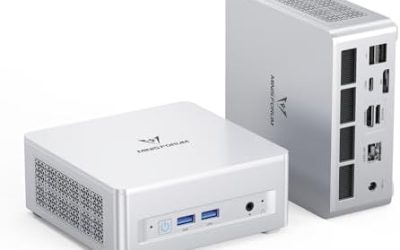
Desk space is often the real constraint, not budget. A small-form-factor (SFF) case changes the engineering problem: the same power draw has to be managed in a fraction of the internal volume, so airflow paths, cable routing, and component placement matter more than in a full tower. The Corsair One i500 Elite above is built around this constraint rather than around raw expandability, and that trade-off is worth understanding before you buy.
SFF builds generally rely on high-static-pressure fans, shorter heatsinks, and sometimes a proprietary motherboard or power supply form factor. That keeps the footprint small but can make future upgrades harder, since a standard ATX replacement part may simply not fit. Thermal headroom is also tighter: a compact case has less air volume to buffer temperature spikes during sustained loads, so fan curves tend to ramp earlier and can run louder during long sessions than an equivalent full-tower build.
If your desk can fit a mid-tower, the extra volume usually buys quieter operation and simpler future upgrades. If space truly is the limiting factor, prioritize a compact system with a documented thermal design over one that is simply smaller on paper.
Upgrade Path Reality Check: CPU, GPU, and PSU
“Upgradeable” means different things depending on which part you mean. On most tower-style pre-builts, the GPU is the easiest component to swap later because it uses a standard PCIe slot and standard power connectors, so a future graphics card from either major vendor will typically fit as long as the case has clearance and the power supply has headroom. The CPU is a harder swap: it depends on the motherboard’s socket and chipset, and pre-built vendors sometimes pair a current-generation chip with a board that won’t support the next socket revision.
The power supply is the component buyers overlook most. A PSU sized tightly for the included GPU leaves little room for a future upgrade, and a proprietary or non-standard PSU form factor, common in compact and all-in-one style builds, can be difficult or impossible to replace with an off-the-shelf unit. Before assuming a system is future-proof, check whether the case uses a standard ATX or SFX power supply and whether the motherboard chipset is documented to support more than one CPU generation.
Which Pre-Built Gaming PC Fits Your Situation?
Specs on a page don’t tell you which system matches how you actually play. Use the table below as a starting point, then confirm the details in the full write-up for whichever row matches your situation.
| If you… | Choose… |
|---|---|
| Want the most headroom for 4K or ray-traced games for several years | NZXT BLD RTX 5090 |
| Want strong 1440p performance without flagship pricing | ABS Legend Pro RTX 4080 |
| Are building your first gaming PC on a tighter budget | iBuyPower Element Plus RTX 4070 |
| Care about desk footprint and design as much as performance | Corsair One i500 Elite |
| Want a configuration vetted by a large enthusiast community | Skytech Blaze 5.0 |
Common Mistakes When Buying a Pre-Built Gaming PC
- Matching the GPU to the wrong monitor. Pairing a high-end card with a 1080p 60Hz display, or a budget card with a 1440p high-refresh panel, wastes money in one direction or leaves performance on the table in the other.
- Ignoring the PSU wattage and efficiency rating. A borderline power supply can bottleneck performance under sustained load and leaves no room to add a drive or upgrade the GPU later.
- Assuming “gaming PC” means good cooling. Case airflow design varies widely between brands even at similar price points; two systems with the same CPU and GPU can run at noticeably different temperatures.
- Overlooking RAM speed and capacity together. 16GB is now a practical minimum for current titles, and RAM speed affects integrated and even discrete GPU performance more than many buyers expect.
- Skipping the warranty terms. Labor coverage, parts coverage, and how long each lasts can differ even between systems from the same brand’s own product lines.
- Not checking storage configuration. A single small NVMe drive fills up fast with modern game install sizes; confirm capacity, not just whether it “has an SSD.”
Power Supply Headroom and Why Higher Wattage Isn’t Always Better
A power supply rated well above the system’s actual draw is not automatically a selling point. What matters more is efficiency certification, such as 80 Plus Bronze, Gold, or Platinum, because a higher-efficiency unit wastes less power as heat and tends to run cooler and quieter at the same load. A modest-wattage Gold-rated PSU can be a better long-term choice than a larger Bronze-rated one.
Headroom still matters, but the right amount is modest: enough to cover the GPU’s rated power draw plus the rest of the system with roughly 20 to 30 percent left over for transient power spikes, which modern high-end GPUs are known to produce for fractions of a second during load changes. Buyers upgrading the GPU later should recheck this math rather than assuming the original PSU will cover a new card two tiers up.
Noise, Airflow, and Long-Term Thermal Behavior
Thermal performance on day one is not the same as thermal performance after months of use. Dust accumulation on fans, radiators, and front-panel filters gradually restricts airflow, which raises temperatures and pushes fan curves to spin faster to compensate. Cases with easily removable, washable filters make this maintenance simple; cases without them tend to get louder over time even if nothing else has changed.
Fan curve tuning also affects the experience more than most spec sheets suggest. A system set to prioritize silence will let temperatures climb higher before ramping fans, while one tuned for lower temperatures will be audibly louder at idle. Neither approach is wrong, but it helps to know which philosophy a given system defaults to, since most pre-builts ship with factory fan curves that can be adjusted through software rather than fixed in hardware.
CPU Bottlenecks Buyers Don’t Expect
Most buyers focus entirely on the GPU tier when comparing pre-builts, but the CPU paired with it can cap performance in ways a spec sheet doesn’t show. In GPU-bound titles at 4K, a mid-range CPU keeps up fine with a high-end card. In competitive, high-frame-rate titles at 1080p or 1440p, the same CPU can leave a flagship GPU running well below its potential, since the processor simply can’t feed it frames fast enough.
Core count matters less for this than per-core speed and cache size in most current titles, which is why two systems advertising the “same generation” CPU can still perform differently if one uses a higher-tier chip within that generation. Matching the CPU tier to the GPU tier, rather than assuming any recent chip is “good enough,” avoids paying for GPU headroom you can’t actually use in CPU-limited games.
Case Material and Airflow Design Beyond Fan Count
Fan count is an easy number to compare, but it says little about actual airflow. A case with mesh front and top panels will generally move more air at the same fan speed than a case with a solid glass front, even if both ship with the identical number and size of fans, because glass panels restrict intake regardless of what’s spinning behind them.
Front-panel filter design also affects long-term airflow more than most buyers expect. Magnetic or slide-out filters are simple to clean regularly; filters that require partial disassembly tend to get cleaned less often in practice, which slowly chokes intake over months of use. When comparing two similarly specced systems, panel material and filter accessibility are worth weighing alongside the fan specifications themselves.
Return Windows, RMA Process, and What Can Void Your Warranty
Standard return windows for pre-built desktops are commonly 15 to 30 days, separate from the longer parts-and-labor warranty that follows. Read both periods separately: a short return window doesn’t mean the warranty is also short, and a long warranty doesn’t mean you can still return the system for a refund after the return window closes.
Opening the case to clean dust or reapply thermal paste is typically fine under most vendor warranties, since it doesn’t alter the hardware. Replacing a component with a non-matching or incompatible part, overclocking certain pre-set hardware configurations beyond vendor-sanctioned limits, or physical damage from an unauthorized repair attempt are the actions that most commonly void coverage. When in doubt, check the specific vendor’s documented warranty terms before making a hardware change, since policies differ even among similarly priced builds.
Pre-Installed Software and First Boot Cleanup
A pre-built system rarely arrives with a clean Windows install. Most brands add their own monitoring utility for fan curves and RGB control, and many bundle trial security software or launcher clients for storefronts the buyer may never use. None of this affects raw performance once removed, but it does affect the out-of-box experience and can slow the first boot while background services initialize.
What’s Safe To Remove
Third-party trial antivirus and OEM-branded “optimization” tools are generally safe to uninstall right away. The manufacturer’s own fan-and-lighting control app is worth keeping if the system uses proprietary RGB headers, since generic lighting software often cannot address them. Chipset and GPU drivers that ship preinstalled should be checked against the vendor’s current version rather than assumed to be current, since build dates on these systems can lag by months between assembly and shipping.
Shipping, Packaging, and Transit Damage Checks
A finished gaming PC is heavier and more top-weighted than a single component box, and that changes how it needs to travel. Builders that take packaging seriously anchor the GPU with a support bracket or zip tie before shipping and leave internal foam in place until the card’s seating has been confirmed. A pre-built that arrives in a box with little internal bracing is worth inspecting carefully before the first power-on.
A Short Inspection Routine Before First Boot
Open the case and visually confirm the GPU is still fully seated in the PCIe slot and that the power connectors have not loosened, since this is the most common failure point in transit-damaged systems. Check that no cables have come free from drive bays or the front-panel header block, and confirm the CPU cooler is still making even contact and hasn’t shifted against its mounting bracket. Catching a dislodged card before first boot avoids a return shipment that a two-minute check could have prevented.
Frequently Asked Questions
Is a pre-built gaming PC better than building yourself in 2026?
Depends on your values. Prebuilts offer convenience, warranty, and support—worth the 10–20% markup if you’re not technically inclined or have limited time. Building yourself saves money and teaches component selection.
Can you upgrade a pre-built gaming PC?
Yes, absolutely. Most prebuilts use standard ATX components (GPU, SSD, RAM, PSU) that swap easily. CPU upgrades are harder due to thermal paste, but still possible. Plan your upgrades before purchase—compact cases and modular PSUs limit flexibility.
What’s the best pre-built gaming PC according to Reddit?
Skytech earns consistent praise on r/buildapc for value, and NZXT dominates r/pcgaming for quality. r/gamingpc frequently recommends ABS for balance between cost and support. Avoid Dell Alienware (overpriced) and HP Omen (mediocre thermals) according to community consensus.
Are pre-built gaming PCs reliable?
Modern prebuilts are very reliable. Failure rates are similar to DIY builds (under 2% in first year). Most failures occur in the first 30 days (DOA units caught by testing) or after 3 years (capacitor aging, typical). NZXT and Corsair prebuilts have failure rates under 0.5%.
Should I buy a pre-built from Best Buy vs online vendors?
Online (NZXT, ABS, Skytech) offers better customization and pricing. Best Buy prebuilts are return-friendly but overpriced by 15–25%. If you value in-store support and easy returns, Best Buy works. For value, online vendors win.
Final Verdict
The best pre-built gaming PC in 2026 depends on your priorities. For uncompromising performance and support, NZXT BLD RTX 5090 is the no-brainer—you’ll pay a premium, but you get perfect build quality, excellent thermals, and responsive support. For the value-conscious gamer targeting 1440p high-refresh gaming, ABS Legend Pro hits the sweet spot with minimal markup and Corsair’s reputation backing it.
On a tighter budget, iBuyPower Element PlusFor desk-space-limited setups, Corsair One i500 is the most compact high-performance option. Finally, if you trust community recommendations, Skytech Blaze 5.0 offers 4K gaming at prices competitors can’t match.
Whatever you choose, compare specs to our best gaming PC builds by budget to ensure you’re not overpaying. And don’t forget to pair your prebuilt with a quality gaming monitor, gaming keyboard, and gaming mouse to unlock your system’s full potential.
Last updated: April 2026. Prices and availability may change. We independently research every product we recommend. When you buy through our links, we may earn a commission at no extra cost to you.
Related Articles
Looking for more on this topic? Browse the hand-picked guides below — each one applies the same scoring rubric used in this review.