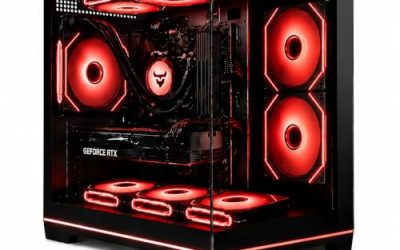
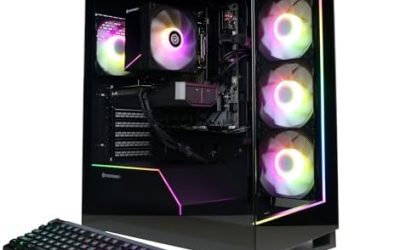
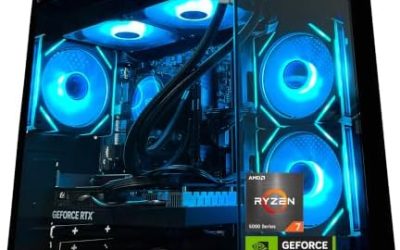
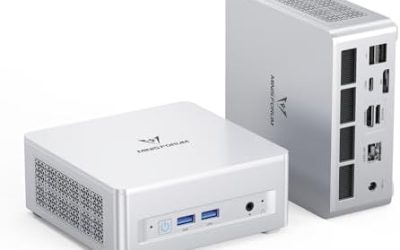
- Top Pick: Dell Pro Business Desktop Computer, New OptiPlex Version – Intel 14th Gen i5-14500(Beats i7-13700, 14Core,20 Threads), 16GB DDR5 RAM, 512GB PCIe SSD, Ultra-Quiet Design, KB & Mouse, Windows11 Pro
- Best Value: HP EliteDesk 800 G3 SFF Desktop Computer with 21.5"" FHD Monitor Bundle PC Set, Intel Core i5-6500 3.2GHz, 8GB RAM, 256GB SSD, Keyboard & Mouse, WiFi, Windows 11 Pro, Black (Renewed)
- Premium Choice: Lenovo M720Q ThinkCentre Mini PC | Windows 11 Pro | Intel i5-8400T | 16GB RAM + 500GB NVME | 5G WiFi + BT | Home or Office Micro Desktop Computer (Renewed)
The Framework Desktop is the best quiet desktop computer for gamers who want real game performance without a loud box, because its Ryzen AI Max+ 395 chip with a large integrated graphics engine runs in a compact 4.5-liter case with big, slow fans. If you want maximum silence for work and light gaming, the Apple Mac mini M4 Pro and the Beelink SER8 are the quietest in practice, while a custom tower built around a Fractal Design Define 7 case and a Noctua NH-D15 G2 cooler is the only way to get a quiet machine with a high-end discrete graphics card.
Quiet and fast pull in opposite directions. Every watt of heat has to leave the case, and moving that heat takes airflow, which makes noise. The way to a quiet gaming desktop is to lower the heat output, use large slow fans, and add sound damping, not to buy a loud machine and hope. This guide ranks complete systems by how they manage that trade-off, then covers the parts that matter if you build your own. We frame everything for a gamer who sits close to the computer, uses a headset microphone and plays in a bedroom or shared room.
As an Amazon Associate we earn from qualifying purchases at no extra cost to you.


Quick picks
- Best quiet system for real game performance: Framework Desktop (Ryzen AI Max+ 395)
- Best near-silent mini PC for gaming-light use: Beelink SER8
- Best for silence and creative work: Apple Mac mini M4 Pro
- Best for sustained heavy work in silence: Apple Mac Studio M4 Max
- Best completely fanless pick: MeLE Quieter 4C (Intel N150)
- Best quiet tower case: Fractal Design Define 7
- Best quiet air cooler: Noctua NH-D15 G2
- Best alternative sound-dampened case: be quiet! Silent Base 802
How we chose
This guide is research-based. We compared manufacturer specifications, cooling designs and the noise descriptions in 2026 independent reviews and buying roundups. Published decibel figures vary by method and distance, and many come from vendor blogs, so we treat them as approximate and rank by design (fanless, large fan, damped case) rather than a single number. We did not run our own measurements. We required each system to be sold in 2026 and to have a cooling approach that reviewers describe as quiet under load, not only at idle.
The criteria, in order of weight:
- Noise under gaming load. Idle silence is easy. Look for descriptions of fan behavior after 20 minutes of play.
- Game performance class. A fanless box cannot run modern games. We state what each system can and cannot do.
- Heat output. Lower total watts mean slower fans. This is the single biggest driver of noise.
- Platform and game support. Windows and the PC game library versus macOS and its smaller list.
- Upgrade path. Discrete graphics and replaceable parts are possible only in a tower.
Comparison table
| System | Cooling approach | Game class | Platform | Best for |
|---|---|---|---|---|
| Framework Desktop | Compact case, large slow fans | 1080p high to 1440p medium on a large iGPU | Windows or Linux | Quiet small gaming PC |
| Beelink SER8 | Mini PC, small fan, about 25 dBA class reported | 1080p esports and mid-range games | Windows | Desk-friendly quiet mini |
| Apple Mac mini M4 Pro | Compact, very low noise under load | Native Mac games only | macOS | Silent creative and light gaming |
| Apple Mac Studio M4 Max | Larger chassis, reported under 22 dBA class | Native Mac games, heavy creative work | macOS | Sustained silent workloads |
| MeLE Quieter 4C (N150) | Fanless, 0 dB | Indie, retro, streaming | Windows | Silent living-room or desk PC |
| Fractal Design Define 7 build | Damped tower, large fans | Any, up to flagship graphics | Windows | Quiet high-end gaming |
The best quiet desktop computers for gamers
Framework Desktop (Ryzen AI Max+ 395)
Spec line: Ryzen AI Max+ 395 · 16 cores · integrated Radeon 8060S-class graphics · up to 128GB unified memory · 4.5-liter mini-ITX-style case · Windows or Linux
Best for: Gamers who want a small, quiet machine that still plays modern games at 1080p high or 1440p medium without a separate graphics card, and who value upgradeable parts and open design.
Skip if: You want flagship ray-traced 4K gaming, or you are price sensitive. Memory costs have pushed the cost up, and a tower with a discrete card gives more frames for the same budget.
Pros:
- Large integrated graphics engine removes the need for a hot graphics card
- Compact case with big fans that can run slowly
- Repairable, with standard ports and an open design
Cons:
- Premium cost for the performance, especially at high memory sizes
- Memory is part of the chip package, so you cannot add more later
- No independent measured decibel figures were found, so noise is judged by design
Beelink SER8
Spec line: Ryzen 7 8745HS class · integrated Radeon 780M · DDR5 memory · NVMe storage · mini PC chassis · about 25 dBA class reported
Best for: A quiet desk or bedroom PC that plays esports titles and older games at 1080p, and does everyday work without fan noise.
Skip if: You want high settings in new AAA games. The integrated Radeon 780M is capable, but it is an entry-level gaming engine.
Pros:
- Very small footprint
- Low reported noise for a mini PC
- Good performance per watt
Cons:
- Small fan can become audible at full load
- No path to a full-size graphics card
- Limited cooling headroom for long sessions
Apple Mac mini M4 Pro
Spec line: M4 Pro chip · unified memory · fast SSD · compact aluminum case · reported under 20 dBA class under sustained load · macOS
Best for: Streamers, editors and developers who want a machine that is effectively silent next to a microphone, and who play games that run on macOS.
Skip if: Your game library is mostly Windows-only. Many competitive shooters and online titles do not run natively on a Mac, and compatibility layers add latency.
Pros:
- Near-silent in most workloads
- Very low power draw
- Strong single-thread and creative performance
Cons:
- Limited native game support
- No user-upgradeable memory or storage
- Not suited to PC-only multiplayer titles
Apple Mac Studio M4 Max
Spec line: M4 Max chip · large unified memory options · larger chassis with big fan · reported under 22 dBA class · macOS
Best for: Users who run long rendering, video or machine learning jobs in silence and want the extra cooling headroom of a larger case.
Skip if: The goal is gaming. The extra cost buys creative power, not frame rates, and the game library is the same as on the Mac mini.
Pros:
- Stays quiet under sustained heavy load
- Large memory ceiling
- Many ports on the front and back
Cons:
- High cost
- Same macOS game limits
- Not upgradeable
MeLE Quieter 4C (Intel N150)
Spec line: Intel N150 · 16GB memory class · 512GB SSD class · fanless aluminum case · dual HDMI · USB-C
Best for: A completely silent PC for retro emulation, indie games, browser games and streaming a game from another computer.
Skip if: You want to play 3D games from the last several years. The integrated graphics are basic and the chip is built for low power.
Pros:
- No fan at all, so zero noise
- Low cost and tiny footprint
- VESA mount options
Cons:
- Limited game performance
- Case gets warm in long sessions
- Entry-level storage and memory
The quiet gaming tower: parts that matter
If you want flagship graphics, you need a tower, and a tower can be quiet if you choose the case, coolers and fans to work together. These three parts make the biggest difference.
Fractal Design Define 7 (case)
Spec line: Sound-dampened steel side panels · dense insulation on the front and top · large intake and exhaust fan positions · modular interior
Best for: Gamers who want to reduce the noise that escapes a high-end build, in a case with room for large radiators and tall coolers.
Skip if: You want maximum airflow and lighting. Damped panels restrict airflow, so hot components need extra fan capacity to compensate.
Pros:
- Insulated panels and front door cut noise at the source
- Roomy interior and strong cable management
Cons:
- Airflow is lower than an open mesh case
- Large and heavy
Noctua NH-D15 G2 (CPU cooler)
Spec line: Dual-tower heatsink · 140mm class fans · low-noise fan design · broad socket support including LGA1851 and AM5
Best for: Cooling a gaming processor at very low fan speed without the pump noise or leak risk of a liquid cooler.
Skip if: Your case is narrow or your memory is tall. The cooler is large, so check clearance first.
Pros:
- Strong cooling at low fan speeds
- No pump to hum or fail
- Long service life
Cons:
- Large and heavy
- Premium cost for an air cooler
be quiet! Silent Base 802 (alternative case)
Spec line: Sound-dampened panels · swappable front panel between damped and mesh · large fan mounts · tower size
Best for: Players who want to switch between a quiet mode and a high-airflow mode depending on the game.
Skip if: You want a compact tower. It is a large case.
Pros:
- Choice of damped or mesh front
- Good noise reduction in damped mode
Cons:
- Large footprint
- Airflow trade-off when the damped panel is on
Worked example: a noise budget for a gaming desk
Sound adds up in a way that surprises many builders. Use these three rules to plan a quiet system.
- Add fans on a log scale. Two identical sources are not twice as loud as one. They add about 3 decibels. Three identical fans add about 4.8 decibels. So three case fans each at 20 dBA produce about 25 dBA together.
- Use distance. Each doubling of distance drops the level by about 6 decibels in a quiet room. A computer at 0.5 meters reading 30 dBA reads about 24 dBA at 1 meter and 18 dBA at 2 meters. Putting the tower on the floor or a side shelf is the cheapest noise fix.
- Cut speed, not size. Fan noise rises very fast with speed. Dropping a fan from 1,200 RPM to 800 RPM lowers the noise by about 7 to 9 decibels. Choose larger fans, since a 140mm fan moves more air at lower RPM than a 120mm.
- Cap the heat. A graphics card limited to 80 percent of its power typically gives up about 5 percent of frame rate and removes a large share of its fan noise. Use a frame cap just below your monitor refresh as well.
- Check the mic. A headset or desk mic picks up the loudest nearby source. Aim the microphone away from the case and use a noise-suppression feature as a second layer.
Applied together: three 140mm fans at 800 RPM, the tower on the floor at 1 meter, and a power-limited graphics card can land near 20 dBA at the desk, which is close to a quiet bedroom.
Buyer criteria with thresholds
Noise target
A quiet room measures around 30 dBA. A system under 25 dBA at your seat is effectively inaudible. A reading of 35 dBA is audible but not intrusive. Anything above 40 dBA is clearly noticeable in a bedroom.
Heat output
For a quiet gaming PC, aim for a combined processor and graphics output under 250W. A 350W machine needs fans that move much more air, and noise follows. A large integrated graphics system can stay under 120W total.
Cooling type
Fanless suits only the lowest power tier. Mini PCs with small fans are quiet at idle but rise under load. A big air cooler on a tall tower is usually quieter than a small liquid cooler because it spins slower.
Storage and coil whine
Solid-state drives are silent. Avoid spinning hard drives in a quiet build, since they hum and click. Some graphics cards produce a high-pitched coil whine at very high frame rates, so cap the frame rate to reduce it.
Platform
If your games are Windows-only, avoid macOS. If you need access to the largest game library, a Windows tower or a Windows mini PC is the safe choice.
Tuning tips for a quieter PC
- Set a fan curve. Hold fans at 600 to 800 RPM until the processor passes about 70 degrees Celsius.
- Use a 0 RPM mode on the graphics card. The fans stay off during light use and turn on under load.
- Add rubber fan mounts and soft feet. These cut vibration that amplifies through the case.
- Use a high-efficiency power supply. A unit with a semi-passive mode runs its fan only at high load.
- Dust the case regularly. Blocked filters make fans work harder.
- Keep vents clear. Never block a mini PC vent or put the case in a closed cabinet.
Which one should you buy?
- You want a quiet Windows gaming PC in a small case: Framework Desktop.
- You want a small, cheap, quiet PC for esports titles: Beelink SER8.
- You stream or create and play Mac-compatible games: Apple Mac mini M4 Pro, or the Mac Studio M4 Max for heavy work.
- You want absolute silence and light games: MeLE Quieter 4C.
- You want flagship graphics and low noise: build a tower with the Fractal Design Define 7 and the Noctua NH-D15 G2, or use the be quiet! Silent Base 802.
Frequently asked questions
What is the quietest desktop computer for gaming?
For Windows games, a compact system with a large integrated graphics chip, such as the Framework Desktop, or a damped tower with large slow fans is quietest.
A fanless mini PC is silent but cannot play modern games. A Mac mini is near silent but has a smaller game library.
Can a gaming PC be silent?
Nearly. A power-limited graphics card, large fans at low RPM and a damped case can reach about 20 dBA at the seat, which is close to inaudible.
It will not be silent at full load with a flagship card, but with good tuning it stays below the level of a quiet room.
Are fanless PCs good for gaming?
Not for modern 3D games. Fanless designs use low-power chips with basic graphics, suited to emulation, indie games and streaming.
If you want silence and real game performance, choose a compact system with a large integrated graphics engine or a damped tower.
Is a Mac mini good for gaming?
It is good for the games that run natively on macOS, and quiet for all uses. Many Windows-only multiplayer games do not run.
Check that your main games have a native Mac version before buying, because compatibility layers add input latency.
Is air or liquid cooling quieter?
A large air cooler is often quieter than a small liquid cooler because it has no pump and can use big fans at low speed.
A 360mm or 420mm liquid cooler can be very quiet too, but pump hum is a risk, so choose one with a speed-controllable pump.
How loud is too loud for a bedroom?
Above about 35 dBA at your head is audible when it is quiet. Above 40 dBA it can disrupt sleep or voice chat.
Place the computer on the floor, away from the bed, and use a low fan curve at night.
Do SSDs make a PC quieter?
Yes. A solid-state drive has no moving parts, so it makes no noise, unlike a spinning hard drive that hums and clicks.
If you need bulk storage, put the hard drive in a rubber-mounted bay or use an external enclosure away from your desk.
Does a quiet PC run hotter?
It can if you cut fan speed without reducing heat. The fix is to limit power and use larger fans, so the system stays cool and quiet.
Watch temperatures after changing a fan curve. Keep the processor below about 80 degrees Celsius and the graphics chip below about 80 degrees in long sessions.