
Best Power Conditioner for Gaming 2026: When Clean Power Really Matters
A power conditioner is a device that filters and regulates the mains supply before it reaches your equipment. It is sold to gamers with promises of smoother performance, quieter systems and better protection, and some of those claims are overstated. This guide takes a sceptical, practical view. It explains what a conditioner really does, when it adds value to a gaming desk, and when a different product, such as a line-interactive UPS or a good power supply, is the better purchase. The goal is to help you avoid paying for a feature that does nothing for your setup.
The listing above may be a close match for the power conditioner class rather than the exact model you are considering. Conditioner specifications vary widely between brands, and the same product name can refer to different designs in different markets. Confirm the output rating, filtering specification, outlet count and warranty on the card before you order. The guidance below applies to any conditioner, so you can judge the product on its engineering rather than its marketing.
What a Power Conditioner Actually Does
A conditioner typically performs three functions. It filters electrical noise, which means high-frequency interference that can travel along the mains wiring. It regulates voltage, so small sags and swells are corrected before they reach the equipment. Some designs also include an isolation transformer, which separates the output from the input circuit and reduces certain types of interference. These are real electrical functions, and they are the reason a conditioner is a different tool from a surge strip.
What a conditioner does not do is provide battery backup. When the mains supply fails, a conditioner without a battery has nothing to fall back on, and the PC shuts down as it would on a bare wall outlet. It also does not make a PC faster. A gaming frame rate is set by the processor, the graphics card, the game and the settings, and a mains filter does not change any of those. Any claim that a conditioner boosts frame rates should be treated with caution.
Where a Conditioner Adds Real Value
Noisy or Unstable Grids
The clearest case for a conditioner is a grid with persistent electrical noise. This can happen in older buildings, near heavy industrial equipment or in homes with many switched-mode devices sharing the same circuit. The symptoms are usually subtle: audio hum on a headset or speakers, interference in an analogue connection, or intermittent glitches that do not match any other cause. If you see those signs, a conditioner is a sensible diagnostic step.
Audio and Video Gear on the Same Desk
A gaming desk often hosts a streaming setup, a capture card, an audio interface and a microphone, all on the same circuit as the PC. Mains noise can show up in the audio chain before it affects the PC itself. A conditioner on the audio and video side can reduce hum and keep the chain quieter, which is a more defensible use than promising better game performance.
Long-Term Stability Concerns
Some users run a conditioner simply to reduce the everyday voltage variation that reaches the PSU. In principle this is reasonable, since a power supply operating in a more stable input range sees less stress. The real benefit is hard to measure, and most modern gaming power supplies already handle ordinary variation well. If the grid is generally clean, this is a marginal gain rather than a necessity.
When a Different Product Is the Better Buy
For most gaming PCs, a line-interactive UPS is a stronger purchase than a conditioner. A line-interactive design corrects voltage like a conditioner does, and it adds a battery that keeps the PC running through short outages and shuts it down cleanly through software. If your concern is outages or brownouts, a UPS is the better answer. The UPS guide for gaming PCs explains how that choice works.
A surge protector is the right answer if the concern is spikes rather than noise or outages. A quality strip with a clear clamping voltage and a UL 1449 listing covers that role. The gaming PC surge protector picks cover the options. For many desks, the real improvement is a better power supply inside the PC, which filters the input and delivers stable rails to the components. The best PSU for gaming guide is the place to start there.
Conditioner Options Compared by Setup
| Setup | Spec to prioritise | Practical outcome | Typical price band |
|---|---|---|---|
| Gaming PC on a clean, stable grid | Not needed, a UPS or quality PSU is more useful | Little measurable difference | Not a priority, check current price |
| Desk with audio interface and microphone | Filtering specification, outlet layout for the audio chain | Reduced hum and cleaner audio input | Lower to mid band, check current price |
| Noisy or old building wiring | Voltage regulation range and noise filtering | Smoother supply to the PC and peripherals | Mid band, check current price |
| Frequent outages | Battery backup, which a conditioner lacks | Choose a UPS, not a conditioner | Check the UPS guide |
| Storm-prone area | Surge protection rating and listing | Choose a surge device, not a conditioner alone | Lower band, check current price |
The table makes the main point: a conditioner earns its place in specific situations, usually related to noise in audio or analogue chains. For a generic gaming PC on a normal grid, it is rarely the first purchase. Measure the problem before you spend the money, and confirm the exact model, specification and price on the card before you order.
How to Tell If You Have a Power Quality Problem
Start with the simplest checks. Watch whether lights dim when large appliances start, and note whether the PC restarts during storms or heavy wind. Listen for hum on the speakers or headset when the PC is under load, and check whether the noise changes when you move the audio gear to a different outlet. These are cheap tests, and they tell you whether a conditioner or a UPS is worth investigating further.
If the symptoms point to the PC itself, check the power supply rating and the case fans before you blame the mains. A PSU that runs hot or is near its limit can cause instability that looks like a power quality issue. The gaming power supply unit roundup, the 850W gaming PSU roundup and the be quiet! Pure Power 12 M review are useful references for judging whether the internal supply is the weak link.
Top Picks for Power Protection at a Gaming Desk
A power conditioner filters noise, while a UPS adds battery backup. These picks cover both, plus a simple surge strip for extra outlets.
Furman SS6B Power Conditioner
A six-outlet conditioner with surge protection. It suits desks with audio gear, where electrical noise can bleed into speakers and headphones.
Black Lion Audio PG-P Portable Power Conditioner
A portable conditioner geared toward audio setups. It is small enough for a desk or a travel rack and fits streaming or recording corners.
As an Amazon Associate we earn from qualifying purchases at no extra cost to you.

APC Gaming UPS BGM1500B Battery Backup
A gaming-focused UPS with surge protection for PCs and consoles. It gives you a few minutes to save and shut down during a power cut.

APC BE600M1 UPS Battery Backup
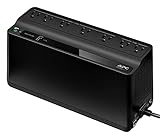
A small UPS for a computer, router or NAS. It is a low-cost way to protect smaller devices that do not draw much power.
Anker Power Strip with 2100J Surge Protector
A basic surge-protected strip with USB charging. It suits a desk that needs more outlets without the cost of a conditioner.

A conditioner does not replace a UPS, so match the device to the problem: noise, short surges or a full power cut. Add up the wattage of the PC, monitor and any extras before choosing a size, and leave some spare capacity.
Frequently Asked Questions
Does a power conditioner improve gaming performance?
No. A conditioner filters and regulates the supply, but it does not change the speed of the processor or the graphics card. Any performance difference you notice is more likely to come from the game, the driver, the cooling or the PSU. Be wary of marketing claims that promise higher frame rates from a mains device.
Is a power conditioner the same as a UPS?
No. A UPS includes a battery and keeps the PC running during an outage. A conditioner does not have a battery, so it does nothing during a power cut. Some UPS units include voltage regulation that works like a conditioner, which is why a line-interactive UPS is often the better buy.
Should I put my gaming PC behind a conditioner?
Only if you have a specific noise or stability problem that you have identified. On a clean grid, the benefit is small. If the concern is outages, choose a UPS. If the concern is spikes, choose a surge protector with a proper listing.
Can a conditioner damage my PC?
A well-made conditioner from a reputable brand should not damage a PC when used within its rating. Problems usually come from overloading the unit or using a poor-quality device. Keep the total load below the rated figure, and avoid connecting high-draw devices such as space heaters.
Final Verdict
Buy a power conditioner for a gaming desk only when you have a real noise or stability problem, most often on audio or analogue equipment. For outages, a line-interactive UPS is the better answer. For spikes, a surge protector with a UL 1449 listing covers the need. Measure the symptom first, and check the listing above and the exact model, specification and price on the card before you commit.
If your build is still being planned, the ultimate gaming PC build guide places power gear within the full system. For monitors and streaming gear that often share the same desk power, the how to choose a gaming monitor guide is a practical companion.


