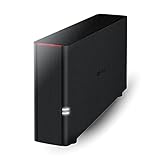
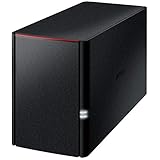
- Top Pick: BUFFALO LinkStation 220 8TB 2-Bay NAS Network Attached Storage with HDD Hard Drives Included NAS Storage that Works as Home Cloud or Network Storage Device for Home
- Best Value: BUFFALO LinkStation 210 6TB 1-Bay NAS Network Attached Storage with HDD Hard Drives Included NAS Storage that Works as Home Cloud or Network Storage Device for Home
- Premium Choice: BUFFALO LinkStation 210 4TB 1-Bay NAS Network Attached Storage with HDD Hard Drives Included NAS Storage that Works as Home Cloud or Network Storage Device for Home
A personal cloud drive solves a specific annoyance: your photos, game installers, project folders, and backups end up scattered across laptops, phones, and loose USB drives, and a monthly subscription for online space never feels like ownership. A small network storage box sits on your home network, keeps your files under your roof, and lets every device in the house reach them. The real decision is capacity, bay count, and whether you want a traditional hard-drive NAS or a compact SSD-based smart box.
This guide is written for home users and small offices shopping in 2026 for ready-to-run storage with drives already inside. Seven models are BUFFALO LinkStation units in different capacities, and one is an SSD-based smart cloud device with media features. All judgments come from the listed specs, so you will see capacity, bay count, and compatibility notes, and no invented transfer speeds.
Quick Picks
As an Amazon Associate we earn from qualifying purchases at no extra cost to you.


| Product | Best for | Key spec from the title |
|---|---|---|
| LinkStation 220 8TB | Growing family libraries | 8TB, 2-bay, drives included |
| LinkStation 210 6TB | Large single-drive archive | 6TB, 1-bay, drives included |
| LinkStation 210 4TB | Mid-size home backups | 4TB, 1-bay, drives included |
| LinkStation 210 2TB | Photos and documents | 2TB, 1-bay, drives included |
| LinkStation 220 4TB | Two-bay entry point | 4TB, 2-bay, drives included |
| LinkStation 220 12TB | Media-heavy homes | 12TB, 2-bay, drives included |
| LinkStation SoHo 220 12TB | Small offices | 12TB as 2x6TB, personal cloud office NAS |
| AMBER X | Plex and smart home fans | 512GB SSD, USB storage, Plex, Home Assistant |
How to Choose
Size capacity to your data, then add headroom
Add up what you have now: photo libraries, video projects, game backups, and device backups. Then double it. A 2TB unit suits documents and photos, while 6TB to 12TB suits video, game libraries, and several family devices. Remember that capacity listed as drives included is raw space, so some will go to file system overhead. Useful tiers: 2TB for documents and photos, 4TB for a family with several devices, 6TB to 8TB for video libraries, and 12TB for archives that keep growing. Buying one tier above your estimate is usually less hassle than migrating later.
Decide between one bay and two
A one-bay unit is the simplest way to centralize files, but if the single drive fails, the data goes with it. A two-bay unit offers room for expansion and better protection options, though the titles here do not spell out which modes the units support. Read the manual or spec sheet for mirroring before assuming it. Either way, keep a second copy of anything irreplaceable, ideally on a different device or off-site. A NAS protects against a single failed disk at best, not against theft, fire, or an accidental delete.
Check the device and app compatibility
Look for support for the systems you use: iOS, Android, Windows, and Mac. The AMBER X title names all four, along with Plex and Home Assistant, while the LinkStation titles describe a home cloud or network storage role. If you plan to stream movies to a TV, confirm the media server features you need before buying.
Know where budget models cut corners
Entry-level network boxes often use modest processors and a single network port, which limits simultaneous users and large transfers. A hard-drive model is noisier and slower to wake than an SSD unit, but it holds far more per unit of capacity. Ignore vague claims such as “high-speed” unless a spec sheet gives a figure. Also look at whether the box is meant to sit in a living space: a drive-based unit makes some noise and needs ventilation, so a shelf or desk with airflow works better than a closed cabinet.
The 8 Best Options
BUFFALO LinkStation 220 8TB
This LinkStation 220 is a 2-bay NAS with 8TB of hard drives included, described as network attached storage that works as a home cloud or network storage device for the home. The two-bay chassis offers more room to grow than its single-bay siblings, and the included drives mean you can plug it in without sourcing disks separately. For a household that has outgrown a couple of external drives, it sits in a sensible middle of the capacity range.
- Strength: 8TB of capacity in a ready-to-use 2-bay unit.
- Strength: drives included, so setup is simple.
- Trade-off: the title does not list protection modes, so verify them.
Skip it if you need SSD-type quiet operation.
BUFFALO LinkStation 210 6TB
The LinkStation 210 is a 1-bay NAS, and this version has 6TB of drive space included. It fits a household that wants one large pool for family photos, video clips, and device backups, without the added complexity of a second bay. Among the single-bay models it is the largest, so it is the natural choice when you want the simple layout but a roomy archive.
- Strength: 6TB of storage in a one-bay layout.
- Strength: drive included for an out-of-the-box start.
- Trade-off: a single drive means no built-in redundancy.
Skip it if your data cannot be re-created and you will not make a second backup.
BUFFALO LinkStation 210 4TB
This is the middle capacity in the 210 line, offering 4TB in one bay with the drive included. It suits a small family sharing files across phones and laptops, where a few years of photos, school documents, and tax records are the main load. It leaves headroom for a growing photo library without stepping up to the biggest drive in the series.
- Strength: balanced capacity for typical household use.
- Strength: same one-bay chassis as the larger 210 models.
- Trade-off: a later jump to larger capacity means buying a new unit.
Skip it if you plan to store lots of video.
BUFFALO LinkStation 210 2TB
The smallest of the lineup, this LinkStation 210 holds 2TB in one bay with the drive included. It is the pick for documents, a photo collection, and phone backups, and it works as a simple home cloud for a couple of devices. Think of it as a replacement for a pile of USB sticks and a shared folder, rather than a library for large media collections or full computer images.
- Strength: the lightest capacity commitment among the LinkStations.
- Strength: a one-bay design that keeps setup uncomplicated.
- Trade-off: it fills quickly if you add video or game installers.
Skip it if you want room to grow for years.
BUFFALO LinkStation 220 4TB
Here is the 2-bay LinkStation 220 at 4TB, with hard drives included. It is the entry point to the two-bay line, giving you the chassis for a modest amount of storage. The title does not list how the capacity is divided across the bays, so confirm the layout in the manual if you care how the drives are arranged.
- Strength: a two-bay chassis at a smaller capacity tier.
- Strength: drives included.
- Trade-off: it offers less space than the 8TB and 12TB 220 siblings.
Skip it if you already know you need more than 4TB.
BUFFALO LinkStation 220 12TB
This 2-bay unit lists 12TB of drive space with the hard drives included, the largest 220 capacity on this list. It targets media-heavy homes with large photo archives, video libraries, and backups from several computers, where a smaller box would fill up within a couple of years and force a second purchase.
- Strength: 12TB of space for big libraries.
- Strength: two bays in one network storage box.
- Trade-off: the title does not describe bay-level configuration.
Skip it if your data fits in a few terabytes.
BUFFALO LinkStation SoHo 220 12TB
The SoHo version is pitched as a personal cloud office NAS with 12TB made up of 2x6TB drives, included. The SoHo wording points to small offices and home offices that share project files, invoices, and design assets between a few computers. Unlike the other 12TB model, its title spells out the two-drive makeup, which helps when you want to understand what you are getting.
- Strength: a clear 2x6TB drive layout in the title.
- Strength: the office positioning suits shared work folders.
- Trade-off: it shares the same 12TB tier as another LinkStation here.
Skip it if you want a single-bay unit or a smaller capacity.
AMBER X
AMBER X is a smart personal cloud device with a built-in 512GB high-speed SSD, USB storage support, and Plex and Home Assistant compatibility, along with iOS, Android, Windows, and Mac. It is the odd one out, appealing to tinkerers who want a compact media and smart home hub rather than a bulk archive. The USB storage support hints at expanding space with an external drive.
- Strength: SSD storage with Plex and Home Assistant named.
- Strength: broad device compatibility across four platforms.
- Trade-off: 512GB is small next to the multi-terabyte LinkStations.
Skip it if raw capacity is your priority.
Which One Fits Your Situation
You just want photos and documents off your phone
Start with the BUFFALO LinkStation 210 2TB. It does the basics without extra bays. If you expect to add video later, the 4TB version of the same line gives a more comfortable buffer.
You store family video and backups from several computers
The BUFFALO LinkStation 220 8TB or 12TB gives more room and two bays. The 8TB model is the sensible starting point, and the 12TB model fits larger archives and several computers backing up at once.
You run a small office
The BUFFALO LinkStation SoHo 220 12TB is the one aimed at shared work folders, and its 2x6TB makeup is spelled out so you know the drive layout going in.
You want a media server and smart home hub
The AMBER X names Plex and Home Assistant, so it fits that job better than a plain file box.
Common Mistakes
- Treating a single-bay NAS as a backup, when it is really one more copy.
- Buying only for today’s data and running out within a year.
- Assuming two bays automatically mean mirrored protection.
- Ignoring app and platform support when family members use different devices.
- Placing the unit in a warm, closed cabinet where air cannot move, which is hard on spinning drives over time.
Related guides
- Aio Liquid Coolers For High Performance Gaming
- How To Lower Input Delay In Competitive Shooters
- Wireless Gaming Headsets Under 100 For Pc
Frequently Asked Questions
Is a personal cloud drive the same as a NAS?
Closely related. A NAS is network storage, and a personal cloud adds remote access and apps. The LinkStation titles use both terms.
Do the drives come installed?
The LinkStation titles say hard drives are included, so you do not need to buy disks. The AMBER X lists a built-in 512GB SSD plus USB storage support instead.
Can I reach my files away from home?
Many personal cloud devices offer remote access, but the setup depends on the model, so confirm it in the specs. Whatever you choose, use a strong unique password and keep the firmware updated, since a device reachable from the internet deserves the same care as any account.
Is SSD or hard drive better here?
SSD units are generally quieter and wake faster, while hard drives give much more space for the same footprint. Choose by capacity needs first, then by how much noise you can tolerate.