

- Top Pick: Sandisk 1TB Portable Drive, Up to 600MB/s Read Speeds – Black | External Drive, 4 x Faster than Portable HDD, Durable Design, Up to 2M Drop Protection, Pocket Sized, USB Type-C Ready
- Best Value: Kosbees 500 GB External Hard Drives,Portable Hard Drive for Windows,Ultra Slim External HDD Store Compatible with PC, MAC,Laptop,PS4, Xbox one, Xbox 360;Plug and Play Ready
- Premium Choice: WD 20TB Elements Desktop External Hard Drive, USB 3.0 drive for plug-and-play storage – WDBWLG0200HBK-NESN
Speed on an external drive is a chain with three links: the storage inside the enclosure, the port on the drive, and the port on your computer. The weakest link sets the pace. Shopping for the fastest external hard drive therefore means reading the interface line as carefully as the megabytes-per-second figure, because a 2,000MB/s headline means little when the drive is plugged into an older 5Gbps socket.
This 2026 roundup is for gamers moving large installs, editors offloading footage, and anyone tired of watching a copy bar crawl. It sorts eight drives by what their titles actually promise, from solid-state models with headline speeds in the thousands of megabytes per second to mechanical drives that trade pace for sheer capacity. Two of them are traditional hard drives, included so you can see exactly where the speed gap opens up.
Quick Picks
As an Amazon Associate we earn from qualifying purchases at no extra cost to you.
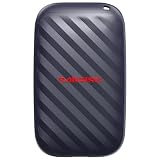





| Product | Best for | Key spec from the title |
|---|---|---|
| SanDisk 1TB Portable Drive | Entry-level speed upgrade | Up to 600MB/s read, USB Type-C ready |
| WD 20TB Elements Desktop | Bulk storage at the desk | 20TB, USB 3.0 |
| Samsung T9 1TB | Widest interface in the group | USB 3.2 Gen 2×2, up to 2,000 MB/s |
| SanDisk Extreme 2TB (older model) | Rugged mid-speed carry | Up to 1050MB/s read, IP65 |
| SanDisk Extreme 1TB | Compact rugged SSD | Up to 2000MB/s, 3M drop protection |
| Kosbees 1TB | Console and laptop backups | Ultra slim HDD, plug and play |
| SanDisk Extreme 2TB | Balanced capacity and speed | Up to 2000MB/s, 256-bit AES |
| SanDisk Extreme 4TB | Large libraries on a fast drive | 4TB, up to 2000MB/s |
How to Choose
Match the interface to your port
A 5Gbps USB 3.0 link tops out at roughly 500MB/s in practice. A 10Gbps USB 3.2 Gen 2 link roughly doubles that ceiling, and Gen 2×2 reaches 20Gbps. Look at the ports on your laptop or motherboard first, and check whether the one you plan to use is labeled with a speed rating. If your ports only offer the older standard, a 2,000MB/s drive still works, but you will not see its full pace until you upgrade the computer side.
Solid state versus spinning platters
Mechanical external drives such as the desktop WD and the Kosbees slim model are built around capacity. SSDs have no moving parts and handle thousands of small files far better, which matters when you copy a game folder or a photo library. If speed is the goal, shortlist SSDs and treat hard drives as the place where finished projects rest.
Read the speed claim carefully
Titles say “up to” for a reason: those figures are peak sequential reads. Small-file copies, a nearly full drive, and a host with limited bandwidth all land lower. Confirm which interface the maker assumed for its headline number, and compare drives on the same standard rather than on marketing figures alone. Write speeds are often lower than read speeds, too.
Durability and security extras
Drop ratings of 2M or 3M, IP65 dust and water resistance, and 256-bit AES encryption matter if the drive travels in a bag. They add nothing to raw speed, so skip them if the drive never leaves your desk. Budget models usually drop encryption and rugged shells first, while premium tiers add them together with larger capacities.
One more spec worth checking is the connector. USB-C on the drive is only half the story; a USB-C to USB-A cable can quietly drop you onto an older, slower link. Use the cable that matches the drive’s stated standard, and plug it directly into the computer rather than through a hub. Drive capacity also affects pace, because a nearly full SSD has less spare room to shuffle data around and may slow down during long copies.
The 8 Best Options
SanDisk 1TB Portable Drive
This is the gentlest step up from a traditional portable hard drive. The title promises read speeds up to 600MB/s, calls it four times faster than a portable HDD, and mentions a pocket-sized body, USB Type-C readiness, and up to 2M drop protection. It suits someone replacing an aging spinning drive who wants noticeably shorter waits without moving to the top tier.
- Strength: a clear speed jump over mechanical portables.
- Strength: pocket size and drop protection suit a bag that gets tossed around.
- Trade-off: 600MB/s is far below the 2,000MB/s models here.
Skip it if you routinely move files larger than a few dozen gigabytes and want the shortest waits.
WD 20TB Elements Desktop
The odd one out in a speed list, included because capacity is its whole story. The title lists 20TB over USB 3.0 with plug-and-play storage, which makes it a landing spot for archives, game libraries, and old projects rather than a working drive. Think of it as the warehouse behind the fast drives on this page.
- Strength: enormous capacity in one desktop unit.
- Strength: plug-and-play setup keeps daily use simple.
- Trade-off: the USB 3.0 interface and desktop hard drive design cap performance well below the SSDs.
Skip it if you plan to edit or launch games directly from the drive, or need something that fits a pocket.
Samsung T9 1TB
Here the title leads with the interface: USB 3.2 Gen 2×2, paired with speeds up to 2,000 MB/s. That 20Gbps link is the widest pipe among these eight, and the listing names gaming, students, and professionals as its audience. It is the natural pick when your computer already has a matching high-speed port.
- Strength: Gen 2×2 gives it the most bandwidth on paper.
- Strength: a broad audience pitch covers game installs and school projects alike.
- Trade-off: the title lists only 1TB, which fills quickly with modern game libraries.
Skip it if your ports are older USB 3.0 sockets, since you would not reach the full interface.
SanDisk Extreme 2TB (Older Model)
The listing flags this one as an older model, with read speeds up to 1050MB/s. It keeps the rugged feature set: IP65 water and dust resistance, up to 3M drop protection, 256-bit AES encryption, and USB-C 3.2 Gen 2. That combination fits fieldwork and travel more than desk-bound speed chasing.
- Strength: strong protection and encryption in a pocketable drive.
- Strength: 2TB offers room for a serious working library.
- Trade-off: the listed speed is roughly half that of the newer 2000MB/s siblings.
Skip it if the newer 2TB version is on offer in the same tier, since that one lists a faster ceiling.
SanDisk Extreme 1TB
This new-model 1TB drive lists transfer speeds up to 2000MB/s, IP65 dust and water resistance, up to 3M drop protection, and 256-bit AES encryption over USB-C 3.2 Gen 2. It is the compact way into the faster Extreme line for someone who mostly shuttles current projects rather than whole libraries.
- Strength: the headline speed matches the larger capacities.
- Strength: rugged shell and encryption suit travel.
- Trade-off: 1TB is the least capacity in this line, so large video projects fill it fast.
Skip it if you want one drive to hold an entire game collection or a year of footage.
Kosbees 1TB
A slim mechanical external drive aimed at everyday backup. The title mentions compatibility with PC, Mac, laptops, PS4, Xbox One, and Xbox 360, plus plug-and-play setup and an ultra-slim body. It is a sensible add-on for a household with several devices and no appetite for configuration.
- Strength: wide device compatibility, including older consoles.
- Strength: slim profile slips into a laptop sleeve.
- Trade-off: the title gives no speed figure, and mechanical drives sit below every SSD here.
Skip it if speed is the reason you are shopping, since this is the slowest class on the list.
SanDisk Extreme 2TB
The new-model 2TB version shares the 2000MB/s transfer figure, IP65 resistance, 3M drop protection, 256-bit AES encryption, and USB-C 3.2 Gen 2 connection. For many buyers the capacity sweet spot is right here: enough space for a working library without stepping up to the largest size.
- Strength: doubles the 1TB model’s space while keeping the same headline speed.
- Strength: encryption and rugged build protect data in transit.
- Trade-off: it shares the interface ceiling, so the port on your computer decides how much of the number you see.
Skip it if you only need a small transfer drive or your storage needs already exceed 2TB.
SanDisk Extreme 4TB
The largest drive of the speed-focused line, listed at 4TB with the same 2000MB/s figure, IP65 resistance, 3M drop protection, 256-bit AES encryption, and USB-C 3.2 Gen 2. It suits people who want fast and large in a single device and would rather carry one drive than three.
- Strength: big capacity without dropping to hard drive speeds.
- Strength: consolidates several smaller drives into one rugged unit.
- Trade-off: it sits at the premium end of the tiers, a bigger commitment than the smaller sizes.
Skip it if your files fit in 1TB or 2TB, since the extra space would sit empty.
Which One Fits Your Situation
You want the widest interface available
Choose the Samsung T9 1TB. Its USB 3.2 Gen 2×2 listing is the only 20Gbps option here, which helps most if your computer has a matching port and you move big files daily.
You carry a drive every day and need space
Go for the SanDisk Extreme 2TB. Its rugged specs and balanced capacity make it a practical travel companion for a bag, a desk, and a trip between the two.
You hoard footage or game installs
The SanDisk Extreme 4TB keeps speed while consolidating libraries. Pair it with the WD 20TB Elements Desktop as a slower archive for finished work, and your fast drive stays free for whatever you are doing now.
You are upgrading from an old portable HDD
The SanDisk 1TB Portable Drive is a measured step up, with a speed lift and compact body, and it keeps you out of the premium tier. It is a calm, low-risk way to feel the difference between spinning platters and flash.
Common Mistakes
- Judging a drive by the headline MB/s while ignoring the port on your own computer.
- Buying a mechanical drive and expecting solid-state responsiveness.
- Choosing rugged and encrypted extras for a drive that never leaves a desk.
- Choosing too little capacity, then splitting files across drives and losing the convenience.
- Using a slow or damaged cable that quietly throttles a fast drive.
Related guides
- Aio Liquid Coolers For High Performance Gaming
- How To Lower Input Delay In Competitive Shooters
- External Hard Drives For Music Production
Frequently Asked Questions
Is an SSD always faster than an external hard drive?
In nearly every case, yes. Solid-state drives have no spinning platters, so large and small transfers alike finish much sooner. Hard drives win only on capacity per unit and on budget-tier capacity.
Why would a fast drive copy slower than advertised?
Advertised numbers are peak “up to” figures. Your port standard, cable, the size of your files, and how full the drive is all pull real-world speeds lower than the box suggests.
Do I need a USB 3.2 Gen 2×2 port?
Only to reach the full interface of a drive like the Samsung T9. Without it, the drive still works at whatever speed your port allows, so Gen 2×2 is a future-proofing choice rather than a requirement.
Can I use these drives with a game console?
The Kosbees title explicitly lists PS4 and Xbox support. For the others, check the maker’s compatibility notes before buying, since formatting and console requirements vary from model to model.














