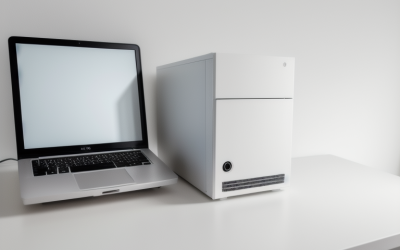
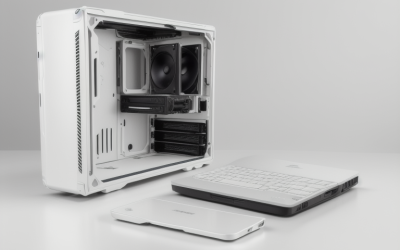
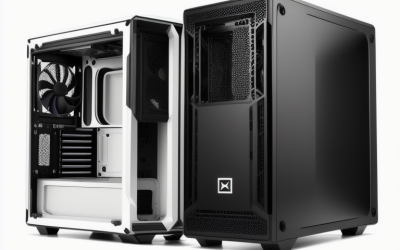
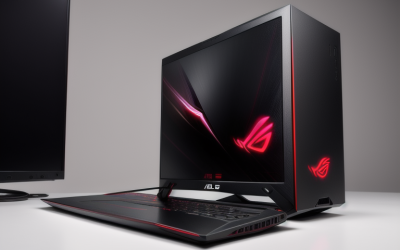
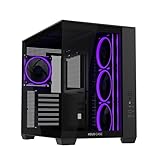
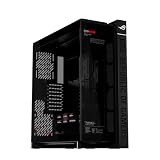
- Top Pick: ASUS A32 Plus Black ATX Gaming PC case, Support 360mm radiators and 420mm Graphics Cards, Dual-Chamber Chassis for Independent Cooling Zones, Four pre-Installed ARGB Fans and Clean Cable Management
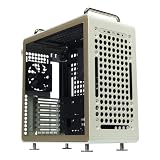
- Best Value: Cooler Master QUBE 540 ATX Mid-Tower PC Case, High Airflow, Tempered Glass | 415mm Graphics Cards Support, 360mm AIO Support, ATX Motherboards, Customizable Movable I/O Panel, PSU Multi-Mount, Beige
- Premium Choice: Cooler Master Cosmos Alpha Full Tower PC Case, High Airflow Curved Aluminum | 400mm Graphics Card Support, 420mm AIO Support, ATX Motherboards, Dual 200mm Intake Fans, ARGB Underglow
Graphics cards keep growing. Flagship models now arrive with three- and four-slot coolers, long circuit boards, and power connectors that sit awkwardly on the top edge. Plenty of older mid-tower cases were built when a card of 280mm was considered large, and a modern heavyweight may simply not fit, or may block the front fans and radiator. If you are about to buy a very large card, the case is no longer an afterthought; it is the first compatibility check.
This guide is for builders choosing a chassis around a big card, whether that is a high-end GeForce or Radeon model or an overclocked partner design. Nine cases are compared on the numbers their listings state: maximum card length, radiator support, motherboard size, and cooling fans. A travel carrying box that appeared in the original set was dropped, because it protects a card in transit and is not a case. Use the figures here as a starting point, then compare them with your exact card for your 2026 build.
Quick Picks
As an Amazon Associate we earn from qualifying purchases at no extra cost to you.



| Product | Best for | Key spec from the title |
|---|---|---|
| ASUS A32 Plus Black | Long cards plus a radiator | 420mm GPU, 360mm radiator, dual chamber |
| Cooler Master QUBE 540 | Flexible modular layout | 415mm GPU, 360mm AIO, movable I/O panel |
| Cooler Master Cosmos Alpha | Full-tower airflow | 400mm GPU, 420mm AIO, dual 200mm fans |
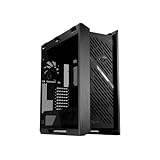
| ASUS ROG Strix Helios II | Biggest cards and EATX boards | 450mm GPU, braces, 420mm radiators |
| ASUS A31 | Clean mid-tower build | 380mm GPU, 360mm radiator |
| ASUS A32 Plus White | White-themed builds | 420mm GPU, 360mm radiator |
| darkFlash LAND451 | Vertical card display | RTX 5090 up to 420mm, BTF support |
| ASUS ROG Cronox | Showpiece E-ATX build | 400mm GPU, 9.2-inch LCD, BTF |
| ASUS Prime AP304 ARGB | Simple ATX with lighting | Tempered glass, four ARGB fans |
How to Choose
Maximum card length versus real clearance
The listed card length is the headline number, but it is measured with the front fans or radiator in a particular position. Measure your card from bracket to the end of the cooler, then add at least 20mm for cables and airflow. Figures in this group run from 380mm on the ASUS A31 up to 450mm on the ROG Strix Helios II. If you add a front radiator, the available length may drop, so check the case’s own documentation. A removable drive cage or a relocatable fan bracket can buy back several centimeters when the numbers are tight.
Card thickness and slot count
Length gets the attention, but thickness causes surprises. Large coolers can occupy three or more slots, which interferes with the expansion slot below and with the side panel. Vertical mounting, as on the darkFlash LAND451, uses a riser and needs a gap behind the glass, so confirm how much depth the design offers. Also check that the power connector has room to bend without pressing against the panel; a tight bend on a high-power cable is a known risk.
Cooling, radiators, and fans
A big card dumps a lot of heat into the case, so fan placement and radiator support matter. Listings here quote 360mm and 420mm radiator sizes, and a dual-chamber layout like the ASUS A32 Plus separates the card’s heat from the processor’s. Four pre-installed fans, as named for the A32 Plus and AP304, save an extra purchase. Ignore claims of “high airflow” without a fan count or mesh description. Where budget cases cut corners is in thin metal, few included fans, and limited cable room.
Weight, support, and motherboard size
Large cards are heavy, and a heavy card can sag in the slot over time. The ROG Strix Helios II names graphics card braces, which is a direct response to that problem. Confirm your board format too: most cases here take ATX, while the Helios II lists EATX and the Cronox lists E-ATX. BTF motherboards, supported by the darkFlash LAND451 and ROG Cronox, hide connectors behind the board for a cleaner look.
The 9 Best Options
ASUS A32 Plus Black
An ATX gaming case supporting 420mm graphics cards and 360mm radiators, built around a dual-chamber layout. It ships with four ARGB fans and highlights clean cable management. That combination makes it a natural fit when a long card and an all-in-one cooler have to coexist in one ATX build.
- Strength: a 420mm card allowance fits very long models.
- Strength: four pre-installed ARGB fans are included.
- Trade-off: dual-chamber designs can feel more enclosed than open-frame cases.
Skip it if you want a fully open airflow layout, or if lighting from pre-installed fans is not to your taste.
Cooler Master QUBE 540
An ATX mid-tower with tempered glass, a 415mm card limit, and 360mm AIO support. It offers a movable I/O panel and multi-mount PSU placement for flexible layouts. A builder who changes parts often will appreciate that the chassis adapts instead of forcing one arrangement.
- Strength: high airflow design with a generous 415mm card limit.
- Strength: movable I/O and PSU positions allow custom setups.
- Trade-off: the listing is for the beige version, which suits a specific style.
Skip it if you prefer a dark, understated build, since this listing is the beige colorway.
Cooler Master Cosmos Alpha
A full tower with curved aluminum, support for 400mm cards and 420mm AIOs, dual 200mm intake fans, and ARGB underglow. It handles ATX motherboards. The tall body leaves room for a big card and a large radiator in the same chassis.
- Strength: two 200mm intake fans feed a large card.
- Strength: 420mm AIO support is the largest radiator named for an ATX case here.
- Trade-off: full-tower size demands a big desk or floor space.
Skip it if your desk is small or if you want a case that tucks under a monitor.
ASUS ROG Strix Helios II
An EATX gaming case with dual tempered glass side panels, room for cards up to 450mm, built-in card braces, and 420mm radiators. A 2 year warranty is listed. It is the model to look at first when the card is an oversized flagship and the board is EATX.
- Strength: 450mm is the longest card limit in the group.
- Strength: graphics card braces address sag.
- Trade-off: dual glass and EATX size mean a very large footprint.
Skip it if you do not need EATX or the longest cards, because you would carry extra size for no benefit.
ASUS A31
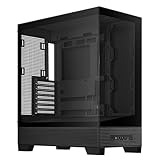
An ATX mid-tower with a panoramic design, hidden-connector motherboard support, 360mm radiators, and 380mm cards. It stresses clean cable management, so it suits a builder who wants a tidy panoramic display rather than the longest possible card.
- Strength: panoramic view highlights your components.
- Strength: hidden-connector boards help keep wiring tidy.
- Trade-off: its 380mm limit is the shortest of the group.
Skip it if your card is on the long side, since the 380mm figure leaves less margin than any other case here.
ASUS A32 Plus White
The white version of the A32 Plus offers the same 420mm card and 360mm radiator support, dual-chamber layout, and four pre-installed ARGB fans. Choose it when the rest of your parts are white or silver and you want the chassis to match.
- Strength: same long-card allowance as the black model.
- Strength: white finish suits light-themed builds.
- Trade-off: white cases show dust more easily.
Skip it if you plan a dark build or dislike cleaning off dust.
darkFlash LAND451
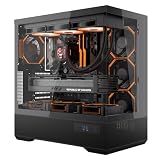
An ATX full-view mid-tower for vertical card mounting, with BTF motherboard support, Type-C, dual 360mm AIO room, and RTX 5090 support up to 420mm. It is aimed at builders who want the card to be the visual centerpiece.
- Strength: vertical mounting displays the card.
- Strength: it names the RTX 5090 length directly.
- Trade-off: vertical orientation needs thought about airflow and clearance.
Skip it if you want a traditional horizontal card layout with the simplest airflow path.
ASUS ROG Cronox
An E-ATX full tower with curved tempered glass, dual 360mm radiator support, 400mm cards, BTF compatibility, and a 9.2-inch LCD screen. It is built for a showpiece system where the case itself carries a display feature.
- Strength: E-ATX support suits large enthusiast boards.
- Strength: the LCD adds a display feature.
- Trade-off: the 400mm limit is shorter than the Helios II.
Skip it if you do not want a full-tower footprint or an LCD you will never use.
ASUS Prime AP304 ARGB
An ATX tempered-glass gaming case with four ARGB fans. The title states no card length, so confirm the clearance on the manufacturer page. It reads as a general ATX chassis rather than one built around oversized cards.
- Strength: fans are included.
- Strength: simple ATX layout with a glass panel.
- Trade-off: no length is listed, a real concern for large cards.
Skip it if you own a very long card or cannot confirm the clearance first.
Which One Fits Your Situation
You own a flagship card over 400mm
Start with the ROG Strix Helios II at 450mm, or the A32 Plus at 420mm. The Helios II also lists braces, which help once a card is heavy.
You want to show off the card vertically
The darkFlash LAND451 is designed around vertical mounting and names the RTX 5090 directly.
You want a quiet, tidy mid-tower
The ASUS A31 offers hidden-connector board support and a clean look, provided your card is below 380mm and the cooler is not unusually thick.
You want maximum airflow in a full tower
The Cooler Master Cosmos Alpha pairs two 200mm intake fans with 420mm AIO support.
Common Mistakes
- Measuring only the length of the card and forgetting the power connector bend.
- Installing a front radiator and losing the clearance the case advertises.
- Skipping a support brace for a heavy card and letting it sag.
- Choosing a vertical mount without checking airflow or glass depth.
- Buying a case whose listing states no card length for a very large model.
Related guides
- Combination Smoke And Carbon Monoxide Detectors
- Aio Liquid Coolers For High Performance Gaming
- Graphics Cards For Low Wattage Power Supplies
Frequently Asked Questions
How long are the largest graphics cards?
Flagship partner designs often exceed 330mm and some reach well past it. Check the exact model on the card maker’s page and compare it with the case limit, leaving a margin of roughly 20mm for cabling.
Do I need a case with a card brace?
A brace helps with heavy cards that might sag in the slot over time. It is not mandatory, but the ROG Strix Helios II includes one.
Can a mid-tower hold a very large card?
Yes, when the listing states a high limit, such as 415mm on the QUBE 540 or 420mm on the A32 Plus. The key is to read the stated number rather than assume that mid-tower size means a short card limit, as several mid-towers here accept cards longer than many full towers.
What does BTF mean?
It refers to motherboards that place power connectors on the back, which supports a cleaner build. You need a BTF-ready board and card to take full advantage of it, so only prioritize that feature if you already own matching parts.