

- Top Pick: Sceptre New 22-Inch Gaming Monitor, FHD 1080p, Up to 144Hz, HDMI, DisplayPort, Built-in Speakers, Machine Black (E225W-FW144 Series, 2026)
- Best Value: Acer 21.5in FHD 1920×1080 100Hz Office Monitor KB220Q H2bi
- Premium Choice: Sceptre Curved 24-inch Gaming Monitor 1080p R1500 98% sRGB HDMI x2 VGA Build-in Speakers, VESA Wall Mount Machine Black (C248W-1920RN Series)
Buying your first monitor should not feel like an exam. You do not need to memorise refresh rates, response times or panel acronyms to get a screen that looks great and works the moment you plug it in. What you actually need is a display that is the right size for your desk, connects to your PC or laptop without fuss, and does not cost a fortune. This guide rounds up the best monitors for beginners in 2026: friendly, affordable, plug-and-play screens that just work, explained in plain English so you can buy with confidence.
- Best Monitors for Beginners at a Glance
- 1. KOORUI 22 Inch Computer Monitor FHD 1080P 120Hz VA Panel
- 2. Sceptre Curved 24-inch Gaming Monitor 1080p
- 3. Sceptre 24-inch Prime Thin 1080p LED Monitor, 99% sRGB
- 4. Sceptre Curved 27-inch Prime Monitor up to 100Hz, 99% sRGB
- 5. KOORUI 27 Inch Gaming Office Monitor 144Hz VA Display
- 6. HP Series 3 27 inch FHD Monitor, Full HD IPS Panel
- How to Choose Your First Monitor (No Jargon)
- Frequently Asked Questions
- Related Guides
- Related Articles
We picked these six on the things that matter most when you are starting out: a sensible price, an easy setup, a size that fits a normal desk, and enough quality that the picture looks clean and sharp. We have ordered the list to lead with the simplest, lowest-stress choices and build up from there, with prices from around $70 to around $178. Every screen here uses standard HDMI so it will connect to almost any modern computer or laptop out of the box. Below is a quick at-a-glance table, then a short, jargon-free look at each monitor and a buyer’s guide that explains the few things you really need to know.
As an Amazon Associate we earn from qualifying purchases at no extra cost to you.





🛒 Best Price Today on Amazon
Prime members get fast, free shipping on everything above, plus member-only deals. New members get a 30-day free trial — cancel anytime.
Best Monitors for Beginners at a Glance
| Monitor | Best For | Standout Spec | Approx Price |
|---|---|---|---|
| KOORUI 22-inch FHD 120Hz | Smallest, cheapest first screen | 22-inch, plug-and-play, low cost | around $70 |
| Sceptre Curved 24-inch 1080p | Easy curved starter | Curved 24-inch, built-in speakers | around $80 |
| Sceptre 24-inch Prime 1080p | Simple flat all-rounder | Flat 24-inch, dual HDMI plus VGA | around $103 |
| Sceptre Curved 27-inch Prime | Bigger easy upgrade | Curved 27-inch, up to 100Hz | around $98 |
| KOORUI 27-inch Office/Gaming | Roomy desk screen | 27-inch, smooth everyday motion | around $110 |
| HP Series 3 27-inch FHD IPS | Best-looking beginner pick | 27-inch IPS, wide viewing angles | around $178 |
1. KOORUI 22 Inch Computer Monitor FHD 1080P 120Hz VA Panel

KOORUI 22 Inch Computer Monitor FHD 120Hz VA VESA Low Blue Light, E2212H | Adaptive Sync, 4000:1 Contrast Ratio, Ultra-Slim Display, HDMI 1.4/VGA, Tilt Adjust, Compact for Dorms, Study and Office


As an Amazon Associate we earn from qualifying purchases. Product prices and availability are accurate as of the date/time indicated.
The KOORUI 22-inch is the friendliest place to start, and at around $70 it is the most affordable screen on this list. It is a compact 22-inch Full HD display that you simply connect with one cable and switch on — there is no complicated setup, no software to install, and nothing intimidating about it. For a first monitor, a spare screen, or a tight budget, it is hard to find an easier or cheaper way in.
This is the pick if you want the least possible fuss. The 22-inch size fits even a small or shared desk comfortably, the Full HD picture is sharp and clean for everyday browsing, schoolwork, video and casual gaming, and the smooth motion makes scrolling and movement feel pleasant rather than choppy. You plug it in, you turn it on, and it works — exactly what a beginner wants from their first screen without paying for features they will not miss.
Pros: Lowest price here, compact and easy to fit, simple plug-and-play, clean Full HD picture.
Cons: Small for two windows side by side; basic stand and styling.
2. Sceptre Curved 24-inch Gaming Monitor 1080p

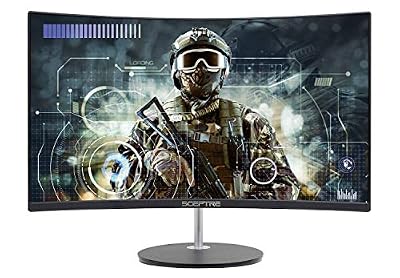
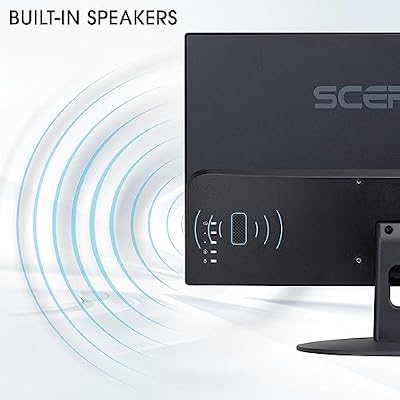
Sceptre Curved 24-inch Gaming Monitor 1080p R1500 98% sRGB HDMI x2 VGA Build-in Speakers, VESA Wall Mount Machine Black (C248W-1920RN Series)



As an Amazon Associate we earn from qualifying purchases. Product prices and availability are accurate as of the date/time indicated.
The Sceptre Curved 24-inch is the easy curved starter, and at around $80 it keeps things simple while adding a gentle, modern curve. It is a 24-inch Full HD screen with built-in speakers and two HDMI ports, so you can connect a PC and a console at the same time and hear sound without buying extra speakers. For a beginner who wants something that looks a little more premium without any extra hassle, it is a great-value choice.
This is the monitor to pick if the idea of a curved screen appeals but you still want it to be effortless. The curve gently wraps the picture toward you for a comfortable, immersive feel, the built-in speakers mean sound works the moment you plug in, and the 24-inch size suits a typical desk. There is nothing here to configure or learn — it is the same plug-and-play simplicity with a touch more style and a handy second HDMI port.
Pros: Affordable, gentle immersive curve, built-in speakers, two HDMI ports for easy switching.
Cons: 1080p only; built-in speakers are fine but not loud or rich.
3. Sceptre 24-inch Prime Thin 1080p LED Monitor, 99% sRGB

Sceptre 24-inch Prime Monitor Thin 1080p LED Monitor 99% sRGB 2X HDMI VGA Build-in Speakers, Machine Black (E248W-19203R 2025 Series)



As an Amazon Associate we earn from qualifying purchases. Product prices and availability are accurate as of the date/time indicated.
The Sceptre 24-inch Prime is the simple flat all-rounder, a no-nonsense 24-inch Full HD screen for around $103. It keeps a traditional flat shape that many beginners prefer, adds a thin, tidy design, and includes two HDMI ports plus a VGA input so it will connect to both newer and older computers. It is the dependable, do-everything starter monitor that does not try to be complicated.
This is the pick if you want a straightforward flat screen that quietly does its job. The Full HD picture is crisp for browsing, documents, video and everyday play, the wide range of inputs means you are unlikely to run into a cable problem, and the slim build looks neat on any desk. It is a little pricier than the smaller models here, but the flat 24-inch format and easy-connect ports make it a reassuringly simple choice for a first monitor.
Pros: Familiar flat design, sharp Full HD, dual HDMI plus VGA for wide compatibility, tidy and thin.
Cons: Slightly higher price than the smaller picks; no curve or speakers headline.
4. Sceptre Curved 27-inch Prime Monitor up to 100Hz, 99% sRGB
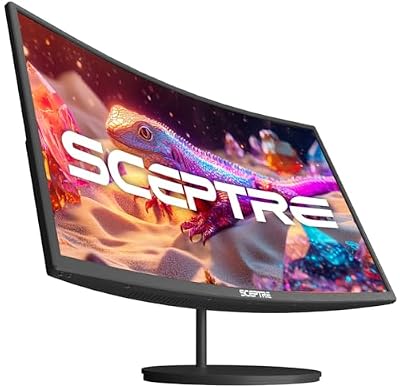
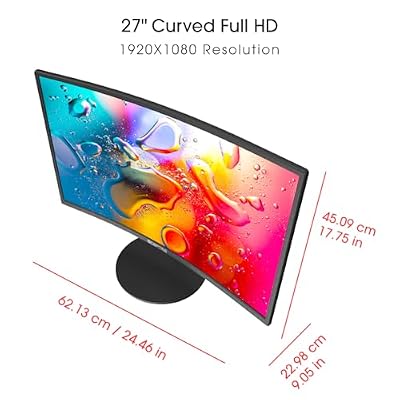
Sceptre Curved 27-inch Prime Monitor up to 100Hz 1080p, HDMI x2, VGA, 99% sRGB, Built-in Speakers, R1500, Machine Black 2025 (C275W-1920RN Series)



As an Amazon Associate we earn from qualifying purchases. Product prices and availability are accurate as of the date/time indicated.
The Sceptre Curved 27-inch Prime is the bigger easy upgrade, giving you a roomier 27-inch curved screen for around $98 — barely more than the 24-inch models. It pairs that larger size with a smooth up-to-100Hz refresh and two HDMI inputs, so everything from web pages to games feels pleasant and fluid. For a beginner who simply wants more screen without more complexity, it is excellent value.
This is the monitor to choose if you have decided you want a generous, comfortable display from the start. The extra size makes it easier to read, watch and have a couple of windows open, the curve keeps the wider screen comfortably in view, and the higher refresh makes motion look smooth without you needing to understand the numbers behind it. It stays just as simple to set up as the smaller screens — you just get more of everything for the money.
Pros: Larger 27-inch curved screen, smooth up-to-100Hz feel, great price, easy plug-and-play.
Cons: Bigger footprint needs more desk room; still 1080p resolution.
5. KOORUI 27 Inch Gaming Office Monitor 144Hz VA Display

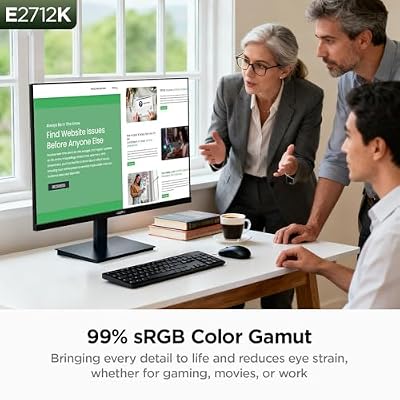
KOORUI 27 Inch Computer Monitor 144Hz FHD 1080p VA Display for Work & Play | 4000:1 Contrast Ratio, Adaptive Sync, Eye Care TÜV Rheinland Certified, Slim Bezels, HDMI/VGA, VESA & Tilt for Home Office




As an Amazon Associate we earn from qualifying purchases. Product prices and availability are accurate as of the date/time indicated.
The KOORUI 27-inch is the roomy desk screen, a 27-inch display for around $110 that comfortably handles both work and play. It offers a large, easy-to-read picture with smooth everyday motion and standard HDMI connectivity, making it a relaxed, capable choice for a beginner who spends long hours at the desk. There is nothing fiddly about it — connect, switch on, and you are ready.
This is the pick if you want plenty of space for browsing, documents, video and casual gaming without overthinking the spec sheet. The 27-inch size gives you a big, comfortable canvas for everyday tasks, the smooth motion keeps scrolling and movement feeling fluid, and the price stays beginner-friendly. It is a great middle-ground screen: large enough to feel like an upgrade over a laptop or small monitor, yet still simple and affordable enough for someone buying their first proper display.
Pros: Generous 27-inch size, smooth everyday motion, beginner-friendly price, simple to connect.
Cons: Larger screen wants a bit more desk depth; 1080p across 27 inches.
6. HP Series 3 27 inch FHD Monitor, Full HD IPS Panel
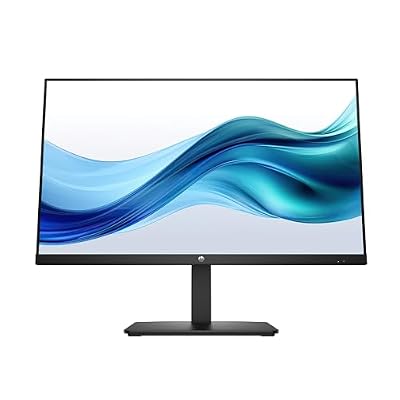
HP Series 3 27 inch FHD Monitor, Full HD Display (1920 x 1080), IPS Panel, 1300:1 Contrast Ratio, 250 Nits, Eye Ease with Eyesafe Certification, Black, 327se (2025)



As an Amazon Associate we earn from qualifying purchases. Product prices and availability are accurate as of the date/time indicated.
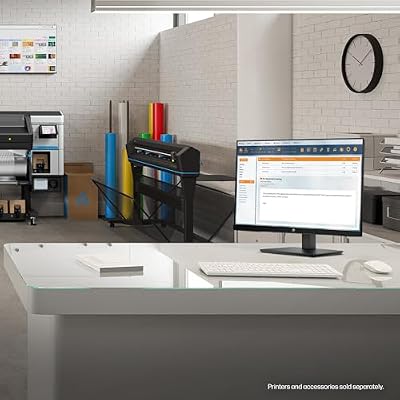
Rounding out the list is the HP Series 3 27-inch, the best-looking beginner pick and, at around $178, the most you will spend here. It uses an IPS panel, which simply means the colours stay accurate and the picture looks good even when you view it from an angle — a noticeable step up in image quality from a trusted brand. For a beginner who wants their first monitor to look genuinely lovely, it is the premium choice.
This is the monitor to choose if picture quality and a polished, branded experience matter to you from day one. The IPS screen gives clean, consistent colours for photos, video and everyday work, the 27-inch Full HD size is spacious and easy on the eyes, and HP’s reputation adds peace of mind. It is the priciest option here, but it is still plug-and-play simple — you just get a more refined, better-looking screen and the reassurance of a well-known name behind it.
Pros: Quality IPS panel with accurate colour, wide viewing angles, trusted HP brand, looks great.
Cons: Highest price on this list; focused on image quality over extra features.
How to Choose Your First Monitor (No Jargon)
Start with size, because it is the easiest thing to get right. A 24-inch screen suits most desks and is a comfortable, affordable starting point, while a 27-inch screen gives you more room to read, watch and keep a couple of windows open. If your desk is small or shared, a 22-inch model like the KOORUI keeps things compact. Measure the space you have, picture the screen sitting there, and pick the size that fits your desk and your eyes — there is no wrong answer, just what feels comfortable.
Next, check the connection, which sounds technical but is not. Almost every modern monitor and computer uses HDMI, the same kind of cable a TV uses, and every screen on this list has at least one HDMI port. As long as your PC or laptop has an HDMI output (most do), you simply join the two with one cable and you are connected. Some models, like the Sceptre Prime monitors, add a second HDMI or an older VGA port, which is handy if you want to plug in two devices or connect an older computer.
Resolution and refresh rate are the two terms worth knowing, explained simply. Resolution is how sharp the picture is, and every screen here is Full HD (1080p), which is crisp and perfect for a beginner. Refresh rate is how smooth movement looks; a higher number like 100Hz or 120Hz makes scrolling and motion feel a little more fluid, but you do not need to chase big numbers as a beginner — anything on this list will look smooth and clean for everyday use.
Finally, match the screen to your budget and just enjoy the simplicity. Decide what you can comfortably spend, then pick the size and look you like best within that budget — a cheaper, smaller model if you want the easiest way in, or a larger or IPS screen like the HP if you want extra space or nicer colours. Every monitor here is plug-and-play, so once it arrives you connect one cable, switch it on, and you are done. The best beginner monitor is simply the one that fits your desk, your budget, and works without any stress.
Frequently Asked Questions
Are these monitors hard to set up?
Not at all — every screen here is plug-and-play. You connect one HDMI cable between the monitor and your computer or laptop, plug in the power, and switch it on. There is no software to install and nothing complicated to configure. Most computers automatically detect the new screen straight away, so you can be up and running within a couple of minutes of unboxing.
What size monitor should a beginner get?
For most people a 24-inch screen is the sweet spot: big enough to be comfortable, small enough to fit a normal desk, and very affordable. If you have plenty of desk space and want more room, a 27-inch model like the Sceptre Curved 27-inch or HP Series 3 is a relaxed upgrade. If your desk is small or you are on a tight budget, a 22-inch like the KOORUI is a great compact choice.
Do I need a curved or a flat monitor?
Neither is better for a beginner — it is a matter of preference. A curved screen, like the Sceptre curved models, gently wraps the picture toward you and many people find it pleasant and immersive. A flat screen, like the Sceptre Prime or HP, is the traditional shape that plenty of people prefer for everyday work. Both are equally easy to use, so pick whichever look appeals to you.
Will these work with my laptop?
Yes, as long as your laptop has an HDMI output, which most do. You connect the monitor to the laptop with a single HDMI cable and the laptop usually detects it automatically, giving you a much larger second screen. This is one of the simplest and most useful upgrades you can make, turning a small laptop display into a comfortable, full-size workspace.
Related Guides
- Best Monitors
- Best Budget Gaming Setup
- Best Gaming Monitors
- Best Monitor Arms for Your Desk
- Best Gaming Desks
- Best Gaming PCs for Beginners
Affiliate Disclosure: As an Amazon Associate, we earn from qualifying purchases. If you click a link and make a purchase, we may earn a small commission at no extra cost to you. Prices and availability are accurate as of publication and may change.










