

- Top Pick: GameSir X5 Lite Mobile Gaming Controller for Android,Hall Effect Joystick
- Best Value: Mocagen MC1 Phone Controller for iPhone & Android – Ergonomic Grip, Low Latency, Case Friendly, Bluetooth Mobile Controller with Hall Effect Joysticks, Turbo, Portable Travel Companion for Car/Leisure
- Premium Choice: 8Bitdo Ultimate Mobile Gaming Controller for iPhone, Apple, Android & Xbox Cloud Gaming, Bluetooth Gamepad with Hall Effect Joysticks, 2 Pro Back Buttons, Officially Licensed (Black)
🛒 Best Price Today on Amazon
Prime members get fast, free shipping on everything above, plus member-only deals. New members get a 30-day free trial — cancel anytime.
- Top Mobile Gaming Controllers Picks for 2026
- Best Mobile Gaming Controllers at a Glance
- 1. Backbone One Mobile Gaming Controller for iPhone (Lightning + USB-C Versions)
- 2. 8Bitdo Ultimate Mobile Gaming Controller for iPhone/Android/Xbox Cloud
- 3. abxylute S9 Full-Size Gaming Phone Controller for iPhone 15/16/17, iPad Mini
- 4. GameSir G8 Galileo Type-C Mobile Gaming Controller for Android and iPhone 15
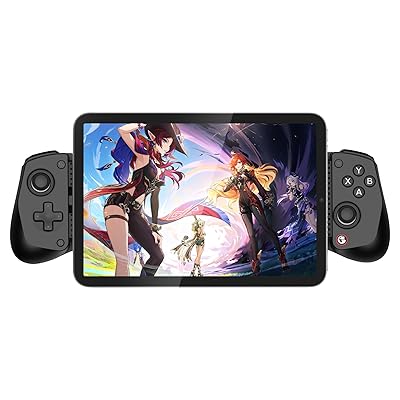
- 5. GameSir X5 Lite Mobile Gaming Controller for Android/iPhone 15/16 (Telescopic)
- 6. Mocagen MC1 Phone Controller for iPhone and Android – Hall Effect Joysticks
- How to Choose a Mobile Gaming Controller
- Related Guides
- Frequently Asked Questions
- Related Guides
- Related Articles
Top Mobile Gaming Controllers Picks for 2026
Here are our current top mobile gaming controllers picks, compared on real Amazon owner reviews, price, and features. Live prices update below.
As an Amazon Associate we earn from qualifying purchases at no extra cost to you.




Prime
GameSir G8 Plus Bluetooth Mobile Game Controller for Switch & iOS & Android & Tablets, Wireless Gamepad with Hall Effect Joysticks/Hall Trigger, Play Minecraft, Genshin Impact, Call of Duty Mobile
View on Amazon.com

Prime
Mobile Game Controller with 4000mAh Power Bank & Cooling Fan, L1R1 Triggers Joystick for PUBG/Call of Duty/Fortnite, Gaming Grip Gamepad for 4.7-7" Android iOS Phone
View on Amazon.com
Mobile gaming has quietly become one of the biggest gaming platforms in the world, and the rise of cloud gaming services like Xbox Cloud Gaming, GeForce NOW and PlayStation Remote Play means you can play AAA titles on the train, on the couch, or anywhere with a connection. The problem has always been the controls: touchscreen overlays are functional but slow, especially in fast games, and the precision a physical thumbstick provides cannot be matched by swiping glass. A proper mobile controller clamps directly onto your phone (or pairs over USB-C, Lightning or Bluetooth) and turns your handset into a real handheld gaming device. This guide rounds up the best mobile gaming controllers in 2026 across iPhone, Android and cloud-gaming use cases.
Our picks were chosen on what genuinely matters for handheld mobile play: phone clamp form factor versus telescopic versus clip-style, port compatibility (Lightning vs USB-C — critical for iPhone owners across generations), sensor technology (Hall Effect for drift-resistant sticks vs older potentiometer designs), MFi certification for iOS, and value. We include a deliberate range — from around $35 to around $75 — because the cloud-gaming-on-couch user, the iPhone 17 owner with the latest USB-C port, and the budget Android tinkerer all need different things. We also flag honestly: the Backbone One has separate LIGHTNING and USB-C versions for different iPhone generations (iPhone 14 and older = Lightning, iPhone 15 and newer = USB-C), the 8Bitdo Ultimate Mobile is explicitly designed for Xbox Cloud Gaming streaming, and Hall Effect sticks (on GameSir G8, abxylute S9 and Mocagen MC1) are genuinely drift-resistant in a way potentiometer designs are not. Below is the at-a-glance, then deep dives and a buyer’s guide.
Best Mobile Gaming Controllers at a Glance
| Mobile Controller | Best For | Standout Spec | Approx Price |
|---|---|---|---|
| Backbone One (iPhone Lightning + USB-C) | Premium iPhone clamp | Lightning + USB-C versions, Backbone app | around $46 |
| 8Bitdo Ultimate Mobile | Xbox Cloud Gaming streaming | iPhone/Android/Xbox Cloud | around $50 |
| abxylute S9 Full-Size for iPhone 15/16/17 + iPad Mini | iPhone USB-C + iPad Mini | Full-size with Hall Effect sticks | around $75 |
| GameSir G8 Galileo Type-C | Premium Android + iPhone 15+ | Hall Effect sticks + triggers, USB-C | around $72 |
| GameSir X5 Lite Telescopic | Budget telescopic Android + iPhone 15+ | Lightweight USB-C telescopic | around $35 |
| Mocagen MC1 Phone Controller | Budget Hall Effect pick | Hall Effect sticks at budget price | around $40 |
1. Backbone One Mobile Gaming Controller for iPhone (Lightning + USB-C Versions)

13
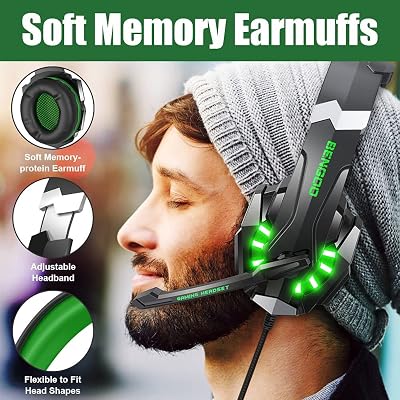
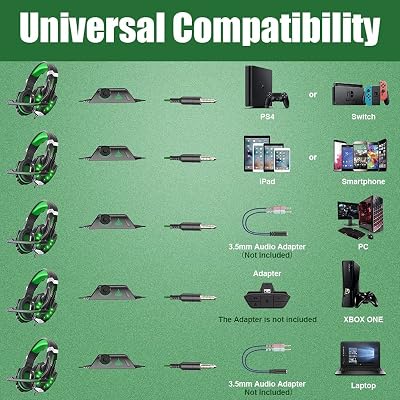
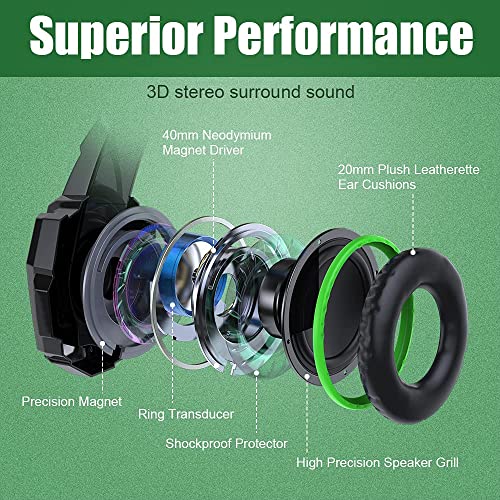
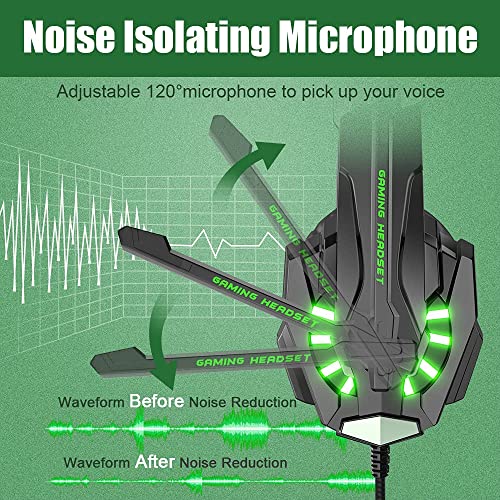
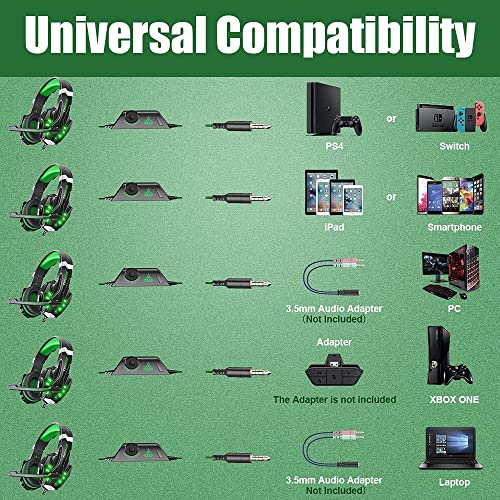
BENGOO G9000 Stereo Gaming Headset for PS4 PC Xbox One PS5 Controller, Noise Cancelling Over Ear Headphones with Mic, LED Light, Bass Surround, Soft Memory Earmuffs for Laptop Mac – Green
In Stock







As an Amazon Associate we earn from qualifying purchases. Product prices and availability are accurate as of the date/time indicated.
The Backbone One is the premium iPhone mobile gaming controller and the default recommendation for serious iPhone gamers. CRITICAL detail: it comes in TWO versions because iPhones changed port type. The original Backbone One uses LIGHTNING and fits iPhone 14 and earlier. The newer Backbone One uses USB-C and fits iPhone 15, 16 and 17 (which switched to USB-C). Make sure you buy the right version for your iPhone generation — the wrong version simply will not plug in. At around $46 it is well-priced for what is the best-built iPhone clamp controller available.
This is the controller to choose if you are an iPhone gamer who wants the best clamp-on mobile gaming experience and is willing to pay for build quality. The clamp is sturdy and accommodates iPhones with cases, the directional pad, sticks and shoulder buttons feel responsive and arcade-like, and the included Backbone app launches games, organizes a library across local titles and cloud services (Xbox Cloud, GeForce NOW, Steam Link, PlayStation Remote Play), and adds streaming/screenshot features. For Xbox Cloud Gaming on iPhone, Apple Arcade, ports like Resident Evil Village, GTA, Death Stranding, and emulation on iPhone, the Backbone One is genuinely transformative versus touchscreen. iPhone-first audiences should buy this first.
Pros: Best-built iPhone clamp controller, available in both Lightning and USB-C versions for any iPhone generation, included Backbone app for cloud + local games.
Cons: iPhone ONLY — does not work on Android natively (some report side-loaded use but not officially supported); critical to buy the right Lightning vs USB-C variant.
2. 8Bitdo Ultimate Mobile Gaming Controller for iPhone/Android/Xbox Cloud
9
8Bitdo Ultimate Mobile Gaming Controller for iPhone, Apple, Android & Xbox Cloud Gaming, Bluetooth Gamepad with Hall Effect Joysticks, 2 Pro Back Buttons, Officially Licensed (Black)
In Stock


As an Amazon Associate we earn from qualifying purchases. Product prices and availability are accurate as of the date/time indicated.
The 8Bitdo Ultimate Mobile Gaming Controller is the Xbox Cloud Gaming specialist of this list and explicitly designed to run streaming sessions from Xbox Cloud Gaming, GeForce NOW and similar cloud services. It works across iPhone (via the appropriate connector), Android, and Xbox Cloud Gaming on browsers and apps. The 8Bitdo Ultimate platform is well-known for solid build quality, configurable buttons via 8Bitdo’s software, and an affordable price point. At around $50 it sits in the mid-range.
This is the controller to choose if your primary mobile gaming use case is Xbox Cloud Gaming streaming — playing AAA Xbox titles streamed to your phone — or GeForce NOW PC game streaming. The clamp form factor turns the phone into a real handheld for cloud sessions, the 8Bitdo software lets you remap buttons and tune sensitivity per-game, and the multi-platform support (iPhone + Android + Xbox Cloud direct) means you do not have to rebuy hardware if you switch ecosystems. For cloud gaming first, with some local mobile gaming on the side, this is a smart, well-priced pick.

Pros: Designed for cloud gaming — Xbox Cloud, GeForce NOW; multi-platform (iPhone + Android), 8Bitdo software remapping, solid build.
Cons: Cloud-streaming focus means input lag depends on your internet quality; less optimized for purely local mobile games than dedicated phone clamps.
3. abxylute S9 Full-Size Gaming Phone Controller for iPhone 15/16/17, iPad Mini

9
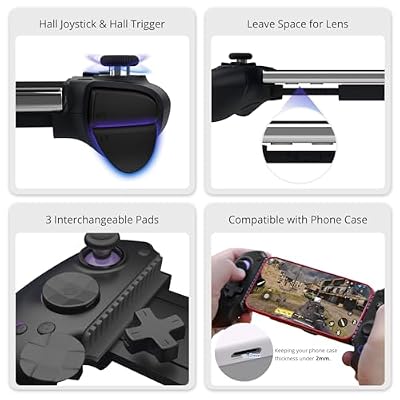
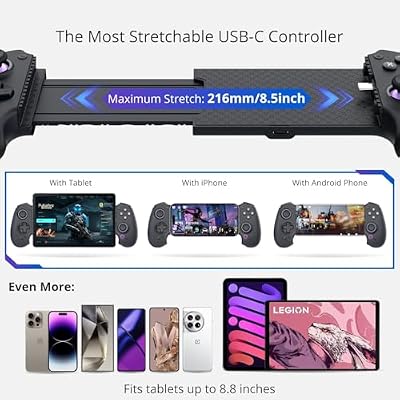
abxylute S9 Full-Size Gaming Phone Controller for iPhone 15/16/17, iPad Mini 6/7 Android Tablet Bluetooth TypeC Mobile Gamepad Free Button Mapping Genshin Impact, Hall Effect Joystick (black)
In Stock




As an Amazon Associate we earn from qualifying purchases. Product prices and availability are accurate as of the date/time indicated.
The abxylute S9 is the largest and most full-size clamp controller on this list and the pick for users with an iPhone 15, 16 or 17 (USB-C) or an iPad Mini — yes, iPad Mini, an unusual but genuinely useful fit. It uses Hall Effect joysticks (contactless sensors that do not develop drift over time), full-size DualSense-like ergonomic grips that feel closer to a real console pad than most clamp controllers, and connects via USB-C with passthrough charging support. At around $75 it is the priciest controller on this list.
This is the controller to choose if you have a USB-C iPhone (15, 16, 17) or an iPad Mini and want the largest, most console-like mobile gaming feel. The full-size grips reduce hand fatigue dramatically on longer sessions, Hall Effect sticks mean no stick drift no matter how many hours you play, and the iPad Mini compatibility is genuinely useful for the underserved iPad gaming market. It is more expensive than the Backbone One, but if full-size ergonomics and Hall Effect durability matter to you, the abxylute S9 is one of the very few mobile controllers that delivers both.
Pros: Full-size DualSense-like ergonomics, Hall Effect drift-resistant sticks, iPad Mini compatibility (rare), USB-C with passthrough charging.
Cons: iPhone 15/16/17 USB-C ONLY — does not fit Lightning iPhone 14 or earlier; bulkier than Backbone One or telescopic controllers.
4. GameSir G8 Galileo Type-C Mobile Gaming Controller for Android and iPhone 15

8
GameSir G8 Galileo Type-C Mobile Gaming Controller for Android & iPhone 15 Series (USB-C), Plug and Play Gamepad with Hall Effect Joysticks/Hall Trigger, 3.5mm Audio Jack
In Stock




As an Amazon Associate we earn from qualifying purchases. Product prices and availability are accurate as of the date/time indicated.
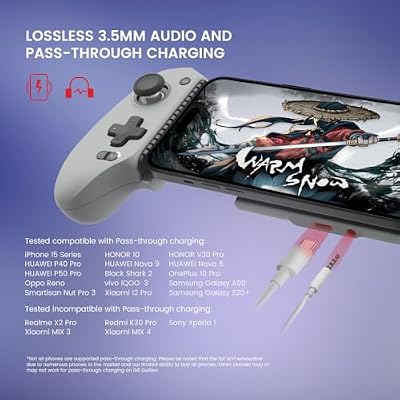
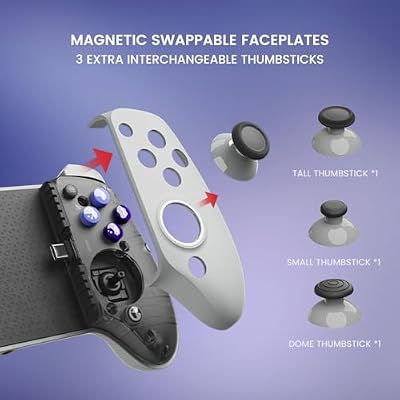
The GameSir G8 Galileo is the Hall Effect Android pick and one of the best-rated mobile controllers across review sites for good reason. It uses Hall Effect sticks AND Hall Effect triggers (most controllers only have Hall Effect sticks), connects via USB-C for Android phones and iPhone 15+, delivers tactile responsive buttons, and includes a 3.5mm headphone jack for wired audio. At around $72 it is premium-priced and the equipment supports it.
This is the controller to choose for Android players who want the best-engineered mobile clamp controller currently available, especially if drift resistance and tactile precision matter to you. Hall Effect throughout (sticks AND triggers) is genuinely rare and means the controller should outlast cheaper potentiometer-based competitors by years of heavy use. The Android-first design means it works seamlessly across the wide Android ecosystem, and iPhone 15+ USB-C support is the cross-platform bonus. For serious Android mobile gaming and cloud gaming on Samsung, Google or other USB-C phones, this is the premium pick.
Pros: Hall Effect sticks AND triggers (rare combo), USB-C for Android + iPhone 15+, 3.5mm headphone jack, premium tactile buttons, excellent build.
Cons: Premium price; iPhone owners on iPhone 14 or older Lightning cannot use it (need USB-C iPhone or Android).
5. GameSir X5 Lite Mobile Gaming Controller for Android/iPhone 15/16 (Telescopic)

6
GameSir X5 Lite Mobile Gaming Controller for Android, iPhone 15/iPhone 16 Series, iPad Mini 7(USB-C), Type-C Phone Controller with Hall Effect Sticks, Turbo Function for Call Of Duty, Genshin Impact, Minecraft, Plug and Play Gamepad(Wasabi)
In Stock


As an Amazon Associate we earn from qualifying purchases. Product prices and availability are accurate as of the date/time indicated.
The GameSir X5 Lite is the budget telescopic pick of this list. Unlike clamp-style controllers that wrap around your phone in a fixed-width casing, telescopic controllers slide out to accommodate different phone sizes — making them very lightweight, portable, and compatible with a wider range of phone sizes. It connects via USB-C for Android and iPhone 15+ and includes basic remapping. At around $35 it is the cheapest controller on this list.
This is the controller to choose for the budget mobile gamer who wants a real physical controller without serious investment. The telescopic design slips into bags easily, supports a wide range of phone sizes from compact to large via the extending mechanism, and the USB-C connection eliminates Bluetooth latency. Be honest about the tradeoffs: telescopic builds have more inherent flex than rigid clamp designs (the extending mechanism is the failure point on cheaper telescopics, though GameSir’s quality is generally solid), buttons are functional but not premium-feeling, and there are no Hall Effect sticks at this price. For an affordable, portable, real-controller mobile gaming experience, the X5 Lite covers the basics well.
Pros: Lowest price here, telescopic design accommodates wide phone size range, USB-C for Android + iPhone 15+, very lightweight and portable.
Cons: Telescopic mechanism is more flex-prone than rigid clamps; no Hall Effect sticks at this price; budget plastic build.
6. Mocagen MC1 Phone Controller for iPhone and Android – Hall Effect Joysticks
9
Mocagen MC1 Phone Controller for iPhone & Android – Ergonomic Grip, Low Latency, Case Friendly, Bluetooth Mobile Controller with Hall Effect Joysticks, Turbo, Portable Travel Companion for Car/Leisure
In Stock




As an Amazon Associate we earn from qualifying purchases. Product prices and availability are accurate as of the date/time indicated.
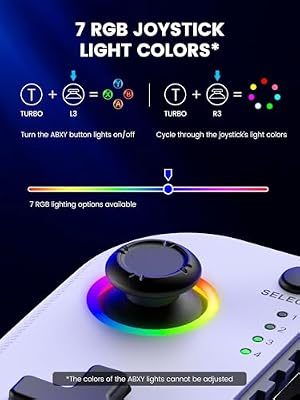
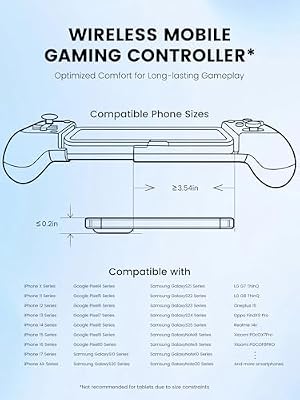
Rounding out the list is the Mocagen MC1, the budget Hall Effect pick and the surprise value champion of this list. It packs Hall Effect joysticks (drift-resistant, contactless sensors normally seen at higher prices) into a phone clamp controller compatible with iPhone (USB-C, so iPhone 15+) and Android USB-C phones, at the budget-friendly price of around $40. Hall Effect at $40 is a genuine value proposition.
This is the controller to choose if you want drift-resistant Hall Effect sticks (the same tech that makes the GameSir G8 and abxylute S9 premium picks) but cannot stretch to $72+. The build is lighter and less premium than the GameSir G8 or abxylute S9, but the underlying stick tech is the same and that is genuinely the most important feature for long-term controller life. USB-C compatibility means it works on iPhone 15+ and most modern Android phones. For the budget mobile gamer who specifically wants Hall Effect durability, the Mocagen MC1 is a genuinely smart pick that delivers a premium feature at a value price.

Pros: Hall Effect sticks at budget price (rare combination), iPhone 15+ USB-C and Android USB-C compatible, drift-resistant for long-term use.
Cons: Lighter build than premium picks like GameSir G8; iPhone 15+ USB-C only (no Lightning support for older iPhones).
How to Choose a Mobile Gaming Controller
The first and most critical decision is the connector your phone uses, because the wrong choice simply will not plug in. iPhone owners need to check generation carefully: iPhone 14 and earlier use LIGHTNING, while iPhone 15, 16 and 17 use USB-C (Apple switched ports starting with iPhone 15). The Backbone One uniquely offers both Lightning AND USB-C versions for this exact reason — buy the right one for your phone. The abxylute S9, GameSir G8, GameSir X5 Lite and Mocagen MC1 are all USB-C only, fitting iPhone 15+ and Android USB-C phones. Verify your phone’s port before buying.
Next, decide between clamp-style and telescopic form factors. Clamp controllers (Backbone One, abxylute S9, GameSir G8, Mocagen MC1) wrap around the phone in a one-piece design — sturdier, more console-like, comfortable for longer sessions, but larger to carry. Telescopic controllers (GameSir X5 Lite) have a sliding extension mechanism that accommodates different phone widths — lighter and more portable, but the extending joint has more inherent flex and is the failure point on cheap designs. The 8Bitdo Ultimate Mobile is closer to a traditional pad with phone clip, suiting cloud gaming where the controller does the work and the phone is just the screen. Pick the form factor that matches your lifestyle.
Sensor technology is the third decision and matters more long-term than people realize. Hall Effect joysticks (in the GameSir G8, abxylute S9 and Mocagen MC1) use contactless magnetic sensors that essentially never develop drift — the single most common mobile controller failure mode. Older potentiometer designs (in the Backbone One, GameSir X5 Lite, and most cheaper controllers) work fine when new but will eventually develop stick drift after months or years of heavy use. If you play several hours a day, Hall Effect is worth the premium. For casual play, potentiometer is fine. The Mocagen MC1 at $40 with Hall Effect is the standout value pick.
Finally, match your primary use case to the right controller. For cloud gaming first (Xbox Cloud, GeForce NOW), the 8Bitdo Ultimate Mobile is designed exactly for this and is a strong pick. For iPhone-first with either Lightning (older iPhone) or USB-C (iPhone 15+), the Backbone One is the polished default. For full-size ergonomics on iPhone 15+ or iPad Mini, the abxylute S9 has no real competition. For premium Android with Hall Effect throughout, the GameSir G8 is the obvious pick. For budget telescopic portability, the GameSir X5 Lite. For budget Hall Effect, the Mocagen MC1. There is no wrong choice on this list — only the right choice for your phone, your form factor preference, and your budget. Pick honestly, and your phone becomes a real handheld gaming device.
Frequently Asked Questions
Is the Backbone One mobile gaming controller worth it?
For cloud and remote-play gamers, yes. The Backbone One clamps your phone into a console-style controller with low latency, pass-through charging and a polished companion app. It is the most refined option for Xbox Game Pass, GeForce NOW and PS Remote Play on a phone.
What is the difference between the Lightning and USB-C Backbone One?
It is the cable connector at the bottom. The original Backbone One uses a LIGHTNING plug and fits iPhones up through iPhone 14. The newer Backbone One uses USB-C and fits iPhone 15, 16 and 17 (Apple switched iPhone to USB-C starting in 2023 with iPhone 15). Mechanically and software-wise both versions are essentially the same controller; just buy the one that matches your iPhone’s port. The wrong version simply will not plug in.
Why do Hall Effect joysticks matter on mobile controllers?
Stick drift — where the joystick registers movement when you are not touching it — is the single most common mobile controller failure mode and historically what kills mobile pads after a year of heavy use. Hall Effect sticks use contactless magnetic sensors that physically cannot wear out the way the spring contacts in potentiometer sticks do. The GameSir G8 Galileo, abxylute S9 and Mocagen MC1 all use Hall Effect — if you play several hours a day, that durability premium is worth paying for, and the Mocagen MC1 at around $40 is a particularly good value entry into the technology.
Will mobile controllers work with Xbox Cloud Gaming?
Yes — all the controllers on this list will work with Xbox Cloud Gaming on your phone, as long as the controller connects properly to the phone (check the connector match first). The 8Bitdo Ultimate Mobile is specifically marketed for cloud gaming and may have the most polished out-of-box cloud experience, but the Backbone One’s included Backbone app is also a polished Xbox Cloud hub. For GeForce NOW, PlayStation Remote Play and similar services, any of these controllers will pair fine.
Do I still need MFi (Made for iPhone) certification?
Less than you used to. Older iOS versions strictly required MFi-certified controllers for native game support, but modern iOS (iOS 15 and newer) natively supports standard Bluetooth controllers like PS5 DualSense and Xbox controllers without MFi. For dedicated mobile-clamp controllers like the ones on this list, the Lightning/USB-C connector handles compatibility directly, so MFi is mostly relevant for older legacy controllers via Bluetooth. For these clamp-style picks, just match the port to your phone and you are good.
Related Guides
- Best Racing Wheels for PC Gaming
- Best Fight Sticks for Fighting Games
- Best Flight Sticks and HOTAS Controllers
- Best Pro Controllers for Xbox and PS5
- Best Gaming Headsets
- Best Gaming Monitors
- Best Portable Monitors for Mobile Setups
- Best Budget Gaming Setup
Affiliate Disclosure: As an Amazon Associate, we earn from qualifying purchases. If you click a link and make a purchase, we may earn a small commission at no extra cost to you. Prices and availability are accurate as of publication and may change.










