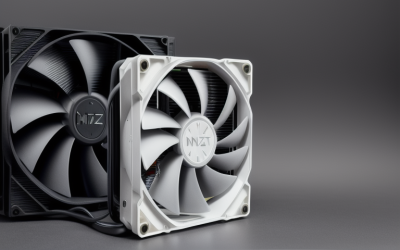
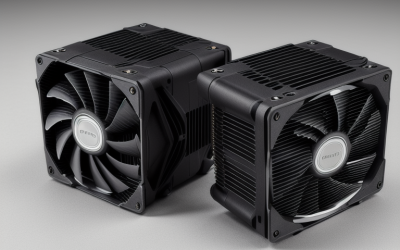
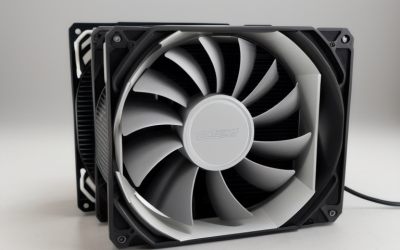
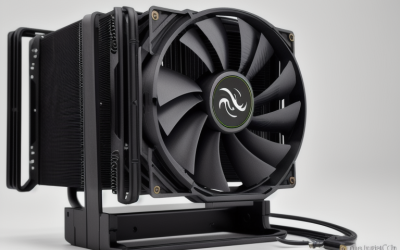
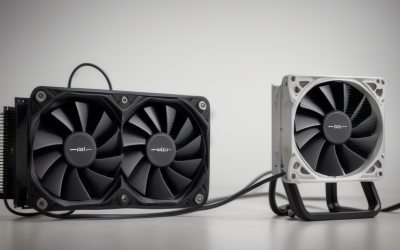
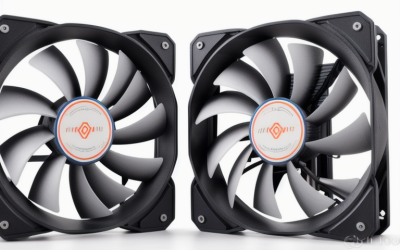
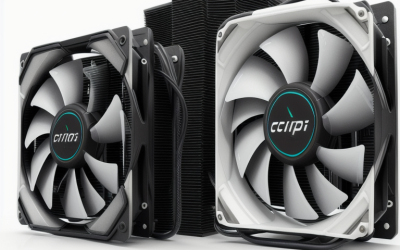
- Top Pick: Thermalright Peerless Assassin 120 SE CPU Cooler, 6 Heat Pipes AGHP Technology, Dual 120mm PWM Fans, 1550RPM Speed, for AMD:AM4 AM5/Intel LGA 1700/1150/1151/1200/1851,PC Cooler
- Best Value: Thermalright Assassin X120 Refined SE CPU Air Cooler, 4 Heat Pipes, TL-C12C PWM Fan, Aluminium Heatsink Cover, AGHP Technology, for AMD AM4/AM5/Intel LGA 1150/1151/1155/1200/1700/1851(AX120 R SE)
- Premium Choice: Thermaltake Gravity i3 Intel LGA 1700 Cocket, 95W CPU Cooler CL-P094-AL09WT-A ,Black
LGA 1700 changed the shape of CPU cooling. The socket serves 12th, 13th and 14th generation Intel Core chips, and those processors, especially the K-series parts, can draw a lot of power in short bursts. The socket also uses a different mounting hole spacing from older boards, plus a slightly bowed heat spreader on many chips, so a cooler built for LGA1200 will not simply carry over. The real question for a buyer is whether to stay with air cooling, take a low-profile route, or move to a liquid loop.
This guide is for builders choosing a cooler for a Core i5, i7 or i9 on an LGA1700 board in 2026, from a small-form-factor system to a full tower with a 360mm radiator. Ten coolers are covered, mixing single towers, twin-fan designs, low-profile blocks and all-in-one liquid coolers. Every comparison draws on the specifications in the listings, since the titles state sockets, fan counts, radiator sizes and, in several cases, wattage figures.
Quick Picks
As an Amazon Associate we earn from qualifying purchases at no extra cost to you.




| Product | Best for | Key spec from the title |
|---|---|---|
| Thermalright Peerless Assassin 120 SE | High-capacity air cooling | 6 heat pipes, dual 120mm PWM fans, 1550RPM |
| Thermalright Assassin X120 Refined SE | Simple single-tower upgrade | 4 heat pipes, TL-C12C PWM fan |
| Thermaltake Gravity i3 | Basic builds | LGA1700, 95W |
| MSI MAG Coreliquid A13 240 | Mainstream liquid cooling | 240mm radiator, dual 120mm ARGB PWM fans |
| Thermaltake UX150 ARGB | Lit air cooler with wide socket support | 130mm PWM fan, 500 to 2400 RPM, 130W |
| Cooler Master i70C ARGB | Low-profile cases | Intel LGA1700/1851 only, 95W, 120mm fan |
| Thermalright Aqua Elite 120 V3 | Compact liquid cooling | 120mm radiator, ARGB PWM fans |
| Noctua NH-L9i-17xx | Ultra-compact builds | 37mm height, 92mm slim fan |
| Thermaltake ASTRIA 200 ARGB | Mid-range tower with headroom | Single tower, 210W |
| ASUS ROG Strix LC III 360 ARGB LCD | Flagship liquid cooling | 360 radiator, 2.1-inch IPS LCD, 6-year warranty |
How to Choose
Start with the thermal output of your chip
A locked Core i5 sits comfortably under a 95W-class cooler, while an unlocked i7 or i9 can exceed 200W under sustained loads. Where a title states a heat figure, such as 95W, 130W or 210W, compare it with your chip and leave a margin. A 360mm radiator or a dual-tower air cooler is the usual pairing for the hottest processors.
Check height and radiator clearance
Most mid-tower cases accept air coolers around 155mm to 165mm tall, but compact cases cap lower. Radiators need mounting points: 120mm, 240mm and 360mm each need matching fan positions at the front, top or side. Measure memory height too, since tall modules can interfere with a fan on a single tower.
Decide between air and liquid
Air coolers have no pump to fail and are simple to install, while liquid coolers move heat to a radiator that can sit away from the board. A 120mm AIO is not automatically better than a good tower; radiator size matters. Ignore pump brand claims and focus on radiator length, fan quality and the warranty length.
Mind sockets, lighting and budget trade-offs
Confirm LGA1700 in the listing; one cooler here also supports LGA1851, which is useful if you plan to upgrade the board later. ARGB lighting needs a motherboard header, and screens or mirrors add nothing to cooling. Budget models often trim fan quality, mounting hardware and thermal paste, so check what the listing includes. Fan noise is the other common trade: a small fan spinning fast to hit its cooling target is louder than a large fan spinning slowly, which favors 120mm and 140mm designs in a bedroom or office setting.
The 10 Best Options
Thermalright Peerless Assassin 120 SE
A dual-tower air cooler with six heat pipes using AGHP technology, two 120mm PWM fans at 1550RPM, and mounting for AM4, AM5 and Intel LGA1700, 1150, 1151, 1200 and 1851. It targets builders who want serious air cooling without a pump. Owners of a Core i7 who dislike the idea of a leak-prone loop will find the two-fan layout reassuring, since the load is shared across a large fin stack.
- Six heat pipes and twin fans provide the most air-cooling capacity in this list.
- Broad socket support lets it move to another platform later.
- Trade-off: a dual-tower body can be tall, so check case and memory clearance.
Skip it if your case is narrow or you want lighting.
Thermalright Assassin X120 Refined SE
A single-tower cooler with four heat pipes, a TL-C12C PWM fan, and an aluminium top cover. The listing names LGA1700 among a long Intel list and AM4/AM5 for AMD, which suits a straightforward upgrade for a mid-range processor. A builder replacing the stock Intel cooler on a Core i5 and wanting something quiet and uncomplicated is the natural audience.
- A single fan and tower keep the footprint easy to fit.
- Four heat pipes sit a step above basic coolers.
- Trade-off: no wattage figure is given in the title.
Skip it if you plan to run an unlocked i9 hard.
Thermaltake Gravity i3
A basic Intel-only cooler for LGA1700 with a 95W figure, with a black finish. It suits a locked Core i3 or i5 in an office or media-center build where quiet running and a small footprint matter more than peak performance. Think of it as the entry point for a first build or a replacement part for an existing family PC.
- Clearly sized for 95W-class processors.
- The simple design keeps installation quick.
- Trade-off: its 95W figure leaves little room for boost power on K-series chips.
Skip it if you own an unlocked processor or want to overclock.
MSI MAG Coreliquid A13 240
A 240mm all-in-one liquid cooler with two 120mm ARGB PWM fans, built for LGA1700, LGA1851, AM5 and AM4. It aims at mainstream gaming builds that want a clean look and more cooling capacity than a small tower. Because the listing names AM5 and AM4 as well, the same unit can follow you to an AMD board during a later upgrade.
- A 240mm radiator offers a good middle ground.
- Dual ARGB PWM fans bring lighting plus speed control.
- Trade-off: the case needs a 240mm radiator mount.
Skip it if your case lacks radiator space.
Thermaltake UX150 ARGB
A single-tower air cooler with a copper base and aluminum fins, a 130mm PWM fan running 500 to 2400 RPM, and an infinity mirror top. It lists a 130W figure and sockets from LGA1150 up to LGA1851. That range suits someone with spare older boards who wants a single cooler that can move between machines.
- A 130W figure suits most mid-range chips.
- The wide socket list helps across generations.
- Trade-off: a 130mm fan is an unusual size, so check case clearance.
Skip it if you prefer a plain look.
Cooler Master i70C ARGB
A low-profile air cooler restricted to Intel LGA1700 and 1851, with a 120mm PWM ARGB fan, 95W TDP, copper core base, and black aluminum heatsink. It targets slim cases. Home-theater builders and owners of small desktop chassis are the typical buyers, particularly with a locked Core i5 that stays well under its limit.
- The low profile fits compact cases.
- A 120mm fan is larger than most slim coolers.
- Trade-off: a 95W figure limits the processor choice.
Skip it if you use a K-series chip or an AMD board.
Thermalright Aqua Elite 120 V3
A compact AIO with a 120mm radiator and ARGB PWM fans, listing Intel LGA1150, 1200, 1851 and 1700 plus AM4 and AM5. It suits small cases that cannot fit a larger radiator. It is a reasonable step for someone who wants the neat, cable-light look of a liquid loop for a mid-range chip rather than the maximum possible capacity.
- Liquid cooling in a small radiator format.
- Broad platform support.
- Trade-off: a 120mm radiator offers modest capacity next to larger AIOs.
Skip it if you want to cool a high-wattage chip.
Noctua NH-L9i-17xx
A low-profile cooler only 37mm tall, with a 92mm slim fan and no overhang above RAM or PCIe slots, built for LGA1851 and LGA1700. It is aimed at ultra-compact builds. Mini-ITX enthusiasts who want the lowest possible profile and quiet operation, and who pair it with a modest processor, will see the point.
- The 37mm height fits tiny enclosures.
- Full RAM and PCIe clearance simplifies assembly.
- Trade-off: low-profile designs limit processor choices.
Skip it if you use a power-hungry chip.
Thermaltake ASTRIA 200 ARGB
A single-tower ARGB cooler listing LGA1851, 1700 and AM5, with a 210W TDP figure. It suits mid-range to higher-end processors in standard mid-tower cases. It gives builders a way to put the budget into cooling capacity rather than a pump, and it keeps the option of an AMD AM5 board open.
- A 210W figure gives real headroom.
- ARGB lighting adds a matching look.
- Trade-off: the title does not list older Intel sockets.
Skip it if you plan to move to an older board.
ASUS ROG Strix LC III 360 ARGB LCD
A 360 radiator AIO with a 2.1-inch IPS LCD, an Asetek Gen7 v2 pump, ROG ARGB fans, and a six-year warranty. It lists Intel LGA1700, 1200 and 115X and AMD AM4/AM5. It is a showpiece for a high-end build where the screen can display a logo or temperature, and the cooling hardware matches a flagship processor.
- A 360 radiator gives the greatest capacity in this list.
- The six-year warranty is long.
- Trade-off: it needs a case with a 360mm mount.
Skip it if you want a simple, low-profile setup.
Which One Fits Your Situation
You run an unlocked Core i7 or i9
The ASUS ROG Strix LC III 360 offers the largest radiator, and the Thermalright Peerless Assassin 120 SE is the strongest air alternative.
You are building a compact PC
The Noctua NH-L9i-17xx and the Cooler Master i70C ARGB are made for slim cases. Pair them with locked, lower-wattage processors, and expect fan speed to rise quickly if the chip is pushed.
You want a clean mid-range build
The MSI MAG Coreliquid A13 240 delivers a tidy liquid option, while the Thermaltake ASTRIA 200 ARGB provides air cooling with a 210W figure, which is easier to maintain because there is no pump or tubing to worry about.
You need a simple office or media PC
The Thermaltake Gravity i3 or the Assassin X120 Refined SE cover basic needs.
Common Mistakes
- Pairing a 95W-class cooler with a high-wattage unlocked chip.
- Skipping the radiator mounting check before ordering an AIO.
- Choosing lighting or an LCD screen over cooling capacity.
- Ignoring memory height and case clearance with tall towers.
- Assuming any cooler for LGA1200 will bolt onto LGA1700.
Related guides
- Aio Liquid Coolers For High Performance Gaming
- How To Lower Input Delay In Competitive Shooters
- External Hard Drives For Music Production
Frequently Asked Questions
Which Intel chips use LGA 1700?
12th, 13th and 14th generation Core processors. Most coolers labeled LGA1700 cover all three, since the socket and the mounting pattern stayed the same across those generations.
Is liquid cooling better than air?
Not always. A good dual-tower air cooler can match a small AIO. Larger radiators win for the hottest chips.
Does ARGB lighting help cooling?
No. Lighting is cosmetic and only needs a motherboard header or controller. Judge a cooler on heat pipes, radiator size and fan quality.
Can I reuse an LGA1200 cooler?
Only if the listing includes LGA1700 mounting hardware. The hole spacing is different, so check first.