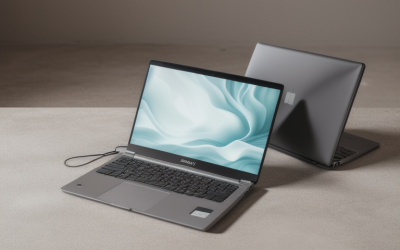
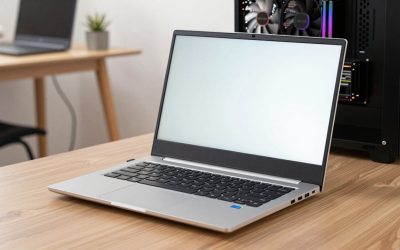
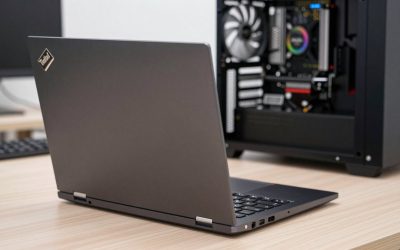
- Top Pick: Lenovo Yoga 7i 2-in-1 Laptop, 16" 2K Touchscreen Display, Core Ultra 7 155U | Intel Graphics, 16GB DDR5, 1TB PCIe 4.0 SSD, Wi-Fi 6E, Backlit KB, FP Reader, TB 4, Webcam, Keypad, HDMI Cable, Win 11 Pro
- Best Value: Lenovo Yoga 7i 2-in-1 Laptop, 16" 2K Touchscreen Display, Core Ultra 7 155U | Intel Graphics, 16GB DDR5, 512GB PCIe 4.0 SSD, Wi-Fi 6E, Backlit KB, FP Reader, TB 4, Webcam, Keypad, HDMI Cable, Win 11 Pro
- Premium Choice: Lenovo Yoga 7i 2-in-1 w/Ultra 5, 14”OLED Touch,16GB RAM, 1TB SSD, Yoga Pen | Laptop with Intel Core Ultra 5 226V Processor, WUXGA OLED 100%DCI-P3 HDR 500 TB Display, Wi-Fi 7, FP Reader, and Win 11 Home
Lenovo’s Yoga name covers a lot of ground, and that is the real shopping problem. The listings below span 14-inch OLED models, 16-inch IPS and 2K panels, a business-oriented ThinkPad X13 Yoga, and storage choices running from 512GB to 2TB. Picking among them means deciding how much screen you want to carry, whether you will draw or annotate on it, and how much memory and storage you need on day one.
This guide is for students, remote workers, and note-takers who want a laptop that folds into tablet mode and still handles a full workday in 2026. Everything here is judged from the specs printed in each listing title, so treat it as a shortlist to compare against the full spec sheet before you buy. Because the Yoga 7i appears in several near-identical configurations, the differences that matter are screen size, panel type, processor generation, and whether a pen is in the box.
Quick Picks
As an Amazon Associate we earn from qualifying purchases at no extra cost to you.



| Product | Best for | Key spec from the title |
|---|---|---|
| Yoga 7i 16″ Ultra 7 155U, 1TB | Balanced large-screen all-rounder | 16″ 2K touch, 16GB DDR5, 1TB PCIe 4.0 SSD |
| Yoga 7i 16″ Ultra 7 155U, 512GB | Lower-cost entry to the 16″ model | 16″ 2K touch, 16GB DDR5, 512GB SSD |
| Yoga 7i 14″ OLED Ultra 5 226V | Sketching and media on OLED | 14″ WUXGA OLED, 16GB RAM, 1TB SSD, Yoga Pen |
| Yoga 7i 16″ Ultra 7 155U, 2TB | Large local libraries | 16″ 2K touch, 16GB DDR5, 2TB SSD |
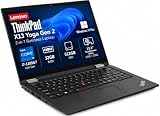
| ThinkPad X13 Yoga Gen 2 | Business users who need memory | 13.3″ touch, i7-1185G7, 32GB RAM, 512GB SSD |
| Yoga 7i 16″ Ultra 7 256V | Newer-generation large IPS display | 16″ WUXGA IPS, 16GB LPDDR5X, 1TB SSD, Yoga Pen |
| Yoga 7i 14″ Ultra 5 322V | Copilot+ workflows in a compact body | 14″ 2K WUXGA OLED, 16GB RAM, 512GB SSD, Win11 Pro |
| Yoga 7i 14″ 2K OLED Ultra 5 | Port-conscious travelers | 40+ TOPS NPU, 16GB LPDDR5X, Thunderbolt 4 |
How to Choose
Screen size and panel type
Fourteen inches is the commuter size: it fits on a fold-down airline tray and stays comfortable as a tablet. Sixteen inches gives split-screen spreadsheets room to breathe but feels heavy when held in one hand. OLED panels, which several listings here name, offer deeper blacks and wide color coverage, while IPS panels usually hold up better for static, text-heavy work. Look for a 2K-class or WUXGA resolution at either size rather than a basic 1080p panel. Also consider where you sit: on a couch or in a cramped seat, the lighter 14-inch frame is far easier to flip into tent or tablet mode than a 16-inch body.
Memory and storage floor
For a laptop you plan to keep for several years, 16GB of RAM is a sensible floor for browser-heavy multitasking. Heavier workloads, such as virtual machines or large photo libraries, benefit from 32GB. For storage, 512GB is workable if you lean on cloud files, while 1TB leaves headroom for apps and downloads. Every Yoga 7i here lists 16GB, which makes storage the main differentiator. Remember that memory is usually soldered on a thin convertible, so the amount you buy is the amount you keep, while storage choice is where you decide how long the machine stays comfortable.
Processor generation and AI features
Core Ultra chips differ by generation. Titles that name a V-series part, such as Ultra 5 226V or Ultra 7 256V, point to the newer low-power line, and some list an NPU rating or Copilot+. The 155U models use an older generation, so check the full spec sheet for how each suits battery life and sustained work. The ThinkPad X13 Yoga carries an older Core i7-1185G7, which can still be responsive for office tasks.
Pen, ports, and security
If you plan to write or sketch, confirm the pen is actually included and that the panel supports it. Check ports too: Thunderbolt 4, named in one listing, supports docks and external displays through a single cable. A fingerprint reader and backlit keyboard show up across the list. Ignore marketing terms like “FP Re…” in truncated titles and read the full description. For tablet-mode use, also check hinge feel and weight in the full specifications, since a heavier convertible gets tiring when held for note-taking.
The 8 Best Options
Lenovo Yoga 7i 16″ (Ultra 7 155U, 1TB)
This listing pairs a 16-inch 2K touchscreen with a Core Ultra 7 155U, 16GB of DDR5 memory, and a 1TB PCIe 4.0 SSD. It suits someone who wants one machine for documents, video calls, and light creative work without compromising on storage. Wi-Fi 6E and a backlit keyboard round out the title.
- Strength: 1TB of storage means fewer trips to external drives.
- Strength: the 16-inch 2K panel gives plenty of room for side-by-side windows.
- Trade-off: a 16-inch convertible is a bulkier tablet than the 14-inch models.
Skip it if you mostly work on trains or couches and want something easy to hold with one hand.
Lenovo Yoga 7i 16″ (Ultra 7 155U, 512GB)
Same screen, processor, and 16GB DDR5 memory as the 1TB version, but with a 512GB PCIe 4.0 SSD. That makes it the sensible pick for buyers who keep files in cloud storage and want the large display for the lowest outlay in this group.
- Strength: the same 16-inch 2K touch display as the pricier storage tiers.
- Strength: Wi-Fi 6E supports faster connections on a modern router.
- Trade-off: 512GB fills quickly once you add games, project files, or offline video.
Skip it if you handle large media files or plan to keep the laptop for many years, since internal storage is the hardest part to expand later.
Lenovo Yoga 7i 14″ OLED (Ultra 5 226V, Yoga Pen)
This 14-inch model lists a WUXGA OLED panel with 100% DCI-P3 coverage and HDR, plus a Core Ultra 5 226V, 16GB of RAM, a 1TB SSD, and a Yoga Pen. It is aimed at students and designers who want to annotate PDFs or sketch ideas in tablet mode.
- Strength: the pen is included, so you do not have to buy one separately.
- Strength: OLED with wide color coverage suits photo review and video.
- Trade-off: a 14-inch screen is tighter for multi-window spreadsheet work.
Skip it if you never touch a pen or tablet mode, because you would pay for features you will not use.
Lenovo Yoga 7i 16″ (Ultra 7 155U, 2TB)
The top storage tier of the 155U family combines the 16-inch 2K touchscreen and 16GB DDR5 with a 2TB PCIe 4.0 SSD. It fits photographers, video hobbyists, and anyone who wants a local library without juggling drives.
- Strength: 2TB is generous for raw photos, project folders, and offline media.
- Strength: the PCIe 4.0 interface is named, which points to a modern drive.
- Trade-off: only 16GB of memory sits next to that much storage, so heavy editing may feel RAM-limited.
Skip it if you store everything in the cloud, since the extra capacity would go unused.
Lenovo ThinkPad X13 Yoga Gen 2 (i7-1185G7, 32GB)
The odd one out here is a business convertible with a 13.3-inch touchscreen, a Core i7-1185G7, 32GB of RAM, and a 512GB SSD. It also lists a backlit keyboard and fingerprint reader. Buyers who run many browser tabs, spreadsheets, and conferencing apps at once will appreciate the memory.
- Strength: 32GB of RAM is the most in this group.
- Strength: the 13.3-inch size is the smallest and easiest to carry.
- Trade-off: the processor is from an older generation than the Core Ultra models.
Skip it if you want a modern OLED panel or the latest AI-oriented features.
Lenovo Yoga 7i 16″ (Ultra 7 256V, Yoga Pen)
This one lists a 16-inch WUXGA IPS touchscreen, a Core Ultra 7 256V, Intel Arc graphics, 16GB of LPDDR5X memory, a 1TB SSD, and a Yoga Pen. It targets people who want a larger screen with the newer V-series chip and a pen in the box.
- Strength: the newer-generation processor and LPDDR5X memory appear in the title.
- Strength: a pen is included for note-taking on the big display.
- Trade-off: IPS will not match the contrast of the OLED models.
Skip it if deep blacks and punchy color matter more than screen size.
Lenovo Yoga 7i 14″ (Ultra 5 322V, OLED, Win11 Pro)
A compact option with a 14-inch 2K WUXGA OLED touchscreen, Core Ultra 5 322V, 16GB of RAM, a 512GB SSD, a fingerprint reader, and Windows 11 Pro. The Copilot+ label signals support for newer on-device AI features.
- Strength: Windows 11 Pro helps with business device-management features.
- Strength: the OLED panel and compact size suit mobile work.
- Trade-off: 512GB is modest for a primary machine.
Skip it if you need more internal storage than the title shows or have no use for AI-focused software.
Lenovo Yoga 7i 14″ (Ultra 5, 40+ TOPS NPU, Thunderbolt 4)
This 14-inch OLED touchscreen model lists a Core Ultra 5, a 40+ TOPS NPU, 16GB of LPDDR5X, a 512GB SSD, and Thunderbolt 4. It appeals to travelers who plug into docks or external monitors through one port.
- Strength: Thunderbolt 4 supports single-cable docking.
- Strength: the NPU rating suits on-device AI tools.
- Trade-off: the exact Ultra 5 model is cut off in the title, so verify it before buying.
Skip it if you want complete processor details in the listing before deciding.
Which One Fits Your Situation
You sketch or annotate by hand
Choose the 14-inch OLED Ultra 5 226V with the Yoga Pen. It combines a pen, a color-rich panel, and 1TB of storage in a size that is comfortable as a tablet.
You live in spreadsheets and video calls
The 16-inch Ultra 7 155U with 1TB gives you screen space and storage. If cost matters more, the 512GB version of the same laptop saves money and keeps the display.
You need the most memory
The ThinkPad X13 Yoga Gen 2 stands out with 32GB of RAM in a 13.3-inch frame. It makes sense for heavy multitaskers who accept an older processor.
You dock at a desk and travel often
The 14-inch model listing Thunderbolt 4 and a 40+ TOPS NPU fits a one-cable desk setup and a light bag. Plug in a dock at the office, unplug, and walk to a meeting with the same machine.
Common Mistakes
- Assuming every Yoga 7i is the same laptop, when generation, panel, and storage vary widely.
- Paying for a pen-capable model and never using tablet mode.
- Choosing 512GB of storage for a machine meant to last five or more years.
- Ignoring truncated titles and skipping the full spec sheet for the processor name.
- Picking a 16-inch convertible and expecting it to feel light as a tablet.
Related guides
- Aio Liquid Coolers For High Performance Gaming
- Wireless Gaming Headsets Under 100 For Pc
- What Is A Dac And Do You Need One For Gaming
Frequently Asked Questions
Is OLED better than IPS on a Yoga?
OLED generally offers deeper contrast and richer color, which helps with media and sketching. IPS tends to suit static text work well and avoids concerns some buyers have about image retention. Choose based on what you do most.
Is 16GB of RAM enough?
For browsing, office apps, and video calls, 16GB is a reasonable baseline. If you run virtual machines or large datasets, the 32GB ThinkPad X13 Yoga is the safer pick from this list.
Does the pen come with every model?
No. Based on the titles, only the listings that mention the Yoga Pen include one. Confirm pen support on the full spec sheet before relying on it.
What does Copilot+ or an NPU mean for me?
These labels point to a processor built to run certain AI features locally. They matter if you use those tools; otherwise the rest of the specs should drive your decision.