

- Top Pick: Exilapsire 15.6" Yoga 2-in-1 Touchscreen Laptop, 8GB RAM 256GB SSD | Computer with AMD A9 up to 3.2GHz, Convertible Notebook with IPS FHD Display, USB-C, WiFi, Win11 Laptop for Work,Study & Home
- Best Value: HP 14 2-in-1 Chromebook 14in FHD Intel CPU 4GB 64GB Storage (14b-Renewed)
- Premium Choice: BWPED 15.6 Inch 2-in-1 Touchscreen Laptop, 360° Flip Convertible Notebook, Core m3-8100Y, 16GB RAM 512GB SSD, FHD IPS Display, Win 11 Pro, WiFi 5, BT 5.1, Lightweight Computer for Work, Study & Travel
A 2-in-1 touch screen laptop promises two devices in one chassis, and the hard part is deciding which half of that promise matters to you. Some buyers want a full Windows machine whose hinge folds flat for sketching and note-taking. Others want a light Chromebook that flips into tablet posture for reading on the couch. The ten models below cover both camps, from 13.3-inch business convertibles to a 16-inch premium flip.
This guide suits students, remote workers, and anyone replacing an aging clamshell in 2026 who wants touch input without moving to a bare tablet. Every comparison below sticks to what each listing states: screen size, processor name, memory, storage, operating system, and included extras. Where a listing is silent, we say so rather than guess, because a convertible that looks perfect on paper can still disappoint if one missing detail turns out to matter.
Quick Picks
As an Amazon Associate we earn from qualifying purchases at no extra cost to you.
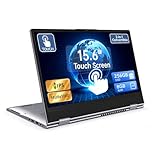


| Product | Best for | Key spec from the title |
|---|---|---|
| Exilapsire 15.6″ Yoga | Basic home use | AMD A9, 8GB RAM, 256GB SSD |
| HP 14 2-in-1 Chromebook (Renewed) | Light web tasks | 14in FHD, 4GB, 64GB |
| BWPED 15.6″ Flip | Big-screen study | Core m3-8100Y, 16GB, 512GB |
| Lenovo IdeaPad 5i 2-in-1 16″ | Everyday Windows plus pen | Core 5 120U, 16GB DDR5, stylus bundle |
| Dell Latitude 5300 2-in-1 (Renewed) | Compact business use | Core i5-8365U, 16GB, 256GB |
| Dell Latitude 5320 2-in-1 (Renewed) | Newer-generation compact | Core i5-1135G7, 8GB, 256GB |
| HP Chromebook 14 x360 Plus | Chrome OS students | Intel N150, FHD+ anti-glare |
| HP OmniBook X Flip 16″ | Premium creative work | Intel Ultra 7 256V, 2K IPS |
| Cleriver 15.6″ Convertible | Office suite bundle | Core m3 8100Y, 16GB, 512GB |
| Tylvx 15.6″ Laptop/Tablet | Maximum memory | Core m3-8100Y, 20GB, 512GB |
How to Choose
Screen size and hinge style
A 13.3-inch or 14-inch convertible is easy to hold in tablet mode and fits a backpack sleeve. Anything at 15.6 inches or 16 inches gives more workspace but becomes awkward when folded back, since the weight sits in your hands rather than on a desk. Look for a 360-degree hinge, not just a screen that tilts, and confirm the panel is at least 1920×1080 on IPS or a similar wide-angle technology.
Processor and memory
For Windows, treat 8GB of RAM as the floor and 16GB as the comfortable target for many browser tabs. Chrome OS models can live with 4GB, but they leave little room for growth. Compare processor generations as well as names: an 11th-generation chip sits well ahead of an 8th-generation one even when both say Core i5, and the Core m3 class named in several listings targets light workloads.
Storage and operating system
256GB covers most students; 512GB suits anyone storing video or design files. Listings that say eMMC or UFS rather than SSD use flash that suits Chrome OS better than Windows. Check whether Windows is Home or Pro, and whether an Office subscription is bundled or merely compatible. Pro editions matter mainly for work-managed devices and disk encryption features.
Ports, pen support, and condition
USB-C, HDMI, and a backlit keyboard are worth seeking. If you plan to draw, a stylus must be listed in the title or a compatible one must be available separately. Renewed units can deliver business-grade hardware at a lower tier, but verify the seller’s condition grade and return window, and ignore vague speed claims such as “up to” clock figures, which describe a peak rather than normal operation.
The 10 Best Options
Exilapsire 15.6″ Yoga 2-in-1
A large-screen convertible aimed at work, study, and home, with an IPS full HD panel and a Yoga-style fold. The listing names an AMD A9 processor with 8GB of RAM and a 256GB SSD, which is a workable base for documents, video calls, and streaming on a roomy 15.6-inch canvas.
- Strength: 256GB SSD with 8GB RAM meets the Windows floor.
- Strength: USB-C is listed alongside Windows 11.
- Trade-off: the A9 is an entry-level chip name, so heavy multitasking is not its job.
Skip it if you need a stylus included or a premium processor.
HP 14 2-in-1 Chromebook (Renewed)
A refurbished 14-inch FHD Chromebook with an Intel processor, 4GB of memory, and 64GB of storage. It sits at the simple end of this list and fits web apps, streaming, and school portals, where a lightweight operating system matters more than raw horsepower.
- Strength: 14-inch FHD size balances portability and screen room.
- Strength: Chrome OS keeps the software load light.
- Trade-off: 4GB and 64GB leave very little headroom.
Skip it if you rely on Windows programs or dislike refurbished stock.
BWPED 15.6″ 360 Flip
This convertible pairs a Core m3-8100Y with 16GB of RAM and a 512GB SSD on a 15.6-inch FHD IPS screen. Windows 11 Pro, WiFi 5, and Bluetooth 5.1 are named in the title, and the listing frames it as a lightweight machine for work, study, and travel.
- Strength: 16GB and 512GB are generous for the category.
- Strength: Windows 11 Pro adds business-oriented features.
- Trade-off: Core m3 class silicon is geared to light loads.
Skip it if you edit video or want a sub-14-inch tablet feel.
Lenovo IdeaPad 5i 2-in-1 16″
The only model here bundled with a stylus pen, listed with an Intel Core 5 120U, Intel Graphics, 16GB of DDR5 memory, and a 512GB SSD. A backlit keyboard, Office 365, and Windows 11 Home are also named, so it arrives closer to ready for school or office tasks.
- Strength: DDR5 memory and a stylus bundle in one listing.
- Strength: 16-inch panel suits side-by-side windows.
- Trade-off: integrated graphics only, so gaming is limited.
Skip it if you want a compact device for commuting.
Dell Latitude 5300 2-in-1 (Renewed)
A business-line convertible at 13.3 inches with FHD touch, a Core i5-8365U, 16GB DDR4, and 256GB of storage. Type-C, HDMI, a backlit keyboard, and Windows 11 Pro are named, which makes it a tidy fit for a desk dock or a shared meeting room.
- Strength: 16GB of RAM in a small chassis.
- Strength: HDMI and Type-C simplify desk setups.
- Trade-off: the processor is an older generation than the 5320.
Skip it if you dislike refurbished hardware or need a large display.
Dell Latitude 5320 2-in-1 (Renewed)
Another renewed 13.3-inch FHD convertible, this one with a Core i5-1135G7 listed up to 4.2GHz, 8GB of RAM, and a 256GB SSD. Backlit keys and Windows 11 Pro round out the listing, and the 1920×1080 resolution is spelled out in the title.
- Strength: newer processor generation than its sibling.
- Strength: 1920×1080 resolution is stated outright.
- Trade-off: 8GB of RAM gives less room than the 5300.
Skip it if memory capacity matters more than processor generation.
HP Chromebook 14 x360 Plus
A 14-inch Chrome OS convertible with an Intel N150, 4GB of RAM, and 128GB of UFS storage. The FHD+ touch panel is anti-glare, and the title lists a 1080p webcam and fast charging, a sensible mix for students who attend video classes and carry a charger in a bag.
- Strength: anti-glare FHD+ screen suits bright rooms.
- Strength: 128GB doubles the storage of the other Chromebook here.
- Trade-off: 4GB of RAM caps multitasking.
Skip it if you need Windows-only applications.
HP OmniBook X Flip 16″
The premium entry: a 16-inch 2K IPS touch screen, an Intel Ultra 7 256V processor, a backlit keyboard, and Windows 11 Pro. Memory and storage are not stated in the title, so confirm them on the listing before treating this as the obvious upgrade over the mid-range options.
- Strength: 2K panel is the sharpest on this list.
- Strength: newest processor family named here.
- Trade-off: RAM and storage are unspecified in the title.
Skip it if you want a small footprint or a basic budget tier.
Cleriver 15.6″ Convertible
A 15.6-inch FHD touch 2-in-1 with a Core m3 8100Y, 16GB of RAM, and a 512GB SSD. The title adds Windows 11 Pro, an Office suite, dual-band wireless, and USB 3.0, giving it a practical port and software story for home offices.
- Strength: Office suite is mentioned in the title.
- Strength: dual-band wireless is explicitly listed.
- Trade-off: it shares a processor class with two rivals here, so differences are small.
Skip it if you want a recognized brand name.
Tylvx 15.6″ Laptop/Tablet
The memory leader at 20GB of RAM, paired with a 512GB SSD, a Core m3-8100Y up to 3.4GHz, and a 360-degree flip FHD touch screen. The Deep Purple finish and a note-taking, design, and entertainment pitch set it apart from its look-alikes.
- Strength: 20GB of RAM is the highest number listed.
- Strength: distinctive Deep Purple colorway.
- Trade-off: more memory cannot offset a modest processor class.
Skip it if raw processing speed is your priority.
Which One Fits Your Situation
You want a small convertible for lectures
The Dell Latitude 5320 2-in-1 pairs a 13.3-inch frame with a newer-generation processor. If you prefer Chrome OS, the HP Chromebook 14 x360 Plus gives an anti-glare screen at a similar footprint and more storage than the older HP Chromebook.
You sketch and annotate PDFs
The Lenovo IdeaPad 5i 2-in-1 is the one listing that bundles a stylus, and its 16-inch canvas helps with markup. Pair it with a light drawing app and keep the keyboard folded behind the screen.
You want maximum memory in a lower tier
The Tylvx 15.6″ leads with 20GB, while the BWPED and Cleriver offer 16GB. All three share a similar processor class, so pick on finish, bundled software, and which seller’s return terms you trust.
You want the strongest platform and display
The HP OmniBook X Flip 16″ combines the newest processor family and a 2K panel. Verify memory and storage before committing, since the title leaves both out.
Common Mistakes
- Assuming every touch laptop folds flat; only 360-degree hinges count as true 2-in-1 designs.
- Buying 4GB of RAM for Windows and then wondering why tabs reload constantly.
- Ignoring the “Renewed” label and skipping the seller’s return window.
- Treating “up to” clock speeds as a guarantee of sustained performance.
- Forgetting that a stylus may not be included, even on pen-friendly screens.
Related guides
- Combination Smoke And Carbon Monoxide Detectors
- Aio Liquid Coolers For High Performance Gaming
- Doorbell Cameras With Security Camera Bundles
Frequently Asked Questions
Is a 2-in-1 laptop good for drawing?
It can be, provided the screen accepts a pen and you have a stylus. Only the Lenovo IdeaPad 5i lists one in its title; for the others, confirm pen compatibility first, and favor a larger panel if you plan long sessions.
Should I pick Chrome OS or Windows?
Choose Chrome OS if your work lives in a browser and Android-style apps. Choose Windows if you need desktop software, file-heavy workflows, or Office programs installed locally.
Are renewed 2-in-1 laptops a sound choice?
Renewed business models like the Dell Latitude pair offer sturdy hardware, but condition varies from unit to unit. Read the grade description, look at the battery note if one is given, and keep the return window in mind.
How much RAM do I need?
Eight gigabytes handles light multitasking on Windows, and 16GB gives breathing room for years. Chromebooks manage with 4GB, though demanding tab habits will push against that limit. Memory is also the one component most thin convertibles cannot upgrade later, so buy the capacity you expect to need in three years rather than the one you need today.









