

- Top Pick: HP 17 inch Business Laptop Computer • 2026 Edition • Latest AMD Ryzen 5 CPU • 16GB RAM • 512GB SSD • 17.3" FHD Display • Numeric Keypad • Long Battery Life • Windows 11 with Office 365 for The Web
- Best Value: Lenovo 2027 Essential 15.6" FHD Laptop, Intel CPU, 8GB DDR5, 128GB Storage | 1TB Cloud Storage, Office 365, Copilot AI, WiFi 6, Bluetooth 5.2, Anti-Glare Display, Long Battery Life, Win 11, Arctic Grey
- Premium Choice: Lenovo 15.6" FHD Business Laptop, Intel Processor, 8GB DDR5, 128GB Storage | 1TB Cloud Storage, 2026 Edition, Copilot AI+Office 365, Slim PC for Student & Home Office, Win 11, Arctic Grey
Working from a kitchen table, a spare bedroom or a rented desk puts a different load on a laptop than a managed office does. You are the help desk, the power supply and the meeting-room camera at once. The best business laptops for remote work are the ones that handle a full day of video calls, a dozen browser tabs and a shared document without stalling, while staying quiet and light enough to move from room to room. That is the decision this guide is built around.
The eight models below range from a premium ThinkPad to entry-level 14 and 15.6 inch machines that bundle office software and extra storage. Specs differ wildly even when names look alike, so the comparison leans on what each listing actually states: memory, storage, display size, ports, wireless standard and Windows edition. Use it as a 2026 shortlist for home-office buyers, freelancers and employees on hybrid schedules who want a sensible machine without guessing.
Quick Picks
As an Amazon Associate we earn from qualifying purchases at no extra cost to you.





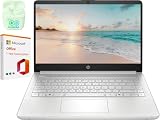

| Product | Best for | Key spec from the title |
|---|---|---|
| HP 17 Business Laptop | Spreadsheet-heavy work at a fixed desk | Ryzen 5, 16GB RAM, 512GB SSD, 17.3 inch FHD, numeric keypad |
| Lenovo ThinkPad T16 Gen 4 | Demanding daily work and security needs | Intel Ultra 5-225U, 32GB DDR5, 1TB SSD, fingerprint, RJ-45 |
| Lenovo Essential 15.6 | Light office tasks with cloud storage | 8GB DDR5, 128GB storage, 1TB cloud storage, WiFi 6 |
| Lenovo Business 15.6 | Docking and charging over USB-C | 8GB DDR5, USB-C, WiFi 6, anti-glare screen |
| HP 15.6 Business Laptop | Basic browsing and email | Intel N200 4-core, 4GB RAM, 128GB SSD, S mode |
| NIAKUN 15.6 Laptop | Windows Pro on a modest setup | Windows 11 Pro, 8GB RAM, 256GB SSD, Mini HDMI |
| HP 14 LED Business Laptop | Portable note-taking and email | Intel N150, 4GB RAM, 128GB UFS plus 512GB card |
| HP 14 Slim Laptop | Multitasking in a compact body | 16GB RAM, Windows 11 Pro, WiFi 6, Copilot AI |
How to Choose
Memory and storage set the ceiling for multitasking
Remote work stacks a video client, chat, a browser with many tabs and a document editor at the same time. For that, 16GB of RAM is a comfortable target, while 8GB is workable for light use and 4GB invites slowdowns once a call is running. On storage, aim for at least 256GB of internal SSD. Be careful with titles that add up capacity by counting memory cards or external drives; a listing that shows 128GB UFS plus a 512GB card holds files on removable media, which is slower and easier to lose than an internal drive.
Camera, microphone and wireless for the call-heavy day
You will spend hours on calls, so a 1080p webcam and a decent microphone matter more than a slightly faster processor. Look for WiFi 6 or newer, since a crowded home network benefits from the better handling of many devices. A wired RJ-45 Ethernet port, as on the ThinkPad listing, removes wireless dropouts from the equation altogether. USB-C helps with a single-cable dock for a monitor, keyboard and charger.
Windows edition and security
Windows 11 Pro adds device encryption management and the ability to join a company domain, which some employers require. Windows 11 Home in S mode limits installs to the Microsoft Store, so check with your IT team before you buy anything that ships that way. A fingerprint reader speeds up sign-in and is a useful layer when the laptop travels. Bundled office offers vary, so read whether the title means a desktop suite, a web version or a one-year subscription.
Where budget models cut corners
Entry-tier machines with 4GB of memory and basic processors can handle email and documents, but they struggle with a full set of tabs plus a meeting. They also tend to use plain displays and plastic shells. Treat extras such as earphones, mouse bundles or software add-ons as bonuses, not reasons to buy, and focus on RAM, internal storage and the processor class first.
The 8 Best Options
HP 17 Inch Business Laptop
This one pairs an AMD Ryzen 5 processor with 16GB of RAM, a 512GB SSD and a 17.3 inch FHD display. A numeric keypad and long battery life are listed, along with Windows 11 and Office 365 for the web. It suits finance, data entry and spreadsheet users who stay at a desk, where the roomy panel can hold two documents side by side.
- Strength: 16GB and a 512GB SSD give real breathing room for multitasking.
- Strength: the large screen and numeric keypad speed up spreadsheet work.
- Trade-off: a 17.3 inch body is bulky for travel.
Skip it if you carry your laptop between cafes.
Lenovo ThinkPad T16 Gen 4
The most capable entry here, with a 16 inch FHD+ display, an Intel Ultra 5-225U processor, 32GB of DDR5 memory and a 1TB SSD. Windows 11 Pro, a fingerprint reader, a backlit keyboard, WiFi 6E and an RJ-45 port complete a professional spec sheet. It is the closest match here to what an employer-issued machine usually looks like.
- Strength: 32GB of memory and Windows 11 Pro suit heavy multitasking and managed devices.
- Strength: Ethernet and WiFi 6E give stable connectivity options.
- Trade-off: it sits in the premium tier, which is more than a casual user needs.
Skip it if your work is limited to email and documents.
Lenovo Essential 15.6 Inch FHD Laptop
A 15.6 inch FHD model with an Intel processor, 8GB of DDR5, 128GB of storage and 1TB of cloud storage, plus Office 365, Copilot AI, WiFi 6, Bluetooth 5.2 and an anti-glare display. It comes in Arctic Grey. The pairing of modest local storage with cloud space reads as a design for people who keep documents online and rarely install heavy programs.
- Strength: the anti-glare screen helps in bright rooms.
- Strength: bundled cloud storage supports file sharing with little local space.
- Trade-off: 128GB of local storage fills fast.
Skip it if you keep large local files or work with several large projects.
Lenovo Business 15.6 Inch FHD Laptop
Closely related to the Essential, this version lists USB-C alongside WiFi 6, 8GB of DDR5, 128GB of storage, Office 365, Copilot AI and an anti-glare screen with long battery life. Remote workers who plug into a monitor and charge over a single cable will appreciate the port, and the lack of any listed fingerprint reader means sign-in stays password or PIN based.
- Strength: USB-C adds flexibility for docks and chargers.
- Strength: a standard-size 15.6 inch screen suits split windows.
- Trade-off: the same compact storage as its sibling.
Skip it if you want more than 8GB of memory.
HP 15.6 Inch Business Laptop
An entry-tier 15.6 inch laptop with an Intel 4-core N200 processor, 4GB of RAM and a 128GB SSD. It ships with Windows 11 Home in S mode and Microsoft 365, and the listing notes that it comes without a mouse. It is the most basic spec in this roundup, which makes it a fit for a secondary or occasional-use laptop rather than a main workstation.
- Strength: an SSD rather than slower flash keeps boot and app launch snappy.
- Strength: it covers basic web, email and document tasks at the lower tier.
- Trade-off: 4GB of RAM and S mode narrow what you can do.
Skip it if you plan to run video calls with many tabs open.
NIAKUN 15.6 Inch Windows 11 Pro Laptop
This one lists a 15.6 inch screen, Windows 11 Pro, Office 365, 8GB of RAM, a 256GB SSD, an Intel Pentium processor, a 6 hour battery, Mini HDMI and a camera with mic in a thin body. The brand is a lesser-known name, so look at warranty terms and seller support before relying on it as your only work computer.
- Strength: Windows 11 Pro and a 256GB SSD at this tier is a useful pairing.
- Strength: Mini HDMI makes connecting an external monitor straightforward.
- Trade-off: a Pentium processor and 6 hour battery are modest for long days.
Skip it if you want a well-known brand name behind support.
HP 14 Inch LED Business and Student Laptop
A 14 inch laptop with a 1-year Office 365 subscription, 4GB of RAM and 640GB of combined storage, made of 128GB UFS plus a 512GB SD card. It uses an Intel quad-core N150 processor and Windows 11 S, and it includes earphones. A student-leaning bundle like this is more of a starter kit than a full home-office machine.
- Strength: the compact 14 inch size travels easily.
- Strength: bundled earphones are handy for calls.
- Trade-off: much of the storage is on a card, and 4GB of RAM is thin.
Skip it if you need local storage you can trust for important files.
HP 14 Inch Slim Business Laptop
This 14 inch model offers 16GB of RAM, a quad-core Intel CPU, Wi-Fi 6, Windows 11 Pro, Copilot AI and an MS Office suite. Storage is listed as 628GB total, built from 128GB UFS and a 500GB external piece. Buyers who keep documents in the cloud and use the extra drive only for backups will get the most from that arrangement.
- Strength: 16GB of RAM in a 14 inch body is a strong mix for multitasking.
- Strength: Windows 11 Pro supports managed work devices.
- Trade-off: only 128GB is internal, with the rest external.
Skip it if you need a large internal drive.
Which One Fits Your Situation
You live in spreadsheets and dashboards
The HP 17 Inch Business Laptop gives you a big display, a numeric keypad and a 512GB SSD in the mid-range tier. Pair it with a good external mouse and you have a desk machine that rarely gets in your way.
Your employer manages and secures your device
Pick the Lenovo ThinkPad T16 Gen 4 for Windows 11 Pro, a fingerprint reader and a wired port. Those items are the ones IT departments ask about first, and 32GB of memory leaves room for virtual desktops and long meetings.
You want to move between rooms with minimal weight to carry
The HP 14 Inch Slim Business Laptop combines 16GB of RAM with a compact size. Just remember that most of its storage sits outside the internal drive, so keep important work backed up to the cloud.
You only need email, chat and documents
The Lenovo Business 15.6 Inch with USB-C works well at the budget end, especially with a dock. If you need Windows Pro on a similar footing, the NIAKUN 15.6 Inch is the budget alternative worth a closer look.
Common Mistakes
- Counting memory cards and external drives as real internal storage.
- Accepting 4GB of RAM for a call-heavy workday.
- Ignoring S mode until a required application will not install.
- Skipping a wired network port or USB-C when the home setup needs them, then discovering the dock does not connect.
- Choosing the largest screen without thinking about weight on the road.
Related guides
- Battery Operated Smoke And Carbon Monoxide Detectors
- Combination Smoke And Carbon Monoxide Detectors
- Aio Liquid Coolers For High Performance Gaming
Frequently Asked Questions
How much RAM do I need for remote work?
Sixteen gigabytes is a comfortable target for calls plus many tabs. Eight gigabytes can work for lighter use, and 4GB is best avoided.
Is Windows 11 Pro necessary?
It is useful if your employer requires domain joining or stronger device management. Otherwise Home edition is enough, provided it is not locked in S mode. If you are unsure, ask your IT team which edition they support.
Does a bundled Office offer replace a full license?
Not always. Some listings mean a web version or a one-year subscription, so read the wording closely before relying on it.
Is a 17 inch laptop practical for remote work?
It is fine for a fixed desk because of the large screen. If you move often, a 14 or 15.6 inch model is easier to carry.









