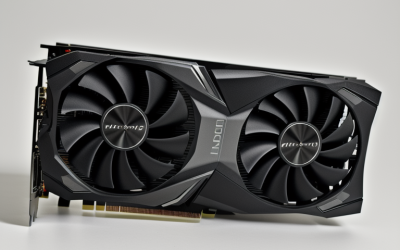
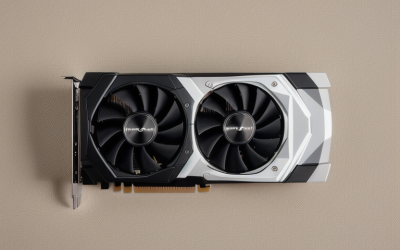
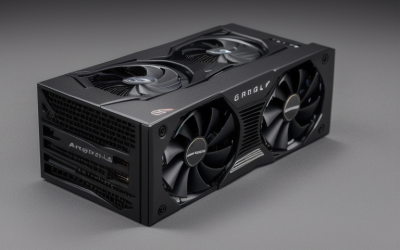
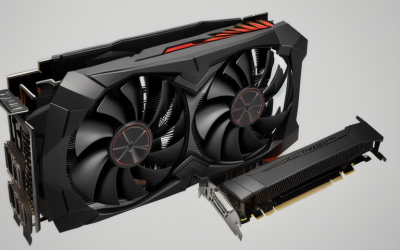
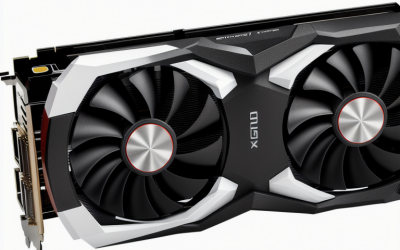
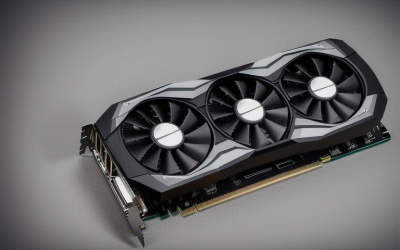
- Top Pick: msi Gaming RTX 3050 LP 6G OC Graphics Card (NVIDIA RTX 3050, 96-Bit, Boost Clock: 1492 MHz, 6GB GDDR6 14 Gbps, HDMI/DP, Ampere Architecture)
- Best Value: msi Gaming GeForce GT 1030 4GB DDR4 64-bit HDCP Support DirectX 12 DP/HDMI Single Fan OC Graphics Card (GT 1030 4GD4 LP OC)
- Premium Choice: maxsun GeForce RTX 3050 6GB Graphics Cards GDDR6 Video Graphics Card GPU for Gaming PC Mini Small Form Factor SSF Slim Low Profile PCI Express 4.0, HDMI 2.1, DisplayPort 1.4a (Slim Low Profile)
A mini ITX build gives you exactly one PCI Express slot and a very small amount of air, so a graphics card has to earn its place by fitting rather than by topping a chart. Many cards that look ideal on paper will not clear the case wall, block the next expansion bay, or overheat in a shoebox chassis. This guide separates the cards that carry a compact, low-profile, or explicit ITX label in their listing from the ones that simply lean on the word “gaming.”
It is written for people building or upgrading a small form factor PC in 2026, whether that means a console-sized living room box, a slim desktop that needs a half-height bracket, or a compact gaming tower. Each pick is judged only by what the listing states: memory type and size, bus width, ports, slot interface, and the physical form factor. Start with the Quick Picks table, then read the buying notes before you measure your case.
Quick Picks
As an Amazon Associate we earn from qualifying purchases at no extra cost to you.



| Product | Best for | Key spec from the title |
|---|---|---|
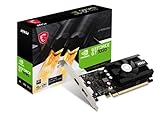
| msi RTX 3050 LP 6G OC | Compact gaming builds | 6GB GDDR6, 96-bit, Ampere |
| msi GT 1030 4GD4 LP OC | Light desktop and media duty | 4GB DDR4, 64-bit, single fan |
| maxsun RTX 3050 6GB Low Profile | Slim cases with modern ports | PCIe 4.0, HDMI 2.1, DisplayPort 1.4a |
| SOYO GT 740 4GB | Older slim desktops with legacy monitors | HDMI, VGA, and DVI-D outputs |
| PowerColor RX 6500 XT ITX | Radeon fans building small | 4GB GDDR6, ITX design |
| GT 610 2G Low Profile | Basic display output upgrades | 2GB DDR3, PCIe 1.1 x16 |
| QTHREE GT 730 4GB | Multi-monitor office setups | 2x HDMI, DP, VGA outputs |
| MAXSUN RX 550 4GB | Entry-tier Radeon in an HTPC | 4GB GDDR5, 128-bit, PCIe 3.0 x16 |
| GIGABYTE GTX 1060 Mini ITX OC | Classic compact 6GB option | 6GB GDDR5, Mini ITX OC |
How to Choose
Measure the case before you read a spec sheet
Mini ITX cases vary from tiny desktop shells to near-tower designs, and the maximum card length can range from roughly 150 millimeters to well over 300. Check the clearance figure in your case manual for length, thickness, and slot count. A card labeled low profile or half-height is built for slim chassis with a short bracket, while an ITX-labeled card is shortened for a full-height bracket. Never assume a card fits because it says “mini” somewhere in the title.
Match memory type and bus width to the job
GDDR6 and GDDR5 are the fast video memory types on these listings, and DDR3 or DDR4 are slower system-style types that appear on entry-tier cards. A 128-bit or 96-bit bus gives more memory bandwidth than a 64-bit bus on the same memory type. For gaming, prioritize GDDR6 or GDDR5 and 4GB or more. For office work, a media center, or driving several monitors, DDR3 and DDR4 cards are enough.
Plan the ports and the slot interface
Count your monitors and televisions, then compare them with each card’s outputs. HDMI 2.1 and DisplayPort 1.4a, as on the maxsun RTX 3050, are the modern pairing for high-refresh displays. VGA and DVI-D, as on the SOYO GT 740, matter only if your screen is older. The PCIe version matters less than it sounds: a PCIe 4.0 card still works in a 3.0 slot, and a PCIe 1.1 card still works in a newer slot, though the older interface limits the link speed.
Think about power and heat in a small box
Some cards in this group draw all their power from the slot, while others need an extra connector, and the title does not always say which. Verify the connector on the manufacturer’s page and compare it with your power supply, since SFX supplies often have fewer cables. A single-fan cooler, as on the msi GT 1030, keeps the card short but leaves less cooling headroom. Budget cards usually cut corners on cooling and ports, so check airflow in your case before you commit to a hotter design.
The 9 Best Options
msi Gaming RTX 3050 LP 6G OC
This msi card lists NVIDIA’s RTX 3050 with 6GB of GDDR6 at 14 Gbps, a 96-bit interface, a 1492 MHz boost clock, HDMI and DP outputs, and the Ampere architecture, all in a low-profile design. It is the most capable low-profile gaming option on the list that carries a specific boost clock, and it suits builders with a slim case who still want modern features.
- Strength: GDDR6 and Ampere are both named, giving it a current feature set.
- Strength: the low-profile “LP” format fits slimmer cases.
- Trade-off: the 96-bit bus is narrow compared with wider full-size cards.
Skip it if your case has no room for a dual-slot cooler, or if you need more than HDMI and DP outputs.
msi Gaming GeForce GT 1030 4GB DDR4 LP OC
The GT 1030 4GD4 LP OC is an entry-tier card with 4GB of DDR4, a 64-bit bus, DirectX 12 support, HDCP, DP and HDMI outputs, and a single fan. It suits light desktop work, video playback, and older or lightweight games in a small case.
- Strength: DP and HDMI connectors cover two modern displays.
- Strength: a single fan and LP format keep the card compact.
- Trade-off: DDR4 and a 64-bit interface limit memory bandwidth for gaming.
Skip it if you plan to play recent titles at high settings.
maxsun GeForce RTX 3050 6GB Low Profile
Maxsun’s version is billed for mini, small form factor, and slim builds, with 6GB of GDDR6, a PCI Express 4.0 interface, HDMI 2.1, and DisplayPort 1.4a. The HDMI 2.1 label stands out among these listings, making it appealing for builders who connect the PC to a modern television.
- Strength: HDMI 2.1 and DP 1.4a are both named.
- Strength: PCIe 4.0 matches newer ITX motherboards.
- Trade-off: the brand name is less familiar than msi or Gigabyte, so check warranty terms.
Skip it if you want a recognized brand name or a card with a listed boost clock.
SOYO GeForce GT 740 4GB DDR3 Low Profile
The SOYO listing describes a 128-bit, 384-shader card with 4GB of DDR3 and triple output through HDMI, VGA, and DVI-D, built in a half-height design for slim desktops. It supports Windows 11, 10, 8, and 7 per the title, which matters for older machines.
- Strength: three different outputs cover legacy and modern monitors.
- Strength: half-height design suits slim office desktops.
- Trade-off: DDR3 memory and an older GPU family limit its gaming value.
Skip it if you want a current-generation architecture or DisplayPort.
PowerColor AMD Radeon RX 6500 XT ITX
PowerColor labels this model directly as an ITX gaming card with 4GB of GDDR6 memory. The listing is short, but the ITX tag and GDDR6 make it the most explicitly small-form-factor AMD card here. It suits builders who prefer Radeon and need a compact body.
- Strength: GDDR6 and an ITX design are both named.
- Strength: it offers an AMD alternative to the NVIDIA-heavy list.
- Trade-off: the title does not list ports or dimensions, so verify them before ordering.
Skip it if you require details in the listing itself or want more than 4GB of memory.
GeForce GT 610 2G DDR3 Low Profile
This card is explicitly entry level, with 2GB of DDR3, a PCI Express 1.1 x16 interface, HDMI and VGA outputs, and compatibility with Windows 11. It is aimed at small form factor machines and home theater PCs that only need a display output.
- Strength: low-profile format fits very small cases.
- Strength: HDMI plus VGA covers both older and newer screens.
- Trade-off: its entry-level label and PCIe 1.1 interface signal limited capability.
Skip it if you want to play modern games or need DisplayPort.
QTHREE GeForce GT 730 4GB
The QTHREE listing offers 4GB of DDR3, a 64-bit interface, two HDMI ports, DisplayPort, and VGA, in a low-profile design on a PCI Express x8 interface for small form factor PCs. Four video outputs make it useful for multi-monitor desks.
- Strength: four video outputs allow broad display setups.
- Strength: DirectX 12 support and Windows 11 mention keep it current for desktop use.
- Trade-off: a 64-bit DDR3 design is limited for gaming.
Skip it if your work is graphics-heavy or you want a faster memory type.
MAXSUN AMD Radeon RX 550 4GB Low Profile
Maxsun markets this model as a low-profile small form factor card for gaming PCs and HTPCs, with 4GB of GDDR5, a 128-bit interface, DirectX 12, a PCI Express 3.0 x16 link, and HDMI and DisplayPort outputs. It sits as a step up from DDR3 cards for casual play.
- Strength: GDDR5 and a 128-bit bus beat the DDR3 cards in this group on paper.
- Strength: HDMI and DisplayPort cover modern displays.
- Trade-off: the RX 550 name signals an older design than the RTX 3050 cards.
Skip it if you want ray tracing features or the newest architecture.
GIGABYTE GeForce GTX 1060 Mini ITX OC 6GB
Gigabyte’s GV-N1060IXOC-6GD pairs 6GB of GDDR5 with a Mini ITX OC design. The model code in the title makes it easy to look up exact dimensions, and its memory size matches the RTX 3050 cards. It suits builders who want a short card with a large frame buffer.
- Strength: 6GB of GDDR5 gives room for textures.
- Strength: a dedicated Mini ITX label signals a shortened board.
- Trade-off: the listing offers no port details, and the architecture is older than Ampere.
Skip it if you need a low-profile bracket or are looking for newer features.
Which One Fits Your Situation
You are building a small gaming PC in a slim case
Choose the msi RTX 3050 LP 6G OC. Its low-profile format and Ampere design suit a slim chassis, and 6GB of GDDR6 gives it a modern base for casual gaming.
You connect your PC to a modern television
Choose the maxsun RTX 3050 6GB Low Profile. HDMI 2.1 and DisplayPort 1.4a are named in the listing, which suits living-room setups with a current television or monitor.
You run an office desk with several screens
Choose the QTHREE GT 730 4GB. Two HDMI, one DP, and one VGA output let you drive different monitors, and gaming performance is not the goal here.
You prefer Radeon and a short card
Choose the PowerColor RX 6500 XT ITX. The ITX label and GDDR6 memory point to a compact AMD option, but confirm dimensions and power connectors with the manufacturer first.
Common Mistakes
- Buying a low-profile card without checking whether it includes the right bracket for your case.
- Assuming an ITX-labeled card is half-height when it may still need a full-height slot.
- Choosing a DDR3 card for gaming and being disappointed by memory bandwidth.
- Skipping the power connector check on a small SFX supply.
- Ignoring the monitor connection types and discovering the card lacks the port you need.
Frequently Asked Questions
What is the difference between low profile and mini ITX graphics cards?
Low profile refers to a half-height bracket and short cooler for slim cases. A Mini ITX card is shortened in length to fit small boards but often keeps a full-height bracket.
Can I use a PCIe 4.0 card in an older slot?
Yes, PCIe is backward compatible, so a 4.0 card runs in a 3.0 slot at the lower link speed. Verify that the physical slot is x16 or compatible with your card.
Is 4GB of graphics memory enough?
For esports titles and older games at 1080p, 4GB is workable. For recent releases, 6GB gives more room, which is why the RTX 3050 and GTX 1060 entries stand out.
Do these cards need extra power cables?
Some do and some draw power only from the slot, and titles rarely say which. Check the manufacturer’s product page before you choose, especially with a compact power supply.