- Top Pick: PXN CB1 Sim Racing Button Box for PC, 19 Controls (9 Input Types) | Up to 30 Programmable Functions, RGB Backlit Simulator Control Panel for Racing, Truck & Farming Simulators
- Best Value: Logitech G RS50 System, 3-Piece Sim Racing Steering Wheel Setup – For PC
- Premium Choice: Thrustmaster Raceline Pedals III Modular Sim Racing Pedals – PS5, XBOX & PC | 3-pedal all-metal build, H.E.A.R.T sensors, 3 pressure adjustments, multiple springs, non-slip pads, load-cell upgrade ready
The best sim racing PC pairs an 8-core AMD X3D processor such as the Ryzen 7 9800X3D (or the older Ryzen 7 7800X3D) with a GPU sized to your display: an RTX 5070 or Radeon RX 9070 XT class card for a single ultrawide or triple 1440p, an RTX 5070 Ti or RTX 5080 for VR and heavier triples, and an RTX 5090 only for triple 4K. Sim racing is unusual among game genres because it leans on a few fast CPU threads and punishes frame-time spikes, so the processor matters more than it does in many shooters.
As an Amazon Associate we earn from qualifying purchases at no extra cost to you.


Sim Racing PC Parts at a Glance
| Tier | Typical CPU | Typical GPU | Memory and storage | Best for | Limits |
|---|---|---|---|---|---|
| Entry | Ryzen 5 7600X or 9600X class | RTX 5060 Ti 16GB or RX 9060 XT 16GB class | 32GB DDR5, 1TB NVMe | Single 1440p screen or ultrawide, mixed settings | Triples and VR need trimmed settings |
| Mid-range | Ryzen 7 7800X3D or 9800X3D | RTX 5070 or RX 9070 XT | 32GB DDR5, 2TB NVMe | Triple 1440p, ultrawide, entry VR | Demanding titles on triples still need tuning |
| High-end | Ryzen 7 9800X3D | RTX 5070 Ti or RTX 5080 | 32 to 64GB DDR5, 2TB NVMe | Triple 1440p at high settings, high-resolution VR | Triple 4K is still out of reach for most titles |
| Enthusiast | Ryzen 9 9950X3D or 9800X3D | RTX 5090 | 64GB DDR5, 2TB+ NVMe | Triple 4K, premium headsets, streaming while racing | Highest cost, large power supply and case needed |
The tiers above summarise the consensus of 2026 buying guides from outlets such as Overtake.gg, CreatePCs and Simracinggearguide, which broadly agree on pairing an X3D processor with an RTX 50-series card. Exact model availability and pricing vary by region, so treat the tier names as hardware classes rather than fixed shopping lists.
Why the CPU Comes First in Sim Racing
Racing simulators such as iRacing, Assetto Corsa Competizione, Le Mans Ultimate and rFactor 2 simulate tyre physics, track surfaces and many opponent cars at once. Much of that work runs on one or two main threads. A processor with strong single-thread speed and a large cache keeps frame times steady, which is what you feel as smoothness in a corner.
That is why reviewers keep pointing to AMD X3D chips. The Ryzen 7 9800X3D is the most common pick in current guides, and the Ryzen 7 7800X3D is described by Overtake.gg as a sweet spot for value. Guides also note that eight cores are usually enough; a 16-core Ryzen 9 X3D chip only makes sense if the same PC also streams, records or handles productivity work. Intel Core Ultra 200S chips are viable, but several sim-focused outlets favour X3D for heavy triple-screen and VR use.
- Pick an 8-core X3D chip for most sim builds.
- Step up to a 16-core X3D chip only if streaming or rendering shares the machine.
- Do not overspend on cores and starve the GPU budget; the GPU decides how many pixels you can push.
GPU Choice by Display Setup
Pixel count is the simplest way to size a graphics card. A triple 1440p setup pushes roughly three times the pixels of a single 1440p screen, and a high-resolution VR headset renders two views at a high refresh rate.
| Display setup | GPU class that reviewers suggest | Notes |
|---|---|---|
| Single 1440p monitor | RTX 5060 Ti 16GB, RX 9060 XT 16GB | High refresh is reachable in most sims |
| 34-inch or 49-inch ultrawide | RTX 5070, RX 9070 XT | Ultrawide counts as about 1.4 to 2 times a 16:9 screen |
| Triple 1080p or 1440p | RTX 5070 to RTX 5070 Ti, RX 9070 XT | ACC on triples often needs reduced settings |
| Quest 3 class VR | RTX 5070 Ti as a floor, per Simracinggearguide | Higher supersampling needs more headroom |
| Pimax Crystal Light native resolution | RTX 5080 as a floor, per Simracinggearguide | Very demanding on VRAM and shading |
| Triple 4K | RTX 5090 | Described as the realistic option by that same source |
Triple Monitors vs Ultrawide vs VR
Triple monitors give the widest peripheral view and are popular for rigs that use a fixed cockpit, because the side screens show your mirrors and apexes. They cost the most in GPU power and also require a monitor stand or mount system. A single ultrawide is simpler, cheaper to drive and easier to fit on a desk, but it offers less side vision. VR gives true depth perception, which many drivers find helps with braking points and judging gaps, but it is the most demanding on GPU power and some people find long sessions tiring.
- Triple screens: best immersion on a fixed rig; needs the strongest GPU you can afford for the resolution.
- Ultrawide: the best balance of cost, space and performance.
- VR: best depth cues; check that the headset and sim support are stable before buying.
Memory, Storage and Power
Thirty-two gigabytes of DDR5 is the baseline in the 2026 guides, with 64GB suggested for builds that also stream or run telemetry and overlay tools. An NVMe SSD of 1TB is workable, but sim libraries grow quickly because of car and track packs, so 2TB is more comfortable. For the power supply, follow the GPU maker’s listed minimum wattage and leave headroom, especially with an RTX 5080 or RTX 5090 class card. If a card uses the 12V-2×6 connector, seat it fully and follow the GPU and PSU maker guidance on cable bending.
Ports, Wheels and Pedals
Sim racing hardware is mostly USB. Direct drive wheelbases, load-cell pedals, shifters, handbrakes and button boxes can each take a port, so count them before choosing a motherboard and case.
| Device | Connection | Planning note |
|---|---|---|
| Wheelbase | USB, often USB-A or USB-C | Use a rear motherboard port rather than a front panel hub when the maker advises it |
| Pedals | USB direct or through the wheelbase | Some brands daisy-chain through the base to save ports |
| Shifter and handbrake | USB | Some also route through the base |
| VR headset | USB, DisplayPort or wireless | Check the headset maker’s port and bandwidth notes |
| Triple monitors | DisplayPort or HDMI | Confirm the GPU has enough outputs for three screens |
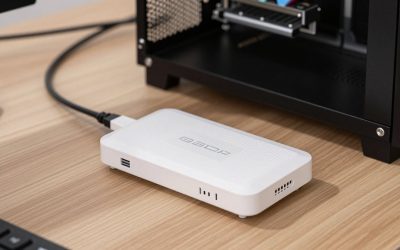
A powered USB hub is a common fix when a board runs short of rear ports, though high-power wheelbases usually should plug directly into the PC if the maker says so. Read the wheel maker’s manual for the recommended connection method.
Cockpit and Case Considerations
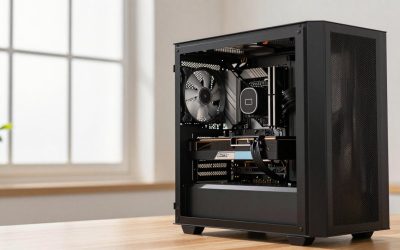
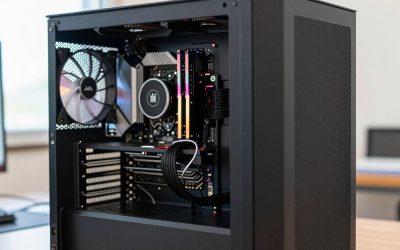
A PC for sim racing often sits near or inside the cockpit, where vibration, dust and cable runs matter. A compact case that sits beside the seat keeps USB cables short. Good airflow matters because long sessions load the CPU and GPU steadily for an hour or more. If the machine lives under a desk next to a rig, check clearance for pedals and cable routing before choosing a tall tower.
Pick This If You Are…
| If you… | Pick |
|---|---|
| Drive on a single 1440p monitor and want smooth online racing | Ryzen 5 or 7 class CPU with an RTX 5060 Ti 16GB class GPU |
| Want triple 1440p without extreme settings | Ryzen 7 7800X3D or 9800X3D with an RTX 5070 or RX 9070 XT |
| Plan on Quest 3 class VR | 9800X3D with an RTX 5070 Ti or better |
| Race in high-resolution VR | 9800X3D with an RTX 5080 |
| Want triple 4K or the headroom to stream at the same time | 9950X3D with an RTX 5090 and 64GB DDR5 |
Alternatives to Building From Scratch
- Upgrade an existing PC: if you already have a recent Ryzen or Intel platform, a GPU swap is the cheapest way to add triple or VR capability.
- Prebuilt sim-focused PCs: several specialist builders sell systems with X3D chips and RTX 50-series cards; compare the parts list, power supply and warranty rather than the marketing name.
- Last-generation parts: the Ryzen 7 7800X3D and Radeon RX 7000 or RTX 40-series cards can still serve well if you find them at a discount, though availability varies.
Frequently Asked Questions
Is an X3D processor really worth it for sim racing?
Reviewers consistently say yes for CPU-limited sims such as iRacing and Le Mans Ultimate, because the large cache helps smooth frame times. The benefit is smaller in titles that are GPU-limited at your resolution. If your budget is tight, a strong non-X3D Ryzen 5 or 7 is still a reasonable start.
How much RAM does a sim racing PC need?
Thirty-two gigabytes of DDR5 is the baseline suggested by 2026 guides. Move to 64GB if you stream, record, run many telemetry tools or keep a large browser session open while racing.
Can I run triple monitors with an RTX 5060 Ti?
It is possible at lower resolutions and reduced settings, but guides place triple 1440p in RTX 5070 and RX 9070 XT territory or higher. The 16GB models are preferred over 8GB ones because high resolutions and mods consume VRAM.
Do I need a special motherboard for wheels and pedals?
No special board is required, but count your USB devices and choose a board with enough rear USB ports. Check the wheel maker’s manual for the recommended way to connect the wheelbase.
Is VR or triple screens better for sim racing?
It depends on the driver. Triples are comfortable for long sessions and need a fixed rig, while VR offers depth perception but is more demanding on the GPU and can cause fatigue for some people. If you feel unwell in VR, stop and take a break.
Should I buy an RTX 5090 for sim racing?
Only if you drive triple 4K or the most demanding headsets. For most players, an RTX 5070 Ti or RTX 5080 delivers the target resolution and refresh rate without the extra power and size requirements.