As an Amazon Associate we earn from qualifying purchases.
World of Tanks is easy to run and hard to run well. The official recommended setup is modest, yet busy fifteen-versus-fifteen battles still punish weak single-thread CPU performance and slow storage. A laptop that clears the recommended specs with headroom gives smoother aiming, faster map loading, and room for voice chat and a browser alongside the game. This guide explains what the game needs, then compares five laptops sold on Amazon US, from a value RTX 4050 machine to a QHD RTX 4070 model.
What World of Tanks Needs From a Laptop
Wargaming updated the official requirements with Update 2.3.1. Minimum: Windows 10 or 11 (64-bit), Intel Core i5-3330 or AMD FX-6300, 8 GB of RAM, NVIDIA GTX 660 or AMD Radeon R9 270, and about 70 GB of free disk space. Recommended: Intel Core i3-9100F or AMD Ryzen 3 3100, 16 GB of RAM, NVIDIA GTX 1650 or AMD Radeon RX 580, and about 120 GB of free disk space. The Steam listing puts the disk figure at 120 GB for both tiers, so planning for 120 GB is the safer reading.
Those numbers describe old hardware, and every laptop here clears them by a wide margin. The useful lesson is the shape of the demand: the game runs on Wargaming’s Core engine, which leans heavily on one CPU thread, so a fast modern processor matters more than a flagship graphics card once the GPU is strong enough. Memory matters too: 16 GB is the recommended figure, ideally as two modules for dual-channel mode.
| Requirement tier | Processor | Graphics card | RAM | Free disk space |
|---|---|---|---|---|
| Minimum | Intel Core i5-3330 or AMD FX-6300 | NVIDIA GTX 660 or AMD Radeon R9 270 | 8 GB | About 70 GB |
| Recommended | Intel Core i3-9100F or AMD Ryzen 3 3100 | NVIDIA GTX 1650 or AMD Radeon RX 580 | 16 GB | About 120 GB |
| Comfortable laptop pick | Modern 6-core or 8-core CPU | RTX 4050 or stronger | 16 GB in dual channel | 512 GB SSD or larger |
A 144 Hz display is a sensible match: it makes tracking moving targets feel steadier, and every laptop below ships with at least a 144 Hz panel. A 1080p panel suits an RTX 4050 laptop, while a 1440p panel suits an RTX 4070 laptop. For desktop graphics card picks, see our guide to the best GPU for World of Tanks.
How to Choose a Gaming Laptop for World of Tanks
Start with the processor: a modern six-core or eight-core chip with strong boost clocks, because the game leans on single-thread speed in large battles. Then the graphics card: an RTX 4050 with 6 GB of video memory handles the game at 1080p on high settings with room to spare, while an RTX 4070 is the pick for 1440p or maxed settings. Video memory matters at higher resolutions, so the 8 GB on the RTX 4070 pick below is a real advantage at 1440p.
Treat 16 GB of RAM as the floor and a 512 GB SSD as the smallest size worth accepting, because the game needs about 120 GB and Windows plus other programs fill the rest quickly. A 1 TB SSD removes that worry entirely. Check the display too: an IPS panel at 144 Hz or faster is the standard to expect.
Ports and power limits deserve a look before buying: enough USB ports for a mouse and headset, an HDMI port for an external monitor, and Wi-Fi 6 or better for stable online play. The graphics card power limit affects how much performance the GPU can sustain and varies between models with the same GPU name. Where a listing does not publish a power limit figure, a full port list, or a warranty term, this guide says so. Finally, check upgrade options per exact model: two memory slots and a spare M.2 slot let a laptop grow with future games.
1. ASUS TUF Gaming A15 FA507NU-DS74

The ASUS TUF Gaming A15 is the value pick here for World of Tanks at 1080p. Its AMD Ryzen 7 7735HS has eight cores and boosts up to 4.7 GHz. The NVIDIA GeForce RTX 4050 with 6 GB of GDDR6 memory is far ahead of the official recommended graphics card, and the 15.6-inch Full HD display runs at 144 Hz with 100 percent sRGB coverage. Sixteen gigabytes of DDR5 memory and a 1 TB PCIe SSD mean the game, voice chat, and a browser can run together without running short.
Wi-Fi 6E keeps online play stable. The listing does not publish a full port list, a graphics power limit figure, or a warranty term, so confirm those there. For upgrades, the TUF A15 line uses two SO-DIMM slots; confirm the spare M.2 slot and memory ceiling for this exact model number.
Specs
- Display: 15.6-inch Full HD (1920 x 1080), 144 Hz, 100 percent sRGB. Processor: AMD Ryzen 7 7735HS, 8 cores, up to 4.7 GHz boost. Graphics: NVIDIA GeForce RTX 4050, 6 GB GDDR6. Memory: 16 GB DDR5-4800. Storage: 1 TB PCIe SSD. Connectivity: Wi-Fi 6E. Operating system: Windows 11. ASIN: B0BWHDWFHR. See it on Amazon: https://www.amazon.com/dp/B0BWHDWFHR
2. Lenovo LOQ 15 83DX00B2US

The Lenovo LOQ 15 pairs a newer AMD processor with the same RTX 4050 graphics. Its AMD Ryzen 7 8845HS is a current-generation eight-core chip, and the NVIDIA GeForce RTX 4050 with 6 GB of GDDR6 memory clears the recommended graphics tier. The 15.6-inch Full HD display runs at 144 Hz, and 16 GB of RAM with a 512 GB SSD covers the game plus voice chat and background programs.
The listing states HDMI and USB-C connectivity and Wi-Fi 6, which covers an external monitor and a headset without a dongle. The listing does not publish a graphics power limit figure or a warranty term, so confirm both there. For upgrades, the LOQ 15 line uses two SO-DIMM slots and two M.2 slots in most configurations; confirm the memory ceiling and spare slot for the 83DX00B2US model number.
Specs
- Display: 15.6-inch Full HD (1920 x 1080), 144 Hz. Processor: AMD Ryzen 7 8845HS, 8 cores. Graphics: NVIDIA GeForce RTX 4050, 6 GB GDDR6. Memory: 16 GB RAM. Storage: 512 GB SSD. Connectivity: HDMI, USB-C, Wi-Fi 6. Operating system: Windows 11 Home. ASIN: B0CWB2LWRN. See it on Amazon: https://www.amazon.com/dp/B0CWB2LWRN
3. Acer Nitro V 15 ANV15-52-76NK

The Acer Nitro V 15 is the pick for players who want the fastest display in the value group. Its 15.6-inch Full HD IPS panel runs at 165 Hz. The Intel Core i7-13620H has ten cores, and the NVIDIA GeForce RTX 4050 handles the game at 1080p on high settings without strain. Sixteen gigabytes of DDR5 memory and a 1 TB Gen 4 SSD leave plenty of room for the game client and other programs.
The listing does not publish a graphics power limit figure, a full port list, or a warranty term, so confirm those there. For upgrades, the Nitro V 15 line uses two DDR5 slots with a 32 GB ceiling and two PCIe M.2 slots, as stated on the Nitro V 15 listings; confirm the spare slot for the ANV15-52-76NK model number.
Specs
- Display: 15.6-inch Full HD IPS (1920 x 1080), 165 Hz. Processor: Intel Core i7-13620H, 10 cores. Graphics: NVIDIA GeForce RTX 4050. Memory: 16 GB DDR5. Storage: 1 TB Gen 4 SSD. Connectivity: Wi-Fi 6. Keyboard: Backlit. ASIN: B0F6PLQ93N. See it on Amazon: https://www.amazon.com/dp/B0F6PLQ93N
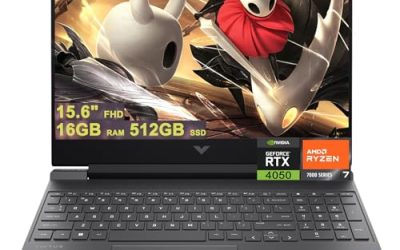
4. HP Victus 15

The HP Victus 15 is the pick for players who want a capable gaming laptop. Its AMD Ryzen 7 7445HS has six cores and boosts up to 4.7 GHz, and the NVIDIA GeForce RTX 4050 with 6 GB of graphics memory clears the recommended tier comfortably. The 15.6-inch Full HD IPS display runs at 144 Hz, and 16 GB of RAM with a 512 GB SSD covers the game and background programs.
One caution: this listing appears to be a seller bundle that includes a hub accessory, so confirm exactly what is included and who the seller is before buying. The listing does not publish a graphics power limit figure or a full port list, so confirm those there as well. For upgrades, confirm the memory ceiling and spare M.2 slot for the exact model number.
Specs
- Display: 15.6-inch Full HD IPS (1920 x 1080), 144 Hz. Processor: AMD Ryzen 7 7445HS, 6 cores, up to 4.7 GHz boost, 16 MB L3 cache. Graphics: NVIDIA GeForce RTX 4050, 6 GB GDDR6. Memory: 16 GB RAM. Storage: 512 GB SSD. Connectivity: USB-C, Wi-Fi 6. Audio: DTS:X Ultra. Keyboard: Backlit. ASIN: B0G2LWJ8YP. See it on Amazon: https://www.amazon.com/dp/B0G2LWJ8YP
5. MSI Katana 15 B13VGK-2000US

The MSI Katana 15 is the high-end pick in this group. Its Intel Core i7-13620H has ten cores, and the NVIDIA GeForce RTX 4070 with 8 GB of GDDR6 memory gives real headroom for 1440p play and maxed settings. The 15.6-inch QHD display runs at 165 Hz, and 16 GB of DDR5 memory with a 1 TB NVMe SSD keeps loading short.
Choose this one for the sharpest image and the most future headroom. The 8 GB of video memory is the key difference from the RTX 4050 models, because it holds up better at 1440p with high texture settings. The listing does not publish a graphics power limit figure, a full port list, or a warranty term, so confirm those there. For upgrades, the Katana 15 line uses two DDR5 slots; confirm the memory ceiling and spare M.2 slot for the B13VGK-2000US model number.
Specs
- Display: 15.6-inch QHD (2560 x 1440), 165 Hz. Processor: Intel Core i7-13620H, 10 cores. Graphics: NVIDIA GeForce RTX 4070, 8 GB GDDR6. Memory: 16 GB DDR5. Storage: 1 TB NVMe SSD. Cooling: Cooler Boost 5. Operating system: Windows 11. ASIN: B0CT4BHS2M. See it on Amazon: https://www.amazon.com/dp/B0CT4BHS2M
Quick Comparison
| Laptop | Processor | Graphics | Display | RAM and storage |
|---|---|---|---|---|
| ASUS TUF Gaming A15 FA507NU-DS74 | Ryzen 7 7735HS | RTX 4050, 6 GB | 15.6-inch FHD, 144 Hz | 16 GB DDR5, 1 TB SSD |
| Lenovo LOQ 15 83DX00B2US | Ryzen 7 8845HS | RTX 4050, 6 GB | 15.6-inch FHD, 144 Hz | 16 GB, 512 GB SSD |
| Acer Nitro V 15 ANV15-52-76NK | Core i7-13620H | RTX 4050 | 15.6-inch FHD IPS, 165 Hz | 16 GB DDR5, 1 TB SSD |
| HP Victus 15 | Ryzen 7 7445HS | RTX 4050, 6 GB | 15.6-inch FHD IPS, 144 Hz | 16 GB, 512 GB SSD |
| MSI Katana 15 B13VGK-2000US | Core i7-13620H | RTX 4070, 8 GB | 15.6-inch QHD, 165 Hz | 16 GB DDR5, 1 TB SSD |
All five laptops clear the official recommended specs by a wide margin. The four RTX 4050 models suit 1080p play on high settings, while the MSI Katana 15 suits 1440p play and maxed settings.
FAQ
Which laptop specs matter most for World of Tanks?
The processor matters most, because the game leans heavily on one CPU thread in large battles, followed by the graphics card and 16 GB of RAM. A modern six-core or eight-core processor, an RTX 4050 or stronger graphics card, and 16 GB of RAM in dual channel cover the game comfortably at 1080p.
Is 16 GB of RAM enough for World of Tanks?
Yes, 16 GB is the official recommended figure and it covers the game plus voice chat and a browser. Two memory modules are better than one, because dual-channel memory gives the processor more bandwidth, and 32 GB is worth considering only for heavy multitasking or streaming.
Can an RTX 4050 laptop run World of Tanks at high settings?
Yes, an RTX 4050 with 6 GB of video memory is far ahead of the official recommended graphics card and handles the game at 1080p on high settings with headroom. For 1440p play or maxed settings, an RTX 4070 laptop such as the MSI Katana 15 in this guide is the stronger choice.
How much storage does World of Tanks need on a laptop?
Plan for about 120 GB of free space for the game client and updates, and choose a laptop with at least a 512 GB SSD so Windows and other programs still have room. A 1 TB SSD is the more comfortable choice, and all five laptops in this guide ship with 512 GB or 1 TB of storage.
Conclusion
World of Tanks does not need a flagship laptop, but it rewards a fast processor, 16 GB of RAM, and a solid-state drive with room to spare. Confirm the exact configuration, the included accessories, and the warranty on the Amazon listing before buying, since those details vary by seller and model number.