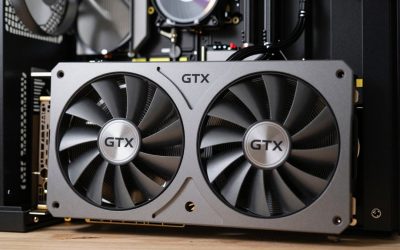
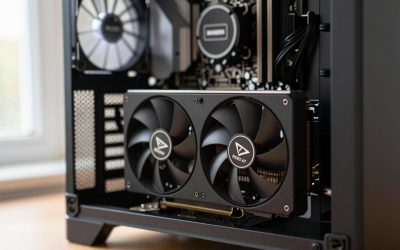
World of Tanks is a game where the wrong GPU advice costs people real money. Wargaming’s Core engine is light on the graphics card by modern standards and heavy on one CPU thread, so a flagship GPU paired with an aging processor will show the same frame dips in a 30-tank brawl as a mid-range card. The cards that make sense here are the ones that comfortably hold your monitor’s refresh rate at your resolution with settings maxed, and nothing more. The savings belong in a fast CPU and quick memory. The five picks below cover 1080p on a budget through 4K high refresh, with the bottleneck reality spelled out at each resolution.
Quick Picks
| Pick | Tier | Why |
|---|---|---|
| Intel Arc B580 12GB | Budget 1080p ultra | Maxed 1080p at high refresh for little money |
| ASUS Dual GeForce RTX 5060 8GB | Budget 1080p / 1440p | Low power, DLSS, and Reflex |
| Sapphire Pulse Radeon RX 9060 XT 16GB | Value 1440p ultra | 1440p maxed at 144Hz with 16GB |
| MSI GeForce RTX 5070 Ventus 3X OC 12G | 1440p 240Hz / 4K | Headroom for 4K ultra at 100 fps |
| Sapphire Pulse Radeon RX 9070 16GB | 4K high refresh | 4K ultra at 144Hz without excess |
How We Chose
World of Tanks is a rasterization title with a light footprint, so we ranked cards on raster performance per dollar using the relative positioning in launch reviews from TechPowerUp, Hardware Unboxed, and TechSpot. We deliberately stopped at the RX 9070 tier because anything faster is CPU-bound in this engine at every resolution below 4K high refresh. VRAM was a light filter: the game’s ultra textures and HD client fit within 8GB at 1440p, but 12GB or more avoids concern.
As an Amazon Associate we earn from qualifying purchases at no extra cost to you.


Intel Arc B580 12GB
The Arc B580 is for players who want 1080p ultra at 144Hz without spending much. TechPowerUp and Hardware Unboxed placed it alongside last-generation mid-range cards, and World of Tanks is light enough that this class should hold roughly 140-180 fps at 1080p ultra and 95-120 fps at 1440p ultra. The 12GB buffer is more than the game needs. At 4K it is a 55-70 fps card on high settings. The con: Intel’s driver overhead is measurable on slower processors, and this game already lives on one CPU thread, so pair it with a current six-core chip.
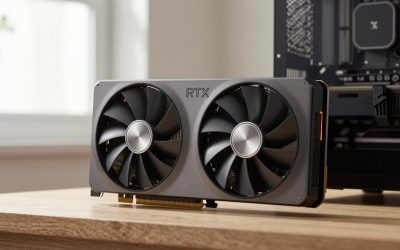
ASUS Dual GeForce RTX 5060 8GB
The RTX 5060 suits a 1080p or entry 1440p player who wants a quiet, low-power card with Reflex. TechPowerUp positioned it slightly ahead of the Arc B580, which in World of Tanks means roughly 150-190 fps at 1080p ultra and 100-130 fps at 1440p ultra, with DLSS quality pushing 1440p higher. It runs cool in a compact case. The con: 8GB of VRAM. The HD client at 1440p ultra sits comfortably within it today, but it is the least future-proof card on this list.
Sapphire Pulse Radeon RX 9060 XT 16GB
The RX 9060 XT 16GB is our pick for 1440p ultra at 144Hz. Hardware Unboxed and TechSpot placed it 15-25 percent ahead of the RTX 5060, translating to roughly 175-215 fps at 1080p ultra and 125-155 fps at 1440p ultra in World of Tanks, with 75-90 fps at 4K ultra. Sixteen gigabytes is more than any tank map will ever request. The con: the 128-bit memory bus limits 4K scaling, so if 4K is the goal, the RTX 5070 or RX 9070 is the better spend.
MSI GeForce RTX 5070 Ventus 3X OC 12G
The RTX 5070 is for 1440p at 240Hz or 4K ultra at 100 fps. TechPowerUp positioned it 20-30 percent ahead of the RX 9060 XT class, which in this light engine means roughly 160-200 fps at 1440p ultra and 100-125 fps at 4K ultra, with DLSS 4 quality pushing 4K beyond 140 fps. Twelve gigabytes is plenty for the game. The con: at 1080p and at 1440p on a 144Hz monitor it is thoroughly CPU-bound, so buying it for those setups spends money that should go to a Ryzen 7 9800X3D.
Sapphire Pulse Radeon RX 9070 16GB
The RX 9070 is the sensible ceiling for World of Tanks, meant for 4K ultra at 144Hz. Hardware Unboxed and Gamers Nexus placed it close to the RTX 5070 in rasterization with 16GB of memory, meaning roughly 110-135 fps at 4K ultra natively and higher with FSR 4 quality. It draws noticeably less than the XT model and runs quiet. The con: at 1080p and 1440p it is wasted in this engine, and even at 4K the CPU still dictates frame rates in the busiest 15-versus-15 brawls, so an X3D processor is the more meaningful upgrade.
Platform Costs to Budget For
Because World of Tanks lives on one CPU thread, the platform matters more than the GPU tier once you have anything faster than the Arc B580. A B650 or B850 motherboard covers any Ryzen; a B860 board covers Intel Core Ultra. RAM: 32GB of DDR5-6000 CL30 is the sensible standard, and this engine benefits from tight timings. Cooling: a 120mm tower cooler handles a Ryzen 5 or Core Ultra 5, while an X3D processor, the single biggest upgrade for this game, wants a dual-tower or 240mm liquid cooler. Power supplies: 550W for the Arc B580 and RTX 5060, 650W for the RX 9060 XT, RTX 5070, and RX 9070.
Bottleneck Check by Resolution
At 1080p, World of Tanks is CPU-bound on every card past the Arc B580. A Ryzen 5 9600X or Core Ultra 5 245K holds roughly 200-250 fps in busy fights regardless of GPU, and a Ryzen 7 9800X3D pushes that toward 280-330 fps thanks to the game’s love of large cache. At 1440p the RX 9060 XT and a six-core processor are matched at 144Hz, and the RTX 5070 at 240Hz needs an X3D chip to avoid being wasted. At 4K the RTX 5070 and RX 9070 finally become GPU-bound, and any modern six-core is enough. If your frame rate drops when the whole team engages but stays high while driving to position, the CPU is the limit, not the graphics card.
Our Verdict
For most World of Tanks players in 2026, the Sapphire Pulse Radeon RX 9060 XT 16GB is the right card for 1440p ultra at 144Hz, and the Arc B580 or RTX 5060 covers 1080p with money left over for a faster processor. Move to the RTX 5070 or RX 9070 only for 4K, and put every spare dollar into an X3D CPU before a bigger GPU.
FAQ
Is World of Tanks CPU or GPU intensive?
CPU intensive. The Core engine runs most of its work on one thread, so single-core speed and cache size matter more than the graphics card at 1080p and 1440p.
How much VRAM does World of Tanks need?
The HD client at 1440p ultra uses roughly 5-7GB, so 8GB is enough today. Twelve gigabytes or more avoids concern at 4K.
Does World of Tanks support DLSS or FSR?
The game offers its own upscaling and supports modern options, but at 1080p and 1440p the CPU is the limit, so gains are small. Upscaling helps most at 4K.
What CPU should I pair with these GPUs for World of Tanks?
A Ryzen 5 9600X or Core Ultra 5 245K for the budget cards, and a Ryzen 7 9800X3D if you own a 240Hz monitor and want the highest frame rates the engine can deliver.
Sources and Methodology
The frame-rate ranges in this guide are approximate and derived from the relative GPU positioning in launch reviews published by TechPowerUp, Hardware Unboxed, TechSpot, Tom’s Hardware, and Gamers Nexus. World of Tanks is not part of those outlets’ standard suites, so we mapped their rasterization rankings onto the Core engine’s known light GPU load and heavy single-thread CPU dependence. None of these figures were measured by this site, and results vary with map, match size, and processor.
Ready to decide? Our #1 pick for 2026 is the Intel Arc B580 12GB.
Live price & availability on Amazon.