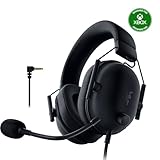
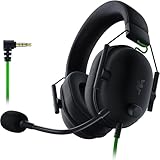
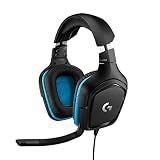
- Top Pick: Razer BlackShark V2 X Wired PlayStation Gaming Headset, Black
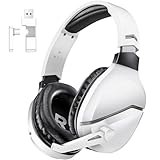
- Best Value: Turtle Beach Stealth 600 Wireless Multiplatform Gaming Headset for PS5 & PC
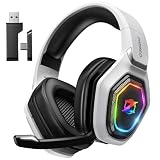
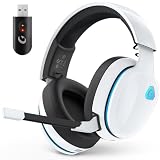
- Premium Choice: Ozeino Gaming Headset for PC, Ps4, Ps5, Xbox Headset with 7.1 Surround Sound Gaming Headphones with Noise Canceling Mic, LED Light Over Ear Headphones for Switch, Xbox Series X/S, Laptop, Mobile White
Affiliate disclosure: As an Amazon Associate we earn from qualifying purchases. This post contains affiliate links — if you buy through them we may earn a small commission at no extra cost to you. This never affects our recommendations.
- Best Overall for PS5: Sony PULSE 3D Wireless — Built for PlayStation
- Best Premium: SteelSeries Arctis Nova Pro Wireless — PS5 and PC Powerhouse
- Best Value: HyperX Cloud Alpha Wireless — 300-Hour Battery
- Best Budget for PS5: Razer Kraken X — Lightweight Entry
- PS5 Audio Guide: Getting the Best Sound
- Frequently Asked Questions
- Related Articles
- Related Articles
The PlayStation 5’s Tempest 3D Audio engine is Sony’s proprietary spatial audio technology — when paired with a compatible headset, it delivers precise object-based positional audio that places sounds in three-dimensional space around you. Choosing the best gaming headset for PS5 means finding a headset that either natively supports Tempest 3D Audio or delivers excellent generic spatial audio through high-quality stereo drivers. Here are the top picks.
As an Amazon Associate we earn from qualifying purchases at no extra cost to you.








In a hurry? See the top-rated Gaming Headset for PS5 deals available right now:
🛒 Check Gaming Headset For Ps5 Prices on Amazon →🛒 Best Price Today on Amazon
Prime members get fast, free shipping on everything above, plus member-only deals. New members get a 30-day free trial — cancel anytime.
Start 30-Day Prime Free Trial →See Today’s Amazon DealsBest Overall for PS5: Sony PULSE 3D Wireless — Built for PlayStation
The Sony PULSE 3D is designed specifically for the PS5’s Tempest 3D Audio processing, with dual noise-cancelling microphones and a USB wireless adapter that plugs directly into the PS5’s USB-A port. Setup is instant — no app, no configuration. Tempest 3D Audio delivers exceptional spatial audio in supported PS5 titles like Returnal, Astro’s Playroom, and Horizon Forbidden West. 12-hour battery life is modest but sufficient for most gaming sessions. The best gaming headset for PS5 for native Tempest integration at an accessible price.

Best Premium: SteelSeries Arctis Nova Pro Wireless — PS5 and PC Powerhouse
The Arctis Nova Pro Wireless delivers exceptional audio quality on PS5 via its USB-A wireless dongle. While it uses SteelSeries’ own spatial audio processing rather than native Tempest, the quality rivals PlayStation’s own implementation. The hot-swap battery system, ANC, and Hi-Res certified drivers make it the most feature-complete headset for PS5 users who also game on PC. Simultaneous USB (PS5) and Bluetooth (phone) connectivity is incredibly practical.
Best Value: HyperX Cloud Alpha Wireless — 300-Hour Battery
The HyperX Cloud Alpha Wireless’s 300-hour battery life on a single charge is extraordinary — charge it once a week (or once a month with moderate use) and forget about battery anxiety. On PS5, it connects via USB dongle with solid wireless stability. The dual-chamber driver design delivers clear gaming audio with good positional separation. Best gaming headset for PS5 for gamers who hate charging their peripherals.
Best Budget for PS5: Razer Kraken X — Lightweight Entry
The Razer Kraken X connects to PS5 via its 3.5mm controller port and delivers 7.1 virtual surround (on PC) or stereo audio (on PS5) through its 40mm drivers. Lightweight at 250 grams, it’s comfortable for marathon PlayStation sessions. The cardioid microphone handles party chat clearly. The best budget gaming headset for PS5 for gamers who don’t need wireless and want to minimize spending.
PS5 Audio Guide: Getting the Best Sound
Enable 3D Audio in PS5 Settings
Navigate to Settings → Sound → Audio Output → Enable 3D Audio for headphones. The PS5 then measures your ear shape via the microphone (Profile Measurement) to personalize Tempest 3D Audio to your specific anatomy — this step significantly improves spatial accuracy. Repeat the measurement with each headset you use.

HDMI Audio vs Headset: When to Use Each
For immersive single-player games and cinematic experiences, a dedicated gaming headset delivers better spatial audio and isolation than TV speakers. For party gaming with friends in the same room, HDMI to TV/soundbar is more social. Use headset audio for horror games — the isolation and 3D audio combination is unmatched.
Frequently Asked Questions
Does any headset work with PS5?
Yes — any headset with a 3.5mm connector works via the DualSense controller’s headphone jack. USB headsets work via the PS5’s USB ports. Bluetooth headsets require the PS5’s built-in Bluetooth (which supports limited codec options). All provide stereo or virtual surround audio.
Does the PS5 support Dolby Atmos headphones?
PS5 uses Sony’s proprietary Tempest 3D Audio rather than Dolby Atmos. Dolby Atmos headphone processing works on PS5 only through apps (Apple TV, Blu-ray) that support it — not in games. For PS5 gaming, native Tempest or good generic stereo is the preferred audio path.
What’s the difference between PULSE 3D and regular headsets on PS5?
The PULSE 3D accesses Tempest 3D Audio natively via Sony’s official wireless protocol. Other headsets receive standard USB or 3.5mm audio — still excellent quality but processed differently by the PS5. In practice, a high-quality third-party headset with good stereo drivers often sounds as impressive as the PULSE 3D despite not using native Tempest.
Related Articles
Looking for more on this topic? Browse the hand-picked guides below — each one applies the same scoring rubric used in this review.