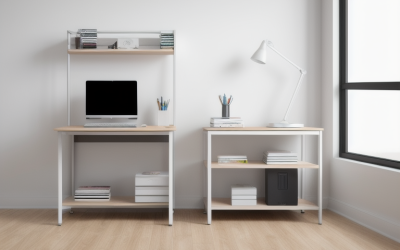
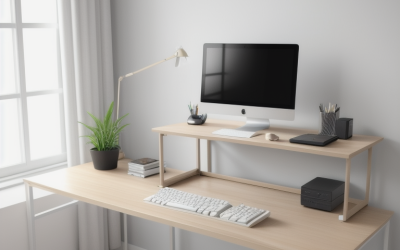
Your desk is the foundation of any battlestation, and choosing the right one early saves you frustration later. A good gaming desk gives you room for your monitor, keeps peripherals comfortable, and stays stable during intense sessions. This guide covers the best gaming desk for beginners in 2026, focusing on affordable, practical options that get the fundamentals right.
As an Amazon Associate I earn from qualifying purchases.
As an Amazon Associate we earn from qualifying purchases at no extra cost to you.






We prioritize surface size, stability, and value over flashy extras, because those are the things a first desk truly needs. The picks below suit a range of rooms and budgets. If you are also choosing a chair, our beginner chair guide pairs perfectly with this list.
🛒 Best Price Today on Amazon
Prime members get fast, free shipping on everything above, plus member-only deals. New members get a 30-day free trial — cancel anytime.
Best Gaming Desk for Beginners at a Glance
| Product | Best For | Standout Feature | Rating |
|---|---|---|---|
| Eureka Ergonomic 47″ | First battlestation | Gamer extras and cable tray | |
| Flexispot EN1 Standing | Posture-conscious | Affordable motorized height | |
| Cubiker 47″ Desk | Tight budgets | Simple sturdy frame | |
| Need Computer Desk | Small rooms | Compact space-saving size | |
| ApexDesk Elite | Room to grow | Spacious L-shaped surface |
What to Look for in a Gaming Desk for Beginners
Focus on three things: surface size, stability, and height. You want enough depth so your monitor sits an arm’s length away, a frame that does not wobble when you type or move the mouse, and a height around 29 inches that suits most chairs. Extras like cable trays and headset hooks are nice, but the fundamentals matter most for a first desk.
Eureka Ergonomic 47″ Gaming Desk
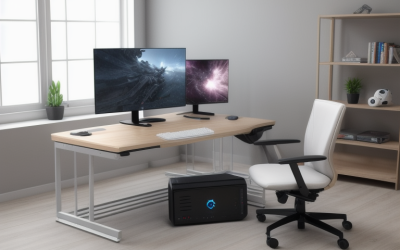
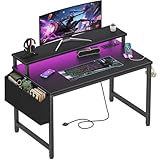
Purpose-built for gamers, this Eureka desk offers a carbon-fiber-texture top, a cable-management tray, a headset hook, and a cup holder at a beginner-friendly price. The sturdy frame handles a monitor arm without wobble, and the 47-inch width fits most single or dual-monitor setups. It is a well-rounded first desk.
Pros: Gamer extras, stable, good value. Cons: Bold styling. Compare it in our gaming desk roundup.
Flexispot EN1 Standing Desk
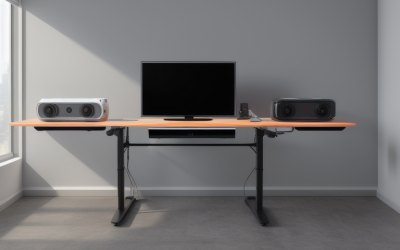
For beginners who care about posture, the EN1 brings motorized sit-stand height adjustment at a surprisingly affordable price. Switching between sitting and standing keeps you comfortable during long sessions and study time. The frame is stable at most heights, and you can pair it with your choice of top for a custom look.
Pros: Motorized height, healthy posture, good value. Cons: Top sometimes sold separately. See more in our standing desk guide.
Cubiker 47″ Computer Desk
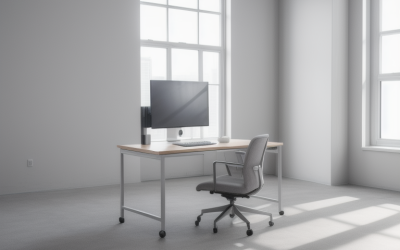
The Cubiker is a no-frills, budget-friendly desk with a simple metal frame and a scratch-resistant top. It skips gaming extras but nails the basics: a stable surface at a low price. For a first setup where every dollar counts, it delivers dependable function without unnecessary cost.
Pros: Very affordable, sturdy, easy assembly. Cons: No cable management, plain look.
Need Compact Computer Desk
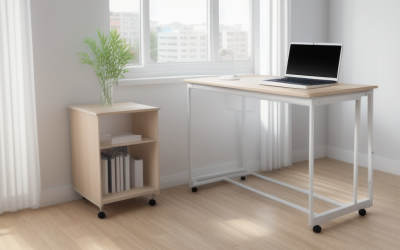
Short on space? The Need desk packs a usable surface into a small footprint, making it ideal for dorms and bedrooms. It supports a single monitor and console comfortably, and the simple design blends into any room. It is a practical choice when floor space is at a premium.
Pros: Space-saving, affordable, tidy. Cons: Limited surface for dual monitors. Pair it with our small-space setup tips.
ApexDesk Elite L-Shaped Desk
If you have the room and want a desk to grow into, the Elite’s L-shaped surface offers generous space for multiple monitors, a console, and peripherals. The corner design uses space efficiently and gives you dedicated zones for gaming and other tasks. It costs more but delivers lasting versatility.
Pros: Spacious, corner-friendly, versatile. Cons: Needs a large room, longer assembly.
Homall Z-Shaped Gaming Desk
The Homall is another strong value pick, with a Z-shaped frame, carbon-look top, and included headphone hook and cup holder. It assembles quickly and stays stable during play. For beginners who want a touch of gamer styling without spending much, it hits a nice balance of looks and function.
Pros: Affordable, stylish, quick assembly. Cons: Basic materials, modest capacity.
Setting Up Your First Gaming Desk
Once your desk is assembled, position your monitor at arm’s length with the top of the screen at or just below eye level, using a stand or arm if needed. Keep your keyboard and mouse at a height where your forearms stay roughly parallel to the floor. Route cables through any channels or clips to keep the surface tidy. Our ergonomics guide covers ideal positioning.
Do not overload a lightweight desk with heavy equipment beyond its rating, and check bolts periodically to keep everything stable. A well-set-up desk supports comfort and performance for years, and it is easy to add accessories like a monitor arm or desk mat later as your setup evolves.
Frequently Asked Questions
What size gaming desk should a beginner buy?
A width of around 47 inches and a depth of at least 24 inches suits most beginners with a single or dual-monitor setup, giving room for peripherals and an arm’s-length viewing distance. If you plan an ultrawide or triple-monitor rig later, consider a larger or L-shaped desk. Match the size to your room and your intended setup.
Is a standing desk worth it for a beginner?
A sit-stand desk can be worthwhile if you value posture variety and plan long sessions, and affordable motorized models make it accessible. However, a solid fixed-height desk works perfectly well and costs less. If budget is tight, start with a quality fixed desk and consider upgrading to sit-stand later once your setup is established.
How much should a beginner spend on a gaming desk?
You can get a stable, well-sized beginner desk at a modest price, with gamer extras and standing functions costing a bit more. Focus your budget on surface size and stability rather than flashy features. A dependable mid-priced desk will serve you for years, and you can add accessories like arms and mats over time.
Do I need a gaming-branded desk specifically?
Not necessarily. Gaming-branded desks add extras like cable trays, headset hooks, and carbon-look tops, but a sturdy plain desk of the right size works just as well. What matters most is a stable frame, adequate surface depth, and a comfortable height. Choose based on those fundamentals, and treat gamer styling as an optional preference.