- Top Pick: Creative Sound Blaster Audigy Fx Pro Hi-Res PCIe Sound Card | Hi-Res, PCIe Sound Card, Hi-Res Audio, Surround Sound, Clean Audio, PC Upgrade
- Best Value: XRIKUI PCIe 7.1 Surround Sound Card, CM6212 + CM9881 Chipset, ASIO Support, PCI Express Audio Card for Windows Desktop PC
- Premium Choice: Cubilux 7.1 USB Surround Sound Card- 48KHz-384KHz Sample Rate for Headphones, Full Aluminum Alloy USB A External Sound Card for Laptop PC-Supports Line-in & Stereo Mic in
Searching for a 7.1 sound card usually starts with a simple frustration: the motherboard jack hisses, the surround mix feels thin, or a laptop has no proper audio output at all. The phrase “7.1” adds a second decision on top of that. Some cards output true multichannel audio for a speaker system, while others simulate surround inside a pair of headphones. Knowing which result you want narrows this list quickly.
This guide covers ten options for 2026, from internal PCIe cards to pocket-size USB dongles. It is written for desktop builders who want a dedicated card, laptop owners who need an external box, and console players who plug a headset into a PC. Every note below is based on the listed specs in each product title, so confirm ports, channel counts and driver details on the final listing before ordering.
Quick Picks
As an Amazon Associate we earn from qualifying purchases at no extra cost to you.




| Product | Best for | Key spec from the title |
|---|---|---|
| Sound Blaster Audigy Fx Pro | Desktop upgrade | PCIe, Hi-Res audio |
| XRIKUI PCIe 7.1 | ASIO users on desktops | CM6212 + CM9881 chipset |
| Cubilux 7.1 USB | Headphone listeners with a mic | 48KHz-384KHz sample rate |
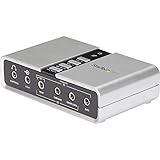
| StarTech ICUSBAUDIO7D | Digital hookups | Digital SPDIF plus 3.5mm analog |
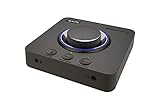
| Sound Blaster X4 | DAC and amp in one box | Dolby Audio, multi-device |
| MEIRIYFA USB 2.0 | Simple plug-in fix | Volume control, USB to 3.5mm |
| FEMORO USB 7.1 | Mixed PC and console desks | No drivers needed |
| Sound Blaster AE-X | High-fidelity PCIe builds | 32-bit/384kHz |
| ULANSeN Virtual 7.1 | Gaming headset users | Works with PC, PS4, PS5, Mac |
| SMSL Nano ONE Pro | Streamers and mobile users | Hi-Fi DSP chip, mic in |
How to Choose
Internal PCIe or external USB
A PCIe card needs a free slot and a desktop case, so it suits tower builds. USB boxes work on any laptop and move between machines. If you swap between a desktop and a laptop, USB wins. If your case has an empty slot and you want the audio path kept away from front-panel noise, PCIe makes sense. Small form factor cases often have no spare slot at all, which settles the question before you compare anything else.
True 7.1 versus virtual 7.1
Several titles say “virtual” 7.1, meaning surround processing happens in software for two-channel headphones. That works for stereo headsets. If you own a multichannel speaker set, look for listings that spell out analog or digital multichannel outputs instead, such as the SPDIF connection on the StarTech adapter. A single 3.5mm headphone jack cannot carry eight discrete channels, so it is always virtual.
Sample rate and bit depth
For gaming and video, 48KHz is standard. Listings that mention 192kHz, 384kHz or 32-bit are aimed at music listening and high-resolution files. Those numbers matter only if your headphones and source material can use them, so do not pay extra for headroom you will never hear. A sample rate on a title is a ceiling, not a guarantee of sound quality.
Where budget models cut corners
Unbranded dongles often skip a driver panel, which is fine for casual listening but frustrating if you like adjusting bass or mic gain, so equalizer and mic controls stay limited. Plastic housings can pick up interference near a phone charger. Read what the title lists for mic input, volume control and platform support, and ignore marketing words such as “clear sound” that carry no number. Console support is also worth a glance, since some adapters only list computers.
The 10 Best Options
Creative Sound Blaster Audigy Fx Pro
This PCIe card targets desktop owners replacing onboard audio. The title lists Hi-Res audio, surround sound and clean audio, positioning it as a straightforward upgrade from a motherboard codec for both games and music.
- Internal PCIe design keeps the desk free of extra boxes.
- Hi-Res support suits music files as well as games.
- Trade-off: the title says surround sound but never states 7.1, so confirm the channel count.
Skip it if you use a laptop or have no free slot, or if the 7.1 label is the main reason you are shopping.
XRIKUI PCIe 7.1
The title names a CM6212 and CM9881 chipset pairing and ASIO support, which appeals to people running audio software on Windows. It is a PCI Express card for desktops and states 7.1 surround directly in its name.
- Explicitly lists 7.1 surround on a PCIe card.
- ASIO support helps with low-latency audio apps.
- Trade-off: the title mentions Windows desktop only, so Mac owners should look elsewhere.
Skip it if you want a name-brand driver suite with a polished control panel.
Cubilux 7.1 USB
This aluminum USB-A box lists a 48KHz to 384KHz sample rate range and accepts line-in and a stereo mic. It fits laptop users who want better headphone output and a metal body that handles a bag better than plastic.
- Full aluminum alloy body suits travel.
- Line-in and stereo mic input widen the uses.
- Trade-off: it is designed around headphones, not speaker systems.
Skip it if you need a digital output for a receiver or soundbar.
StarTech ICUSBAUDIO7D
StarTech describes an external USB adapter with up to 7.1 surround, digital SPDIF and analog 3.5mm outputs. That output mix makes it the most flexible connection set on this list for people who own an older receiver.
- Digital SPDIF can feed a receiver or soundbar.
- Analog 3.5mm jacks cover regular speakers and headsets.
- Trade-off: the title is silent on hi-res sample rates, so it leans toward utility over audiophile use.
Skip it if you want a compact dongle that hangs off a laptop port.
Sound Blaster X4
The X4 combines an external USB DAC and headphone amp with 7.1 surround, Dolby Audio and multi-device support. Audio control is mentioned in the title, which hints at physical dials rather than software-only changes. That matters when you adjust volume mid-match and do not want to alt-tab out of a game.
- DAC and amp in one unit simplify a desk setup.
- Multi-device support suits PC and console switching.
- Trade-off: it is a larger box than a dongle and takes desk space.
Skip it if you only need a quick laptop fix that travels in a pocket.
MEIRIYFA External USB 2.0
A USB to 3.5mm adapter with virtual 7.1 and a volume control. The cable design and plug-and-play note signal a no-fuss approach for someone whose front-panel jack has stopped working or whose laptop lacks one.
- Volume control sits on the adapter.
- Plug-and-play setup avoids driver hunting.
- Trade-off: the surround effect is virtual, not multichannel.
Skip it if you need a microphone-heavy streaming setup with line-in.
FEMORO USB 7.1
This unbranded-looking title lists a 7.1 channel external adapter with a microphone jack, compatible with PC, laptop, Mac and PS4, requiring no drivers. It reads as a basic stopgap for mixed hardware around one desk.
- Driverless setup works across several platforms.
- Includes a mic jack for headset chat.
- Trade-off: the title offers no sample-rate or chipset details.
Skip it if you want documented audio specs before you buy.
Sound Blaster AE-X
A PCIe card whose title lists 32-bit/384kHz and Hi-Res audio, plus desktop app support for tuning. It is the high-fidelity option among the internal cards and suits builders who treat their PC as a music source too.
- 32-bit/384kHz headroom suits critical listening.
- Desktop app support allows audio profile changes.
- Trade-off: the title does not mention 7.1, only PC audio.
Skip it if you are on a laptop or need a documented 7.1 channel layout.
ULANSeN Virtual 7.1
Built for gaming headsets, this USB adapter names PUBG sound effects and works with PC, PS4, PS5 and Mac. Plug and play is listed, so it suits someone who wants a better headset path without opening a case.
- Cross-platform support covers console and computer.
- A gaming-tuned profile suits footstep awareness.
- Trade-off: virtual surround only, with no hi-res claims.
Skip it if you listen mainly to music or run speakers instead of a headset.
SMSL Nano ONE Pro
A small Hi-Fi DSP chip device with virtual 7.1, a 3.5mm headphone output and mic input. The title lists Windows, Mac, phone, live stream and game uses, all driverless, which makes it the most multipurpose dongle here.
- Broad device support includes phones.
- Mic in suits streaming and calls.
- Trade-off: it is a single-headphone design, not a speaker hub.
Skip it if you plan to drive a multichannel speaker system.
One last note on the list: the two Creative PCIe cards that do not mention 7.1 in their titles are included because desktop buyers often shortlist them anyway. Treat them as audio upgrades first and surround processors second.
Which One Fits Your Situation
You game on a desktop with a free slot
The XRIKUI PCIe 7.1 is the one that states both 7.1 and PCIe in its title, with ASIO support as a bonus. Pair it with a multichannel speaker set to make use of the channel count.
You own a laptop and a stereo headset
The Cubilux 7.1 USB adds line-in and mic input while staying pocketable. The SMSL Nano ONE Pro is a close alternative if you also stream or switch to a phone.
You want a digital feed to a receiver
The StarTech ICUSBAUDIO7D lists digital SPDIF alongside analog output, so it can serve both a headset and a home theater receiver from one USB port.
You switch between PC and console
The Sound Blaster X4 lists multi-device support, a DAC and a headphone amp, which makes swapping sources easier at one desk without replugging cables.
If none of those scenarios applies and you only want sound back on a machine with a dead or missing jack, the MEIRIYFA USB 2.0 adapter and the FEMORO USB 7.1 both list plug-and-play use with no extra software, and neither asks you to open the case.
Common Mistakes
- Assuming “virtual 7.1” drives seven physical speakers. It does not.
- Choosing a PCIe card for a laptop or a small form factor case with no slot.
- Chasing 384kHz support while using a basic headset that cannot reveal it.
- Ignoring the mic input when the headset has a separate mic plug.
- Expecting software panels and equalizers from driverless dongles.
Related guides
- Combination Smoke And Carbon Monoxide Detectors
- Aio Liquid Coolers For High Performance Gaming
- Hardwired Smoke And Carbon Monoxide Detectors
Frequently Asked Questions
Is a sound card still worth it today?
Onboard audio has improved, but a dedicated card or DAC still helps with noise, headphone drive and multichannel output. It matters most for high-impedance headphones or speaker systems, and less for a basic pair of earbuds that any jack can drive. Buyers with a clean onboard output and simple needs can reasonably skip the upgrade.
Do I need drivers?
Driverless listings work immediately but offer fewer controls. Cards with companion apps add equalizers and profile switching, which some players prefer.
Can a USB card replace a PCIe card?
For most headphone listening, yes. Internal cards mainly help desktop users who want a slot-based design with fewer cables on the desk.
Is virtual surround good for competitive games?
It can help with directional cues on stereo headphones, but the effect varies by listener. Look for a profile you can switch off if it feels unnatural, and keep a plain stereo mode available for music and voice chat.