

- Top Pick: MOROVOL MATX PC Case,270° Panoramic Tempered Glass Panel Gaming PC Case,3 Fans Pre-Installed Micro-ATX Computer Case,USB 3.0,Black(V3)
- Best Value: DARKROCK EC2 ATX Mid Tower Gaming Computer PC Case, Type-C Ready
- Premium Choice: Okinos Aqua UNO Micro ATX Case, No Radiator Support, Max GPU Length 309mm, Quick-Release Panoramic Tempered Glass, 3x120mm ARGB Fan Pre-Installed, Type-C 5Gbps, Two-Tone Limited Edition (Black&White)
Affiliate disclosure: As an Amazon Associate we earn from qualifying purchases. This post contains affiliate links — if you buy through them we may earn a small commission at no extra cost to you. This never affects our recommendations.
As an Amazon Associate we earn from qualifying purchases at no extra cost to you.


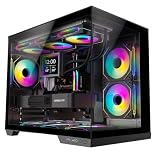

If you’ve been agonizing over case size, Micro-ATX might be the answer you’ve been overlooking. The mATX form factor sits in a genuinely sweet spot: smaller and tidier than a full ATX tower, yet far more flexible than a cramped Mini-ITX shell. An mATX motherboard tops out at 244 x 244 mm, gives you up to three PCIe slots (room for a GPU, a Wi-Fi card, and a capture card), and supports full-length graphics cards in most modern cases — we’re talking 330–420 mm GPU clearance depending on the chassis. Meanwhile, mATX cases are almost always cheaper than their full-tower ATX counterparts, and the tighter internal volume can actually help airflow when the case is designed well.
The result is a build that’s compact enough to slide under a desk, powerful enough to run a flagship GPU, and light enough to haul to a LAN party without wrecking your spine. Whether you’re building your first gaming rig or downsizing from a cathedral-sized ATX behemoth, the mATX case market in 2026 has never been stronger. Here are the five best options — vetted for airflow, build quality, GPU compatibility, and value.
In a hurry? See the top-rated Micro-ATX Gaming PC Case deals available right now:
🛒 Check Micro-Atx Gaming Pc Case Prices on Amazon →🛒 Best Price Today on Amazon
Prime members get fast, free shipping on everything above, plus member-only deals. New members get a 30-day free trial — cancel anytime.
Start 30-Day Prime Free Trial →See Today’s Amazon DealsQuick Comparison Table
| Model | Volume (L) | GPU Max Length | Fan Support | Drive Bays | Price (approx.) |
|---|---|---|---|---|---|
| Cooler Master MasterBox NR400 | 18 L | 360 mm | 4x 120mm / 2x 140mm front | 2x 2.5″, 2x 3.5″ | ~$65 |
| Fractal Design Pop Mini Air | 22 L | 341 mm | 3x 120mm front, 1x 120mm rear | 2x 2.5″, 2x 3.5″ | ~$90 |
| Lian Li PC-O11 Air Mini | 21 L | 341 mm | 3x 120mm top, 3x 120mm bottom | 2x 2.5″ | ~$99 |
| Phanteks Eclipse P300A | 32 L | 420 mm | 3x 120mm front, 1x 120mm rear | 2x 2.5″, 2x 3.5″ | ~$75 |
| Silverstone FARA R1 Pro | 34 L | 400 mm | 3x 120mm front, 1x 120mm rear | 2x 2.5″, 2x 3.5″ | ~$70 |
Top 5 Best Micro-ATX Gaming PC Cases
1. Cooler Master MasterBox NR400 — Best Overall Value
The Cooler Master MasterBox NR400 is the benchmark every budget-minded mATX builder should start from. At just 18 liters of internal volume, it’s impressively compact without sacrificing the features that matter. The mesh front panel feeds two pre-installed 200 mm fans directly over your components, and with 360 mm of GPU clearance, even high-end cards like the RTX 5080 drop in without issue. Cable management is handled through a full-depth PSU shroud and generous routing cutouts behind the motherboard tray, so your build stays clean even if you’re not a cable-management wizard. The NR400 also ships with a tempered glass side panel as standard — rare at this price — giving you a clear view of your hardware without spending extra.
Pros:
- Two 200 mm fans included — exceptional out-of-box airflow for the price
- Compact 18 L footprint, easy to transport
- 360 mm GPU clearance handles all current flagship cards
- Tempered glass side panel included
- Solid steel construction, minimal flex
- PSU shroud hides cable clutter effectively
- Budget-friendly at ~$65
Cons:
- Only two pre-installed fans (no top exhaust included)
- Plastic front bezel trim can feel basic compared to premium cases
- Limited radiator support (240 mm max at top)
- No USB-C front panel port
2. Fractal Design Pop Mini Air — Best Build Quality
Fractal Design has built a reputation on quiet Scandinavian minimalism, and the Pop Mini Air delivers that philosophy in an mATX package. At 22 liters, it’s a touch roomier than the NR400, which pays dividends in cable routing and thermal headroom. The mesh side and top panels create a three-sided airflow channel that keeps thermals remarkably tame under sustained gaming loads. 341 mm GPU clearance covers the vast majority of current-gen cards, and the two included 140 mm fans are noticeably quieter at equivalent airflow compared to 120 mm alternatives. The Pop Mini Air’s interior finish — rubber-grommeted cable pass-throughs, a full PSU shroud, and neatly labeled tie-down points — makes the build process feel premium.
Pros:
- Exceptional build quality and interior finish
- Mesh side and top panels for multi-directional airflow
- Two 140 mm fans included — quiet and effective
- Clean, minimalist aesthetic fits any desk setup
- Solid radiator support (240 mm front or top)
- Rubber-grommeted cable management throughout
- Available in multiple color variants
Cons:

- ~$90 price tag is higher than budget alternatives
- 341 mm GPU clearance slightly more restrictive than competition
- Only two drive bays usable without adapter
- Glass side panel is an optional add-on, not included by default on Air variant
3. Lian Li PC-O11 Air Mini — Best Airflow Architecture
The Lian Li O11 Air Mini takes a fundamentally different approach to airflow: instead of a conventional front-intake, rear-exhaust layout, it uses a dual-chamber design with intake fans at the bottom and exhaust at the top. This creates a strong vertical air column that sweeps heat off the GPU and CPU in one continuous path — a significant advantage for high-TDP gaming builds running power-hungry CPUs alongside a top-tier GPU. At 21 liters and with support for three 120 mm fans on the bottom and three on the top, it can be configured as a near-industrial cooling platform. The 341 mm GPU clearance and premium aluminum trim put it firmly in the enthusiast tier, and the all-around glass panels mean your RGB lighting gets shown off from every angle.
Pros:
- Dual-chamber bottom-to-top airflow architecture — exceptional for hot components
- Supports up to six 120 mm fans simultaneously
- Premium aluminum frame with tempered glass on three sides
- Strong radiator support (240 mm bottom, 240 mm top)
- Excellent cable management with dedicated rear chamber
- Stunning aesthetic — one of the best-looking mATX cases available
- Solid resale value due to brand reputation
Cons:
- ~$99 is the highest price on this list
- Bottom-intake design demands a clean floor or elevated placement (dust accumulation)
- Only two 2.5″ drive bays — limited storage expansion
- No HDD support (SSD-only build required)
- Fans are not included — budget extra for at least three quality fans
4. Phanteks Eclipse P300A — Best Budget Airflow Pick
Don’t let the ~$75 price fool you — the Phanteks Eclipse P300A punches dramatically above its weight class when it comes to airflow performance. The perforated mesh front panel is one of the most open designs in the mATX market, and the three pre-installed 120 mm fans mean you get genuine airflow out of the box without spending another dollar. At 32 liters, the P300A is the roomiest case on this list, and that volume translates to a generous 420 mm GPU clearance — the highest here — so even dual-fan triple-slot cards with extended heatsinks have breathing room. The interior is tidy with a full PSU shroud, two-slot GPU support brace mount, and a reasonable selection of drive bays for builders who still run a mechanical drive.
Pros:
- Three 120 mm fans included — best out-of-box fan count on the list
- 420 mm GPU clearance — accommodates the longest current-gen cards
- Perforated mesh front with excellent actual airflow (not just decorative mesh)
- Spacious 32 L interior for cable routing and large coolers
- Solid value at ~$75
- Supports up to 360 mm radiators at front
- Multiple color options (black, white)
Cons:
- 32 L is large for an mATX case — loses some size advantage over ATX
- Aesthetic is functional rather than eye-catching
- No tempered glass side panel (optional upgrade)
- Front I/O lacks USB-C
- Interior fit and finish not as refined as Fractal or Lian Li
Phanteks Eclipse P300A

5. Silverstone FARA R1 Pro — Best Budget Aesthetic Pick
If you want tempered glass, RGB fans, and a polished showroom look without a premium price tag, the Silverstone FARA R1 Pro is your case. At 34 liters it’s the largest on this list, and Silverstone uses that volume to fit a full-length tempered glass front and side panel, pre-installed RGB fans, and a PSU cover that makes the interior look finished from every viewing angle. 400 mm GPU clearance is ample for all current GPUs, and the front panel’s combination of mesh vents and tempered glass strikes a balance between aesthetics and actual airflow — though it’s not as open as the P300A. For builders who want their rig to look as good as it performs, the FARA R1 Pro delivers real visual impact at a budget price.
Pros:
- RGB fans included — immediate visual impact at no extra cost
- Tempered glass front and side panel standard
- 400 mm GPU clearance handles current flagship cards
- PSU shroud covers cabling for a clean finished look
- Solid construction at budget pricing (~$70)
- Large interior makes cable management easier
- Supports 240 mm radiators at front
Cons:
- 34 L volume is the largest here — not a compact build
- Tempered glass front restricts airflow vs pure mesh designs
- RGB fans are entry-level quality — may want to replace for silence
- Less refined cable routing system than premium options
- Front I/O is USB 3.0 only, no USB-C
- Heaviest case on the list
How to Choose a Micro-ATX Gaming Case
GPU Clearance
Always check your GPU’s physical length before buying a case. A flagship card like the RTX 5090 can exceed 340 mm, and some triple-fan variants push past 380 mm. The P300A’s 420 mm clearance is future-proof; the NR400’s 360 mm covers nearly everything available today. Measure, then add 10–15 mm of buffer for cable routing behind the card.
Radiator Support
If you’re planning an AIO liquid cooler, verify the case supports the radiator size you need. A 240 mm front radiator fits most mATX cases on this list. For a 360 mm radiator, the P300A is your only option here. Always confirm whether the front supports both fans and a radiator simultaneously — some cases list radiator compatibility but require removing a drive cage.
Front Panel I/O
In 2026, USB-C on the front panel is no longer a luxury — it’s how you connect your controller, external SSD, or headset without reaching around the back. The NR400 and P300A lack it; if you use USB-C peripherals daily, prioritize the Fractal or Lian Li options.
Airflow vs Aesthetic
A mesh front (NR400, Pop Mini Air, P300A) consistently outperforms a tempered glass front (FARA R1 Pro) by 5–10°C under load. If raw temperatures matter — and they do for longevity and performance under sustained gaming — choose mesh. If you stream your desk setup and visual impact is part of the experience, the FARA R1 Pro’s glass front is a reasonable trade-off.
Cable Management Behind the Motherboard Tray
Look for at least 25 mm of clearance behind the motherboard tray for cables. The Fractal Pop Mini Air and Lian Li O11 Air Mini both exceed this; the NR400 is tighter but workable. Rubber grommets on cable pass-throughs and dedicated tie-down points make a dramatic difference in build time — budget an extra 30–60 minutes if your case lacks them.

Tempered Glass vs Mesh Front
These are fundamentally competing priorities. Mesh = airflow = lower temps. Tempered glass = aesthetics = higher temps. Neither is wrong — it depends on your build’s thermal budget and how much you value the visual presentation. For high-TDP gaming builds (RTX 5080/5090, Core Ultra 9 or Ryzen 9), mesh wins. For mid-range builds where thermals are less critical, glass is a valid choice.
Micro-ATX vs ATX vs Mini-ITX — Picking the Right Form Factor
| Factor | Mini-ITX | Micro-ATX | ATX |
|---|---|---|---|
| Board size | 170 x 170 mm | 244 x 244 mm | 305 x 244 mm |
| PCIe slots | 1 | 2–3 | 4–7 |
| RAM slots | 2 | 4 | 4 |
| Case volume | 5–15 L | 18–35 L | 30–60 L |
| Typical price premium | High | Moderate | Low–Moderate |
| Portability | Excellent | Good | Poor |
| Expansion flexibility | Low | Moderate | High |
| Thermal headroom | Tight | Comfortable | Ample |
Choose Mini-ITX if desk space is at an absolute premium and you’re building around a single GPU with no need for add-in cards. Expect to pay more for the smaller motherboard and specialized case, and accept tighter thermals.
Choose Micro-ATX if you want a compact build without compromise — enough PCIe slots for a GPU plus a Wi-Fi/capture card, four RAM slots for future upgrades, and a case market that’s matured into offering excellent options at every price point. This is the sweet spot for 90% of gaming builds.
Choose ATX if you run multiple GPUs, a heavy workstation workload requiring several PCIe cards, or you simply prefer maximum airflow headroom with no size constraints. Full ATX cases are often cheaper per liter of internal volume, but the raw size works against portability and desk aesthetics.
For most PC gamers in 2026, Micro-ATX is the rational choice: it accommodates a flagship GPU, a high-core-count CPU, 64 GB of DDR5, and a multi-drive storage setup — all in a chassis that fits neatly on or under a standard desk.
Final Verdict
The Cooler Master MasterBox NR400 is our top pick for most builders: it’s compact, well-ventilated, ships with effective fans, and undercuts the competition on price without making painful compromises. If budget isn’t a constraint and you want best-in-class build quality, the Fractal Design Pop Mini Air is the case you’ll still be happy with five years from now. For enthusiast builders who run hot components and want the most optimized airflow architecture, the Lian Li PC-O11 Air Mini‘s dual-chamber design is in a class of its own.
Budget builders who prioritize cooling performance should look at the Phanteks Eclipse P300A — three included fans and 420 mm GPU clearance at $75 is nearly impossible to beat. And if you want your rig to look great on a stream or in photos without spending over $100, the Silverstone FARA R1 Pro delivers the aesthetic goods at a price that leaves budget for better fans.
Whatever your build goals, the mATX case market in 2026 gives you no excuse for a hot, cramped, or ugly gaming rig.
Frequently Asked Questions
Is Micro-ATX a good choice for a gaming PC?
Yes. Micro-ATX hits a sweet spot, smaller than full ATX but easier to build in than Mini-ITX, with room for a full GPU, good cooling, and usually four RAM slots.
Micro-ATX or Mini-ITX, which should I pick?
Micro-ATX offers more expansion slots, easier building, and better airflow at a lower cost. Mini-ITX is smaller and more portable but pricier and harder to build. mATX suits most compact builds.
Can a Micro-ATX case fit a high-end GPU?
Most modern Micro-ATX cases support full-length graphics cards. Always check the case maximum GPU clearance against your specific card before buying.
Does a Micro-ATX case need a special PSU?
Most Micro-ATX cases accept a standard ATX power supply, though some compact models require SFX. Check the case specification to be certain before buying.
Related Articles
Looking for more on this topic? Browse the hand-picked guides below — each one applies the same scoring rubric used in this review.
















