

- Top Pick: Seagate Game Drive for PS4/PS5 5TB, External HDD, USB 3.0, Officially
- Best Value: Avoluxion PRO-T5 Series 4TB USB 3.0 External Gaming Hard Drive for PS5 Game Console (White) – 2 Year Warranty
- Premium Choice: BUFFALO External SSD 2.0TB – Officially Licensed Product – Compatible with PS5 Consoles / PS4 Consoles – USB3.2 Gen2 Type A Compact Stick SSD-SAO2.0U3B
🛒 Best Price Today on Amazon
Prime members get fast, free shipping on everything above, plus member-only deals. New members get a 30-day free trial — cancel anytime.
- Top External Ssds Ps5 Picks for 2026
- Best PS5 SSDs at a Glance
- 1. WD_BLACK 2TB SN850P NVMe M.2 SSD Officially Licensed Storage Expansion for PS5
- 2. WD_BLACK 1TB SN850P NVMe M.2 SSD Officially Licensed Storage Expansion for PS5
- 3. SSD 1TB – M.2 NVMe PCIe Gen4x4 with Graphite Sheet, up to 7,401MB/s (PS5 internal)
- 4. Western Digital 1TB P40 Game Drive SSD – Up to 2,000MB/s, RGB Lighting, Portable
- 5. Lexar ES3 1TB External SSD, USB 3.2 Gen2 Portable SSD up to 1,050MB/s
- 6. Gigastone USB-C+A Portable SSD 1TB USB 3.2 Gen 2 Up to 500MB/s (works PS5)
- How to Choose a PS5 SSD
- Related Guides
- Frequently Asked Questions
- Related Guides
- Related Articles
- Related Guides
Top External Ssds Ps5 Picks for 2026
Here are our current top external ssds ps5 picks, compared on real Amazon owner reviews, price, and features. Live prices update below.
As an Amazon Associate we earn from qualifying purchases at no extra cost to you.









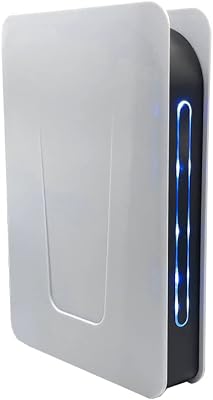
PlayStation 5 storage is the single most confusing piece of the console — and the most worth understanding before you spend money. Sony allows two completely different upgrade paths, and they do completely different jobs. An internal M.2 NVMe SSD installs into the slot on the side of your PS5 and acts as a second native console drive: PS5 games run directly off it at full speed, just like the built-in SSD. A USB external SSD, by contrast, plugs into a USB port and can run PS4 games directly, but cannot run PS5 native games — those have to live on internal storage. You can still move PS5 games to a USB drive for cold archive and copy them back in a couple of minutes when you want to play, which is genuinely useful. This guide covers both paths honestly.
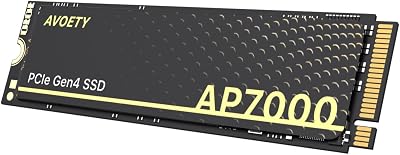
Our picks were chosen for the two real PS5 storage jobs: expanding native PS5 game capacity (where you need M.2 NVMe Gen4 drives meeting Sony’s speed requirements) and adding USB external storage for PS4 play, archive and general media (where any reasonably fast USB-C SSD will do). We have included Sony’s officially licensed WD_BLACK SN850P internal drives in 1TB and 2TB, a generic Gen4 7,401MB/s M.2 NVMe for the budget M.2 route, plus three external USB SSDs — the WD_BLACK P40 Game Drive, Lexar ES3 and Gigastone USB-C+A — for the USB side. Each product entry says clearly which job it does. Below is the comparison table, then per-product detail and a buyer’s guide that resolves the internal-vs-external question for your situation.
Best PS5 SSDs at a Glance
| PS5 SSD | Type / Slot | Standout Spec | Approx Price |
|---|---|---|---|
| WD_BLACK SN850P 2TB (Officially Licensed) | Internal M.2 NVMe Gen4 | Plays PS5 games natively, 2TB | around $200 |
| WD_BLACK SN850P 1TB (Officially Licensed) | Internal M.2 NVMe Gen4 | Plays PS5 games natively, 1TB | around $120 |
| Generic M.2 NVMe Gen4 1TB 7,401MB/s | Internal M.2 NVMe Gen4 | Budget M.2, hits Sony spec | around $80 |
| WD_BLACK P40 Game Drive 1TB | External USB-C SSD | PS4 + PS5 archive, RGB, 2,000MB/s | around $130 |
| Lexar ES3 1TB External SSD | External USB-C SSD | PS4 + PS5 archive, 1,050MB/s | around $70 |
| Gigastone USB-C+A Portable SSD 1TB | External USB-A/C SSD | PS4 + archive, dual connector | around $60 |
1. WD_BLACK 2TB SN850P NVMe M.2 SSD Officially Licensed Storage Expansion for PS5

24
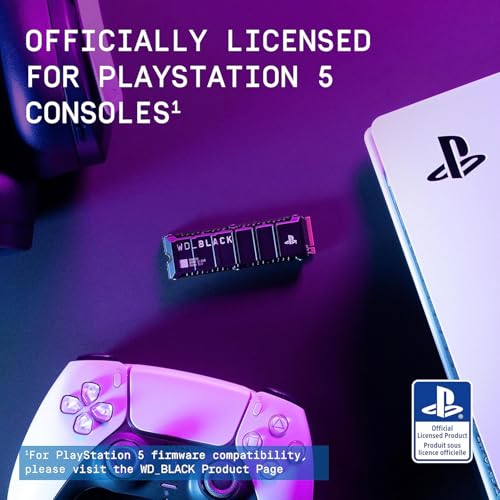
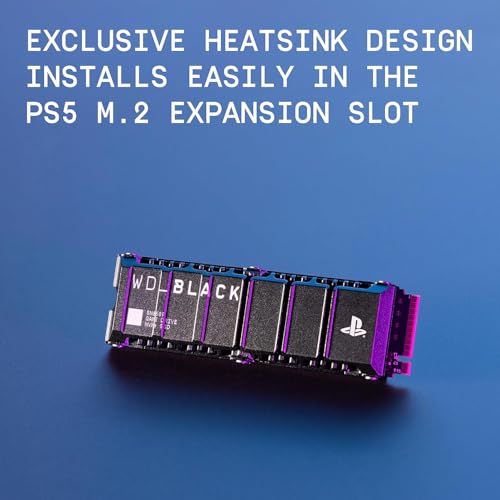
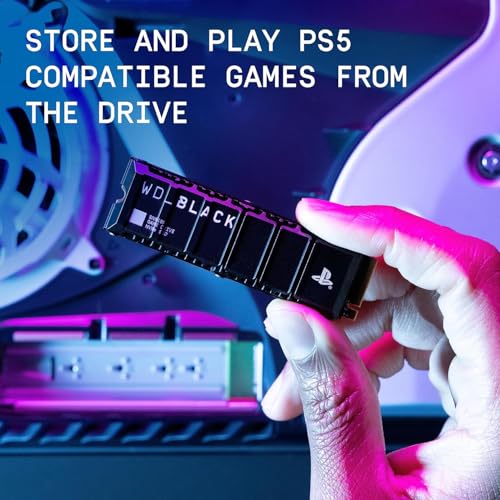
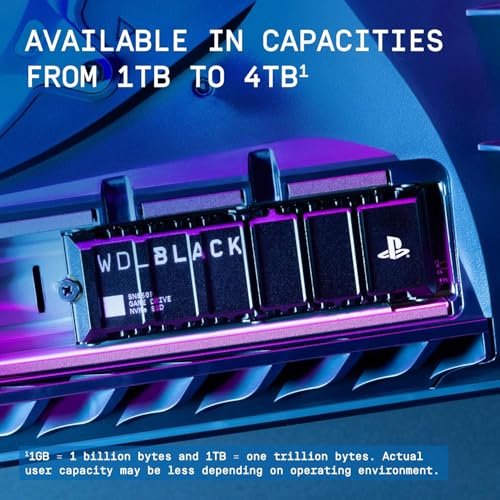
WD_BLACK 2TB SN850P NVMe M.2 SSD Officially Licensed Storage Expansion for PS5 Consoles, up to 7,300MB/s, with heatsink – WDBBYV0020BNC-WRSN
In Stock


As an Amazon Associate we earn from qualifying purchases. Product prices and availability are accurate as of the date/time indicated.
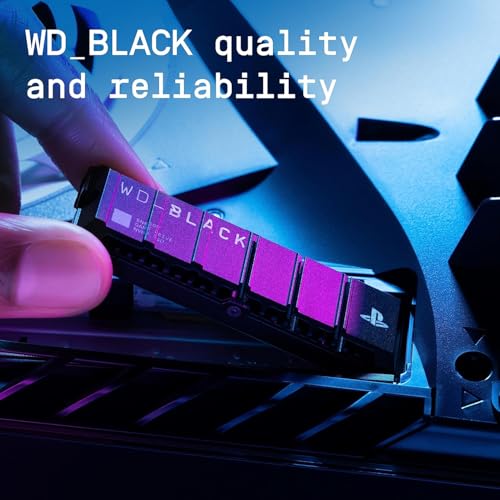
The WD_BLACK SN850P 2TB is the standout PS5 storage upgrade if you want everything done right. It is the officially licensed PS5 expansion drive — a Gen4 NVMe M.2 SSD with a pre-installed heatsink sized exactly to the PS5 slot, factory-validated against Sony’s speed and thermal requirements. It installs into the M.2 slot on the side of your PS5 and acts as a second native console SSD, meaning PS5 games run directly off it at full speed. At around $200 it is the premium pick here.
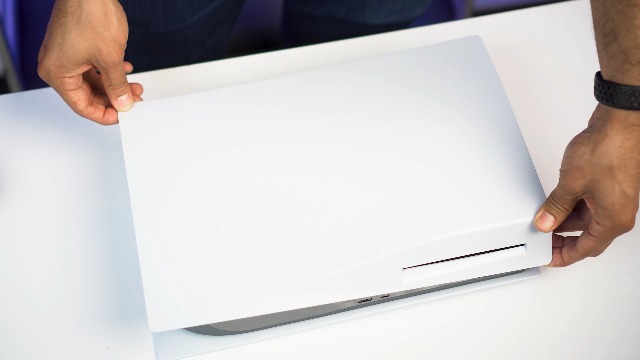
This is internal M.2 expansion, not a USB drive. You unscrew the side panel, slot the SN850P into the M.2 bay, screw it down, and the PS5 formats it on first boot. After that, all PS5 native games can install to, play from, and move to the drive at the same speed as the built-in SSD. The 2TB capacity comfortably holds five to ten modern AAA titles alongside indies, and the licensed status removes any compatibility question. For the PS5 owner who wants to genuinely expand the console’s native library without compromise, this is the drive.
Pros: Officially licensed for PS5, runs PS5 games natively, factory-fitted heatsink, 2TB capacity.
Cons: Highest M.2 price here; internal install requires opening side panel.
2. WD_BLACK 1TB SN850P NVMe M.2 SSD Officially Licensed Storage Expansion for PS5
8
WD_BLACK 1TB SN850P NVMe M.2 SSD Officially Licensed Storage Expansion for PS5 Consoles, up to 7,300MB/s, with heatsink – WDBBYV0010BNC-WRSN
In Stock


As an Amazon Associate we earn from qualifying purchases. Product prices and availability are accurate as of the date/time indicated.
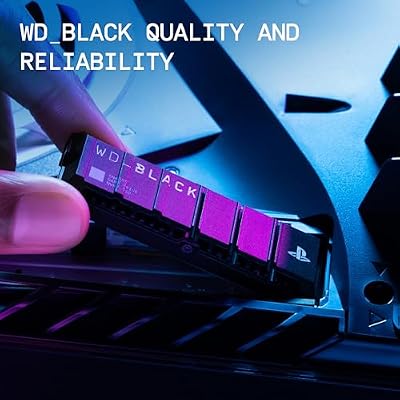
The WD_BLACK SN850P 1TB is the value entry point to officially licensed PS5 expansion. It is the same Gen4 NVMe drive as the 2TB model with the PS5-sized heatsink and Sony’s licensed certification, just at half the capacity. It also installs into the M.2 slot, runs PS5 games natively at full speed, and at around $120 it is the most affordable way to get the official seal of approval.
Like the 2TB SN850P, this is an internal M.2 drive — not external USB. Once installed, 1TB of additional native PS5 storage roughly doubles what a base console offers and is enough to keep three to five AAA games installed alongside indies and your back-catalog favorites. If 2TB feels excessive and you would rather rotate games between internal and the expansion drive, the 1TB SN850P is the sensible balance of price, capacity and Sony-blessed compatibility. It is the easiest ‘just buy this’ PS5 upgrade for most owners.

Pros: Officially licensed for PS5, runs PS5 games natively, included heatsink, fair price.
Cons: 1TB fills up faster than 2TB; still requires internal installation.
3. SSD 1TB – M.2 NVMe PCIe Gen4x4 with Graphite Sheet, up to 7,401MB/s (PS5 internal)

6




As an Amazon Associate we earn from qualifying purchases. Product prices and availability are accurate as of the date/time indicated.
This generic Gen4 NVMe is the budget internal-expansion pick. It is a non-licensed M.2 2280 NVMe SSD running PCIe Gen4 x4 with sequential reads up to 7,401MB/s — above the 5,500MB/s minimum Sony requires — and ships with a graphite thermal sheet for the PS5 slot. It installs in the same M.2 bay as the SN850P and, once formatted, runs PS5 games natively at full speed. At around $80 it is the cheapest way to add native PS5 storage.
This is an internal M.2 drive, not external USB. Unlike the WD_BLACK SN850P this is not officially licensed by Sony, but the spec meets the requirements published in the PS5 user manual: M.2 2280, Gen4, 5,500MB/s+ sequential read, with a heatsink. The included graphite sheet covers the thermal requirement at minimal added height. For an owner happy to install a compatible third-party drive that meets the official spec — and willing to forgo the ‘officially licensed’ label — this is the budget internal-expansion route. PS5 games run natively at full speed once installed.
Pros: Meets Sony PS5 spec, fastest read speed here, includes graphite cooling, lowest M.2 price.
Cons: Not officially licensed by Sony; verify M.2 2280 fit before purchase.
4. Western Digital 1TB P40 Game Drive SSD – Up to 2,000MB/s, RGB Lighting, Portable

7
Western Digital 1TB P40 Game Drive SSD – Up to 2,000MB/s, RGB Lighting, Portable External Solid State Drive , Compatible with Playstation, Xbox, PC, & Mac – WDBAWY0010BBK-WESN
In Stock



As an Amazon Associate we earn from qualifying purchases. Product prices and availability are accurate as of the date/time indicated.
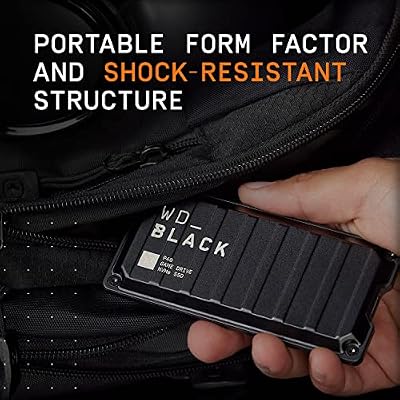
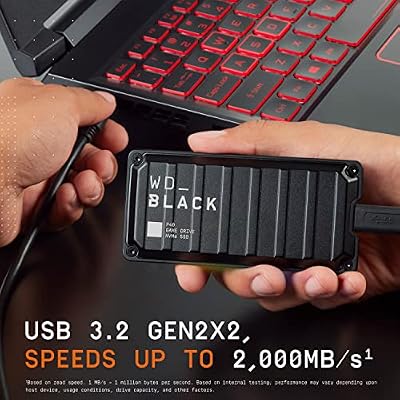
The WD_BLACK P40 Game Drive is the standout external USB SSD on this list for PS5 owners. It is a USB-C portable SSD rated at up to 2,000MB/s (USB 3.2 Gen 2×2) with WD’s signature RGB lighting and a rugged shell aimed at console gamers. At around $130 it sits at the premium end of external PS5 storage and delivers the look and speed to match.
Important: this is an external USB SSD, not an internal M.2 drive. PS5 native games cannot be played directly from it — they have to run from the internal SSD or an internal M.2 expansion like the SN850P. What the P40 does brilliantly is run PS4 games directly off USB (so any backward-compatible PS4 title plays straight off the drive) and archive PS5 native games for fast reinstall. Copying a PS5 game back from the P40 to internal storage is far faster than redownloading. The 2,000MB/s figure needs a Gen 2×2 host to fully realise, but on PS5 the drive operates at the console’s standard USB speed. Excellent build, RGB looks great next to the PS5, and the storage flexibility is real.
Pros: Fast 2,000MB/s USB-C, RGB lighting, rugged build, runs PS4 games directly, fast PS5 archive.
Cons: Does NOT play PS5 native games from external USB; needs Gen 2×2 host for full speed.
5. Lexar ES3 1TB External SSD, USB 3.2 Gen2 Portable SSD up to 1,050MB/s
10




As an Amazon Associate we earn from qualifying purchases. Product prices and availability are accurate as of the date/time indicated.
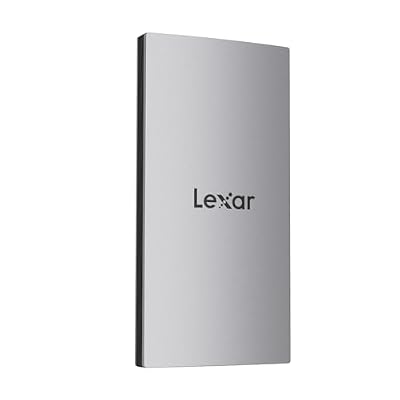
The Lexar ES3 1TB is the value external USB pick for PS5 owners. It is a USB-C portable SSD rated at up to 1,050MB/s on USB 3.2 Gen 2, with a slim, well-built shell at a sensible price. At around $70 it is one of the best-value 1TB USB SSDs to pair with a PS5 for archive and PS4 play.
Like the P40, this is an external USB drive, not internal M.2. PS5 native games will not play from it directly — only PS4 titles and media. Within those (very useful) limits, the ES3 is a great pairing for the console: PS4 backward-compatible games run straight off USB-C, PS5 native games can be archived to it to free internal space and copied back when you want to play, and the 1,050MB/s read speed keeps transfers brisk. For an owner who already has internal storage covered and just needs more PS4 play space and archive capacity at a reasonable price, the Lexar ES3 is the easy recommendation.
Pros: Strong value 1,050MB/s USB-C, slim build, ideal for PS4 play and PS5 archive.
Cons: Cannot run PS5 native games externally; USB 3.2 Gen 2, not Gen 2×2.
6. Gigastone USB-C+A Portable SSD 1TB USB 3.2 Gen 2 Up to 500MB/s (works PS5)

9
Gigastone 1TB USB-C+A Portable SSD USB 3.2 Gen 2 Up to 500MB/s for iPhone 4K ProRes Recording/PS5/MacBook/iPad/Android/Laptop/OTG USB 3-Year Warranty External Solid State Drive
In Stock


As an Amazon Associate we earn from qualifying purchases. Product prices and availability are accurate as of the date/time indicated.
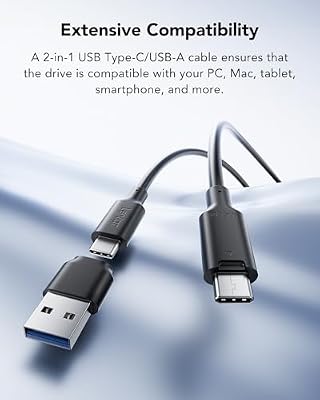
Rounding out the external USB picks is the Gigastone 1TB USB-C+A portable. It is a 1TB USB 3.2 Gen 2 SSD with both USB-C and USB-A connectors on the drive itself, rated at up to 500MB/s, and at around $60 it is the cheapest external pick here. The dual connector is handy for plugging into older USB-A ports on a PS4, a desktop or a TV without needing adapters.
This is again an external USB drive, not internal M.2 expansion. PS5 native games cannot play from it directly. What it offers is a low-cost, plug-anywhere shuttle drive for PS4 games (which run directly off it on PS5), PS5 archive, save backups and general media. The 500MB/s read speed is lower than the P40 or ES3 but still many times faster than any portable hard drive, and the dual USB-A/USB-C connector saves cable juggling on multi-console households. For a budget USB pairing with a PS5, the Gigastone covers the basics at a hard-to-beat price.
Pros: Cheapest external pick, dual USB-A and USB-C connectors, fine for PS4 play and PS5 archive.
Cons: Slower 500MB/s speed; same external limitation on PS5 native games.
How to Choose a PS5 SSD
Start with the question that resolves everything: do you want to expand native PS5 game capacity, or do you want extra storage for PS4 games, archived PS5 games and media? Native PS5 game expansion requires an internal M.2 NVMe drive that goes into the slot inside the console — the SN850P 1TB, SN850P 2TB or the generic Gen4 M.2 on this list. PS4 play and PS5 archive can use any USB external SSD — the P40, ES3 or Gigastone. PS5 native games will not run directly off any USB drive, no matter how fast it is.
If you are going the M.2 route, the headline rule is Sony’s published spec. The drive must be M.2 2280 form factor, PCIe Gen4 x4, with sequential reads of 5,500MB/s or higher, and it must have a heatsink (either pre-installed or added). All three M.2 picks here meet the spec — the SN850P 1TB and 2TB are officially licensed and ship with the right heatsink already fitted, while the generic 7,401MB/s drive meets the spec and includes a graphite cooling sheet. Officially licensed is the safest bet; a compatible third-party drive is the cheaper option.
If you are going the USB route, focus on speed and capacity rather than PS5 credentials, because every external USB SSD has the same fundamental limitation: no native PS5 games. The P40 at up-to-2,000MB/s is the fastest and best-looking choice for archive and PS4 play, the Lexar ES3 is the value 1,050MB/s pick, and the Gigastone USB-C+A is the cheapest with a useful dual-connector design. None of them will magically run Spider-Man 2 off USB — that is a console-OS restriction, not a drive limitation.
Finally, capacity. For internal M.2, 1TB doubles the average console’s native game storage and is plenty for most rotating libraries; 2TB is the comfort zone for serious players. For external USB, capacity decisions are less critical since you cannot run PS5 games off USB anyway — 1TB is more than enough for PS4 favorites and archive. Pick the storage type that matches the job, then pick the capacity and price tier that fits your library, and the right PS5 SSD is on this list.
Frequently Asked Questions
Can I play PS5 games directly off an external USB SSD?
No. PS5 native games can only run from the internal SSD or from an officially-approved M.2 NVMe drive installed in the PS5’s expansion slot, like the WD_BLACK SN850P or another Gen4 drive meeting Sony’s 5,500MB/s spec. You can move PS5 games to a USB external drive for archive and copy them back to internal storage to play — that is much faster than redownloading — but the games themselves cannot launch from USB.
What is the difference between internal M.2 and external USB SSDs for PS5?
Internal M.2 expansion goes into the slot inside the PS5, runs PS5 games natively at full speed, and effectively becomes a second built-in SSD. External USB SSDs plug into a USB port and can run PS4 backward-compatible games directly, but PS5 native games cannot run from them. Both have a place: M.2 if you want more space for current PS5 games, USB if you want PS4 play space, PS5 archive and easy portability.
Does the M.2 SSD need to be officially licensed by Sony?
No, but it must meet Sony’s published specifications: M.2 2280 form factor, PCIe Gen4 x4, sequential read speed of at least 5,500MB/s, and a heatsink. The WD_BLACK SN850P is officially licensed and removes any compatibility question. The generic 7,401MB/s Gen4 NVMe meets the spec and includes a graphite cooling sheet — it is not licensed but is widely used by PS5 owners on a budget. Always confirm the spec before buying.
Can I move PS5 games between internal and external storage?
Yes. You can move PS5 games from internal SSD to a USB external SSD for archive (so they do not take up internal space) and copy them back when you want to play, all from the PS5’s storage menu. Copying back from a fast USB drive like the P40 takes a few minutes, far faster than redownloading tens of gigabytes. This is the practical PS5 workflow for owners who do not want to commit to internal M.2 expansion.
Related Guides
- Best Portable SSDs for Gaming
- Best Thunderbolt 4 SSDs
- Best Rugged Portable SSDs
- Best Budget External SSDs
- Best NVMe SSDs for PC
- Best PS5 Accessories
- Best Gaming TVs for PS5
- Best Gaming Headsets
Affiliate Disclosure: As an Amazon Associate, we earn from qualifying purchases. If you click a link and make a purchase, we may earn a small commission at no extra cost to you. Prices and availability are accurate as of publication and may change.










