

- Top Pick: SANDISK Professional 4TB PRO-G40 SSD – Up to 3000MB/s, Thunderbolt 3 (40Gbps), USB-C (10Gbps), IP68 dust/Water Resistance, External Solid State Drive – SDPS31H-004T-GBCND
- Best Value: SABRENT Rocket XTRM 5 2TB Thunderbolt 5 Portable SSD, 80Gbps Connection, Up to 64Gbps Transfer, Compatible with TB4 TB3 USB4 USB 3.2 20Gbps 10Gbps 5Gbps, Rugged Aluminum and Silicone (SB-XTM5-2TB)
- Premium Choice: OWC Envoy Ultra 4TB Thunderbolt 5 Portable NVMe SSD Storage Solution
Thunderbolt 4 sits at the top of the portable storage pyramid, and in 2026 almost every drive that hits its 40Gbps ceiling is sold under the USB4 label with a ‘Thunderbolt Compatible’ note. That is not a marketing trick: USB4 40Gbps shares the same physical, electrical and signalling layer as Thunderbolt 4, so a USB4 drive plugged into a Thunderbolt 4 port on a Mac, PC or Linux machine works at full 40Gbps. Technically USB4 and Thunderbolt 4 are different standards with overlapping requirements, but for portable SSD buyers in practice they are cross-compatible. This guide covers both the USB4-labelled drives that work in TB4 ports at 40Gbps and the explicitly Thunderbolt-native option for those who want the certification.
- Best Thunderbolt 4 / USB4 SSDs at a Glance
- 1. Corsair EX400U Survivor 2TB USB4 External SSD – Up to 4,000 MB/s, IP55 Rugged
- 2. Corsair EX400U Survivor 1TB USB4 External SSD – Up to 4,000 MB/s, IP55 Rugged
- 3. Oyen Digital U34 Bolt 2TB (USB4 40Gbps) NVMe Thunderbolt 4 (USB-C)
- 4. OWC Express 1M2 40Gb/s Portable NVMe SSD USB4 (Thunderbolt Compatible/USB-C)
- 5. 2TB SANDISK Extreme PRO Portable SSD with USB4, Up to 3,800 MB/s Read
- 6. 4TB SANDISK Extreme PRO Portable SSD with USB4, Up to 3,800 MB/s Read
- How to Choose a Thunderbolt 4 / USB4 SSD
- Related Guides
- Frequently Asked Questions
- Related Guides
- Related Articles
Our picks were chosen for the things that matter at the TB4/USB4 tier: sustained sequential read and write performance, the controller behind the interface, build quality, capacity and value. Speeds here range from 3,800MB/s on the SanDisk Extreme PRO USB4 to 4,000MB/s on the Corsair EX400U Survivor, with the Oyen U34 Bolt and OWC Express 1M2 offering Thunderbolt-native or near-native 40Gbps performance. Prices land between around $180 and around $450 depending on capacity. The list deliberately spans rugged outdoor-friendly drives, premium SanDisk and OWC options and the Oyen explicitly-Thunderbolt drive so you can match the certification and shell to your workflow. Below is the at-a-glance table, then per-product detail and a buyer’s guide that resolves USB4 vs TB4 in plain language.
As an Amazon Associate we earn from qualifying purchases at no extra cost to you.






🛒 Best Price Today on Amazon
Prime members get fast, free shipping on everything above, plus member-only deals. New members get a 30-day free trial — cancel anytime.
Best Thunderbolt 4 / USB4 SSDs at a Glance
| TB4 / USB4 SSD | Best For | Standout Spec | Approx Price |
|---|---|---|---|
| Corsair EX400U Survivor 2TB USB4 | Rugged 40Gbps performance | USB4 4,000MB/s, IP55 rugged, 2TB | around $300 |
| Corsair EX400U Survivor 1TB USB4 | Rugged 40Gbps starter | USB4 4,000MB/s, IP55 rugged, 1TB | around $180 |
| Oyen Digital U34 Bolt 2TB Thunderbolt 4 | Thunderbolt-native build | TB4 40Gbps native, 2TB | around $310 |
| OWC Express 1M2 40Gb/s NVMe USB4 | DIY enclosure flexibility | USB4/TB compatible, fits user M.2 | around $230 |
| SANDISK Extreme PRO 2TB USB4 | Pro creator performance | USB4 3,800MB/s read, 2TB | around $290 |
| SANDISK Extreme PRO 4TB USB4 | Maximum-capacity USB4 | USB4 3,800MB/s read, 4TB | around $450 |
1. Corsair EX400U Survivor 2TB USB4 External SSD – Up to 4,000 MB/s, IP55 Rugged

7
Corsair EX400U Survivor 2TB USB4 External SSD – Up to 4000 MB/s, IP55 Rugged Drive, Plug & Play for PC, Mac & iPad – Black
In Stock




As an Amazon Associate we earn from qualifying purchases. Product prices and availability are accurate as of the date/time indicated.
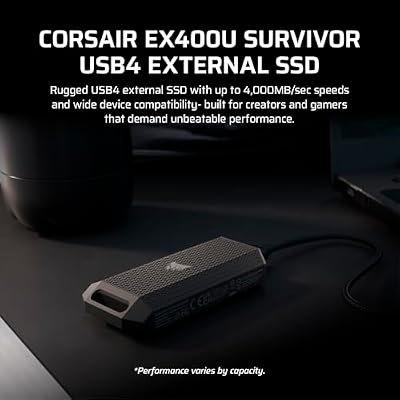
The Corsair EX400U Survivor 2TB is the standout pick at the top of the portable storage class. It is a USB4 SSD rated at up to 4,000MB/s sequential reads and writes — the headline figure for the 40Gbps tier — wrapped in an IP55-rated rugged shell built to survive splashes, dust and rough handling. At around $300 it is the most balanced pick here: flagship speed, real ruggedization and a meaningful 2TB capacity.
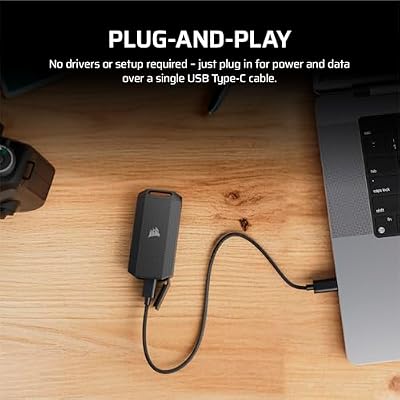
On USB4 vs Thunderbolt: the EX400U is sold as a USB4 drive with Thunderbolt-compatible cross-functionality. Plug it into a Thunderbolt 4 port on a Mac or PC and it runs at full 40Gbps just as it would over a USB4 host port — the standards share the same electrical layer. For creators editing 6K and 8K video, photographers running Lightroom catalogs off external storage and pro-level gaming-and-content workflows, the EX400U delivers near-internal-NVMe responsiveness with the convenience of USB-C portability. IP55 is the most rugged ingress rating of any drive in this guide.
Pros: Flagship 4,000MB/s USB4 speed, IP55 rugged shell, 2TB capacity, works in TB4 ports at 40Gbps.
Cons: Premium price; full speed needs USB4 or TB4 host.
2. Corsair EX400U Survivor 1TB USB4 External SSD – Up to 4,000 MB/s, IP55 Rugged
6
Corsair EX400U Survivor 1TB USB4 External SSD – Up to 4000 MB/s, IP55 Rugged Drive, Plug & Play for PC, Mac & iPad – Black
In Stock
As an Amazon Associate we earn from qualifying purchases. Product prices and availability are accurate as of the date/time indicated.
The Corsair EX400U Survivor 1TB is the value entry point into Corsair’s flagship USB4 line. Same 4,000MB/s read/write performance, same IP55-rated rugged shell and same USB4/TB4 cross-compatibility as the 2TB model, just at half the capacity. At around $180 it is the cheapest way to get into true 40Gbps external storage and a sensible pick for someone who only needs 1TB of working space.
On the standards question: like its 2TB sibling, this is a USB4 drive that works seamlessly in Thunderbolt 4 ports thanks to the shared 40Gbps electrical layer. The 1TB capacity is the sweet spot for a creator carrying current-project footage or a gaming-and-content user who wants flagship speed without committing to 2TB. IP55 rugged sealing remains, the shell is the same compact size, and Corsair’s controller tuning delivers consistent sustained speeds rather than only burst peaks. Excellent value for the speed tier.
Pros: Same 4,000MB/s USB4 and IP55 rugged build at 1TB, lowest-price entry to true 40Gbps.
Cons: 1TB fills up quickly for high-bitrate video work; needs USB4/TB4 host for full speed.
3. Oyen Digital U34 Bolt 2TB (USB4 40Gbps) NVMe Thunderbolt 4 (USB-C)

7
Oyen Digital U34 Bolt 2TB (USB4 40Gbps) NVMe Thunderbolt 4 (USB-C) Portable SSD, Up to 2800MB/s
In Stock


As an Amazon Associate we earn from qualifying purchases. Product prices and availability are accurate as of the date/time indicated.
The Oyen Digital U34 Bolt 2TB is the pick for buyers who want explicit Thunderbolt 4 branding and a known-quantity NVMe inside. It is a USB4 40Gbps drive that the manufacturer specifically lists as Thunderbolt 4 compatible (rather than just ‘works in TB4 ports’), in a small aluminum shell with a USB-C connector. At around $310 it is in the same price band as the EX400U 2TB and the SanDisk Extreme PRO 2TB.
This is the closest the list gets to a Thunderbolt-native badge. Oyen explicitly markets the drive as Thunderbolt 4-compatible, which gives you certainty if your workflow specifically requires TB4 branding (some pro video certifications and corporate procurement lists still distinguish the two). In day-to-day use it behaves like the other 40Gbps drives — fast sequential reads, fast writes, low-latency direct access from a Mac, PC or compatible Linux box. The aluminum shell is compact and unrugged, suiting desk-side and bag-carry workflows rather than fieldwork.
Pros: Explicit Thunderbolt 4 compatibility marketing, NVMe inside, compact USB-C aluminum shell, 2TB.
Cons: Less rugged than the EX400U; same essential 40Gbps performance for higher price.
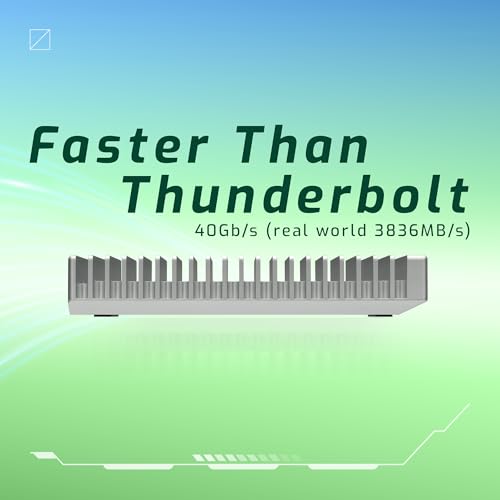
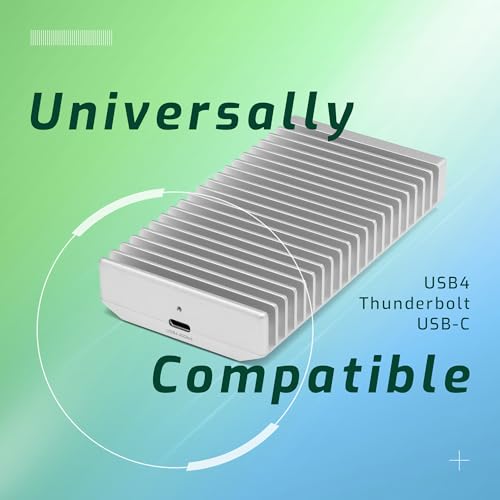
4. OWC Express 1M2 40Gb/s Portable NVMe SSD USB4 (Thunderbolt Compatible/USB-C)

20
OWC Express 1M2 40Gb/s Portable NVMe SSD USB4 (Thunderbolt Compatible/USB-C) Ultra Fast External SSD Drive with Aluminum Heat Sink Enclosure (Enclosure Only)
In Stock



As an Amazon Associate we earn from qualifying purchases. Product prices and availability are accurate as of the date/time indicated.
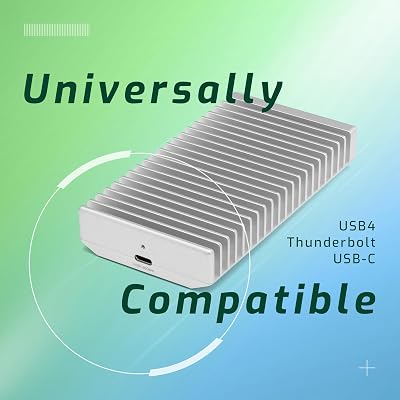
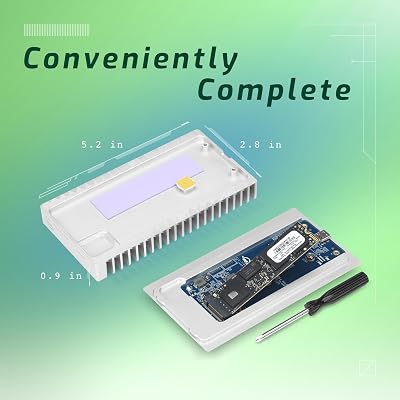
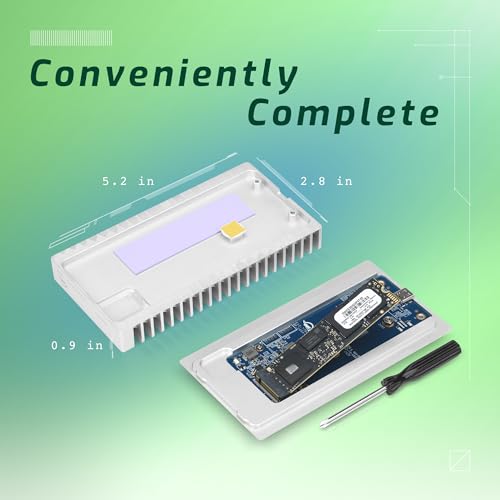
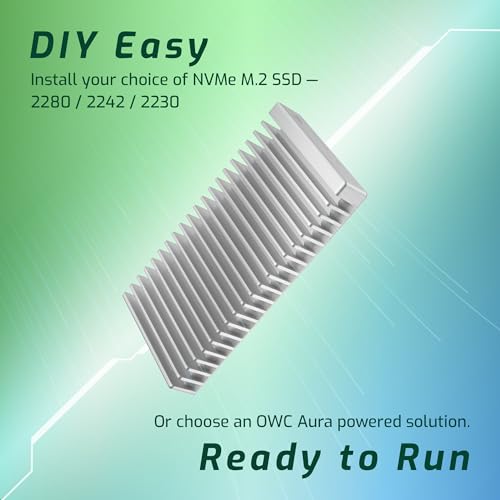
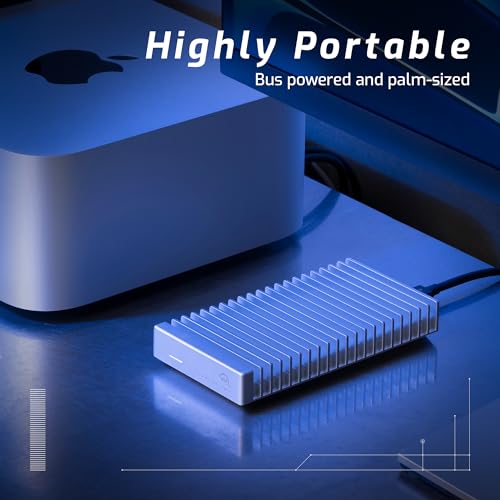
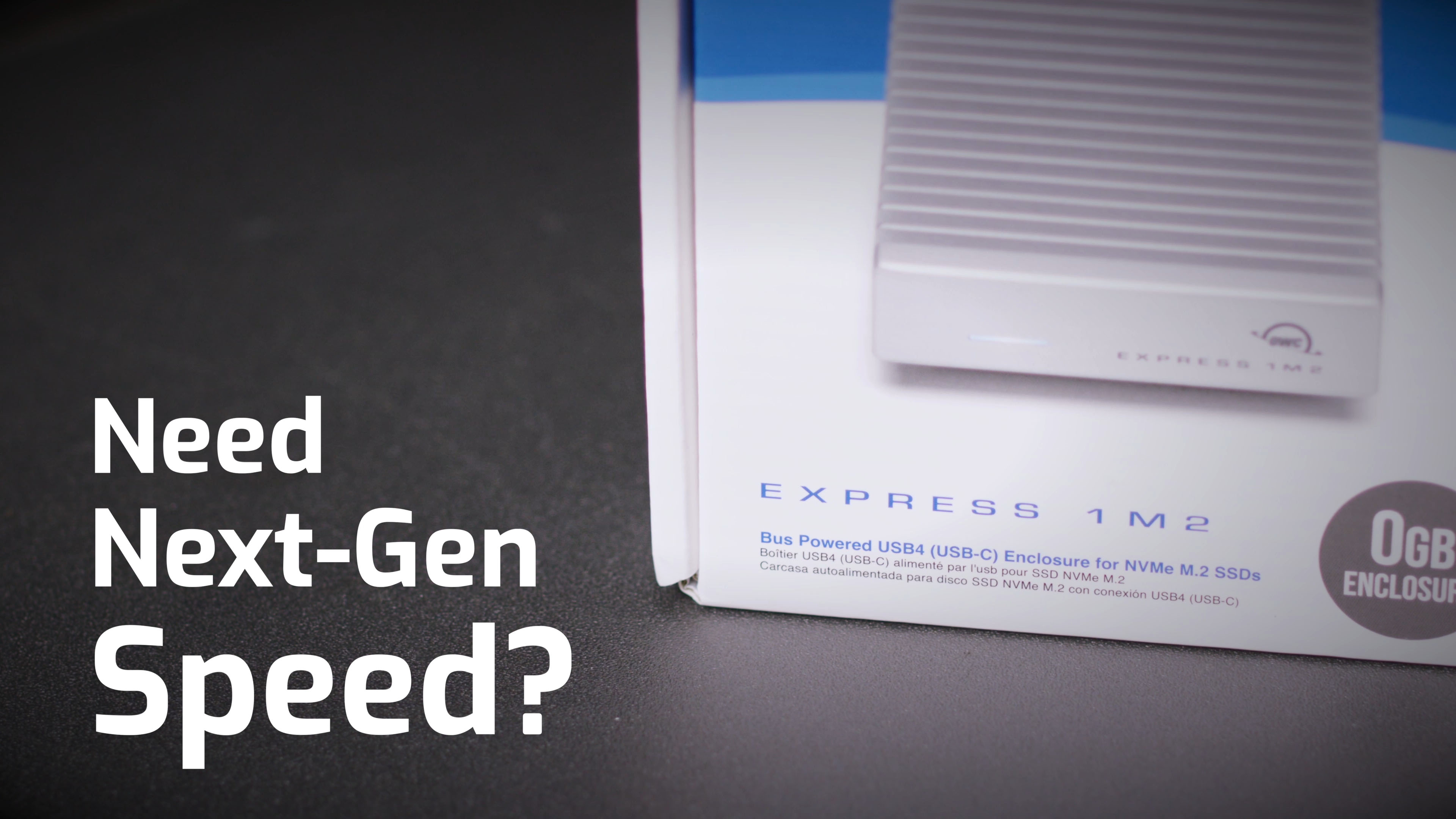
The OWC Express 1M2 is the flexibility pick — it is a 40Gb/s USB4 enclosure rather than a sealed drive, so you fit your own M.2 NVMe SSD inside. OWC designed it specifically as a USB4 enclosure that is also Thunderbolt compatible, with a high-quality aluminum chassis, included cable and Mac-friendly software. At around $230 (without storage) it is the choice for buyers who already own a fast M.2 SSD or want to pick the drive inside.
This is a DIY USB4 / Thunderbolt-compatible enclosure, not a pre-built drive. Pop in a fast PCIe 4.0 NVMe SSD — say a 2TB or 4TB Samsung 990 PRO or WD_BLACK SN850X — and you get 40Gb/s portable storage at whatever capacity you choose, often at a better cost-per-gigabyte than buying the equivalent sealed drive. OWC’s chassis is thermally well-engineered for sustained sequential work, the included Tether USB-C cable is rated for the full speed, and it works seamlessly on Macs and PCs with USB4 or Thunderbolt 4 ports. The standout pick for creators with existing M.2 drives or those who want maximum capacity control.
Pros: User-installed M.2 NVMe inside for capacity choice, premium thermal aluminum shell, USB4/TB compatible.
Cons: Storage not included — total cost includes an M.2 NVMe SSD.
5. 2TB SANDISK Extreme PRO Portable SSD with USB4, Up to 3,800 MB/s Read

7
2TB SANDISK Extreme PRO Portable SSD with USB4, Up to 3800 MB/s Read and 3700MB/s Write, USB-C, USB 3.2, Backwards Compatible, IP65 Water and Dust Resistance – SDSSDE82-2T00-G25
Out of Stock




As an Amazon Associate we earn from qualifying purchases. Product prices and availability are accurate as of the date/time indicated.
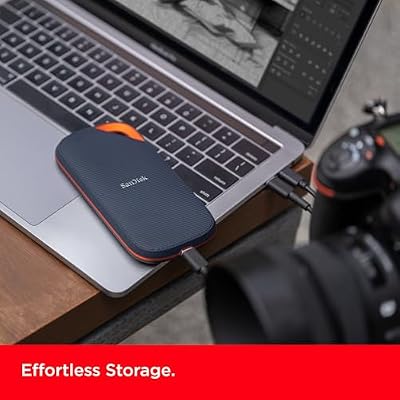
The SanDisk Extreme PRO 2TB USB4 is the brand-trust pick at the top tier. It is a USB4 SSD rated at up to 3,800MB/s sequential reads with SanDisk’s well-known build quality, including a forged aluminum chassis acting as a heatsink and a carabiner loop for clipping to a bag. At around $290 it sits alongside the EX400U 2TB and Oyen U34 Bolt as a flagship 2TB option.
On standards: like the other USB4 drives here, the Extreme PRO is sold as USB4 with Thunderbolt cross-compatibility — plug it into a Thunderbolt 4 port and it runs at full 40Gbps. The 3,800MB/s read figure is slightly under the EX400U’s 4,000MB/s, but the difference is at the edge of what most workflows actually notice. What you gain is SanDisk’s long track record for reliability, the metal-shell thermal design that sustains speed under load, and a brand that pro photographers and videographers have trusted for years. Excellent for working catalogs, high-bitrate footage and on-set scratch storage.
Pros: Premium 3,800MB/s USB4 speeds, aluminum heatsink chassis, trusted SanDisk reliability, 2TB.
Cons: Slightly slower than EX400U on paper; less rugged than IP55 picks.
6. 4TB SANDISK Extreme PRO Portable SSD with USB4, Up to 3,800 MB/s Read

19
4TB SANDISK Extreme PRO Portable SSD with USB4, Up to 3800 MB/s Read and 3700MB/s Write, USB-C, USB 3.2, Backwards Compatible, IP65 Water and Dust Resistance – SDSSDE82-4T00-G25
In Stock




As an Amazon Associate we earn from qualifying purchases. Product prices and availability are accurate as of the date/time indicated.
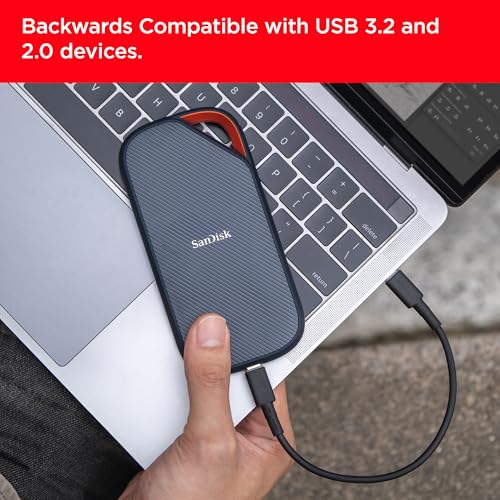
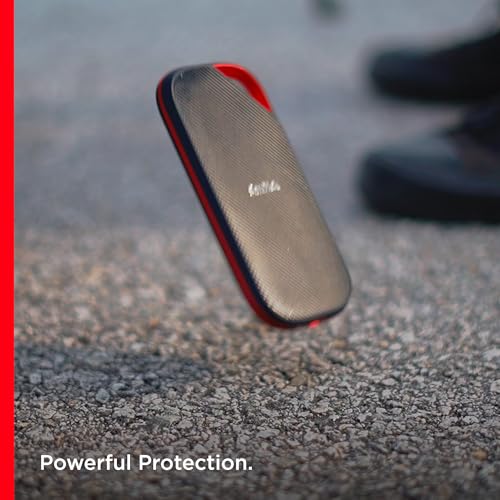
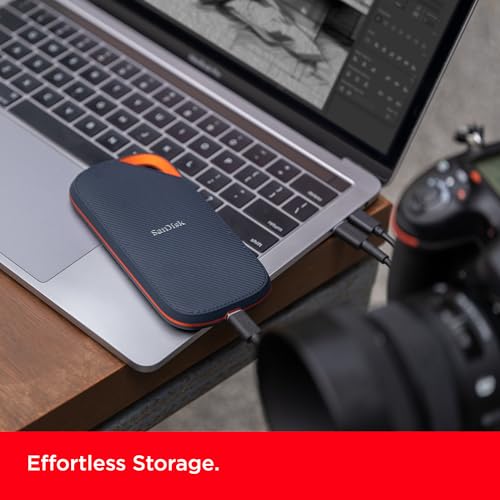
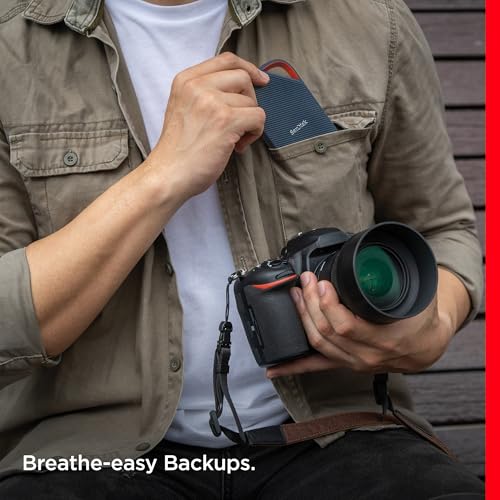
Rounding out the list is the SanDisk Extreme PRO 4TB USB4, the maximum-capacity pick of the tier. It carries the same up-to-3,800MB/s USB4 performance, forged aluminum chassis and SanDisk reliability as the 2TB model, but doubles capacity to 4TB. At around $450 it is the priciest drive in the guide, justified by being the largest pre-built USB4 SSD most creators will encounter.
This is again a USB4 drive with Thunderbolt compatibility — the same cross-compatibility story. For pro creators working with 8K footage, RAW photo catalogs and large archive sets, 4TB at 40Gbps removes the constant juggling of which project lives on which drive. The metal heatsink chassis is essential at this speed and capacity — sustained writes generate heat, and the SanDisk shell is designed to manage it across long sessions. It is the end-game single-drive pick for buyers who would rather pay once for capacity than maintain a fleet of smaller drives.
Pros: Massive 4TB capacity at full USB4 3,800MB/s speed, forged aluminum heatsink chassis.
Cons: Highest price on the list; capacity beyond most everyday workflows.
How to Choose a Thunderbolt 4 / USB4 SSD
Start with the standards question, because it confuses more buyers than any other. USB4 and Thunderbolt 4 are different formal standards, but for portable SSDs they share the same 40Gbps physical layer. A drive sold as USB4 with ‘Thunderbolt Compatible’ (the EX400U, OWC Express, SanDisk Extreme PRO) plugs into a Thunderbolt 4 port on a Mac or PC and runs at full 40Gbps. A drive sold explicitly as Thunderbolt 4 (the Oyen U34 Bolt) carries the TB4 marketing badge for buyers who need it. Both work in both kinds of host ports at the full 40Gbps speed.
Once you have accepted that USB4 and TB4 are practically cross-compatible, focus on the controller and chassis. The Corsair EX400U leads the list on raw figures at up to 4,000MB/s, the SanDisk Extreme PROs sit close behind at 3,800MB/s, and all the picks deliver sustained performance closer to internal NVMe than older USB 3.2 drives could match. The chassis matters more at this speed tier than at lower tiers — sustained 40Gbps writes generate heat, so an aluminum heatsink shell (every drive here) prevents thermal throttling during long sessions.
Capacity follows your real workflow. 1TB (EX400U Survivor 1TB) is the entry point and suits creators carrying current-project working files. 2TB (EX400U Survivor 2TB, Oyen U34 Bolt, SanDisk Extreme PRO 2TB) is the comfort zone for serious editing and pro photography. 4TB (SanDisk Extreme PRO 4TB) is the consolidate-everything pick. The OWC Express 1M2 changes the equation — you supply your own M.2 NVMe inside, so capacity is whatever you choose and cost-per-GB can be better than sealed drives.
Finally, match the shell and certification to your environment. If you shoot on location, in dust or near water, the Corsair EX400U Survivor’s IP55 rugged rating is the strongest argument here. If you specifically need Thunderbolt 4 branding (corporate procurement, certain video certifications), the Oyen U34 Bolt is the clearest pick. If you want maximum capacity flexibility, the OWC Express 1M2 enclosure plus your chosen M.2 is the answer. Pick the shell, capacity and standards story that fit your work, and the right TB4/USB4 SSD is on this list.
Frequently Asked Questions
Is USB4 the same as Thunderbolt 4?
Not formally — they are different standards on paper — but for portable SSDs they share the same 40Gbps physical and electrical layer, which means a USB4 drive plugged into a Thunderbolt 4 port runs at full 40Gbps and vice versa. Drives sold as ‘USB4 (Thunderbolt Compatible)’ like the EX400U, OWC Express and SanDisk Extreme PRO USB4 will work seamlessly in TB4 ports on Macs and PCs. The Oyen U34 Bolt explicitly markets Thunderbolt 4 compatibility for buyers who require the badge.
Do I need Thunderbolt 4 or USB4 host hardware to use these drives?
To hit full 40Gbps speed, yes — you need a USB4 or Thunderbolt 4/5 port on your computer. Plugged into older USB 3.2 Gen 2 (10Gbps) or Gen 2×2 (20Gbps) ports, these drives fall back to those slower speeds gracefully but obviously do not deliver the headline figures. Modern Macs (M-series), high-end gaming laptops and current motherboards typically include USB4 or TB4 ports; older systems may not.
Why is the OWC Express 1M2 cheaper than the sealed drives?
Because the OWC Express 1M2 does not include storage — it is a USB4 / Thunderbolt-compatible enclosure that you fit a separate M.2 NVMe SSD into. That gives you control over capacity (1TB to 8TB) and lets you reuse an M.2 drive you may already own, often producing a better cost per gigabyte than equivalent pre-built drives. Total cost is the enclosure plus the M.2 you install.
Are USB4 SSDs worth it for gaming, or only for creators?
USB4 SSDs are aimed primarily at creators because the workflow gains — fast video edits, RAW photo browsing, big project transfers — most clearly justify the price. For gaming specifically, USB 3.2 Gen 2×2 drives like the Samsung T9 already deliver near-instant load times, and games rarely saturate the bandwidth advantage of 40Gbps. The exception is if you also edit content alongside gaming, in which case a USB4 drive pulls double duty very effectively.
Related Guides
- Best Portable SSDs for Gaming
- Best External SSDs for PS5
- Best Rugged Portable SSDs
- Best Budget External SSDs
- Best NVMe SSDs
- Best Gaming Laptops with USB4
- Best Monitors for Content Creation
- Best Gaming PCs
Affiliate Disclosure: As an Amazon Associate, we earn from qualifying purchases. If you click a link and make a purchase, we may earn a small commission at no extra cost to you. Prices and availability are accurate as of publication and may change.










