

🛒 Best Price Today on Amazon
Prime members get fast, free shipping on everything above, plus member-only deals. New members get a 30-day free trial — cancel anytime.
- Top Budget External Ssds Picks for 2026
- Best Budget External SSDs at a Glance
- 1. MOVE SPEED 512GB Solid State Drive 560MB/s Dual Ports USB-C+A
- 2. Netac 500GB Portable SSD USB 3.2 Gen 2 (10 Gbps, Type-C) External SSD
- 3. Vansuny 500GB Portable External SSD, USB 3.1 Gen2 450MB/s
- 4. SSK 256GB SSD External Portable SSD Up to 550MB/s
- 5. ORICO Portable SSD 256 GB with 2-in-1 USB-C Cable, External SSD up to 460MB/s
- 6. SSK Portable SSD 250GB up to 1,050MB/s USB-C SSD
- How to Choose a Budget External SSD
- Related Guides
- Frequently Asked Questions
- Related Guides
- Related Articles
Quick answer: For most people in 2026, the best budget external ssds is the MOVE SPEED 512GB Dual USB-C+A SSD — our #1 rated choice. See the full ranked comparison, alternatives and buying advice below.
Top Budget External Ssds Picks for 2026
Here are our current top budget external ssds picks, compared on real Amazon owner reviews, price, and features. Live prices update below.
Save $40.00


Save $25.00
Not every portable SSD purchase needs to be a flagship. Sometimes you simply want a small, fast, affordable drive — to carry a few key files between machines, back up your save games and screenshots, hold a current project’s working assets, or give an aging laptop a portable storage boost. That is the budget external SSD job, and in 2026 the under-$80 segment is genuinely useful. You will not get terabytes for the money, but you do get USB-C convenience, real SSD speed (many times faster than any portable hard drive), and capacities from 256GB to 512GB that suit narrow, specific uses without the bloat. This guide rounds up the best budget external SSDs in 2026 from that tier.
Be honest with yourself about capacity: all the drives in this guide range from 250GB to 512GB. None of them are 1TB or larger. They are starter or secondary drives — perfect for a focused job (saves, screenshots, school files, a couple of indie game installs) but not for storing a full PC gaming library or 4K video archive. If you need 1TB+, look at the gaming or Thunderbolt 4 guides instead. With that expectation set, the picks here range from ORICO’s USB-C convenience drives to SSK’s 1,050MB/s pocket SSD, with prices from around $25 to around $70. Below is the comparison table, then per-product detail and a buyer’s guide focused on getting good value at the budget end of the category.
Best Budget External SSDs at a Glance
| Budget SSD | Best For | Standout Spec | Approx Price |
|---|---|---|---|
| MOVE SPEED 512GB Dual USB-C+A SSD | Biggest budget capacity | 512GB, 560MB/s, USB-C+A | around $50 |
| Netac 500GB Portable USB 3.2 Gen 2 | Fastest budget 500GB | 500GB, 10 Gbps USB-C, 550MB/s+ | around $45 |
| Vansuny 500GB Portable USB 3.1 Gen 2 | Compact starter 500GB | 500GB, 450MB/s, USB 3.1 Gen 2 | around $40 |
| SSK 256GB External Portable SSD | Affordable starter SSD | 256GB, up to 550MB/s, USB-C | around $25 |
| ORICO 256GB Portable USB-C SSD | Tidy 2-in-1 USB-C cable | 256GB, 460MB/s, USB-C built-in | around $30 |
| SSK 250GB Portable USB-C SSD | Fastest budget 250GB pick | 250GB, up to 1,050MB/s, USB-C | around $40 |
1. MOVE SPEED 512GB Solid State Drive 560MB/s Dual Ports USB-C+A

6
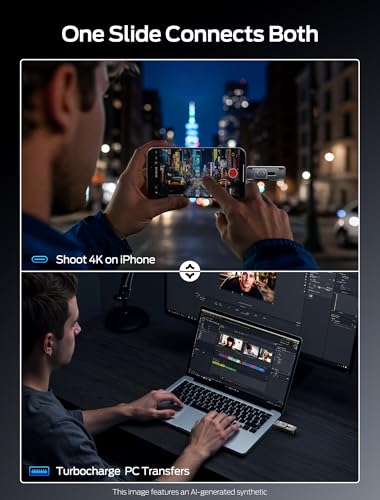
MOVE SPEED 512GB Solid State Drives with Dual Ports & Push-Pull Design — 560MB/s Read Speed, Type C + USB 3.2 Drive Portable ssd for iPhone 15/16/Android/Mac
In Stock
$79.99
Save $8.00
Updated: 6 hours ago



As an Amazon Associate we earn from qualifying purchases. Product prices and availability are accurate as of the date/time indicated.
The MOVE SPEED 512GB is the biggest-capacity budget pick on the list. It is a 512GB external SSD with both USB-C and USB-A connectors built into the drive itself, rated at up to 560MB/s, and at around $50 it offers the best gigabyte-per-dollar value in the under-$80 tier. The dual-connector design is genuinely useful — it plugs into laptops, desktops, consoles and older PCs without needing an adapter or extra cable.
Capacity reality check: 512GB is the maximum in this guide, not a main game drive size. But 512GB is enough for a useful chunk of indie games, current-project files, an extensive save library or a compact creator working folder. The dual USB-C+A connector design saves fumbling for adapters across mixed-port environments, the 560MB/s read speed is plenty for any general transfer work, and the price puts it comfortably in pocket-money territory. The MOVE SPEED is the budget pick for buyers who want as much capacity as possible without breaking $60.
Pros: Biggest 512GB capacity at budget price, dual USB-C+A connector, capable 560MB/s speed.
Cons: Capacity still limited vs 1TB+ drives; not for full PC game libraries.
2. Netac 500GB Portable SSD USB 3.2 Gen 2 (10 Gbps, Type-C) External SSD
7
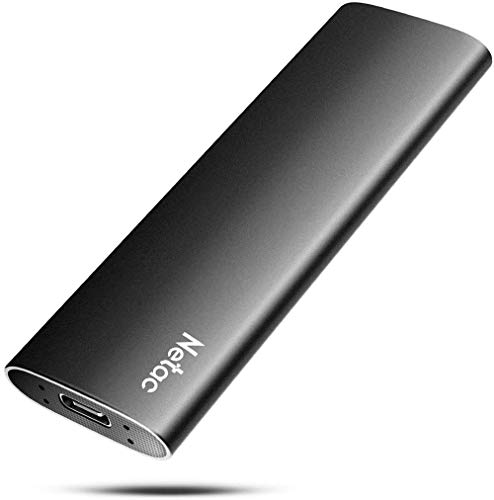
Netac 500GB Portable SSD USB 3.2 Gen 2 (10 Gbps, Type-C) External Solid State Drive Backup Slim Portable Drive for File Storage/Business Travel Essential, Rapid Read & Write Low Noise, Zslim
In Stock
$100.99
Save $8.85
Updated: 2 days ago




As an Amazon Associate we earn from qualifying purchases. Product prices and availability are accurate as of the date/time indicated.
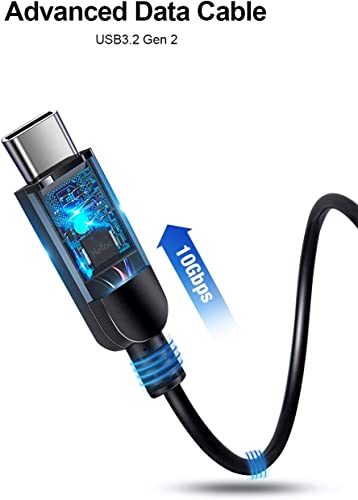
The Netac 500GB is the speed leader of the budget 500GB picks. It uses USB 3.2 Gen 2 at 10 Gbps with a Type-C connector and a metal-finish shell, delivering 550MB/s+ sequential reads — at the top of what a budget 500GB drive achieves. At around $45 it is excellent value for the speed and build it offers in this tier.
Capacity remains modest at 500GB but for the budget tier this is exactly the sweet spot: enough room for several large project folders, a starter game install or two, an extensive media library, or all your saves and screenshots combined. The 10 Gbps USB 3.2 Gen 2 interface means it actually saturates real SSD speed rather than being bottlenecked by an older USB standard, and the Type-C connector keeps cabling tidy on modern laptops and consoles. For a buyer who wants the fastest 500GB budget pick available, the Netac is the standout.
Pros: Genuine USB 3.2 Gen 2 (10 Gbps) speed, 550MB/s+ reads, 500GB at strong budget price, USB-C.
Cons: 500GB ceiling; budget brand without the support depth of premium names.
3. Vansuny 500GB Portable External SSD, USB 3.1 Gen2 450MB/s

7
Vansuny 500GB Portable External SSD, USB 3.1 Gen2 450MB/s High-Speed Data Transfer, Metal USB C Mini Portable External Solid State Drive for PC, Laptop, Phones and More
In Stock
Updated: 2 days ago


As an Amazon Associate we earn from qualifying purchases. Product prices and availability are accurate as of the date/time indicated.
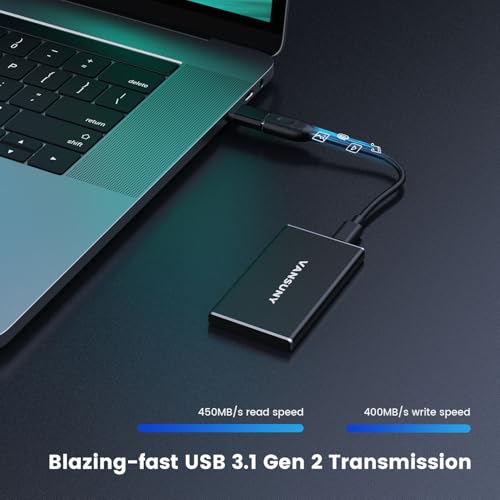
The Vansuny 500GB is the compact starter pick of the 500GB budget set. It uses USB 3.1 Gen 2 with USB-C, rated at 450MB/s sequential reads, in a small ergonomic shell at around $40. It is slightly slower than the Netac on paper but at a slightly lower price, and the compact form factor is convenient for pocket carry.
This is starter capacity — 500GB, not 1TB. Within those limits the Vansuny does its job well: it carries save backups, current school or work files, a moderate game install, or a substantial media library at speeds several times faster than any portable hard drive. The 450MB/s read speed is the practical USB 3.1 Gen 2 limit and still feels snappy in everyday use. For a budget buyer who values compactness and a lower price over the absolute fastest 500GB read figures, the Vansuny is the value-pocket pick.
Pros: Affordable 500GB USB-C, compact ergonomic shell, capable 450MB/s for everyday transfers.
Cons: Slower than the Netac on paper; same 500GB capacity ceiling.
4. SSK 256GB SSD External Portable SSD Up to 550MB/s

9
SSK 256GB Portable SSD External Hard Drive Solid State Drive Up to 550MB/s
In Stock
Price dropped $3.00
Updated: 6 hours ago


As an Amazon Associate we earn from qualifying purchases. Product prices and availability are accurate as of the date/time indicated.
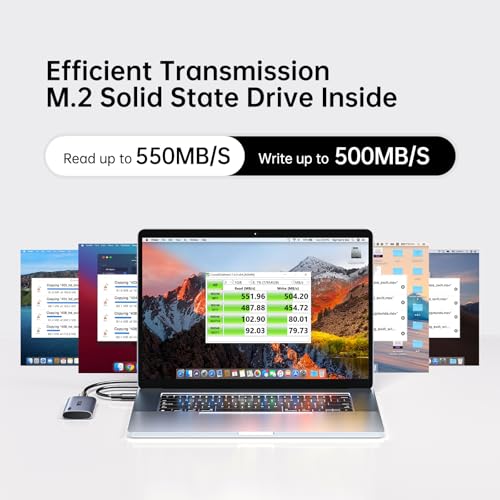
The SSK 256GB is the affordable starter SSD pick. It is a 256GB external SSD rated at up to 550MB/s with a compact USB-C interface, available for around $25 — the cheapest drive on this guide and the easy first SSD for buyers used to slow USB sticks or portable hard drives. SSK has built a reputation for budget-friendly, dependable storage.
256GB is the most modest capacity here, and that is the point. If your use case is targeted — saves and screenshots, a few critical project files, a small media collection, a Windows recovery drive, a ChromeOS or Linux portable workspace — 256GB is plenty and there is no reason to pay for more. The 550MB/s read speed makes it many times faster than the USB stick you might otherwise use, the USB-C connector keeps it simple, and at $25 it is genuinely impulse-purchase territory. As a first portable SSD or a specific-purpose secondary drive, the SSK is the easy budget recommendation.
Pros: Cheapest pick on the list, capable 550MB/s speed, USB-C, reliable SSK build.
Cons: 256GB is small; suits targeted use rather than main storage.
5. ORICO Portable SSD 256 GB with 2-in-1 USB-C Cable, External SSD up to 460MB/s

8
ORICO 256GB Portable SSD with 2 in 1 USB C/A Cable, Up to 460MB/s,Black
In Stock
Price dropped $20.00
Updated: 6 hours ago


As an Amazon Associate we earn from qualifying purchases. Product prices and availability are accurate as of the date/time indicated.
The ORICO 256GB is the tidy-cable budget pick. It is a 256GB external SSD with a built-in 2-in-1 USB-C cable design — the cable folds neatly into the drive housing so there is nothing extra to lose — rated at up to 460MB/s. At around $30 it is one of the cheapest USB-C portable SSDs and the smartest design touch in the budget tier.
256GB capacity again means starter or secondary use. What sets the ORICO apart is the integrated cable: no fumbling for the right USB-C cable, no concerns about cable quality limiting speed, no extra strap or pouch needed. The drive lives complete in your bag, ready to plug in instantly. The 460MB/s read speed is slightly under the SSK and Netac picks but the convenience and cable-included design is unique in this segment. For buyers who hate cable juggling — students, travelers, anyone who regularly forgets the matching cable — the ORICO is the easy pick.
Pros: Integrated 2-in-1 USB-C cable design, no separate cable to lose, capable 460MB/s, 256GB.
Cons: Slightly slower than the fastest budget picks; same modest 256GB capacity.
6. SSK Portable SSD 250GB up to 1,050MB/s USB-C SSD

6
SSK Portable SSD 250GB External Solid State Hard Drive USB C Up to 1050MB/s
In Stock
Updated: 2 days ago



As an Amazon Associate we earn from qualifying purchases. Product prices and availability are accurate as of the date/time indicated.
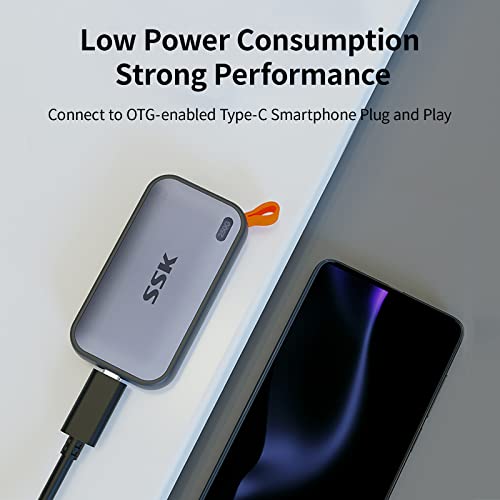
Rounding out the list is the SSK 250GB 1,050MB/s portable, the fastest budget pick of all six. It is a 250GB drive rated at up to 1,050MB/s sequential reads on USB 3.2 Gen 2, in a compact USB-C shell at around $40. It doubles the speed of most other budget drives at the cost of slightly less capacity than the 500GB picks — a clear value choice between size and speed.
250GB is the smallest capacity in this guide but the 1,050MB/s read speed is the highest, matching what premium 1TB drives achieve. That makes the SSK the pick for buyers who want budget pricing and genuinely fast performance, even at small capacity. Loading a few key applications from it, running a portable workspace, transferring files at full SSD speed for short bursts, or pairing with a separate larger drive — these are where the speed pays off. For under $40, it is the most performance per dollar in the segment.

Pros: Fastest budget pick at 1,050MB/s USB-C reads, compact form, premium-tier speed for the price.
Cons: Smallest 250GB capacity; speed needs a USB 3.2 Gen 2 host to realise.
How to Choose a Budget External SSD
The most important thing to set straight at the budget tier is capacity expectations. Every drive in this guide is 250GB to 512GB. None are 1TB or larger. That is a deliberate choice — at under $80, that is the capacity tier the market lives in for genuine SSDs with proper USB-C speed. If you want 1TB+, expect to spend $80-$150 (see the portable gaming SSD guide), and if you want 2TB+, you are in the $170+ tier. For budget shoppers, the right question is what you specifically need 250-500GB for, then pick the speed and feature combo that fits.
For the capacity itself, the choice splits roughly two ways: 250-256GB (SSK 256GB, ORICO 256GB, SSK 250GB) for targeted use — saves, screenshots, a specific project, a portable workspace, a few applications — or 500-512GB (MOVE SPEED, Netac, Vansuny) for a slightly broader role covering media, a couple of game installs, or a more substantial project library. The 500GB tier is roughly $10-$15 more than 256GB; if the extra space buys you a real use, take it.
Speed at the budget tier is more variable than at the premium tier. Most drives here hit 450-560MB/s — fine, USB 3.2 Gen 2-class, many times faster than any portable hard drive. The exception is the SSK 250GB at 1,050MB/s, which matches premium drive speeds at a budget price (the trade is capacity). If raw speed matters for short bursts of transfer, the SSK 250GB is the standout. If you just need normal everyday SSD speed, any of the others is fine.
Finally, look at the small features that change everyday use. The ORICO 256GB has a built-in 2-in-1 cable so there is nothing extra to carry. The MOVE SPEED 512GB has dual USB-C and USB-A connectors for plug-anywhere compatibility without adapters. The Netac and Vansuny stick to conventional USB-C ports and separate cables. None of these matter if you stay on one machine, but if you move between PCs, consoles and laptops, the integrated-cable and dual-connector picks reduce friction. Set your capacity, pick your speed priority, and the right budget drive is on this list.
Frequently Asked Questions
Are budget external SSDs reliable?
Generally yes, for typical home use. Brands like SSK, ORICO, Netac and MOVE SPEED have produced budget storage for years and have established track records for reliability in everyday use. They lack the warranty length and brand-support depth of Samsung, SanDisk and WD premium lines, so for mission-critical data, more redundancy or a premium drive is wiser. For saves, screenshots, secondary storage and portable workspaces, they hold up reliably.
Why are these drives only 256GB to 512GB instead of 1TB?
Because under-$80 is the budget tier of the portable SSD market, and at that price the practical sweet spot is 256GB to 512GB. 1TB drives start around $80-$100 and go up from there; the gaming, PS5 and Thunderbolt guides cover those. The budget tier is built around honest starter capacities — small enough to keep the drive cheap, large enough to do a specific job well.
Can I use a budget SSD for gaming?
For limited gaming use, yes. A 500GB drive like the Netac or MOVE SPEED fits a couple of large indie games, a smaller AAA title, or a Switch-style backup archive. At 256GB you can run a portable Steam Deck or PC save library, a Windows/Linux portable workspace, or a small selection of older games. For storing a full library of modern AAA titles, you want 1TB+ — see the dedicated gaming SSD guide.
What is the difference between USB 3.1 Gen 2 and USB 3.2 Gen 2?
They are the same thing under different names — both are the 10 Gbps USB standard. USB-IF renamed USB 3.1 Gen 2 to USB 3.2 Gen 2 in 2017, so older drives marketed as USB 3.1 Gen 2 (like the Vansuny) and newer drives marketed as USB 3.2 Gen 2 (like the Netac) are using the same 10 Gbps interface. Either delivers around 1,000MB/s ceiling speed, though most budget drives top out around 450-560MB/s in practice.
Related Guides
- Best Portable SSDs for Gaming
- Best External SSDs for PS5
- Best Thunderbolt 4 SSDs
- Best Rugged Portable SSDs
- Best NVMe SSDs
- Best USB-C Hubs
- Best Gaming Laptops on a Budget
- Best Budget Gaming Setup
Affiliate Disclosure: As an Amazon Associate, we earn from qualifying purchases. If you click a link and make a purchase, we may earn a small commission at no extra cost to you. Prices and availability are accurate as of publication and may change.
Ready to decide? Our #1 pick for 2026 is the MOVE SPEED 512GB Dual USB-C+A SSD.
Live price & availability on Amazon.


