The best desktop CO2 laser engravers for batch engraving are the workhorses of a small production shop. A CO2 laser cuts wood, acrylic, leather, paper, fabric, and glass with a speed and edge quality that diode machines struggle to match, and it handles clear acrylic, which diode lasers cannot cut at all. For a team that produces signs, boxes, awards, ornaments, and promotional items in repeated runs, a desktop CO2 machine turns a stack of sheet material into finished goods in a single job.
Desktop CO2 machines sit between hobby diode engravers and industrial flatbed cutters. They use a glass CO2 tube, a water-cooled system, and an enclosed bed, and they pair with LightBurn for production workflows. The buying decision comes down to bed size, tube power, camera positioning, and how the machine handles long material: a passthrough slot or a conveyor changes batch work completely.
What to Look For
Begin with tube power and bed size together, because they decide what a single job can hold. A 45 W tube cuts thinner wood and acrylic well and fits a compact bench, a 55 W tube cuts thicker stock faster, and a 65 W tube handles the thickest acrylic and the largest sheets in this class. A 600 x 300 mm bed fits standard sign blanks, while a 600 x 400 mm bed holds more pieces per job and fewer reloads across a batch.
Next, check camera positioning and passthrough. Dual cameras that show the bed let an operator fill the work area with blanks, align the artwork once, and repeat the job. An auto-passthrough slot feeds material longer than the bed through the machine, which matters for long signs and banners. A conveyor feeder extends that idea further for continuous flat work. Ask how many pieces fit in one job and how the machine re-finds its position after a reload.
Cooling and ventilation are part of the purchase, not accessories to figure out later. CO2 tubes need water cooling, and the machines below list built-in cooling systems, but confirm the cooling setup, the water maintenance, and the exhaust path on the listing. An enclosed bed with a strong exhaust fan and air assist keeps the cut clean and the workspace clear. The machines below are listed as Class 4 laser engravers, so eye protection, ventilation, and a controlled workspace belong in the working plan, along with training for every operator.
The Best Desktop CO2 Laser Engravers for Batch Work
xTool P2S 55W CO2 Laser Cutter

The xTool P2S is the best-selling desktop CO2 machine in its class, and it is built for batch cutting. It uses a 55 W CO2 tube with a 600 x 305 mm work area, dual 16 MP smart cameras, and an auto-passthrough system for material up to 118 inches long. The maker lists cutting of 18 mm basswood and 20 mm acrylic in one pass, and the machine includes adjustable air assist and a strong exhaust fan for clean cuts.
For batch work, the cameras and the passthrough are the features that change the workflow. The cameras show the bed so an operator can lay out a full set of blanks and align the job on screen, and the passthrough handles long signs without cutting them into sections. The enclosed design, curved-surface engraving support, and rotary compatibility extend the machine from flat signs to tumblers and curved items. It fits teams cutting signs, boxes, and acrylic goods in volume.
Monport Reno Pro 65W CO2 Laser Engraver

The Monport Reno Pro 65W pairs the largest bed in this roundup with the highest tube power. It uses a 65 W CO2 tube, a 600 x 400 mm work area, and a listed processing speed of up to 600 mm/s. The maker lists cutting of acrylic up to 20 mm in one pass, a semi-autofocus system, an adjustable Z-axis, and LightBurn compatibility. Built-in water cooling is listed on the Monport product pages, and two working platforms ship with the machine.
The large bed is the batch advantage here. A 24 x 16 inch area holds more blanks per job than the smaller beds in this class, which means fewer reloads across a production run. The semi-autofocus system sets the focal height without a manual gauge, and the adjustable Z-axis accommodates thicker material and rotary work. It fits teams that prioritize bed size and cutting power for large signs and thick acrylic.
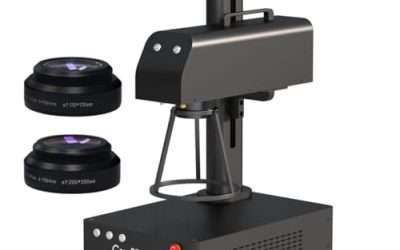
OMTech K40+ 45W CO2 Laser Engraver

The OMTech K40+ 45W is the compact entry into desktop CO2 cutting, and it is the practical pick for a team that wants CO2 capability without a large-bed machine. It uses a 45 W CO2 tube with a 200 x 300 mm work area, and it comes pre-loaded with LightBurn, which removes one setup step for teams that already use that software. The K40 format is the long-running desktop standard, so accessories, replacement parts, and community guidance are widely available.
For batch work, the K40+ fits small items: coasters, tags, ornaments, keychains, and small plaques run well on its bed, and its compact size leaves bench space for a second machine or a packing station. The 45 W tube cuts thinner wood and acrylic cleanly, and the enclosed format keeps the work contained. It is a simpler machine than the two above, with fewer automated features, so the operator handles focus and setup more directly.
This machine suits a small team new to CO2, a workshop with limited bench space, or a second station dedicated to small-item batches. One consideration is the bed size: a 200 x 300 mm area holds far fewer pieces per job than the larger machines above, so large signs need a different machine.
Comparison
| Engraver | Laser | Work area | Batch features |
|---|---|---|---|
| xTool P2S 55W | 55 W CO2 | 600 x 305 mm | Dual 16 MP cameras, auto-passthrough, air assist |
| Monport Reno Pro 65W | 65 W CO2 | 600 x 400 mm | Semi-autofocus, large bed, LightBurn compatible |
| OMTech K40+ 45W | 45 W CO2 | 200 x 300 mm | LightBurn pre-loaded, compact enclosed bed |
FAQ
What materials can a CO2 laser engraver cut?
CO2 lasers cut and engrave wood, acrylic including clear acrylic, leather, paper, cardboard, fabric, glass, and many plastics. They are the standard choice for acrylic work because the beam cuts clear acrylic cleanly. Bare metal needs a fiber laser instead, although a CO2 machine can mark coated metal with the right preparation.
How much tube power do I need for batch engraving?
A 45 W tube handles thin wood and acrylic and small-item batches well. A 55 W tube cuts thicker stock faster and suits mixed sign and box work. A 65 W tube is the pick for thick acrylic, large sheets, and high-volume cutting where cycle time matters. Match power to the thickest material you cut every week, not the thickest material you might cut once.
What cooling does a desktop CO2 laser need?
CO2 tubes need water cooling, and the machines above list built-in cooling systems. Confirm the cooling setup, the water type and change interval, and the exhaust path on the listing and in the manual before the first job. Keep the cooling system filled and the exhaust fan clear, and never run the tube without cooling.
Conclusion
Match the bed and the tube to your largest standard job, confirm cooling and ventilation first, and the machine will keep pace with the order book.
Disclosure: As an Amazon Associate, we earn from qualifying purchases.