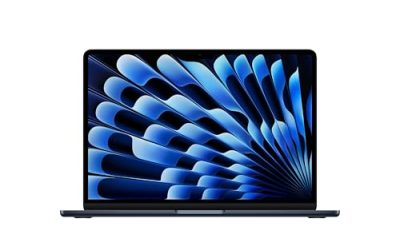
Presenting on the move calls for a device that can face a room, connect to a display, and keep going between meetings. The best Windows detachable tablets for mobile presentations do all three: the screen detaches from the keyboard, the kickstand holds it at a readable angle, and the tablet runs full Windows 11 with the same presentation apps used on an office PC.
A detachable tablet also adapts to the room. With the keyboard attached, it works as a laptop for last-minute edits to slides. With the keyboard removed, it becomes a slim screen that can sit on a table, pass around for a closer look, or prop up on its kickstand while the presenter talks.
This guide covers three Windows detachable tablets that suit mobile presentations. Each one runs Windows 11, includes or supports a detachable keyboard, and uses a kickstand to stand on its own.
What to Look For
Kickstand and viewing angles: A built-in kickstand that adjusts to many angles is the most flexible option for presenting, because it works with or without the keyboard and adapts to table height and seating position.
Video output: Check how the tablet connects to a projector or display. A full-size HDMI port connects directly with a standard cable, while USB-C video output works with adapters and docks.
Screen size and brightness: A 13-inch or 13.4-inch screen is easier for a small group to read than a 10.5-inch screen, and a high-resolution display keeps slides and charts sharp.
Front camera and microphones: Many presentations now include a video call, so a front-facing camera and clear microphones matter for hybrid meetings.
Battery life: Long battery life matters when outlets are scarce between meetings.
Weight and keyboard: A light tablet is easier to carry between rooms, and a detachable keyboard turns it into a laptop for editing slides.
The Best Windows Detachable Tablets for Mobile Presentations
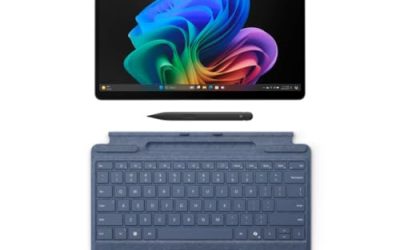
Microsoft Surface Pro 11 Copilot+ PC Bundle with Sapphire Pro Keyboard and Slim Pen

- Amazon: https://www.amazon.com/dp/B0DLF2Y9FZ
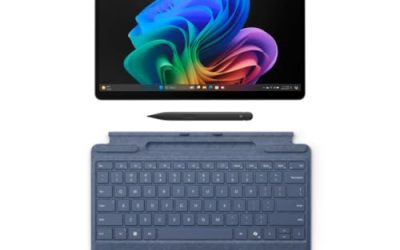
This Microsoft Surface Pro 11 bundle pairs a 13-inch 2.8K touchscreen tablet with the Sapphire Pro Keyboard and a Slim Pen, so the keyboard and pen arrive in the same box. It runs Windows 11 Pro on a Snapdragon X Plus processor, with 16GB of RAM and 512GB of SSD storage. The 13-inch display gives room for slides with speaker notes beside them, and the built-in kickstand adjusts to a wide range of angles for tabletop presenting.
The Slim Pen stores and charges on the device. The keyboard attaches magnetically and includes a trackpad, turning the tablet into a full laptop for last-minute slide edits.
This tablet suits a presenter who wants a complete setup in one purchase, with the largest Surface screen in this guide and a keyboard included. One consideration is its size and weight, so buyers who prioritize the lightest possible bag may prefer a 12-inch or 10.5-inch model.
ASUS ROG Flow Z13 2.5K 180Hz Touchscreen 2-in-1 Gaming Notebook

- Amazon: https://www.amazon.com/dp/B0DT7MNLTD
The ASUS ROG Flow Z13 is a 13.4-inch detachable 2-in-1 with a 2.5K 180Hz ROG Nebula touchscreen, an AMD Ryzen AI MAX+ 395 processor, 32GB of RAM, and a 1TB SSD, running Windows 11. Its large, bright screen is easy to read across a meeting table, and its display covers the full DCI-P3 color gamut with Pantone validation, so slides and charts look accurate on screen. Its detachable keyboard turns the tablet into a laptop for typing, while the built-in kickstand holds the screen up for presenting.
Connectivity is the Z13’s strongest point for presentations. It has a full-size HDMI port for a direct connection to a projector or display, two USB4 ports, a USB-A port, and a dedicated charging port, so there is little need for adapters and hubs. It has plenty of headroom for live demos with demanding apps running beside the slides.
This tablet suits a presenter who connects to room displays often and runs live demos rather than static slides. One consideration is that it is heavier and more power-hungry than the Surface models in this guide, so buyers who prioritize the lightest bag should weigh that against its screen and connectivity.
Microsoft Surface Go 4 Tablet, 10.5-Inch, Windows 11 Pro

- Amazon: https://www.amazon.com/dp/B0CTB6SWBM
The Microsoft Surface Go 4 is a compact 10.5-inch Windows tablet with a Full HD touchscreen, an Intel Processor N200, 8GB of RAM, and 128GB of storage, running Windows 11 Pro in a Platinum finish. It weighs 521 grams without accessories, making it the lightest tablet in this guide, and its built-in kickstand and USB-C charging suit travel and shared workspaces.
The Go 4 works with a detachable Type Cover keyboard, sold separately, which attaches magnetically and includes a trackpad for laptop-style typing. It also supports Surface Pen input, with the pen sold separately. Windows 11 Pro adds business features such as device management and security controls, and the tablet supports up to 12.5 hours of battery life according to Microsoft.
This tablet suits a presenter who travels light and presents to one or two people at a time, or over video calls. It works well for slides, documents, and video calls on the move, with cloud storage handling larger files. One consideration is that the 10.5-inch screen is small for presenting to a room, and 8GB of memory and 128GB of storage limit how many large apps and files it can hold at once.
Comparison
| Product | Screen | Video Output | Keyboard | Weight and Battery | Best For |
|---|---|---|---|---|---|
| Surface Pro 11 bundle | 13-inch 2.8K touchscreen | USB-C | Included | Full-size Surface, long battery | Complete setup in one box |
| ASUS ROG Flow Z13 | 13.4-inch 2.5K 180Hz touchscreen | Full-size HDMI, 2x USB4 | Detachable, included | Heavier, most powerful | Room displays and live demos |
| Surface Go 4 | 10.5-inch Full HD touchscreen | USB-C | Type Cover, sold separately | 521 grams, up to 12.5 hours | Lightest travel presenter |
FAQ
Can I connect a detachable tablet to a projector?
Yes. The ROG Flow Z13 has a full-size HDMI port for a direct cable connection, while the Surface models connect over USB-C to a display, dock, or adapter. Check the meeting room’s inputs before traveling, and carry the matching cable or adapter for the display you will use.
Do I need the keyboard for presenting?
Not always. Slides can run from the tablet alone on its kickstand, with the touchscreen or a pen advancing them. The keyboard is useful for last-minute edits, typing in a video call chat, and working between presentations.
How long will the battery last during a day of meetings?
That depends on screen brightness, video calls, and how many apps run at once. The Surface Go 4 is rated by Microsoft for up to 12.5 hours of battery life, which covers a full day of light use.
Is a bigger screen always better for presenting?
For a room, yes: a 13-inch or 13.4-inch screen is easier for a group to read than a 10.5-inch screen. For one-to-one presenting or video calls, a smaller screen is fine and much lighter to carry.
Conclusion
A Windows detachable tablet earns its place in a presenter’s bag by standing on its own, connecting to the room display, and running full presentation software. The Surface Pro 11 bundle covers the most ground with its large screen and included keyboard, the ROG Flow Z13 brings the strongest connectivity for room displays and live demos, and the Surface Go 4 is the lightest choice for travel.
Disclosure: As an Amazon Associate, we earn from qualifying purchases.