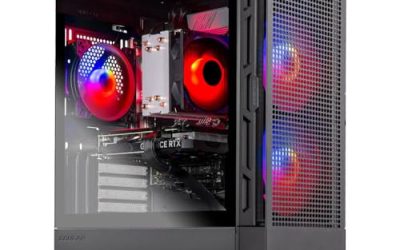
Learning how to choose a gaming PC for world of warcraft is different from picking a machine for a typical modern shooter. World of Warcraft is an older game with a modern engine, and its demands fall in unusual places. A computer that handles a brand-new cinematic action game with ease can still stumble in a crowded capital city or a 20-player raid, while a well-balanced mid-range machine can run the game smoothly for years. The trick is knowing which parts matter most.
Why World of Warcraft Pressures Unusual Parts
The game has grown through many expansions, and its workload leans heavily on the processor while the graphics card handles a comparatively modest rendering job at 1080p. Understanding this split is the first step toward spending money in the right places.
Cities and crowded zones. Open-world questing in a quiet zone is light work for almost any modern computer. Walk into a capital city at peak hours, however, and the processor suddenly has far more to track: hundreds of player characters, mounts, pets, and auction house activity. Frame rates in these spots depend far more on processor speed than on graphics power, and even strong machines see dips here.
Raids and large group content. Raids, battlegrounds, and world bosses put the processor under the heaviest load in the game. Twenty or more players casting spells at once means a flood of combat events, visual effects, and interface updates. The graphics card still has to draw everything, but the processor decides whether the game stays smooth when the screen fills with effects. Players who raid regularly should weigh processor performance more heavily than players who mostly quest alone.
Addons add processor work. Many players run interface addons for damage meters, boss warnings, and unit frames. Each addon adds processor work, and a heavy addon collection can noticeably lower frame rates in group content. A machine with a strong processor and plenty of memory handles a loaded interface far better than one that only just meets the minimum requirements.
Blizzard Published Requirements: The Floor and the Target
Blizzard publishes minimum and recommended system requirements, and they are the best anchor for any buying decision. The minimum tier describes the hardware needed to run the game at low settings, while the recommended tier describes a comfortable experience. Requirements change as new expansions arrive, so confirm the current page on the Blizzard site before buying.
| Component | Minimum | Recommended |
|---|---|---|
| OS | Windows 10 64-bit | Windows 10 64-bit |
| Processor | 4 cores at 3.0 GHz, Intel Haswell generation or AMD Ryzen Zen | 6 cores at 3.5 GHz, Intel Coffee Lake generation or AMD Ryzen Zen 2 |
| Graphics | DirectX 12 capable card with 3 GB of video memory, GeForce GTX 900 series or AMD GCN 4th generation | DirectX 12 capable card with 8 GB of video memory, GeForce RTX series or AMD RDNA 2 |
| Memory | 8 GB RAM | 16 GB RAM |
| Storage | 128 GB available space, SSD recommended | 128 GB available space on an SSD |
Treat the minimum as a floor, not a goal. A machine at the minimum tier will run the game at low settings with little headroom for group content, addons, or future patches. A new purchase should aim at the recommended tier or above, because that is where the game feels good rather than merely functional.
The SSD is not optional in practice. Blizzard lists solid-state storage in the recommended tier, and it makes one of the largest differences in everyday play. Loading screens shrink dramatically, entering a new zone no longer causes hitches while assets stream in, and patching goes far more quickly. A spinning hard drive can technically hold the game, but the experience is poor enough that no new gaming PC should use one as the game drive.
CPU or GPU: Where the Money Should Go
The central question in any World of Warcraft build is how to split the budget between processor and graphics card. For most other games the graphics card takes the larger share, but World of Warcraft rewards a different balance.
The processor carries the game. World of Warcraft depends heavily on single-core processor performance, meaning how fast one core can work, rather than on having a very large number of cores. Six fast cores are generally more useful for this game than twelve slower ones. When choosing between two processors, favor higher clock speed and newer architecture over a higher core count.
The graphics card sets the visual ceiling. The graphics card determines which detail settings and resolutions the machine can hold. At 1080p, a mid-range card from the current or previous generation handles high settings well. At 1440p, a stronger card is needed to hold the same settings, and at 4K the graphics card becomes the main bottleneck. The game also supports modern rendering features such as ray-traced shadows, which raise the graphics load considerably; those features are a bonus for a strong card, not a requirement for enjoying the game.
Balance beats extremes. A build with a top-tier graphics card paired with a weak processor will disappoint in raids, because the processor will cap performance before the graphics card ever gets to work. The best results come from pairing a solid mid-range or better processor with a graphics card in a similar class, so neither part waits on the other.
Memory, Storage, and the Rest of the System
Once the processor and graphics card are settled, the supporting parts decide whether the machine feels responsive day to day.
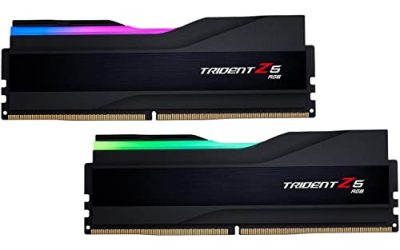
Memory: 16 GB is the sweet spot. Blizzard recommends 16 GB of system memory, and that amount covers the game, the OS, a browser with a few tabs, voice chat, and a normal addon collection at the same time. Players who stream, record gameplay, or run many background programs should consider 32 GB, which removes memory pressure entirely and leaves room for multitasking.
Storage: size and speed both count. The game installation needs around 128 GB of free space, and that figure grows with each expansion and patch. A 500 GB solid-state drive leaves comfortable room for the game, the OS, and a few other programs, while a 1 TB drive is the safer choice for players who keep several games installed.
Resolution and Settings: Match the Monitor
The monitor decides how much graphics power the machine needs, so it should be chosen together with the computer rather than after it.
1080p remains the easy target. At 1920 by 1080, World of Warcraft runs well on modest hardware. A mid-range graphics card holds high settings comfortably, and the processor is usually the limiting factor in crowded scenes. A 1080p display with a high refresh rate is a good match for players who value smooth motion in combat.
1440p is the sweet spot for most players. At 2560 by 1440, the game looks noticeably sharper, and a strong mid-range or better graphics card is needed to hold high settings. This resolution pairs well with a 27-inch display and is the most common choice for players buying a new machine today.
4K demands a serious graphics card. At 3840 by 2160, the graphics card does four times the pixel work of 1080p, and only high-end cards hold high settings smoothly. Many players at 4K lower a few settings, such as shadow quality or anti-aliasing, to keep the game fluid.
Settings that cost the most performance. A few graphics options carry a much larger performance cost than the rest. Shadow quality, liquid detail, and environmental detail are among the heaviest, and lowering them slightly often recovers a large amount of smoothness with little visible loss. Keep view distance high, since it affects awareness, and trim shadow and water quality first.
Budget Tiers: What Each Level Buys
Budget is the other half of the decision, and World of Warcraft is forgiving: the game scales well across a wide range of hardware. The tiers below describe what to expect rather than naming specific parts, because prices and model names shift constantly.
Entry level: questing and casual play. An entry-level machine built around a modern quad-core or six-core processor, a modest graphics card with at least 4 GB of video memory, 16 GB of memory, and a solid-state drive handles solo questing, dungeons, and older content at 1080p without trouble. Expect to use medium settings and to see frame drops in the busiest cities and largest raids.
Mid-range: the best value for most players. A mid-range machine with a fast six-core processor, a current-generation mid-range graphics card with 8 GB of video memory, 16 GB of memory, and a fast NVMe drive is the sweet spot for World of Warcraft. It holds high settings at 1080p, handles 1440p well, and stays smooth in raids and battlegrounds with a normal addon collection.
High-end: maximum detail and 4K. A high-end machine pairs a top-tier gaming processor with a powerful graphics card, 32 GB of memory, and a large NVMe drive. It holds maximum settings at 1440p, drives 4K at high settings, and keeps frame rates steady in the most crowded scenes the game can produce. This tier suits players who raid at a serious level, create content, or simply want the game to look its best for years.
Prebuilt or custom. A prebuilt computer is the simpler path: it arrives assembled, covered by a single warranty, and ready to play. The trade-off is that prebuilt machines sometimes pair a strong graphics card with a weaker processor or a small power supply, so check the full parts list rather than the headline graphics card. Either path works for World of Warcraft, provided the processor and graphics card are balanced as described above. For ready-made picks matched to the game, see the guide to the best gaming PC for World of Warcraft.
Mistakes to Avoid
A few common errors cause more disappointment than any other buying decision, and all of them are easy to avoid.
Buying for the headline graphics card alone. Marketing for gaming computers leads with the graphics card, but World of Warcraft punishes a weak processor more than most games. Always read the full parts list.
Skimping on storage. A small solid-state drive fills quickly once the game, the OS, and patches are counted. Buy more storage than the minimum and keep at least a fifth of the drive free.
Ignoring the monitor. A powerful computer connected to a low-resolution or slow display wastes its potential, while a sharp high-refresh display connected to a weak computer will expose every frame drop.
Forgetting future expansions. World of Warcraft grows with every expansion, and requirements rise over time. A machine that only just meets the recommended tier today may fall short in two years.
Frequently Asked Questions
How much should a gaming PC for World of Warcraft cost?
There is no single figure, because the right budget depends on resolution, settings, and how much group content is played. An entry-level machine covers solo play at 1080p, a mid-range machine is the best value for raids and 1440p, and a high-end machine is for maximum settings, 4K, or streaming.
Is World of Warcraft more CPU heavy or GPU heavy?
World of Warcraft leans more on the processor than most modern games, especially in raids, battlegrounds, and crowded cities, where the processor tracks many players, spells, and interface updates at once. The graphics card still matters: it sets the resolution and detail settings the machine can hold. A balanced build with a fast processor and a capable graphics card gives the best results.
How much RAM and storage does World of Warcraft need?
Blizzard recommends 16 GB of system memory and 128 GB of available space on a solid-state drive. 16 GB covers the game, voice chat, a browser, and a normal addon collection, while 32 GB suits players who stream or multitask heavily.
Can a laptop run World of Warcraft well?
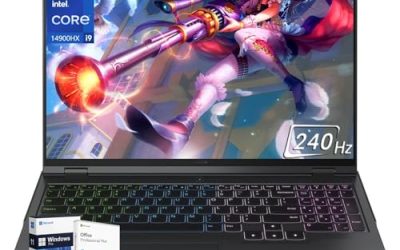
Yes, a modern gaming laptop with a fast processor, a dedicated graphics card with at least 8 GB of video memory, 16 GB of memory, and a solid-state drive runs the game well, including raids at 1080p or 1440p. Laptops run hotter and throttle more easily than desktops, so cooling matters, and a laptop is harder to upgrade later.
As an Amazon Associate we earn from qualifying purchases.