Finding the best gaming PC for Starfield comes down to one simple idea: the game is large, dense, and demanding in ways that do not show up on a short spec sheet. Cities in Starfield are filled with characters, lighting, and geometry, while open planets ask a graphics card to draw wide landscapes under a changing sky. A balanced prebuilt desktop handles both jobs at once, pairing a capable processor with enough graphics memory, enough system memory, and a fast solid-state drive.
What Starfield Asks From a PC
Bethesda lists two tiers for the PC version of Starfield. The minimum tier calls for a Ryzen 5 2600X or Core i7-6800K processor, 16 GB of memory, a Radeon RX 5700 or GeForce GTX 1070 Ti graphics card, DirectX 12, and 125 GB of available space on an SSD. The recommended tier moves to a Ryzen 5 3600X or Core i5-10600K processor, 16 GB of memory, a Radeon RX 6800 XT or GeForce RTX 2080 graphics card, and the same 125 GB SSD requirement. The SSD is not a suggestion. Starfield must live on an SSD, because a hard drive causes long loads and uneven frame pacing when the game streams new areas.
Those official tiers are a floor, not a target for high settings. A modern RTX 4060 is comfortably ahead of the recommended RTX 2080 in efficiency and features, while an RTX 4060 Ti with 16 GB of video memory adds headroom for higher texture settings at 1440p. An RTX 4070 Ti or RTX 4070 Super goes further, holding higher settings at 1440p and giving 4K play a realistic footing with upscaling and sensible settings. On the processor side, a current six-core or eight-core chip keeps crowded city scenes smooth, and 16 GB of memory meets the official requirement, while 32 GB leaves more room for background tasks. Storage also deserves attention. A 500 GB drive can hold the game, but 125 GB for Starfield plus Windows, launchers, and other games fills it quickly, so a 1 TB drive is the safer default for most players.
How to Pick the Right Prebuilt for Starfield
Match the graphics card to the monitor. A 1080p display pairs well with an RTX 4060, a 1440p display benefits from an RTX 4060 Ti with 16 GB of video memory or stronger, and a 4K display calls for an RTX 4070 Super or RTX 4070 Ti with settings tuned to the game.
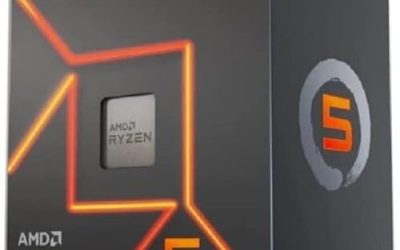
Do not ignore the processor. Starfield leans on the CPU in settlements and during scene changes, so a current Ryzen 5 or Core i5 is the sensible minimum, and a Core i7 gives extra margin for multitasking. An older or low-clocked processor can hold back a good graphics card in the busiest areas.
Treat 16 GB of RAM as the floor. All five picks here meet or exceed that floor. A 32 GB system is the better long-term choice for players who keep a browser, chat, and music open beside the game, and it removes memory as a worry for future content.
Insist on an NVMe SSD with room to grow. The game needs 125 GB on an SSD, and a 1 TB NVMe drive leaves space for updates and a second large game. A 500 GB drive works only for a player who keeps the library small and manages space often.
Check cooling, power, and upgrade room. A mesh front, a capable CPU cooler, and a Gold-rated power supply help a system hold steady during long sessions in space and on planets. A case with spare drive bays and memory slots also makes a later RAM or storage upgrade simple.
1. Skytech Gaming Nebula

The Skytech Gaming Nebula is the entry point in this guide, and it is the right pick for a player at 1080p who wants high settings without paying for power the monitor cannot use. Its Intel Core i5-13400F runs at 2.5 GHz with a boost up to 4.6 GHz, and the GeForce RTX 4060 with 8 GB of GDDR6X memory sits well above the recommended RTX 2080 class. That pairing handles Starfield at 1080p on high settings, with the 16 GB of DDR4 memory at 3200 MHz keeping the official memory requirement covered. A 1 TB NVMe SSD holds the game with room left for updates, and the 600W Gold power supply and Wi-Fi support round out a complete setup running Windows 11 Home. The Nebula case uses ARGB fans for airflow, and the build arrives ready to play, with no assembly needed beyond plugging in a monitor, keyboard, and mouse. ASIN: B0C9PNZJCF
Specs
- CPU: Intel Core i5-13400F, 2.5 GHz, boost up to 4.6 GHz. GPU: NVIDIA GeForce RTX 4060, 8 GB GDDR6X. RAM: 16 GB DDR4, 3200 MHz. Storage: 1 TB NVMe SSD. Power supply: 600W Gold. Connectivity: Wi-Fi. OS: Windows 11 Home. Target: 1080p, high settings.
2. iBUYPOWER SlateMesh

The iBUYPOWER SlateMesh takes the same 1080p goal and moves it onto a newer AMD platform, which makes it a good alternative for a player who prefers Ryzen and DDR5 memory. Its Ryzen 5 7600 processor has six cores and twelve threads, and it pairs with a GeForce RTX 4060 with 8 GB of memory, so Starfield runs at 1080p on high settings and can stretch to 1440p on medium settings with upscaling. The 16 GB of DDR5 memory runs at 5200 MHz, which suits the AM5 platform, and the mesh front panel helps cool air reach the graphics card during long planet-side sessions. The one compromise is storage: the 500 GB NVMe SSD holds Starfield and Windows, but the library must stay small, and a second drive is the natural first upgrade. A fan cooler keeps the processor in check, RGB lighting gives the build a modern look through tempered glass, and Windows 11 Home is included. ASIN: B0CCZYRNHK
Specs
- CPU: AMD Ryzen 5 7600, six cores, twelve threads. GPU: NVIDIA GeForce RTX 4060, 8 GB. RAM: 16 GB DDR5, 5200 MHz. Storage: 500 GB NVMe SSD. Cooling: fan cooler with RGB fans. Case: Slate Mesh with tempered glass. OS: Windows 11 Home. Target: 1080p, high settings; 1440p, medium settings.
3. CyberPowerPC Gamer Xtreme VR

The CyberPowerPC Gamer Xtreme VR is the pick for a player who wants 1440p with confidence, and the reason is the 16 GB of video memory on its graphics card. Its Intel Core i7-13700F has eight performance cores plus eight efficiency cores, and the GeForce RTX 4060 Ti with 16 GB of memory gives Starfield room for higher texture settings without the memory pressure that an 8 GB card can feel at 1440p. The 16 GB of DDR5 memory and 1 TB PCIe Gen4 NVMe SSD match the rest of the build, so loading stays quick and the game has room beside other titles. Wi-Fi is included, a keyboard and mouse come in the box, and the tempered glass side panel with RGB lighting shows off the build. Windows 11 Home is installed and ready. This is also a good choice for a player who plays other demanding games at 1440p, because the 16 GB frame buffer and the strong Core i7 keep the system useful across a wider library. ASIN: B0CBL8N3FC
Specs
- CPU: Intel Core i7-13700F, eight performance cores plus eight efficiency cores. GPU: NVIDIA GeForce RTX 4060 Ti, 16 GB. RAM: 16 GB DDR5. Storage: 1 TB PCIe Gen4 NVMe SSD. Connectivity: Wi-Fi, 6 x USB 3.1, Ethernet. Case: tempered glass side panel, RGB lighting. OS: Windows 11 Home. Target: 1440p, high settings.
4. HP OMEN 45L

The HP OMEN 45L is the premium mid-range pick, built for a player who wants 1440p on ultra settings and a system that feels substantial in the room. Its Intel Core i7-13700KF pairs with a GeForce RTX 4070 Ti, a combination that clears the recommended tier by a wide margin and holds high frame rates at 1440p in Starfield. The 16 GB of memory meets the official requirement, the 1 TB solid-state drive gives the game the fast storage it demands, and Windows 11 Home is included. The 45L case is the defining feature: a large chassis with a patented liquid-cooled cryo chamber design that moves the radiator into a separate chamber for cooler air, which helps the system stay steady during long sessions. That cooling headroom matters in Starfield, where city scenes and combat can keep both the processor and the graphics card busy for extended periods. ASIN: B0BZ3131MX
Specs
- CPU: Intel Core i7-13700KF, 13th generation. GPU: NVIDIA GeForce RTX 4070 Ti. RAM: 16 GB. Storage: 1 TB solid-state drive. Cooling: OMEN cryo chamber liquid cooling. OS: Windows 11 Home. Target: 1440p, ultra settings.
5. Alienware Aurora R16

The Alienware Aurora R16 is the strongest pick in this guide, and the one to choose for 1440p on ultra settings or a first step into 4K play. Its Intel Core i7-14700F pairs with a GeForce RTX 4070 Super with 12 GB of GDDR6X memory, and the 32 GB of DDR5 memory is double the official requirement, which leaves ample room for background apps and future content. A 1 TB SSD holds Starfield on fast storage, liquid cooling keeps the processor in check, and Windows 11 Home is included with a year of onsite service. The Legend 3 design focuses on airflow and quieter acoustics, so the system stays composed during long sessions, and the Basalt Black finish gives it a restrained look beside a monitor. At 1440p, this build handles ultra settings with margin to spare, and at 4K it plays well with upscaling and tuned settings rather than maximum settings everywhere. ASIN: B0DKG8G5J3
Specs
- CPU: Intel Core i7-14700F. GPU: NVIDIA GeForce RTX 4070 Super, 12 GB GDDR6X. RAM: 32 GB DDR5. Storage: 1 TB SSD. Cooling: liquid cooling. OS: Windows 11 Home. Service: 1 year onsite service. Target: 1440p, ultra settings; 4K with upscaling and tuned settings.
Which Pick Fits Each Setting Level
A 1080p player who wants high settings should choose the Skytech Nebula or the iBUYPOWER SlateMesh, with the Nebula winning on storage and the SlateMesh winning on platform and memory speed. A 1440p player who wants high settings should choose the CyberPowerPC Gamer Xtreme VR, because its 16 GB of video memory is the key advantage at that resolution. A 1440p player who wants ultra settings should choose the HP OMEN 45L or the Alienware Aurora R16, with the Aurora R16 winning on memory and future headroom. A 4K player should choose the Aurora R16 and tune settings rather than forcing every option to maximum, because even a strong card benefits from upscaling at that resolution.
Settings inside the game matter as much as hardware. Shadow quality, crowd density, and volumetric lighting carry a heavy cost in cities, so lowering one or two of those options can smooth frame pacing without a visible loss in image quality. The companion guide on Starfield settings for PC explains how to balance visuals and smoothness in detail, and it pairs well with any of the five builds above. A player who pairs a good build with sensible settings gets a steadier experience than a player who buys a stronger card and leaves every option at maximum.
As an Amazon Associate we earn from qualifying purchases.
Frequently Asked Questions
How much RAM does Starfield need on PC?
Starfield lists 16 GB of memory in both its minimum and recommended tiers, so 16 GB is the floor. A 32 GB system, such as the Alienware Aurora R16 in this guide, gives more room for background apps and future updates, and it removes memory as a concern for most players.
Does Starfield need an SSD?
Yes. Bethesda lists an SSD as required in both tiers, with 125 GB of available space. Installing the game on a hard drive causes long loads and uneven frame pacing, so every pick in this guide uses an SSD, and a 1 TB drive is the safer default.
Which graphics card is best for Starfield at 1440p?
An RTX 4060 Ti with 16 GB of video memory is a strong match for 1440p on high settings, and an RTX 4070 Ti or RTX 4070 Super is the better match for ultra settings. The extra video memory helps with higher texture settings and keeps dense city scenes smooth.
Can an RTX 4060 run Starfield?
Yes. An RTX 4060 sits above the recommended RTX 2080 class and runs Starfield at 1080p on high settings in the builds in this guide. A player at 1440p should step up to a 16 GB RTX 4060 Ti or stronger for a smoother experience at higher settings.