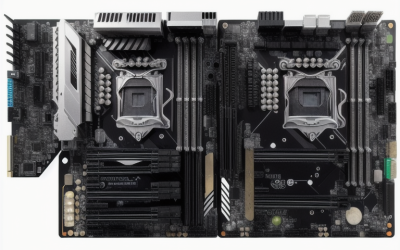
- Top Pick: SHANGZHAOYUAN B85M PRO LGA 1150 Motherboard for Intel 4th Gen Core i7 i5 i3/Pentium/Celeron Series Processors (Micro-ATX, DDR3, PCIe 3.0, NVME M.2, SATA 3.0, VGA/DVI/HDMI-Compatible, Gigabit LAN)
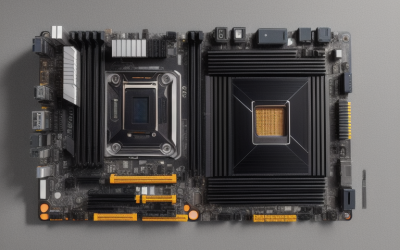
- Best Value: ASRock D1800M Micro ATX Motherboard with Intel Dual-Core J1800, DDR3 1333, PCIe 2.0, HDMI/DVI-D/VGA, COM & LPT Headers
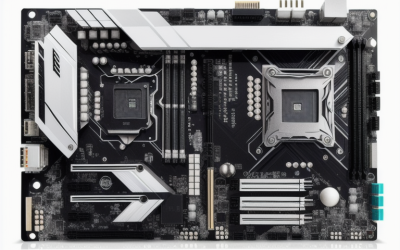
- Premium Choice: SHANGZHAOYUAN LGA 1155 Motherboard H61 for Intel 2th/3th Core i7/i5/i3 DDR3 | NVME/NGFF M.2, PCIe X16, 100M LAN, VGA, HDMI-Compatible PC Gaming Mainboard
Nobody builds a new gaming rig around DDR3 on purpose. The people who search for a DDR3 motherboard are usually rescuing something: a drawer full of 8GB sticks, a Xeon that still has plenty of cores, an office desktop with a dead board, or a retro-leaning build where the memory already exists. The decision is less about speed and more about socket, chipset and which storage features survive on a board this old.
This guide is for those repair-and-reuse buyers in 2026. Each board below names DDR3 in its listing, and the sections ahead explain how to match a board to a processor generation, what the M.2 and PCIe notes really mean, and where the older chipsets fall short for a modern gaming card or a fast NVMe drive.
Quick Picks
As an Amazon Associate we earn from qualifying purchases at no extra cost to you.




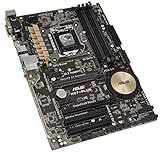
| Product | Best for | Key spec from the title |
|---|---|---|
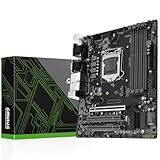
| SHANGZHAOYUAN B85M PRO | 4th Gen Core builds with NVMe | LGA 1150, Micro-ATX, PCIe 3.0, M.2 |
| ASRock D1800M | Low-power office or embedded use | Intel J1800, DDR3 1333, COM and LPT headers |
| SHANGZHAOYUAN H61 (LGA 1155) | 2nd and 3rd Gen Core reuse | LGA 1155, M.2, 100M LAN |
| SHANGZHAOYUAN H97M PRO | 4th and 5th Gen Core chips | 4 DDR3 slots, USB 3.0, M.2 |
| MACHINIST H81M-PRO S1 | Simple LGA 1150 desktop | Dual-channel, max 16GB DDR3 |
| SHANGZHAOYUAN X79 S7 | Xeon E5 workstation reuse | LGA 2011, DDR3 up to 256GB |
| Gigabyte GA-Z97X-UD3H | Full-size Z97 enthusiast board | ATX, LGA 1150, DDR3 1600 |
| Asus H81M-K | Basic Micro-ATX replacement | LGA 1150, DDR3 1066 |
| ASRock 970M PRO3 | Micro-ATX DDR3 build (verify socket) | Micro ATX, DDR3 1066 |
| ASUS H97-PLUS | ATX LGA 1150 with higher memory ceiling | ATX, DDR3 2600 |
How to Choose
Start With the Processor You Already Own
A board is only useful if the socket matches the chip. LGA 1155 boards take 2nd and 3rd Gen Core processors, LGA 1150 boards take 4th Gen (and some 5th Gen on H97-class boards, as one title states), and LGA 2011 boards take Xeon E5 chips. Buying the socket first and the processor second is the safer order. Xeon E3 V3 and Xeon E5 chips are separate families, so a workstation processor needs a board that names it, as the MACHINIST and X79 listings do.
Memory Limits Are Part of the Spec
DDR3 titles list either a speed or a capacity cap. The MACHINIST listing states dual-channel with a 16GB maximum, the X79 board states up to 256GB, and the Asus and ASRock models list DDR3 speeds from 1066 up to 2600. Match those numbers to the sticks in the drawer, because mixing unsupported speeds forces the memory to downclock.
Storage and Expansion on Older Chipsets
Several listings advertise NVMe or NGFF M.2 slots, which is unusual for boards this age, so read the fine print on lane count and boot support. PCIe 3.0 appears on H97 and B85 titles, while the ASRock D1800M lists PCIe 2.0. A gaming graphics card will work in an x16 slot on any of these, but the older generation limits bandwidth for newer cards.
What to Ignore, and Where Budget Boards Cut Corners
Skip marketing words like “gaming” and “server” on a lesser-known brand; they describe styling, not validation. Budget boards often use 100M LAN instead of gigabit, fewer SATA ports, and fewer USB 3.0 headers. Mid-range name-brand boards keep gigabit networking and ATX expansion, while premium DDR3 boards are mainly the full-size Z97 and X79 models.
One more reality check: every listing here comes from a different maker, and the specs quoted in a title are the seller’s summary. Before ordering, compare the socket, memory type and slot count against the manufacturer page, and keep the processor and memory in hand so the board can be verified the day it arrives.
The 10 Best Options
SHANGZHAOYUAN B85M PRO
A Micro-ATX LGA 1150 board for 4th Gen Core i7, i5, i3, Pentium and Celeron processors, with DDR3, PCIe 3.0, an NVMe M.2 slot, SATA 3.0, VGA, DVI and HDMI-compatible outputs, and Gigabit LAN.
- Strength: M.2 NVMe and PCIe 3.0 on a small board.
- Strength: Gigabit LAN and three display outputs listed.
- Trade-off: the brand is a smaller one, so buyers rely on the listing for support details.
Skip it if a long-established board brand is a requirement or if the processor is anything newer than 4th Gen. The title names Core i7, i5, i3, Pentium and Celeron, which makes it a flexible landing spot for whatever LGA 1150 chip is already on the shelf.
ASRock D1800M
This Micro ATX board is built around an Intel dual-core J1800 processor, with DDR3 1333, PCIe 2.0, HDMI, DVI-D and VGA outputs, plus COM and LPT headers.
- Strength: onboard processor, so no separate CPU purchase is needed.
- Strength: legacy COM and LPT headers suit older equipment and industrial gear.
- Trade-off: a dual-core chip is not a gaming platform.
Skip it if the plan is games, video editing or any socket-based upgrade path. Think of it as a finished small-footprint platform rather than a starting point for growth, since the processor is part of the board.
SHANGZHAOYUAN H61 (LGA 1155)
A DDR3 board for 2nd and 3rd Gen Core i7, i5 and i3 chips, listing NVMe and NGFF M.2, a PCIe X16 slot, 100M LAN, VGA and HDMI-compatible output.
- Strength: M.2 support on a socket from the Sandy and Ivy Bridge era.
- Strength: a full-length PCIe X16 slot for a discrete graphics card.
- Trade-off: 100M LAN is slower than the gigabit ports on other boards here.
Skip it if the home network is gigabit and file transfers matter. It is better matched to a basic desktop or a secondary machine where raw throughput is not the point.
SHANGZHAOYUAN H97M PRO
An LGA 1150 Micro ATX board with four DDR3 slots for 4th and 5th Gen Core i3, i5 and i7, Pentium and Xeon processors, plus SATA 3.0, USB 3.0, NVMe M.2 and PCIe 3.0.
- Strength: four DDR3 slots, more than many Micro-ATX boards of this class.
- Strength: 5th Gen processor support is named in the title.
- Trade-off: Micro-ATX limits the number of expansion slots.
Skip it if three or more add-in cards are planned. It makes more sense for a single graphics card, one drive on the M.2 slot and little else.
MACHINIST H81M-PRO S1
A Micro ATX LGA 1150 board for 4th Gen i3, i5, i7 and Xeon E3 V3 processors, listing dual-channel DDR3 up to 16GB, NVMe M.2, SATA 3.0 and a PCIe X16 slot.
- Strength: clear 16GB ceiling so memory planning is easy.
- Strength: M.2 NVMe and SATA 3.0 listed together.
- Trade-off: the 16GB cap is lower than other boards in this list.
Skip it if more than 16GB of memory is the goal. Since the title spells out the cap, there are no surprises, which is a point in its favor for first-time rescue builders.
SHANGZHAOYUAN X79 S7
An LGA 2011 board for Xeon E5 processors with DDR3 up to 256GB, NGFF and NVMe M.2, SATA 3.0, and a title that calls it a PC computer server mainboard.
- Strength: the only board here targeting Xeon E5 and large memory capacity.
- Strength: M.2 storage options on a workstation-class socket.
- Trade-off: it requires a matching Xeon and compatible cooler, so total build planning is larger.
Skip it if no LGA 2011 processor is on hand. Quad-channel memory plans, cooler mounting and power draw all follow the Xeon, so budget the whole platform and not just the board.
Gigabyte GA-Z97X-UD3H
A full-size ATX board with an LGA 1150 socket and DDR3 1600, from a well-known brand and part of the Z97 chipset family.
- Strength: a name-brand ATX layout with more room for cards.
- Strength: Z97 chipset naming signals the enthusiast tier for LGA 1150.
- Trade-off: the listing is brief, so spec detail comes from the manufacturer page.
Skip it if a small case calls for Micro-ATX. The listing is short, so check slot count, port layout and storage connectors on the manufacturer page before committing.
Asus H81M-K
A Micro ATX, LGA 1150 board with DDR3 1066, aimed at simple replacement jobs.
- Strength: recognizable brand and compact form factor.
- Strength: straightforward LGA 1150 compatibility.
- Trade-off: the title lists DDR3 1066 with no M.2 or other extras.
Skip it if an NVMe drive is on the shopping list. It fits a plain office rebuild where a SATA drive and modest memory are enough.
ASRock 970M PRO3
A Micro ATX board listed with DDR3 1066 and the 970M PRO3 model name. The title does not name a CPU socket, so processor support must be verified before ordering.
- Strength: established brand with a compact form factor.
- Strength: DDR3 memory support named plainly.
- Trade-off: the missing socket in the title makes matching a processor harder.
Skip it if the processor is an Intel chip, and confirm AMD compatibility otherwise. Treat the model name as the starting point for research, because the title alone does not settle which processors fit.
ASUS H97-PLUS
An ATX board for LGA 1150 with a DDR3 2600 label, making it the highest memory figure in the list.
- Strength: ATX size gives room for expansion cards.
- Strength: H97 chipset and a high listed memory speed.
- Trade-off: the speed figure is a ceiling that only matching sticks and processors will reach.
Skip it if the build is compact or basic. It is aimed at a full-size case where an ATX footprint and extra slots are an advantage rather than a burden.
Which One Fits Your Situation
Reviving a Core i5 From the 4th Generation
The SHANGZHAOYUAN B85M PRO covers LGA 1150 with PCIe 3.0 and M.2, which lets a modern SSD pair with an older chip.
Building a Quiet Office or Kiosk Machine
The ASRock D1800M carries its own processor and legacy headers, so it suits cash-desk and utility roles.
Reusing a Xeon E5 and a Large Pool of Memory
The SHANGZHAOYUAN X79 S7 targets that setup directly and lists up to 256GB of DDR3.
Squeezing a Gaming Card Into a Compact Case
The SHANGZHAOYUAN H97M PRO keeps the Micro ATX footprint, adds PCIe 3.0 and four DDR3 slots, and suits a modest graphics card next to an older Core chip.
Wanting an Established Brand in Full ATX
The Gigabyte GA-Z97X-UD3H or ASUS H97-PLUS offer name-brand ATX layouts with more expansion room.
Common Mistakes
- Buying a board before confirming the processor socket and generation.
- Assuming an M.2 slot boots NVMe drives without checking the manufacturer notes.
- Pairing a modern graphics card with PCIe 2.0 and expecting its full bandwidth.
- Ordering sticks faster than the board’s listed DDR3 speed and expecting them to hit the faster speed on the box.
- Choosing a board with no socket named in its listing.
Related guides
- Aio Liquid Coolers For High Performance Gaming
- How To Lower Input Delay In Competitive Shooters
- Wireless Gaming Headsets Under 100 For Pc
Frequently Asked Questions
Is DDR3 still worth building around?
Only when memory and a processor already exist. A new build is better served by a current platform, but a DDR3 rescue can keep a usable machine running.
Can DDR3 and DDR4 sticks be swapped?
No. The slots are physically keyed differently, so a DDR3 board accepts only DDR3 modules. Laptop-style SO-DIMM sticks are a separate form factor as well.
Does an old board support modern graphics cards?
An x16 slot accepts current cards physically. PCIe 3.0 boards handle newer GPUs better than PCIe 2.0 boards, but the processor often becomes the limit first.
What does Micro-ATX mean for expansion?
The board is smaller than ATX and has fewer slots. It fits compact cases but leaves less room for extra cards.