Best CPU for Esports Competitive Gaming 2026: Frame Rates, Latency and Value
Competitive esports titles are light on the graphics card and heavy on the processor. Games such as Counter-Strike 2, Valorant and Overwatch 2 are built to run at very high frame rates, and the CPU has to prepare each frame, process game logic and keep up with the GPU without stalling. For a player who wants the highest and most consistent frame rates, the processor often matters more than any single graphics upgrade. This guide explains what to look for in an esports CPU, how the main design choices compare and which features are worth paying for.
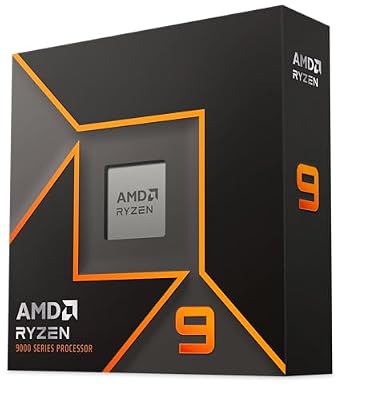
The hero listing was selected for the query “CPU esports competitive gaming” and may be a close match rather than the exact model you choose. Check the card for the precise processor, socket, cooler requirements and current price. The alternatives are included so you can compare options against the same criteria. This is a buying guide built around the product class, and it stays valid even if the specific listing changes.

What Esports Actually Asks of a Processor
Esports titles usually run on modest graphics settings, so the frame rate is limited by how fast the CPU can prepare each frame. A processor with strong single-core performance and good cache handling tends to deliver higher minimum frame rates in these games. Core count matters less than most people expect, because many esports engines use a few heavy threads rather than dozens of light ones. Still, background tasks such as streaming or running a browser can benefit from extra cores, so consider your full workload before choosing.
Latency is the second factor. Consistent frame pacing reduces input delay in practice, and a CPU that avoids stutter keeps aim and timing predictable. Look for processors and platforms that are known for stable performance in your chosen titles, and read reviews that report 1 percent lows rather than only averages.
Single-Core Speed and Cache
Single-core speed sets the pace in most esports titles, and large cache can help when the game reuses the same data often. Processors with extra cache have historically shown strong results in CPU-limited games. Check reviews from your favourite titles to confirm the advantage, because the gap varies by engine.
Platform and Memory
The processor only works well with the right motherboard and memory. Confirm the socket, supported memory type and speed, and whether the board has a suitable BIOS for the chip you choose. Fast DDR5 memory helps some platforms, but the gain is usually modest in esports. Our best DDR5 RAM for gaming guide covers memory that pairs well with current processors.
Cooling and Power
Esports CPUs run lighter than heavy AAA workloads, so a capable air cooler is often enough. Keep an eye on the cooler listed with the processor, and check the socket compatibility. A stable thermal setup keeps boost clocks high across a long session.
Comparison Table: Esports CPU Options
The table groups processors by the role they usually fill for competitive play. Prices are broad ranges, and the exact figure should be checked on the listing before purchase.
| Category | Strength | Best for | Main trade-off | Typical price range |
|---|---|---|---|---|
| High-cache gaming CPU | Strong frame rates in CPU-limited titles | Competitive players chasing high minimums | Usually the most expensive tier | Check current price |
| High-clock mainstream CPU | Fast single-core speed at a lower cost | Players who want strong esports performance on a budget | Less headroom for heavy background work | Check current price |
| Mid-range multi-core CPU | Balanced gaming and streaming | Streamers who also play esports | Frame rates slightly lower in pure esports | Check current price |
| Older platform CPU | Low cost, mature platform | Upgrading an existing board | Limited upgrade path | Check current price |


As an Amazon Associate we earn from qualifying purchases. Product prices and availability are accurate as of the date/time indicated.
If you are deciding between AMD and Intel, our Intel vs AMD gaming 2026 comparison explains how each platform performs in CPU-limited titles. For a dedicated view of processor choice in Counter-Strike 2, see the best CPU for Counter-Strike 2 guide.
Best CPU by Esports Title
Counter-Strike 2 and Valorant
These titles reward high and steady frame rates, so the best processor for them is one with strong single-core speed and consistent frame pacing. Players who run at very high refresh rates will feel the difference between a good and an average CPU more than the difference between two good ones. Our best CPU for Valorant guide goes deeper on that title.
Overwatch 2 and Rocket League
Overwatch 2 and Rocket League are also CPU-sensitive at high frame rates, though their demands differ. Rocket League benefits from stable physics and frame pacing, while Overwatch 2 rewards a balanced processor that handles lots of on-screen activity. Check the title-specific guides before you buy if one of these is your main game, for example the best CPU for Overwatch 2 article.

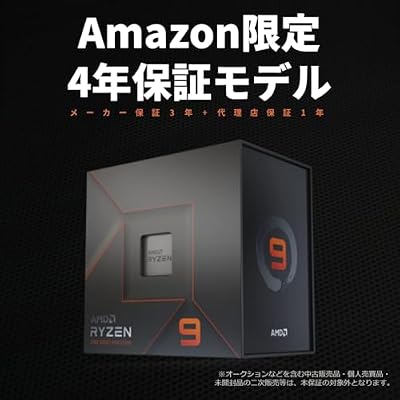
AMD CPU Ryzen 7 9800X3D, without Cooler AM5, 4.7 GHz, 8 Core/16 Thread, 104 MB, 120W, Authorized Dealer, 100-100001084WOF/EW-1Y



As an Amazon Associate we earn from qualifying purchases. Product prices and availability are accurate as of the date/time indicated.
Dota 2 and Apex Legends
Dota 2 and Apex Legends have different engines but share one trait: they reward processors that avoid stutter during busy moments. A well-chosen CPU with good cache and a strong platform keeps the frame time steady, which matters more than a small average gain. Our best CPU for Dota 2 and best CPU for Apex Legends guides cover the details.
Streaming, Background Work and Multitasking
Many competitive players stream, record or run voice chat while they play. That adds load on the processor, and a CPU with more cores can help keep the game smooth. If streaming is part of your plan, look for a mid-range multi-core processor rather than a pure gaming chip. Our best CPU for gaming and streaming article compares the trade-offs in more detail.
Be realistic about your workload. If you only play esports and do not stream, a strong gaming processor with fewer cores is usually the better value. If you run heavy tasks alongside games, the extra cores will earn their cost.
Budget and Upgrade Planning
Esports players often get the most value from a balanced build. A capable processor paired with a fast refresh monitor and an adequate graphics card can deliver higher frame rates than a more expensive setup with a weak link. Our best budget CPU for gaming guide shows where to save without losing competitive performance, and the best gaming CPU 2026 roundup places the wider market in context.
If you already own a platform, check whether a processor upgrade fits your board before you spend. A newer chip may need a BIOS update or may not be supported at all. Our best AM4 gaming CPU guide is useful if you are staying on an older platform and want to keep costs down.
Frequently Asked Questions
Do I need the most expensive CPU for esports?
No. Esports titles are CPU-sensitive, but many mid-range processors reach very high frame rates. The top tier mainly helps players who chase the highest minimum frame rates at high refresh rates.
Is more cache better for competitive gaming?
In many CPU-limited esports titles, larger cache can improve frame rates and consistency. The benefit varies by game, so check reviews for the titles you play before paying for the extra cache.
Do I need more than six cores for esports?
Many esports titles run well on fewer cores, but streaming and background tasks benefit from extra threads. If you only play, a strong gaming processor with fewer cores is often enough.
Will a new CPU improve my frame rates in every game?
Not always. If your graphics card is the bottleneck, a CPU upgrade may change little. Esports titles are more CPU-limited, so the gain is usually more noticeable there than in demanding AAA games.
Final Recommendation
For most competitive players, the best CPU for esports is a processor with strong single-core speed, good cache and a platform that delivers stable frame pacing. Start with the listing above, confirm the socket, cooler and memory requirements on the card, and match the chip to the titles you play most. If you also stream, step up to a mid-range multi-core model. If you mainly play esports and want value, a well-chosen mainstream gaming processor will serve you well and leave budget for a fast monitor.