Best CPU for Budget Gaming Under $250: A Practical Buyer’s Guide
A processor under $250 can still power a capable gaming PC, but the choice needs care. The cheapest chips may bottleneck a mid-range graphics card, while a slightly more expensive model can unlock steadier frame rates for little extra money. This guide explains how to judge budget gaming CPUs by platform cost, core and cache balance, cooling needs and upgrade path, so you can spend within the limit without leaving performance on the table.
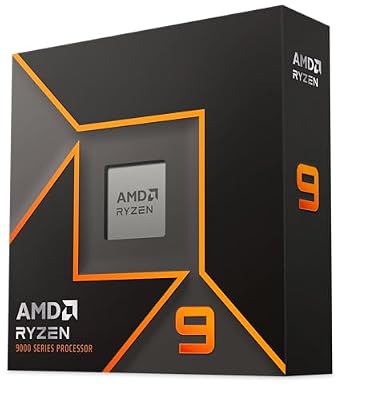
The hero listing was selected for the query “budget CPU gaming under 250” and may be a close match rather than the exact processor you finally choose. Confirm the exact model, socket, included cooler and current price on the card. The alternatives are there for comparison. Treat this as a buying guide for the product class, because the advice holds even when specific listings change.
Why the Total Platform Cost Matters
When a CPU is under $250, the processor is only part of the bill. The motherboard, memory and cooler can add a large amount, so a cheap chip on an expensive platform may cost more overall than a slightly pricier chip on a budget board. Check the cost of a compatible motherboard and memory kit before choosing. In many builds, the best value comes from a processor that sits on a mature, affordable platform with a clear upgrade path.
Socket choice also affects the future. A platform that still receives BIOS support gives you room to upgrade later without replacing the board. Our best budget gaming CPU guide covers the wider budget category, and it is a useful companion if you are still deciding between platforms.
Key Factors for a Budget Gaming CPU
Core Count and Thread Count
Most current games are happy with a balanced six- or eight-core processor. Fewer cores can work for light gaming, but background tasks such as voice chat, browser tabs and game launchers add up. A processor with enough threads keeps the system responsive while you play. Extra cores beyond what your games use give little benefit for pure gaming.
Single-Core Performance and Cache
Single-core speed and cache affect frame rates in CPU-limited games, which include many esports titles and large open-world releases. A processor with good single-core performance usually delivers smoother frame pacing. If two chips are close in price, the one with the stronger gaming reviews is the better buy.
Included Cooler and Thermal Headroom
Some budget processors ship with a basic cooler, and that is often enough for light to moderate gaming. Heavier overclocking or demanding sessions may need a better air cooler. Check whether the listing includes a cooler and how much headroom the chip has under sustained load.
Comparison Table: Budget CPU Categories
The table groups budget processors by the role they usually suit. Price ranges are broad, and the exact cost should be checked on the listing before you buy.
| Category | Strength | Best for | Main trade-off | Typical price range |
|---|---|---|---|---|
| Budget gaming CPU, six cores | Strong value for 1080p and 1440p gaming | Players on a tight budget | Limited headroom for heavy background tasks | Check current price |
| Budget gaming CPU, eight cores | Balanced gaming and multitasking | Gamers who also stream or browse heavily | Slightly higher platform cost | Check current price |
| Older-platform budget CPU | Low cost on an established board | Upgrading an existing system | Limited future upgrade path | Check current price |
| Budget chip with bundled cooler | Simple, low-cost build | First-time builders | Basic cooler may be loud under load | Check current price |

AMD CPU Ryzen 7 9800X3D, without Cooler AM5, 4.7 GHz, 8 Core/16 Thread, 104 MB, 120W, Authorized Dealer, 100-100001084WOF/EW-1Y




As an Amazon Associate we earn from qualifying purchases. Product prices and availability are accurate as of the date/time indicated.
If you are weighing budget against mid-range performance, our best CPU under $200 guide covers slightly cheaper options, and the best cheap CPU for gaming article is useful for a wider comparison. For a view of which chips suit a higher resolution, read the best CPU for 1440p gaming guide.
Matching the CPU to Your Graphics Card
A budget processor works best alongside a graphics card of similar class. Pairing a very strong GPU with a basic CPU can leave frame rates limited in busy scenes, while a top-end processor paired with a weak GPU wastes money. Aim for a balanced combination, and check game benchmarks from reviewers for titles you play most. Our best budget GPU for gaming guide helps you find a card that fits the same budget.
For AMD and Intel comparisons at lower prices, the best AMD CPU for gaming and best Intel CPU for gaming guides explain how each family positions its budget options.

Intel® Core™ Ultra 9 Desktop Processor 285K, 24 Cores (8P + 16E), up to 5.7 GHz


As an Amazon Associate we earn from qualifying purchases. Product prices and availability are accurate as of the date/time indicated.
Memory, Motherboard and Upgrade Path
Budget builds often succeed or fail on memory and motherboard choices. Choose a memory kit that matches the platform’s supported type and speed, and avoid buying a board that lacks the features you need. A board with a clear BIOS update history gives you room to upgrade the processor later. Our best RAM for gaming PC guide covers sensible memory choices for a budget system, and the motherboard and CPU pairing guide is a good starting point if you are on that platform.
Plan the upgrade path before you buy. A processor you can replace later on the same board extends the life of the build, while a dead-end platform forces a full rebuild sooner. Our complete gaming PC buying guide helps you plan that path across all core parts.
Frequently Asked Questions
Can a CPU under $250 run modern games well?
Yes, many current processors in this price range handle modern games well at 1080p and 1440p, especially when paired with a suitable graphics card. Frame rates depend on the game and settings, so check reviews for your titles.
Is a six-core or eight-core budget CPU better?
For pure gaming, six cores are often enough. Eight cores help if you stream, run heavy background tasks or plan to keep the system for several years.
Do budget CPUs include a cooler?
Some do and some do not. Check the listing for a bundled cooler, and budget for an aftermarket air cooler if the included one is basic and you plan to run the chip hard.
Should I buy an older platform to save money?
It can save money on the board and memory, but the upgrade path is limited. Choose an older platform only if you are sure you will not need a later processor upgrade.
Final Recommendation
For most budget builders, the best CPU under $250 is a balanced processor on an affordable, supported platform, with enough cores for background tasks and good single-core performance for frame rates. Start with the listing above, confirm the socket, cooler and memory requirements on the card, and check that your graphics card matches the processor’s class. A thoughtful choice in this range delivers strong gaming performance now and leaves a clear path for a later upgrade.