
Ryzen 9800X3D vs Intel 285K Gaming: Which CPU Should You Buy?
If your build is mainly about gaming, the choice between the Ryzen 7 9800X3D and the Core Ultra 9 285K looks simple on paper. One chip is an 8-core processor built around a large stacked cache. The other is a 24-core hybrid design with eight performance cores and sixteen efficiency cores. The gap in core count is large, but the gap in gaming behavior is more nuanced, and it depends on the games you play, the graphics card you pair with the processor and the platform you are willing to pay for.
This guide is a buying comparison for the Ryzen 9800X3D gaming question and the Intel 285K gaming question. It does not publish frame-rate numbers. Benchmark results change with driver versions, memory settings, game patches and the graphics card, so use current review charts for your exact games. What follows explains the design differences that drive those results and how to decide between the two.
The listing below is the primary pick for this search, and the alternatives are close options in the same product space. The listing above may not match the exact model you have in mind, so check the card for the precise model, socket, price and stock status before ordering.



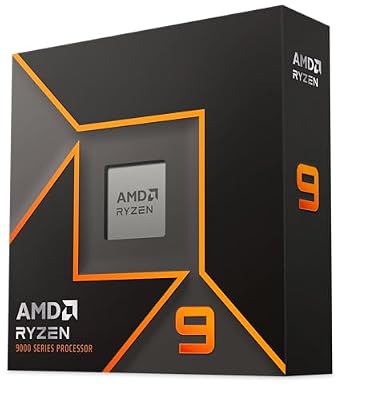
AMD Ryzen 9 9950X3D 16-Core Processor
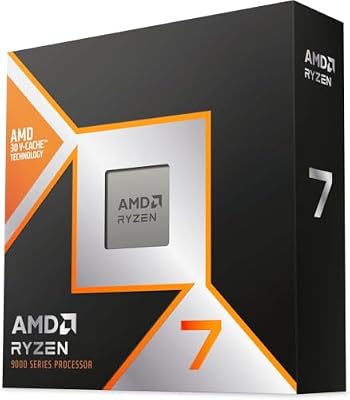
AMD Ryzen™ 7 9850X3D Desktop Processor
Two Different Ideas of a Gaming CPU
The Ryzen 9800X3D is built for one job above all: running games with as little waiting as possible. It has eight cores on AM5, and it carries a large L3 cache that AMD stacks on top of the core die. Games often revisit the same data many times per frame, so a big cache can keep frame times steady even when the processor is not running at its highest clock speed. That design explains why the chip has such a strong reputation among gamers who care about low-end consistency.
The Intel Core Ultra 9 285K takes a different route. It is a 24-core chip with eight performance cores and sixteen efficiency cores, and it sits on the LGA1851 socket with the Z890 chipset. The efficiency cores are designed to handle background work at lower power, which helps when a game shares the processor with a browser, a voice app, a launcher or a recording tool. The chip does not use simultaneous multithreading, so its thread count matches its core count.
What the Cache Does in Games
Cache matters most when a game’s main thread and render thread need data quickly and repeatedly. When the needed data is already close to the core, the processor spends less time waiting on main memory. For many titles, that translates into steadier one percent lows, which is the number gamers feel as stutter. The benefit is not equal in every game, though. Some engines are limited by a single thread, some are limited by the graphics card, and some rely heavily on memory speed. A bigger cache helps the titles that fit its pattern and matters less in the rest.
What the Efficiency Cores Do
The 285K’s sixteen efficiency cores are most useful when the system is busy outside the game. Chat, a browser with many tabs, a streaming overlay or a background download can run on those cores while the performance cores stay focused on the game. That is valuable for a player who multitasks heavily. A pure gamer who closes everything else may not use that extra capacity, and the design will feel less distinct in practice.
AMD RYZEN 7 9800X3D 8-Core, 16-Thread Desktop Processor


As an Amazon Associate we earn from qualifying purchases. Product prices and availability are accurate as of the date/time indicated.
Platform Choices: AM5 Versus LGA1851
The processor is only part of the decision. The Ryzen 9800X3D uses the AM5 platform, which means DDR5 memory and a motherboard with an AM5 socket. The Core Ultra 9 285K uses LGA1851, which means a Z890 board and DDR5 memory as well. Both platforms are current, but they are not interchangeable, so a CPU choice is also a motherboard choice. If you already own an AM5 board, the 9800X3D keeps your upgrade path short. If you are starting a new build, compare the price of a quality board on each platform before you commit.
Memory deserves attention too. Both chips benefit from fast, stable DDR5, but the best memory speed for each platform depends on the motherboard, the memory kit and the memory controller. Check the board’s qualified memory list before buying a high-speed kit. A guide on choosing DDR5 for gaming covers kit selection, and the DDR5 6000 versus 7200 comparison explains when the extra speed is worth paying for.
Cooling and Power Under Load
Neither chip is a low-heat processor under every workload, but gaming loads are usually lighter than heavy all-core rendering. The 9800X3D is generally easy to cool with a good tower cooler. The 285K can draw more power when its performance cores are pushed hard, and early reviews of some retail samples noted thermal and clock limits in sustained multi-core work. A capable cooler and a motherboard with solid power delivery help either chip hold its clocks. The CPU cooler guide for gaming covers the common options, and the gaming cooler roundup is useful if you want a quieter setup.
Comparison Table: Ryzen 9800X3D and Core Ultra 9 285K at a Glance
The table below summarizes the decision points. It deliberately avoids exact prices and ratings, since both change often and vary by retailer. Use it to match each chip to your priorities.
| Factor | Ryzen 7 9800X3D | Core Ultra 9 285K |
|---|---|---|
| Core layout | 8 cores with large stacked cache | 24 cores (8 performance, 16 efficiency) |
| Socket and chipset | AM5 motherboard | LGA1851 with Z890 motherboard |
| Best for | Gamers who want the strongest gaming focus | Gamers who also run heavy background work |
| Typical price range | Check current price | Check current price |
| Main trade-off | Fewer cores for heavy multi-core tasks | Higher platform cost and more power under load |
Read the table as a starting point. If your main job is gaming and your board is already AM5, the 9800X3D is the simpler answer. If you are building a mixed rig that also edits video or runs many tasks at once, the 285K’s core count becomes more relevant, and the platform cost deserves a close look.
Which Chip Fits Your Build
For a Dedicated Gaming PC
A PC built mainly for games usually benefits from the cache-heavy design. The 9800X3D is a focused choice for players at 1080p and 1440p, where the processor can influence frame consistency more than it does at 4K. A strong graphics card still sets the ceiling in demanding titles, so pair the CPU with a card that matches your target resolution. The best CPU for 1440p gaming guide explains how the processor and the graphics card divide the work at that resolution.
For a Gaming and Creator Hybrid
If you record gameplay, edit footage or run a large software stack beside your games, the 285K’s extra cores can matter. Its efficiency cores take on background tasks while the performance cores keep the game responsive. That said, a hybrid design asks more from the operating system scheduler and the motherboard firmware. Keep your chipset driver and BIOS current, and read the gaming and streaming CPU guide if your workload leans toward encoding.
If You Are Choosing Between Platforms Long Term
Think beyond the first purchase. An AM5 board may support future Ryzen processors, while a Z890 board is tied to the LGA1851 socket. Intel’s current platform is strong, but the upgrade path is narrower than AM5’s. Weigh that against the performance you need today. The Intel versus AMD gaming comparison sets out the broader trade-offs between the two brands.
Intel® Core™ Ultra 9 Desktop Processor 285K, 24 Cores (8P + 16E), up to 5.7 GHz


As an Amazon Associate we earn from qualifying purchases. Product prices and availability are accurate as of the date/time indicated.
Related Comparisons Worth Reading
This head-to-head is one part of a wider shortlist. The Ryzen 7 9800X3D versus Core Ultra 7 270K comparison looks at a closer Intel alternative. If you are weighing the Ryzen 7 against a mid-range AMD chip, the Ryzen 5 9600X versus 9800X3D comparison shows what the cache premium buys. For the previous Intel flagship, the Intel 14900K versus 9800X3D comparison is a useful reference point. Our Ryzen 7 9800X3D review covers the chip in more detail, and the best CPU for gaming guide places both options in a wider field.
Frequently Asked Questions
Is the Ryzen 9800X3D better than the Core Ultra 9 285K for gaming?
For many gaming builds, the 9800X3D is the more focused choice, mainly because its large cache suits many game engines. Results vary by title, resolution and graphics card, so check current review charts for the games you play most.
Does the Core Ultra 9 285K make sense for gaming alone?
It can, but its strengths show most when you run heavy background work. If you only game and close everything else, the extra efficiency cores may not add much, and the platform cost could be hard to justify.
Do I need a new motherboard for either chip?
Yes, unless you already own a compatible board. The Ryzen 9800X3D needs an AM5 motherboard, and the Core Ultra 9 285K needs an LGA1851 board with a Z890 chipset. Check the socket and memory support before you buy.
Which chip should I pick if I stream while gaming?
Both can handle streaming. The 285K has more cores for background tasks, while the 9800X3D keeps the focus on game frame times. A dedicated hardware encoder on the graphics card often helps either chip more than a CPU upgrade does.
Final Verdict
For a gaming-first build on a new platform, the Ryzen 9800X3D is the cleaner recommendation, especially if you already have an AM5 board or want the simplest path to steady frame times. The Core Ultra 9 285K is the better choice when you want a large core pool for background work and you accept the higher platform cost. Confirm the exact model, socket and price on the listing card, then match the chip to your resolution, graphics card and workload.


