
Best CPU for Gaming Streaming in 2026: Encoder First, Then Cores
Choosing a CPU for a streaming PC starts with a question many builders skip: where will the video be encoded? The answer decides how much processor power the stream takes, and therefore how many cores you need to keep the game smooth. A stream encoded on a graphics card leaves most of the processor free for the game. A stream encoded in software on the processor needs a much larger share of the chip. Once you know which path you use, the CPU choice becomes far clearer.
This guide is a buying guide for that decision. It does not publish frame-drop percentages or encoder benchmark scores, because those depend on the bitrate, the preset, the game and the graphics card. It explains the trade-offs so you can read current reviews with the right questions in mind, and it shows how the listings below fit different encoder setups.
The listing below is the primary pick for this search and the alternatives are close options in the same product space. The listing above may not be the exact model you want, so check the card for the precise model, core layout and price before you order.

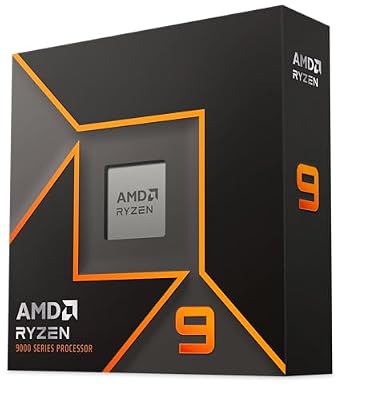
AMD Ryzen 9 9950X3D 16-Core Processor

AMD RYZEN 7 9800X3D 8-Core, 16-Thread Desktop Processor


Step One: Decide Where the Stream Is Encoded
Video encoding turns the captured frames into the compressed stream your viewers receive. Most streamers have three real options, and each one loads the system differently.
Hardware Encoding on the Graphics Card
Modern NVIDIA, AMD and Intel graphics chips include dedicated video encoders. Using them moves the encoding work off the processor, which leaves more cores and threads for the game. For most gamers who stream while they play, this is the most efficient path. It is also the path where the quality of the encoder matters, so check the current encoder options in your streaming software and compare the results on your own footage.
Software Encoding on the Processor
Software encoding, often called CPU encoding, runs the encoder on the processor’s cores. It can produce very good quality at a given bitrate, especially with slower presets, but it uses a large share of the chip. A streamer who encodes on the CPU needs enough cores to run the game, the encoder and the background apps without starving any of them. That is where a high-core processor earns its place.
Why the Choice Shapes Everything Else
If you encode on the graphics card, you can often choose a mid-range processor with strong single-thread speed and a moderate core count, and spend more of your budget on the graphics card. If you encode on the processor, the core count and cooling become the central purchasing questions. Decide this first, because the wrong assumption wastes money in either direction.
AMD Ryzen 9 9950X3D 16-Core Processor


As an Amazon Associate we earn from qualifying purchases. Product prices and availability are accurate as of the date/time indicated.
Step Two: Count the Threads You Actually Need
A streaming PC runs more than the game and the encoder. Most setups also run the streaming application, a browser with chat, a voice app, a companion program and sometimes a recording tool. Each one takes a slice of the processor. Add up the threads your setup uses at its busiest moment, then add headroom for the game’s main threads.
Single-Thread Speed Still Matters
Many game engines rely on a few main threads. If those threads are slow, adding cores does not help the game, and the stream may still stutter because the game itself is struggling. A streaming CPU needs enough cores for the stream and enough per-core speed for the game. Balance matters more than maxing out one number.
Cache and Frame Consistency
Cache matters because it reduces how often the processor waits for data. On some AMD X3D models, the extra cache improves frame-time consistency in games, which viewers notice more than a small change in average frame rate. The benefit applies to the game, not to every part of a stream, so treat it as one factor among several rather than a complete answer.
Comparison Table: Streaming-Oriented CPU Options
The table compares the listings by the streaming role they suit best. It avoids prices and ratings because those change and vary by seller.
| Option | Best for | Typical price range | Trade-off to check |
|---|---|---|---|
| Primary pick (hero listing) | Gamers who encode on the graphics card | Check current price | Confirm the exact model and platform |
| Alternative 1 | Streamers who want consistent game frame times | Check current price | Fewer cores for heavy CPU encoding |
| Alternative 2 | Builders encoding in software on the CPU | Check current price | Higher power draw and cooling demand |
| Alternative 3 | Multi-app streamers with heavy background tasks | Check current price | Platform cost beyond the processor |
| Alternative 4 | Value-focused streamers on a tighter budget | Check current price | Less headroom for future multi-app use |
Use the table as a shortlist. Pick the row that matches your encoder decision first, then confirm the platform and cooling costs before committing.
Building the Rest of a Streaming Rig
Memory Capacity for Multitasking
The game, the streaming application, the browser and the chat app all draw from the same memory pool. A 32GB DDR5 kit covers most streaming setups comfortably, and a 64GB kit suits heavier multitasking or recording. The best 32GB DDR5 RAM guide helps with kit selection, and the best RAM for gaming PC guide covers the broader choice.
Cooling for Long Sessions
Streams run for hours, and sustained load tests a cooler differently than a short gaming session. A quality tower cooler or a well-sized AIO keeps the processor within safe temperatures. The best air cooler guide and the budget AIO guide cover the options most streamers consider.
Network and Upload Stability
A strong processor cannot fix a weak upload connection. A stream that drops because of network limits looks the same to viewers as a stream that drops because of a slow CPU. Check your upload speed and router stability before you blame the processor. The internet speed guide for gaming and streaming and the router guide for gaming and streaming help you check that side of the setup.
AMD Ryzen™ 9 9900X 12-Core, 24-Thread Unlocked Desktop Processor


As an Amazon Associate we earn from qualifying purchases. Product prices and availability are accurate as of the date/time indicated.
Frequently Asked Questions
Do I need a high-core CPU for streaming?
Not always. If you encode on the graphics card, a mid-range chip with enough cores for the game and the background apps can be enough. If you encode in software on the processor, a higher core count becomes much more important.
Is hardware encoding good enough for streaming?
For many streamers, yes. Modern graphics card encoders offer strong quality and free the processor for the game. Compare the encoder output on your own footage at your target bitrate before deciding.
Should I choose AMD or Intel for a streaming PC?
Both platforms can run a streaming PC well. The right choice depends on your encoder, your budget and whether you prefer AMD’s X3D gaming behavior or Intel’s hybrid core design. The Intel versus AMD gaming comparison covers the broader trade-offs.
Does a streaming CPU need a special motherboard?
No, but the board should provide stable power delivery, enough memory support and the M.2 slots you need for recordings and game storage. A weak board can limit a capable processor during long sessions.
Final Verdict
The best CPU for gaming streaming in 2026 depends on where your stream is encoded. If the graphics card handles the encoding, choose a balanced chip with strong game performance and enough cores for your background apps. If the processor handles the encoding, prioritize core count, cooling and power headroom. Confirm the exact model, core layout and price on the listing card before you buy, and test your encoder settings on your own setup.
For a broader look at complete streaming builds, the gaming streaming PC guide and the CPU for gaming and streaming guide cover the rest of the build in more depth.


