

🛒 Best Price Today on Amazon
Prime members get fast, free shipping on everything above, plus member-only deals. New members get a 30-day free trial — cancel anytime.
- Top Compact Routers Picks for 2026
- Best Compact Routers at a Glance
- 1. Amazon eero 6 Mesh WiFi Router, WiFi 6, Up to 900 Mbps Plans
- 2. TP-Link Deco S4 Whole Home Mesh WiFi System, Up to 3,800 Sq.ft.
- 3. TP-Link Deco X55 AX3000 WiFi 6 Mesh System, Up to 2,500 Sq.ft.
- 4. TP-Link Archer A6 AC1200 Gigabit WiFi Router, Dual Band MU-MIMO
- 5. TP-Link Archer AX21 (AX1800) WiFi 6 Router, Four External Antennas
- 6. TP-Link Archer AC1750 WiFi Router, Three External Antennas
- How to Choose a Compact Router
- Related Guides
- Frequently Asked Questions
- Related Guides
- Related Articles
Top Compact Routers Picks for 2026
Here are our current top compact routers picks, compared on real Amazon owner reviews, price, and features. Live prices update below.
As an Amazon Associate we earn from qualifying purchases at no extra cost to you.




Not everyone wants a spider-like router bristling with antennas dominating a shelf. For small apartments, tidy desks, and anyone who values a clean look, the size and shape of the router matter as much as its speed — the goal is strong WiFi from a unit that disappears into the room rather than announcing itself. This guide rounds up the best compact routers in 2026 with that footprint-first intent front of mind, leading with the genuinely small, antenna-free designs and being honest about which popular picks are not actually compact at all once you account for their external antennas.
Our picks were chosen on what matters when space and aesthetics come first: a small physical footprint and a tidy, antenna-free or low-profile design, coverage relative to that size, modern WiFi standards, and value. We have included a spread from around $38 to around $90, and crucially we differentiate by form factor: compact mesh nodes that sit neatly on a shelf, versus traditional routers with protruding antennas that, however capable, are not what most people mean by ‘compact.’ We avoid inventing throughput figures and instead describe each unit’s size, coverage and fit. Below is an at-a-glance comparison, then a closer look at each and a buyer’s guide built around footprint, coverage and WiFi standard.
Best Compact Routers at a Glance
| Router | Best For | Standout Spec | Approx Price |
|---|---|---|---|
| Amazon eero 6 mesh router | Smallest tidy footprint | Antenna-free WiFi 6, ~900Mbps plans | around $90 |
| TP-Link Deco S4 | Compact whole-home mesh | Tidy node, up to 3,800 sq.ft. | around $90 |
| TP-Link Deco X55 (AX3000) | Compact WiFi 6 mesh | Antenna-free WiFi 6, up to 2,500 sq.ft. | around $70 |
| TP-Link Archer A6 (AC1200) | Tidy single router (small antennas) | AC1200 dual-band MU-MIMO | around $40 |
| TP-Link Archer AX21 (AX1800) | WiFi 6 value (external antennas) | AX1800 WiFi 6, four antennas | around $52 |
| TP-Link Archer AC1750 | Capable but NOT compact | AC1750, three external antennas | around $38 |
1. Amazon eero 6 Mesh WiFi Router, WiFi 6, Up to 900 Mbps Plans
13
Prime
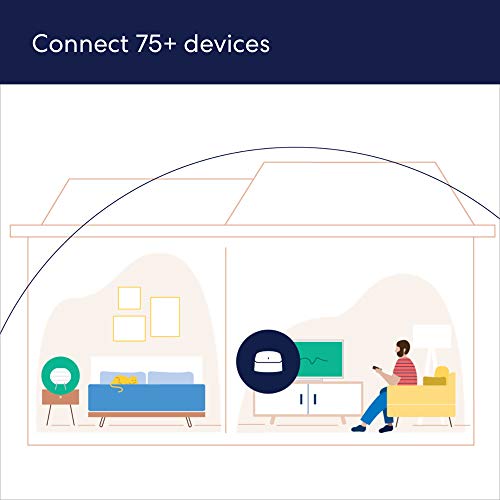
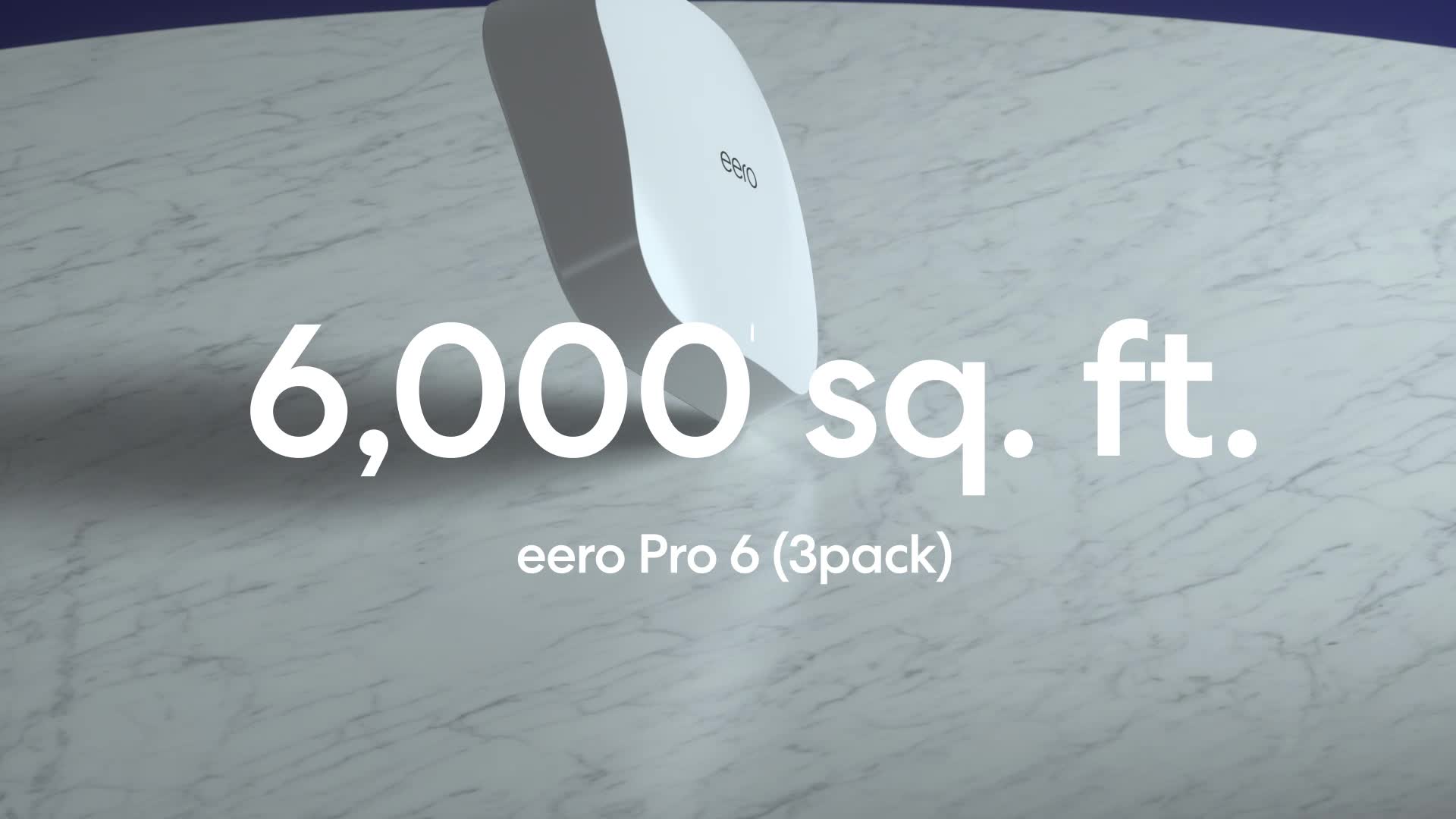
Amazon eero 6 mesh wifi router – Supports internet plans up to 900 Mbps, Coverage up to 1,500 sq. ft., Connect 75+ devices, 1-pack
In Stock





As an Amazon Associate we earn from qualifying purchases. Product prices and availability are accurate as of the date/time indicated.
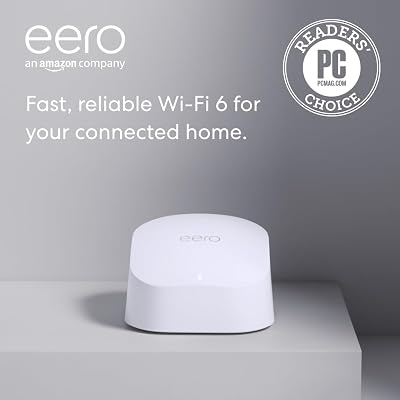
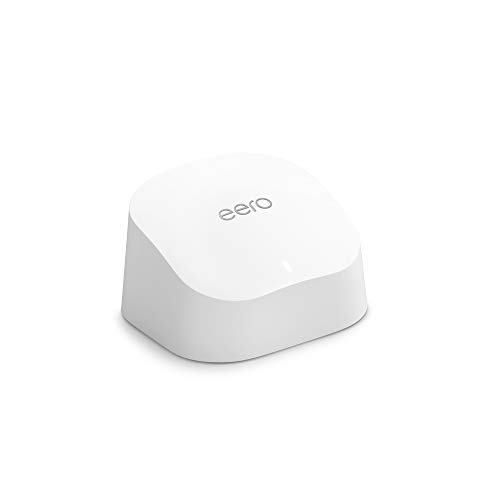
The Amazon eero 6 leads this list because it is the embodiment of a compact router: a small, smooth, antenna-free puck that sits unobtrusively on a shelf and blends into a room. It is a WiFi 6 mesh router that supports internet plans up to 900Mbps and can be expanded with additional eero units for more coverage. At around $90 it pairs a genuinely tidy footprint with the convenience of the eero ecosystem.
For footprint-first buyers, this is exactly the intent: there are no protruding antennas to clutter the look, the unit is physically small, and it still delivers modern WiFi 6 performance and easy app-based setup. As a mesh device you can start with one for an apartment or smaller home and add nodes later, each as compact as the first. If your priority is a clean, minimal router that hides in plain sight while still handling fast modern plans, the eero 6 is the standout compact pick and a deserving leader here.
Pros: Genuinely compact antenna-free design, WiFi 6, easy app setup, expandable mesh, hides on a shelf.
Cons: Single unit covers a limited area; deeper features sit behind eero’s ecosystem.
2. TP-Link Deco S4 Whole Home Mesh WiFi System, Up to 3,800 Sq.ft.
12
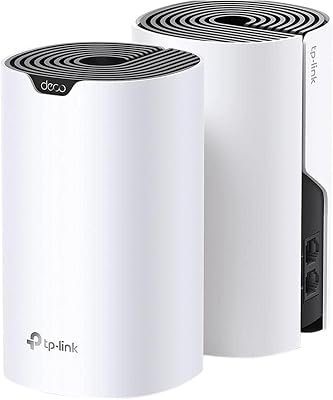
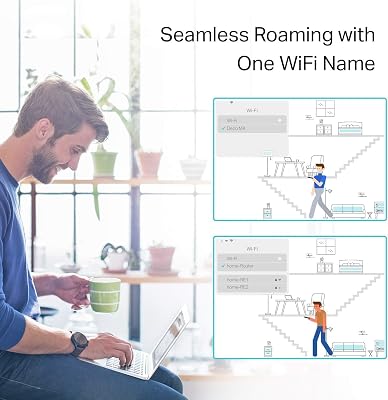
TP-Link Deco S4 Whole Home Mesh WiFi System – Up to 3,800 Sq.ft. Coverage, AC1900 WiFi Router and Extender Replacement, Parental Controls, Deco S4(2-Pack)
In Stock






As an Amazon Associate we earn from qualifying purchases. Product prices and availability are accurate as of the date/time indicated.
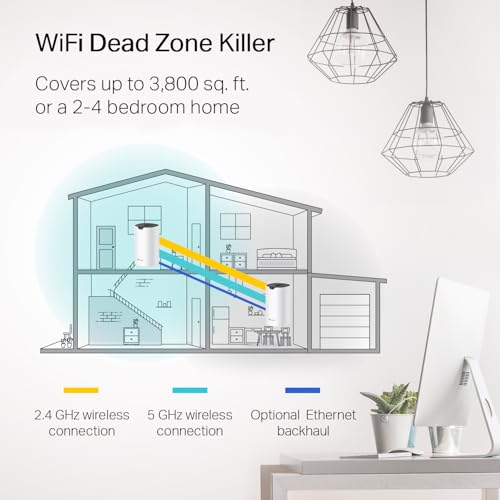
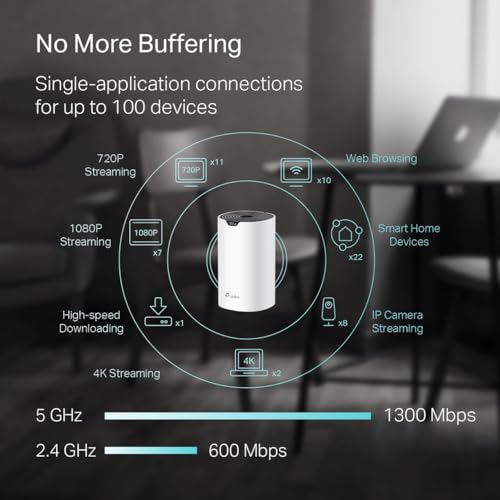
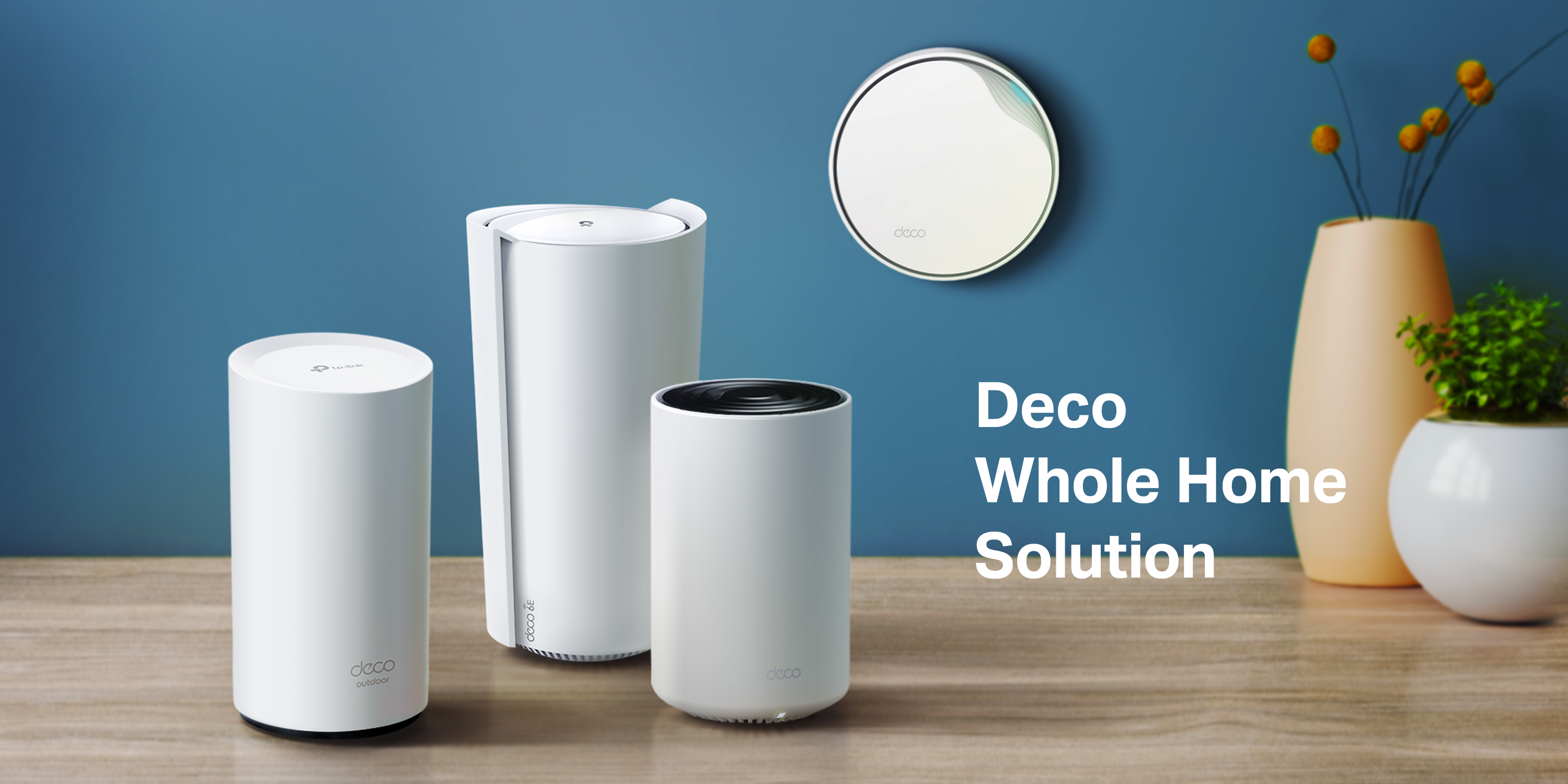
The TP-Link Deco S4 is the compact whole-home pick, combining a tidy node design with the reach of a mesh system. Each Deco unit is a small, rounded tower without spider antennas, and together they cover up to 3,800 square feet of AC1900-class WiFi. At around $90 it is an affordable way to blanket a larger home in coverage using nodes that still look at home on a shelf.
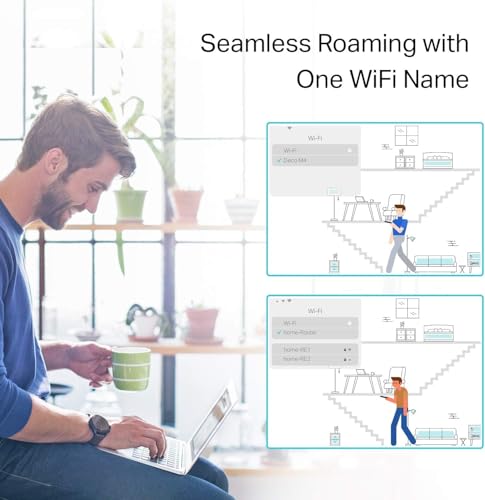
This is the choice for someone who wants whole-home coverage but does not want antenna-laden boxes in every room. The Deco nodes are compact and unobtrusive, the mesh spreads a single network across a big area without dead zones, and TP-Link’s Deco app makes setup and management simple. It is AC (WiFi 5) rather than WiFi 6, which keeps the price down, but for tidy, expansive coverage from small, shelf-friendly units, the Deco S4 delivers the compact-mesh promise at a very fair price.

Pros: Tidy antenna-free nodes, large whole-home coverage, easy Deco app setup, great value mesh.
Cons: AC (WiFi 5), not WiFi 6; multiple nodes mean multiple placements to plan.
3. TP-Link Deco X55 AX3000 WiFi 6 Mesh System, Up to 2,500 Sq.ft.

29
Prime
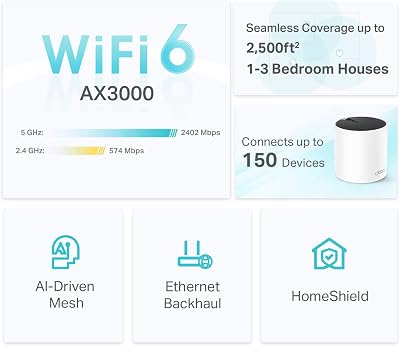
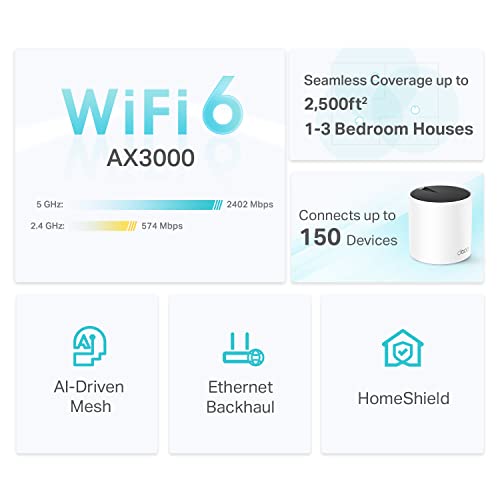
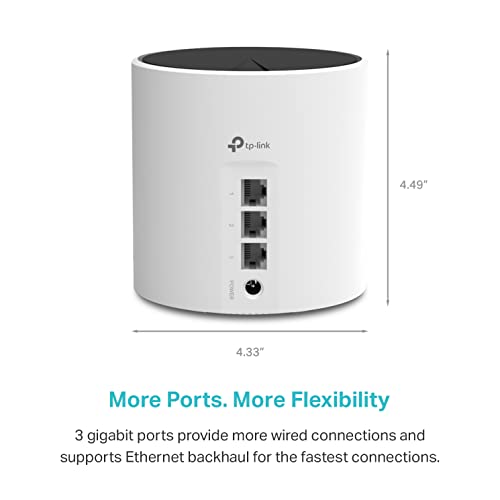
TP-Link Deco X55 AX3000 WiFi 6 Mesh System – Covers up to 2500 Sq.Ft., Replaces Wireless Router and Extender, 3 Gigabit Ports, Supports Ethernet Backhaul, Deco X55(1-Pack)
In Stock








As an Amazon Associate we earn from qualifying purchases. Product prices and availability are accurate as of the date/time indicated.
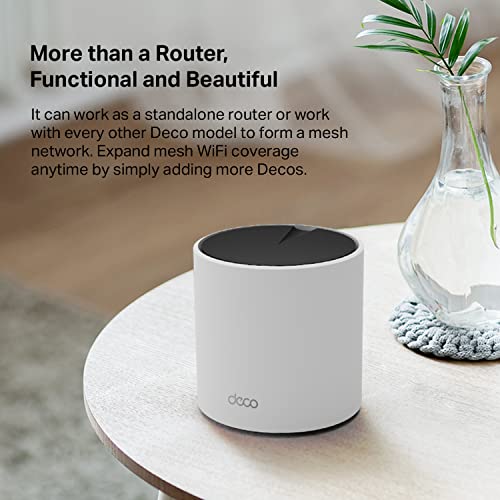
The TP-Link Deco X55 is the compact WiFi 6 mesh pick, stepping the tidy Deco node design up to the faster AX3000 WiFi 6 standard. Each unit is a small, smooth, antenna-free tower, and the system covers up to 2,500 square feet while delivering WiFi 6’s efficiency gains for busy networks. At around $70 it is a well-priced way to get modern WiFi from genuinely compact hardware.
This is the pick for the footprint-conscious buyer who wants WiFi 6 rather than older WiFi 5, in a unit that still hides neatly on a shelf. The antenna-free design keeps the look clean, WiFi 6 handles more connected devices gracefully, and the mesh expands coverage without dead spots. It sits between the eero 6 and the Deco S4 in the lineup — more modern than the S4, often cheaper than the eero — and is an excellent compact mesh choice for a medium home that wants current WiFi without bulky boxes.
Pros: Compact antenna-free nodes with WiFi 6, good whole-home coverage, easy setup, strong value.
Cons: Coverage per kit is moderate; mesh placement still needs a little planning.
4. TP-Link Archer A6 AC1200 Gigabit WiFi Router, Dual Band MU-MIMO

21
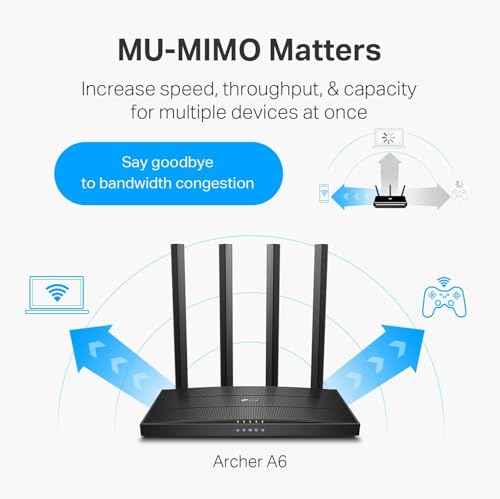
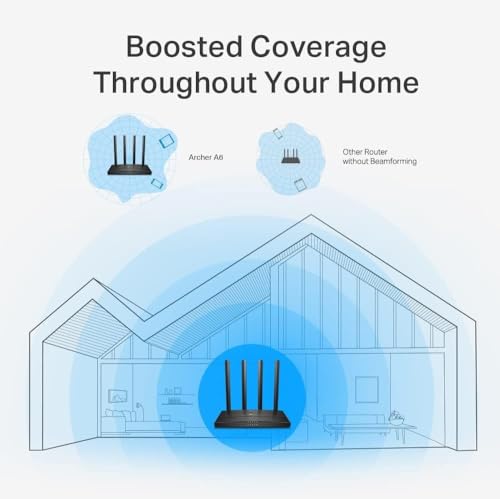
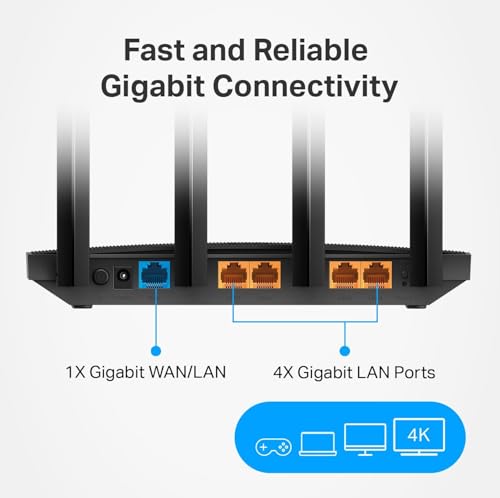
TP-Link AC1200 Gigabit WiFi Router (Archer A6) – Dual Band MU-MIMO Wireless Internet Router, 4 x Antennas, OneMesh and AP Mode, Long Range Coverage
In Stock



As an Amazon Associate we earn from qualifying purchases. Product prices and availability are accurate as of the date/time indicated.
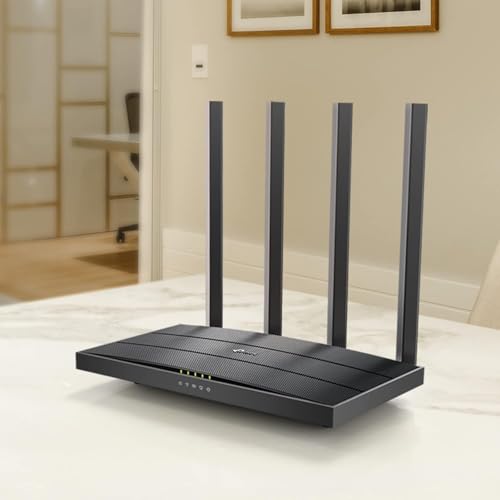
The TP-Link Archer A6 is the tidy single-router pick, and it is the most compact of the traditional (non-mesh) routers here — though honesty requires a caveat: it does have antennas, just modest ones. It is a low-profile AC1200 dual-band router with MU-MIMO and a relatively small body, and at around $40 it is an inexpensive, fairly unobtrusive single-unit option for a smaller home.
For a footprint-first buyer who wants a conventional single router rather than a mesh, the Archer A6 is a reasonable middle ground: its body is compact and it is cheap, but its external antennas mean it is not as visually clean as an antenna-free puck like the eero. It is fine for a smaller space where AC1200 speeds are sufficient. Choose it if you want the simplicity and low cost of a single router and can accept a couple of small antennas; if a truly clean look is the priority, the antenna-free mesh nodes above are the better fit.
Pros: Compact body for a traditional router, inexpensive, dual-band AC1200 with MU-MIMO.
Cons: Has external antennas, so not as clean as antenna-free pucks; AC (WiFi 5) and modest speed.
5. TP-Link Archer AX21 (AX1800) WiFi 6 Router, Four External Antennas
The TP-Link Archer AX21 is a hugely popular WiFi 6 value router, but on a compact-focused list it comes with a clear honesty flag: it has four external antennas and a wider body, so it is not genuinely compact. It delivers solid AX1800 dual-band WiFi 6 performance at around $52, and as an all-round budget WiFi 6 router it is excellent — just not small or tidy.
We include it because many readers shopping for a capable affordable router will cross-shop it, and it is important to be straight about its form factor. If your true priority is footprint and a clean look, the AX21’s four upright antennas and larger footprint work against you, and an antenna-free mesh node like the Deco X55 or eero 6 is the better compact choice. But if you can live with the antennas in exchange for strong WiFi 6 on a budget, the AX21 is a fine router — it simply does not meet the compact brief that defines this guide.
Pros: Strong AX1800 WiFi 6 performance, excellent value, popular and reliable.
Cons: Four external antennas and a wide body — not genuinely compact; better picks exist if footprint is the priority.
6. TP-Link Archer AC1750 WiFi Router, Three External Antennas

5
TP-Link Archer AC1750 WiFi Router – Dualband Gigabit, Qualcomm inside, Works with Alexa(A7), Black
In Stock



As an Amazon Associate we earn from qualifying purchases. Product prices and availability are accurate as of the date/time indicated.
Rounding out the list is the TP-Link Archer AC1750, and we have placed it last deliberately because, despite being a capable and cheap router, it is honestly not compact. It is a classic flat router with three large external antennas, delivering dual-band AC1750 (WiFi 5) speeds with Qualcomm internals at around $38. As a budget router it is dependable, but its antennas and footprint put it at odds with this guide’s intent.
For a footprint-first buyer, the AC1750’s three protruding antennas and wider body are exactly what people trying to declutter a shelf are looking to avoid. It is a perfectly good inexpensive WiFi 5 router for a smaller home if size is not a concern, but it is the least compact pick here by a clear margin. We list it for transparency and price comparison, not as a compact recommendation: if a small, tidy footprint is what you actually want, choose one of the antenna-free mesh nodes above instead of this antenna-heavy traditional router.
Pros: Inexpensive, dependable dual-band AC1750, reliable Qualcomm internals.
Cons: Three large external antennas and a wide footprint — the least compact pick here; not suited to the compact brief.
How to Choose a Compact Router
For a compact router, footprint and form factor are the whole point, so judge shape before speed. The genuinely tidy options are antenna-free designs — the eero 6 and the Deco mesh nodes here are smooth pucks and small towers that hide on a shelf — whereas traditional routers with external antennas, like the Archer AX21 and AC1750, take up far more visual space even when their bodies are not huge. If a clean look is your priority, start by ruling out anything with protruding antennas, and treat the antenna-free units as your shortlist.
Coverage has to be weighed against that small size, because a compact single unit can only reach so far. A small antenna-free router like the eero 6 covers a limited area on its own, which is fine for an apartment but may leave dead zones in a larger home. Compact mesh systems — the Deco S4 and Deco X55 — solve this by spreading several small nodes across the space, giving whole-home coverage without any single box being large. Decide how much area you need to cover, then choose a single compact unit for a small space or a multi-node compact mesh for a bigger one.
WiFi standard determines how future-proof and how capable on a busy network the router is. WiFi 6 units like the eero 6 and Deco X55 handle many connected devices more efficiently and are the better choice if you have a lot of phones, laptops and smart-home gear, while WiFi 5 (AC) options like the Deco S4 and Archer A6 keep costs down and remain perfectly serviceable for lighter use. Match the standard to how crowded your network is and how long you want the router to stay current, balancing that against price.
Finally, weigh setup, features and budget. Mesh systems like eero and Deco lean on simple smartphone apps that make installation and management easy, which suits most people, while some deeper controls may sit behind an ecosystem. Set your budget — these run from around $38 to $90 — and remember the core lesson of this guide: a low price on an antenna-heavy router does not make it compact. If footprint is genuinely your goal, prioritise an antenna-free puck or compact mesh node, size the coverage to your home, pick the WiFi standard your network needs, and choose the tidy router on this list that fits your space.
Frequently Asked Questions
What actually makes a router ‘compact’?
It is mainly about footprint and form factor — a small body and, just as importantly, no large external antennas. Antenna-free designs like the eero 6 and the TP-Link Deco nodes are genuinely compact and hide easily on a shelf. Traditional routers such as the Archer AX21 and AC1750 may have modest bodies but their protruding antennas make them visually bulky, which is why they are not true compact picks.
Which routers here are NOT genuinely compact?
The TP-Link Archer AC1750 (three external antennas) and the Archer AX21 (four external antennas) are capable, good-value routers but are not genuinely compact — their antennas and wider bodies take up real space. The Archer A6 is more modest but still has small antennas. For a truly tidy footprint, the antenna-free eero 6 and the Deco mesh nodes are the better choices.
Should I get a compact single router or a compact mesh system?
It depends on the area you need to cover. A single compact unit like the eero 6 is great for an apartment or smaller home, but its coverage is limited by its size. For a larger home, a compact mesh system such as the Deco S4 or Deco X55 spreads several small nodes across the space for whole-home coverage without any one box being large. Size the solution to your home rather than your shelf alone.
Do I need WiFi 6 in a compact router?
WiFi 6 is worth it if you have many connected devices — phones, laptops, smart-home gear — because it handles a crowded network more efficiently, which is why the eero 6 and Deco X55 are strong modern picks. If your needs are lighter, WiFi 5 (AC) options like the Deco S4 or Archer A6 are cheaper and still perfectly capable. Match the standard to how busy your network is and how future-proof you want to be.
Related Guides
- Best Routers
- Best Mesh WiFi Systems
- Best WiFi 6 Routers
- Best Gaming Routers
- Best WiFi Extenders
- Best Ethernet Switches
Affiliate Disclosure: As an Amazon Associate, we earn from qualifying purchases. If you click a link and make a purchase, we may earn a small commission at no extra cost to you. Prices and availability are accurate as of publication and may change.










