

- Top Pick: HP 14" Ultra-Light Laptop for Student & Home (1-Year Office 365, Intel Celeron N4500, 4GB RAM, 64GB eMMC + 64GB SD Card), 12-Hr Long Battery Life, Webcam, Fast Charge, Wi-Fi 6, Win 11 Home in S, White
- Best Value: 15.6 Inch Laptop Computer, N4020, 4GB DDR4 RAM, 128GB eMMC,with Windows 11 | Supports 1TB TF Card Expansion, FHD LCD Display, Portable Notebook for Students & Home Office, Space Gray
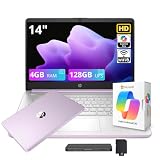
- Premium Choice: HP Stream 14" HD Student&Business Laptop with AI Copilot, Intel Processor N150, 4GB RAM, 128GB UFS&1TB Cloud Storage, 1 Year Office 365, Intel Graphics, Wi-Fi 6, Win 11, Lavender Purple
The best budget laptop for most students is a Windows model with 16GB of memory and a 512GB drive, such as the Acer Aspire Go 15 or the Lenovo ThinkPad E14; students whose school works in the browser should look at the Acer Chromebook Plus 514 or 515; and students who can stretch the budget a little may prefer the MacBook Neo. The trick with a cheap laptop is avoiding the lowest memory and storage options, because those are what make a budget machine feel slow in its second year.
As an Amazon Associate we earn from qualifying purchases at no extra cost to you.



What to Prioritize on a Budget
- Memory first: Where you can, choose 16GB over 8GB. Reviewers of the MacBook Neo note that its 8GB cannot be upgraded and is a real constraint for heavy multitasking.
- Solid-state storage: Choose an SSD, not a hard drive. 256GB works for light use; 512GB is more comfortable.
- Screen quality: Budget screens are often dim with limited color. TechRadar reports the Aspire Go 15 display disappoints, which is typical of the tier. A 1920×1080 or 1920×1200 panel is the minimum worth considering.
- Battery: Check independent battery tests. CNN Underscored reports 12 hours 50 minutes for the Acer Chromebook Plus 514.
- Keyboard: TechRadar says the Chromebook Plus 514 keyboard could feel sturdier. Typing comfort is often where budget laptops cut costs.
- Build and weight: Plastic bodies are normal at this tier. Look for a reasonable weight if you carry the laptop daily.
At a Glance: Budget Options Compared
| Laptop | Best for | Key stated specs | Limits |
|---|---|---|---|
| Acer Aspire Go 15 | Cheapest full Windows laptop with a full-size keyboard | Guides recommend configuring 16GB and 512GB; TechRadar calls performance snappy for the price | Display disappoints per TechRadar |
| Lenovo ThinkPad E14 | Students who type a lot | TechRadar recommends it for budget students | Costs more than the cheapest laptops |
| Acer Chromebook Plus 514 (2025) | Browser-based coursework and battery life | Intel Core 3 100U, 8GB RAM, 128GB storage, 14-inch 1920×1200 screen; 12 hours 50 minutes in CNN Underscored’s battery test | ChromeOS only; keyboard could be sturdier per TechRadar |
| Acer Chromebook Plus 515 | Larger-screen Chromebook | Tom’s Guide names it the best Chromebook under a budget cap | ChromeOS limits desktop software |
| ASUS Vivobook 16 | Larger screen Windows value | One guide lists it as a top-value Windows pick | Larger and heavier |
| HP OmniBook 3 16 | Better battery life at a higher budget tier | A guide says it is worth the extra for battery life | Costs more than basic budget models |
| MacBook Neo | Stretch-budget Mac | A18 Pro chip, 8GB fixed memory, 1.23 kg; reviewers report about 13 hours of battery | 8GB limit, slower SSD than Air and Pro, throttles under sustained load per testers |
Windows, ChromeOS or Mac on a Budget?
Windows
Windows laptops offer the widest software compatibility and the most choice. They suit students who need specific programs, such as Microsoft Office desktop apps, statistics packages or engineering tools. The downside at the budget tier is that cheap Windows laptops can feel sluggish if memory or storage is minimal.
ChromeOS
Chromebook Plus models are quick for browser-based work, start fast and often last long on battery. They fit schools that use Google Workspace or web-based learning platforms. They cannot run many traditional desktop programs, so check your course requirements first.
Mac
The MacBook Neo is Apple’s entry point, and Macworld and other reviewers describe it as surprisingly capable for the price tier. Sources disagree on its launch price, so check the maker’s current listing. It is a good fit for writing, research and light creative work, but the fixed 8GB memory means you cannot upgrade later.
Budget Tiers Explained
Lowest Tier
At this tier you get a basic Windows laptop or Chromebook. Expect a plain display, plastic body and modest speed. These work for essays, web research and video calls. Choose the best memory and storage configuration the budget allows.
Upper Budget
Stretching a little brings better screens, sturdier builds and better battery life. The ThinkPad E14, HP OmniBook 3 and Chromebook Plus 514 sit here. This tier is often the sweet spot for students who want a laptop to last the whole degree.
Entry Mid-Range
The MacBook Neo, a base configuration of the Dell XPS 13, or a MacBook Air with M5 at the top of this range offer a clear step in quality. RTINGS names the MacBook Air 13 (M5, 2026) its best laptop for college, but it sits above a strict budget tier.
Fit, Care and Compatibility Notes
- Check software needs: Confirm that your course software runs on your operating system before buying.
- Confirm the configuration: The same model name often comes in several memory and storage versions. Read the listing carefully.
- Protect the laptop: A padded sleeve and a screen-safe cloth go a long way. Avoid placing heavy objects on the lid in a bag.
- Charging: The MacBook Neo ships with a 20W adapter and does not support fast charging, according to reviewers. Check what charger is included with any laptop you buy.
- Storage backup: Use cloud storage for assignments, especially on Chromebooks with small drives.
- Refurbished options: Refurbished business laptops from reputable sellers can offer more memory and better build for the same budget tier.
Pick X If… Decision Table
| Pick this | If you |
|---|---|
| Acer Aspire Go 15 | Need a full Windows laptop at the lowest tier and can accept a weaker display |
| ThinkPad E14 | Type a lot and want better build quality |
| Chromebook Plus 514 or 515 | Work mostly in the browser and want long battery life |
| ASUS Vivobook 16 | Want a larger screen at a low tier |
| HP OmniBook 3 16 | Value battery life and can spend a bit more |
| MacBook Neo | Want a Mac and your work fits in 8GB |
Alternatives
- Refurbished ThinkPad or MacBook: Previous-generation models often beat new budget laptops on build and keyboard quality. Confirm battery health and warranty.
- Tablet with keyboard: For note-taking and reading, a tablet with a keyboard case can cost less, but it is weaker for multitasking and desktop software.
- Used MacBook Air: An earlier Apple silicon Air is a common alternative to new budget Windows laptops; check the support period for the specific model.
How to Avoid Common Budget Laptop Mistakes
The most common mistake is buying the lowest configuration of an otherwise good model. A laptop with 4GB of memory or a slow hard drive can feel unusable within a year, even if the name on the lid is respected. Check the exact memory, storage type and processor in the listing, and compare it with the configurations discussed above.
A second mistake is ignoring the screen. Because you look at it for hours, a dim, low-resolution panel causes eye strain and makes documents harder to read. If you cannot see the laptop in person, read independent reviews that measure brightness and color, and remember that reviewers report disappointing displays on several low-cost models.
A third mistake is overlooking software needs. Some courses need Windows-only programs, and a Chromebook or Mac will not run them without workarounds. Ask your school what it supports. Finally, remember accessories and protection: a sleeve and a reliable backup habit cost little and protect a laptop that is hard to replace on a student budget.
It also helps to compare total ownership rather than the sticker tier alone. A laptop with a replaceable battery, readily available repair parts and a long update window can cost less over four years than a cheaper model that needs replacing sooner. Business-line models such as the ThinkPad E14 often score well here, and refurbished units from sellers with a written warranty can be a sensible way to move up a tier without paying for it.
Frequently Asked Questions
How much memory should a budget student laptop have?
16GB is the safest choice, because it keeps a laptop responsive as software grows over several years. 8GB can work for basic tasks, particularly on ChromeOS, but leaves little room for many tabs and video calls.
Is a Chromebook good enough for students?
For web-based work, yes. Chromebook Plus models start quickly and often have strong battery life. They are not suitable if your course needs Windows or Mac desktop software.
Is the MacBook Neo a budget laptop?
It is Apple’s lowest-cost Mac, and CNN Underscored describes it as a budget MacBook, though it costs more than basic Windows laptops and Chromebooks. Reviewers say 8GB is enough for light work but limiting for heavy multitasking.
What is the biggest weakness of cheap laptops?
Screens and keyboards are the usual compromises, followed by speed under load. Reviewers consistently flag disappointing displays on the cheapest Windows models.
Should I buy new or refurbished?
Refurbished business laptops can offer better build and keyboards for the same budget tier. Buy from a seller that offers a warranty and states the battery condition.
How long will a budget laptop last?
With sensible care, three to four years is a realistic expectation, especially with 16GB of memory. Battery wear and software updates are the usual limits, so check how long the maker supports the model.







