ASRock B850 Steel Legend Review 2026: Value AM5 Board for Gaming Builds
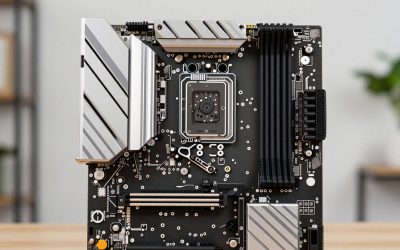
The ASRock B850 Steel Legend is a value-focused AM5 board. It uses the B850 chipset and aims at builders who want a reliable Ryzen platform for gaming without paying for premium networking, heavy heatsinks or a large rear panel. The Steel Legend name is a familiar one in ASRock’s catalogue, and the board follows the brand’s pattern of practical features at a moderate price. This guide is a value-oriented buying framework. It explains what the B850 Steel Legend class does well, where it will feel limited, and how to decide whether it is the right board for your budget.
The listing above is the closest match for the Steel Legend B850 name used here. Revisions, colourways and bundles can differ, so verify the exact model on the card and check the current price before you order. The guidance below applies to the Steel Legend B850 family rather than to one specific revision.

Where a Value B850 Board Fits in the AM5 Lineup
The B850 chipset sits in the mainstream part of the AM5 range. It supports the same processor families as the more expensive X870 and X870E boards, and it handles a single high-end graphics card without any gaming penalty. What it lacks is the extra chipset-level PCIe 5.0 capability that X870E provides. For most gamers, that difference does not show up in frame rates. It matters when you want several fast devices running at the same time.
That makes the Steel Legend class a natural choice for a gaming-first build. You get the platform features that matter for games, which are the processor socket, memory support and a PCIe slot for the graphics card. You also keep the budget for the graphics card, the monitor or the cooler. Our budget gaming motherboard guide shows where this class sits next to other value options.
What Value Really Means on a Motherboard
Value does not mean the cheapest board available. It means a board that does the job well at a price that leaves room for the rest of the build. On the Steel Legend class, that means sensible power delivery for mainstream Ryzen chips, a usable BIOS and a layout that does not make the build harder than it needs to be. Those three points are what separate a value board from a bargain that causes problems later.
Power Delivery and Cooling
The power delivery on a value B850 board is designed for mainstream processors. A Ryzen 7 class chip, or a 6-core or 8-core part, runs well during long gaming sessions. For a 16-core processor under constant full load, the VRM can run warm, and a premium X870E board gives more headroom. If you plan to run a flagship chip for rendering or compiling, the extra power stages are worth paying for. For gaming, the mainstream VRM is generally enough.
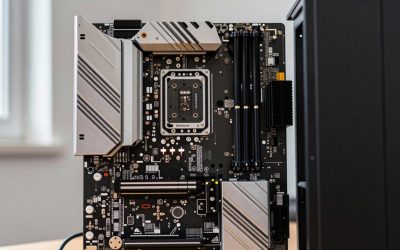
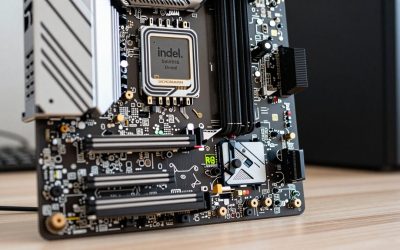
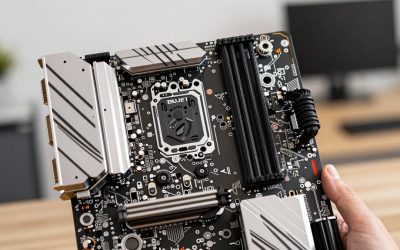
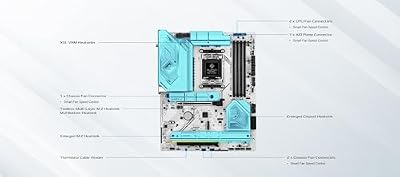
Cooling is simpler on value boards. You get heatsinks over the main power stages and a cover over the primary M.2 slot. Check the M.2 heatsink coverage before you buy, because a fast drive without a heatsink can throttle under sustained writes. Our air CPU cooler guide for gaming covers coolers that suit a mainstream AM5 build without wasting money.

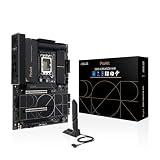
ASRock B850 Steel Legend WiFi AMD AM5 ATX Motherboard, Supports AMD Ryzen 9000/8000/7000 Series Processors, DDR5 8000+ (OC), PCIe 5.0, 2.5G LAN, WiFi 7, 14+2+1 Power Phase



As an Amazon Associate we earn from qualifying purchases. Product prices and availability are accurate as of the date/time indicated.
BIOS Support and Processor Compatibility
BIOS support is the most common trap for value board buyers. A new processor may not post on an older BIOS version, and value boards sometimes ship with a BIOS that predates the newest chips. Before you buy, check the CPU support list on the manufacturer site. If your processor is recent, look for a board revision or BIOS release that lists it. Some builders update the BIOS using a USB flash method, and some boards need the older processor installed for the first update. Read the manual before you start.
Once the system is running, enable the EXPO profile in the BIOS to set your DDR5 memory to its rated speed. Confirm the speed in the system information screen. A 6000MT/s kit is a common choice for AM5 gaming, and our DDR5-6000 kit roundup lists kits that tend to run cleanly on this chipset.
Storage, Memory and Layout
Value boards usually provide one or two M.2 slots and a handful of SATA ports. For a gaming PC, that is enough. Put your operating system and main game library on the fastest slot, and use the second slot for a larger drive. A PCIe 4.0 NVMe drive is the sensible choice for most builders, and our PCIe 5.0 SSD guide explains when the faster drives justify the extra cost.
For memory, two sticks at a high speed usually beat four sticks at a lower speed. Capacity is the other question. Thirty-two gigabytes suits most gaming builds, and our 32GB DDR5 guide shows how to choose kits at that capacity without overspending.
Connectivity and Rear Panel
The rear panel covers the essentials: a set of USB ports, a wired Ethernet port and, on some revisions, onboard Wi-Fi. For a gaming PC, wired Ethernet is the most stable choice for online play. Wi-Fi is useful in rooms without a cable run, but it should not be your only connection for competitive games. Audio is adequate for headsets and speakers, and you can skip a separate sound card for a typical gaming setup.
Comparison Table: Steel Legend B850 Versus Other Value and Mainstream Options
The table below compares the Steel Legend B850 class with other boards you are likely to shortlist. Prices are shown as tiers, since they change often and differ by retailer. Use the cards in this guide to check the current price for each listing.
| Board class | Best for | Typical price tier | What to verify before buying |
|---|---|---|---|
| Steel Legend B850 class | Value gaming builds on mainstream AM5 | Budget to mid-range (check current price) | CPU support list, BIOS version, M.2 heatsink coverage |
| Other B850 boards | Gaming builds that want more rear I/O or Wi-Fi | Mid-range | Rear port count, networking, VRM size |
| X870 boards | Builds that need more chipset-level expansion | Mid-range to upper mid-range | Whether the extra lanes will be used |
| X870E boards | Heavy multi-device or flagship processor use | Premium | Whether the extra cost matches your workload |
If you want to see the cheapest viable options on the same platform, our low-price motherboard guide covers boards that cut features further. For the processor side of the decision, our budget gaming CPU guide explains which chips pair well with a value board.
Who Should Buy the Steel Legend B850 Class
This board suits a gamer building a mainstream Ryzen system on a budget. It fits a first AM5 build, a second PC for the living room or a gaming rig where the graphics card and monitor take most of the budget. It is less suited to a high-core workstation or a system with many high-speed devices. Those builders should look at X870 or X870E boards.
Pre-Purchase Checklist
Check the socket and chipset against your processor. Confirm the CPU support list and the BIOS version that adds your chip. Check the memory support list for your kit. Count the rear ports and front-panel headers your case needs. Plan which M.2 slot gets your main drive. Measure the cooler and graphics card clearance against the case before you buy.
Related reading: our general motherboard guide, our gaming motherboard roundup.
Frequently Asked Questions
Is the B850 Steel Legend good for gaming?
Yes. For gaming, the processor and graphics card set the frame rate, and the B850 chipset supports both without a penalty. It is a sound value choice for most mainstream gaming builds.
Will it run a high-end Ryzen processor?
It runs mainstream Ryzen chips well. For a high-core-count processor under long, heavy load, a premium VRM gives more headroom. Check the CPU support list and VRM notes before you pair it with a flagship chip.
Do I need to update the BIOS before using a new CPU?
Often, yes. Check the manufacturer’s CPU support list and the BIOS release notes. If your chip is new, confirm that the BIOS version on the board supports it before you install.
Is Wi-Fi worth it on a value board?
It is convenient in rooms without a cable run. For competitive games, wired Ethernet remains the more stable choice. Use the wireless feature as a convenience rather than a requirement.
Final Verdict on the ASRock B850 Steel Legend
The ASRock B850 Steel Legend is a practical value board for mainstream AM5 gaming. It delivers what a gaming build needs from the platform, and it leaves budget for the graphics card and monitor, which affect frame rates more than the motherboard does. Buy it when your processor is in the mainstream range and your storage plan is simple. Choose an X870 or X870E board when you need more chipset expansion or a stronger power design. Before you order, check the CPU support list, the BIOS version and the memory list, and confirm the current price on the listing above.