AM5 Motherboard WiFi 7 Support: What to Check Before You Buy
WiFi 7 is becoming a common feature on AM5 motherboards, but support is not the same as a faster connection in every home. On an AM5 board, WiFi 7 depends on the wireless module the manufacturer fitted, the antennas in the box, and the router on your network. This guide explains how to confirm WiFi 7 support on an AM5 board, what it actually changes for gaming, and when a wired connection is still the better choice.
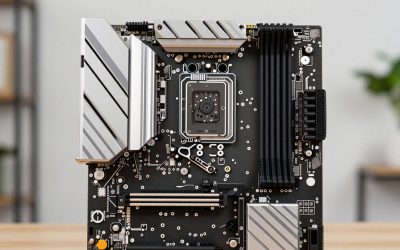
This is a buying guide, not a wireless test report. We have not measured throughput on every board in the cards below, and real-world speed depends on your router, distance, interference and internet plan. Use the product cards as a starting point, then check the wireless standard, antenna setup and LAN speed on the product page. The hero listing is the closest match to the AM5 WiFi 7 search, so read it as a representative of the category rather than a guarantee of one specific model.


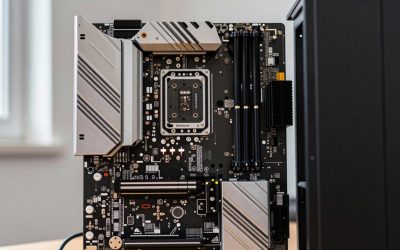
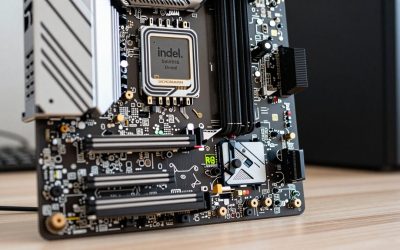
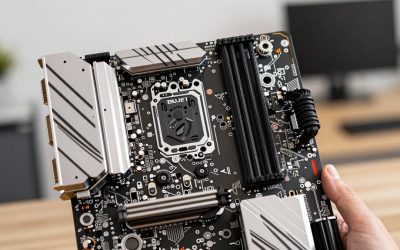
ASRock AMD X870E Taichi Ryzen Socket AM5 X870 Dual Channel DDR5 DIMMs 256 GB 8200 EATX Motherboard M.2 LED WiFi 7

What WiFi 7 Means on an AM5 Board
WiFi 7, defined by the IEEE 802.11be standard, is the newest generation of wireless networking. It adds wider channels, better handling of crowded airwaves and support for multiple links at once. On a motherboard, the feature usually arrives as an M.2 wireless module with antenna connectors on the rear I/O panel. The processor and graphics card are unaffected. The benefit is entirely in your network connection.
For gaming, the advantage is most visible when the network is busy. A WiFi 7 link can hold a steadier connection when several devices share the same network, which helps with streaming, downloads and voice chat. It does not reduce ping to a game server, because the path to that server is still set by your internet provider and the route between you and the server.
Check the Module, Not Just the Label
Board listings often show WiFi 7 in the feature list, but the details differ. Some boards use a module with a fixed set of antennas. Others include a larger antenna kit or a removable antenna design. Read the product page to confirm the wireless standard, the number of antennas and whether Bluetooth is included. Bluetooth is useful for keyboards, headsets and controllers, so check whether the version listed matches your needs.
Antennas and placement
Antennas matter as much as the module. A good antenna placed away from the metal case gives better reception than a small antenna pushed behind the tower. If your PC sits under a desk, the signal can drop. Consider an external antenna or a Wi-Fi access point nearby. The antennas included with the board are usually enough for a room-sized setup, but check the length and mounting options.
Your router must match
A WiFi 7 board on a WiFi 6 router will still connect, but it will use the older standard. You need a WiFi 7 router to get the full benefit. If your home network is older, the board’s wireless card will still work, but you should not expect a large jump in speed. The router also decides channel width and band use, so check its settings after installation.

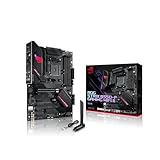
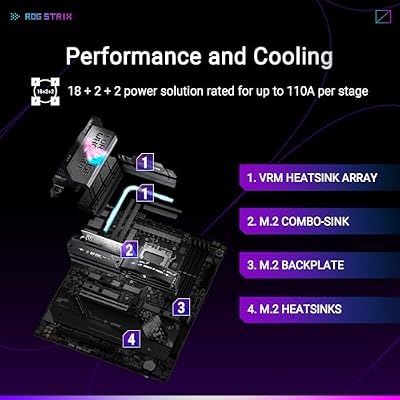
ASUS ROG Strix X870E-E Gaming WiFi - AMD Ryzen AM5 X870E ATX Gaming Motherboards (DDR5, 18+2+2 DrMOS, 5 x M.2, PCIe 5.0, WiFi 7, USB4 Type-C C, USB 20Gbps Type-C up to 30W, HDMI, Aura Sync RGB)



As an Amazon Associate we earn from qualifying purchases. Product prices and availability are accurate as of the date/time indicated.
WiFi 7 Versus Wired Ethernet for Gaming
For the most consistent gaming connection, a wired Ethernet cable is still the best choice. It avoids interference, keeps latency stable and does not depend on the wireless environment. Many AM5 boards include multi-gigabit Ethernet, which covers the speed most home internet plans need. If your PC sits near the router, use a cable. WiFi 7 is most useful when the cable is not practical, such as a PC in a living room or a desk far from the router.
Board Choices and Fit
WiFi 7 is more common on mid and upper tier AM5 boards, where manufacturers include better networking as part of the design. If you need WiFi 7 and a strong power stage for a higher-end processor, you may need to look at a premium board. If you only need wireless as a backup, a simpler board with a WiFi 6 or WiFi 6E module can be enough. Our guide to the best AM5 motherboard for gaming covers the main choices across the platform.
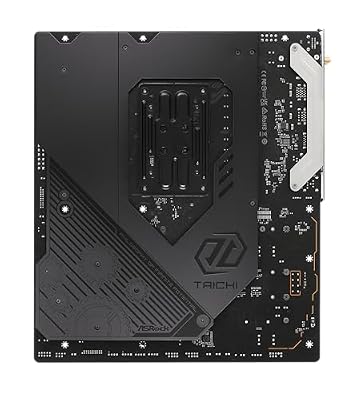
ASRock AMD X870E Taichi Ryzen Socket AM5 X870 Dual Channel DDR5 DIMMs 256 GB 8200 EATX Motherboard M.2 LED WiFi 7


As an Amazon Associate we earn from qualifying purchases. Product prices and availability are accurate as of the date/time indicated.
Comparison Criteria for AM5 Boards with WiFi 7
The table below lists the checks that matter when you compare boards. It uses general descriptions and ranges instead of fixed prices, because prices change often and differ by region.
| Criterion | What to check | Why it matters | Typical price range |
|---|---|---|---|
| Wireless standard | WiFi 7 (802.11be) on the spec sheet | Newest standard for busy networks | Often a premium feature |
| Antennas | Number and type included in the box | Signal strength in your room | Included with most boards |
| Bluetooth | Version listed on the page | Controllers, headsets and keyboards | Bundled with the module |
| Wired LAN | Multi-gigabit Ethernet port | Stable gaming connection | Varies by board tier |
| Chipset | X870, B850 or B650 class | Feature set and power delivery | Check current price |
Who Needs WiFi 7 on an AM5 Board
WiFi 7 is worth paying for if your PC cannot be wired, your home has many connected devices, or you already own a WiFi 7 router. It is less important for a desktop next to the router, or for a PC that you plan to connect with a cable from day one. Buyers who want a compact setup in a living room often find that WiFi 7 is the most practical option, because running a cable is not always possible.
Who Can Skip It
If your PC sits near the router and you already have Ethernet, WiFi 7 adds little value. The same applies if your router is WiFi 5 or older. In those cases, put the money into a better graphics card or a larger SSD, which will have a bigger effect on your gaming experience.
Related Guides
More reading for this build: WiFi extenders for gaming gaming motherboard basics a Ryzen 7 9800X3D motherboard guide affordable gaming motherboards.
Frequently Asked Questions
Does WiFi 7 lower ping in online games?
Not directly. Ping depends mainly on the route from your PC to the game server. WiFi 7 can reduce wireless interference and jitter on a busy network, but a wired connection is usually more stable for competitive play.
Do I need a WiFi 7 router to use a WiFi 7 motherboard?
No. The board works with older routers, but you need a WiFi 7 router to use the newest standard. Check your router’s specifications before you assume you will see the full benefit.
Is WiFi 7 better than a wired Ethernet connection?
For most gaming, wired Ethernet is more consistent. WiFi 7 is a strong option when a cable is not practical. Use a cable when you can, and keep WiFi 7 as the fallback or main connection only when the room layout requires it.
For wider networking choices, read our guide to the best WiFi for gaming and the best WiFi router for gaming. If you need a wireless adapter for an older PC, see the best WiFi adapter for PC gaming.