AM5 Motherboard Dual M.2 Gen5: Storage Layout and Buying Checks
A motherboard with two PCIe 5.0 M.2 slots sounds like the easy answer for a fast storage build, but the reality is more detailed. On AM5, the processor provides a limited number of high-speed lanes, and manufacturers route them to slots, graphics cards and other ports in different ways. This guide explains how dual Gen5 M.2 layouts work on AM5, which storage setups benefit, and what to check in the manual before you buy.
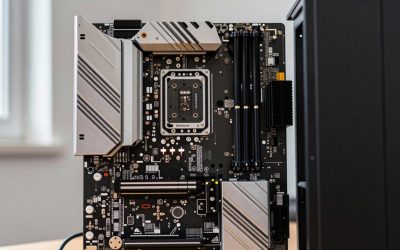
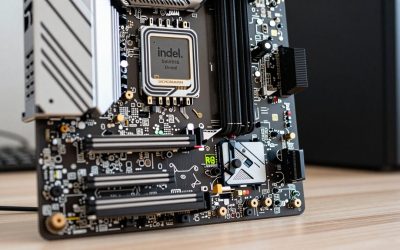
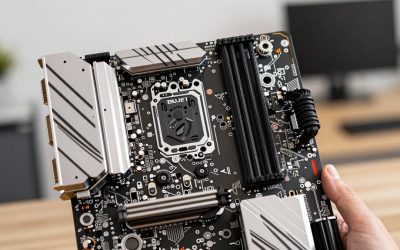
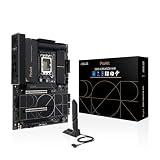
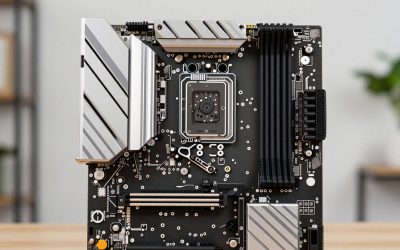
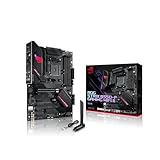
This is a buying guide, not a storage benchmark. We have not reviewed every slot on the boards in the cards below, and results depend on the drive, cooling and the workload. Use the product cards as a starting point, then check the M.2 layout and lane sharing on the product page and in the manual. The hero listing is the closest match to the dual M.2 Gen5 search, so read it as a representative of the class rather than a guarantee of one specific model.

What PCIe 5.0 M.2 Means in Practice
PCIe 5.0 doubles the per-lane bandwidth of PCIe 4.0, and a Gen5 NVMe drive in an x4 slot can reach very high sequential speeds. For gaming, the practical benefit is shorter load times for large games and faster asset streaming in some titles. Most of the time, a fast Gen4 drive is already fast enough. Gen5 is most useful for large libraries, video editing scratch disks and workloads that move big files.
The gaming benefit is also limited by the rest of the system. Once a game is loaded, storage speed matters less. Frame rates depend mainly on the graphics card and processor. Gen5 storage is a good choice for future-proofing or heavy file work, but it is not a reason to skip a better graphics card.
How AM5 Routes Its M.2 Lanes
The processor provides PCIe 5.0 lanes for the graphics card and, on many boards, one Gen5 M.2 slot. Additional M.2 slots usually come from the chipset, which typically provides PCIe 4.0 lanes. Some boards run a second slot at Gen5 by sharing lanes with the main graphics slot, and others share lanes with SATA ports or other expansion slots. The exact arrangement varies by board, so the manual is the reliable source.
Lane sharing and slot priority
Lane sharing means that using one port can disable another. For example, a second M.2 slot may turn off some SATA ports, or it may reduce the graphics slot from x16 to x8. The graphics card usually loses little performance from an x8 link, but you should still check the effect before you add a second card or a second drive. Read the manual’s block diagram for the exact rules.
Heatsinks and thermal limits
Gen5 drives run hotter than Gen4 drives. Look for boards with a large M.2 heatsink, and check whether the board includes a thermal pad or a metal shield for each slot. A drive that throttles under load can lose speed in long transfers. If your case has airflow near the storage slots, the built-in heatsink may be enough. Otherwise, consider adding a cooler to the drive itself.
Which Builds Benefit from Dual Gen5 M.2
Dual Gen5 slots are useful for three types of builder. The first is the creator who edits large video files and wants a fast scratch drive alongside the system drive. The second is the gamer with a large library who wants to keep the operating system on one fast drive and a second fast drive for games. The third is the buyer who wants to add storage later without changing the board. For these users, the extra slot layout is worth checking closely.
Who Can Skip It
If you have one fast drive and do not plan to add more, a board with a single Gen5 slot and one or two Gen4 slots is enough. The same applies to a budget build where the money is better spent on a graphics card. Dual Gen5 layouts often sit on premium boards, so compare the storage needs before you pay for the feature.
Board Tiers and Layout Choices
Dual Gen5 layouts are most common on upper tier AM5 boards with X870 or X870E chipsets. Lower tier boards may offer one Gen5 slot and Gen4 slots for the rest. If you want a specific layout, check the board page and the manual before you buy. Our guide to the best X870 motherboard for a Ryzen 9 9950X3D build covers the upper tier in more depth.
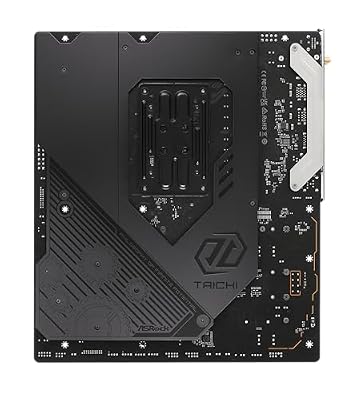
ASRock AMD X870E Taichi Ryzen Socket AM5 X870 Dual Channel DDR5 DIMMs 256 GB 8200 EATX Motherboard M.2 LED WiFi 7


As an Amazon Associate we earn from qualifying purchases. Product prices and availability are accurate as of the date/time indicated.
Comparison Criteria for Dual M.2 Gen5 Boards
The table below lists what to check when you compare storage layouts. It uses general descriptions and ranges rather than fixed prices, because retail prices change often.
| Criterion | What to check | Why it matters | Typical price range |
|---|---|---|---|
| Gen5 slots | Number and lane source | Maximum storage speed | Premium feature |
| Lane sharing | Block diagram in the manual | Whether a second drive reduces other ports | Not on the spec sheet |
| Heatsinks | Size and included thermal pads | Sustained speed under load | Often included |
| Graphics slot | x16 or x8 when M.2 is in use | Graphics card compatibility | Check the manual |
| Chipset | X870, B850 or B650 class | Lane count and feature set | Check current price |
Common Mistakes with Dual Gen5 Layouts
The most common mistake is buying a board for two Gen5 slots without checking the lane rules, then finding that the second slot drops to Gen4 or turns off a SATA port. The second is installing a drive without a heatsink and seeing throttling in long transfers. The third is overlooking the cooler clearance. Some large M.2 heatsinks sit close to the CPU cooler, so check the height limit.
Related Guides
More reading for this build: Ryzen 7 9800X3D board guide choosing a gaming motherboard best AMD CPU for gaming gaming motherboard roundup. Another motherboard roundup for gaming PCs.
Frequently Asked Questions
Does Gen5 M.2 improve gaming performance?
Mostly no. It can shorten load times and help with asset streaming in some games. Frame rates depend mainly on the graphics card and processor, so spend the budget on those parts first.
Will a second Gen5 drive reduce my graphics card speed?
It can, depending on the board. Some layouts share lanes between the graphics slot and an M.2 slot, which can drop the graphics link from x16 to x8. Check the manual’s block diagram before you install the drive.
Is a Gen4 drive enough for most gamers?
Yes. A fast Gen4 drive gives strong results for most gaming libraries. Gen5 is most useful for large file work and future upgrades.
For storage choices, read the best SSD for a gaming PC and the best AM5 motherboard for gaming. If you are weighing a premium AMD build, the best gaming motherboard for a Ryzen 7 9800X3D covers a related setup.