

The Acer Nitro KG241Y brings a recognised name to the budget gaming-monitor category. It pairs a 23.8-inch Full HD VA panel with a 165Hz refresh rate, a 1ms VRB response setting and AMD FreeSync Premium support, all for around $110. With a zero-frame design and more than 4,100 buyer reviews, it aims to be a dependable, all-round choice rather than a specialist display. This Acer Nitro KG241Y review covers the panel, motion performance, gaming features and whether this trusted-brand budget monitor is the right pick for a mainstream gaming setup.
- Acer Nitro KG241Y at a Glance
- Image Quality: Panel, Resolution and Colour
- Refresh Rate and Motion Performance
- Gaming Experience: Adaptive Sync and HDR
- Design, Connectivity and Ergonomics
- Who Is the Acer Nitro KG241Y For?
- Pros and Cons
- Is the Acer Nitro KG241Y Worth It?
- Frequently Asked Questions
- More Gaming Monitor Reviews
- Related Articles
- Related Articles
- Related Guides

Acer Nitro 23.8in FHD 1920x1080 180Hz Gaming Monitor KG241Y Sbiip | 1ms, AMD FreeSync Premium, 2xHDMI, DisplayPort, VESA Mountable, Bluelight Filter, Flickerless Technology


As an Amazon Associate we earn from qualifying purchases. Product prices and availability are accurate as of the date/time indicated.
🛒 Best Price Today on Amazon
Prime members get fast, free shipping on everything above, plus member-only deals. New members get a 30-day free trial — cancel anytime.
As an Amazon Associate we earn from qualifying purchases.



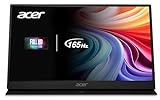
Acer Nitro KG241Y at a Glance
| Component | Specification |
|---|---|
| Screen size & type | 23.8″ flat VA |
| Resolution | Full HD 1920×1080 |
| Panel technology | VA |
| Refresh rate | 165Hz |
| Response time | 1ms VRB |
| Adaptive sync | AMD FreeSync Premium |
| HDR & brightness | HDR Ready, 250 nits |
| Ports | DisplayPort 1.2, 2x HDMI 2.0 |
| Price | Around $110 |
Image Quality: Panel, Resolution and Colour
The Acer Nitro KG241Y uses a VA panel, which is a sensible choice for a monitor that aims to be a do-everything display. VA technology is known for strong contrast, producing noticeably deeper blacks than a typical budget IPS or TN panel. That gives the KG241Y an advantage in atmospheric single-player games and in film viewing, where a dark, convincing black point makes the picture look richer and more cinematic.
The Full HD 1920×1080 resolution suits the 23.8-inch screen size well. At this size, 1080p produces a clean, reasonably sharp image, and it is an easy resolution for a mid-range graphics card to drive at the high frame rates the 165Hz panel can display. Brightness is quoted at 250 nits, which is modest but adequate for a normally lit room. The monitor carries an HDR Ready label, though buyers should treat this as basic HDR signal acceptance rather than a true high-impact HDR experience.
Refresh Rate and Motion Performance
The KG241Y runs at 165Hz, a refresh rate that sits comfortably in genuine high-refresh territory. Stepping up from a 60Hz display to 165Hz is a substantial improvement: motion looks markedly clearer, fast camera pans stay sharp, and the entire experience feels more responsive and fluid. For both competitive titles and fast-paced single-player games, that uplift is immediately worthwhile.
Acer quotes a 1ms VRB response time. VRB, or Visual Response Boost, is a backlight-strobing mode designed to sharpen motion clarity further, and it is a useful tool for reducing perceived blur in fast scenes. As a VA panel, the KG241Y can show a little dark-scene smearing — a known trait of the technology — but in general motion handling is strong for a monitor at this price. Competitive players will appreciate the clean, high-refresh motion the 165Hz panel provides.
Gaming Experience: Adaptive Sync and HDR
The KG241Y supports AMD FreeSync Premium, a more capable tier of adaptive sync. FreeSync Premium matches the monitor’s refresh rate to the graphics card’s frame rate to eliminate screen tearing, and the Premium designation adds low-framerate compensation, which keeps the experience smooth even when frame rates dip below the panel’s normal range. For a gaming monitor, that is a genuinely valuable feature, and it works with compatible NVIDIA cards as well as AMD.
The monitor is HDR Ready, which means it can accept and display an HDR signal but does not deliver the high brightness and local dimming that produce a truly striking HDR image. That is normal for the price, and buyers should not choose this monitor expecting a transformative HDR experience. What the KG241Y does deliver well is tear-free, high-refresh standard-dynamic-range gaming with the deep native contrast of its VA panel — a strong, dependable combination.
Design, Connectivity and Ergonomics
The KG241Y carries Acer’s zero-frame design, with very slim borders on three sides that give the monitor a tidy, modern look and make it well suited to a dual-screen arrangement. Connectivity is sensible for a gaming display: a DisplayPort 1.2 input, which is needed to reach the full 165Hz refresh, plus two HDMI 2.0 ports that allow a PC and a console — or two consoles — to stay connected at once.
Ergonomically, the stand offers tilt adjustment, which is standard at this price point. The panel includes a VESA 100×100 mounting pattern, a genuinely useful inclusion that lets owners attach the monitor to an arm or wall mount and gain the full height and rotation adjustment the basic stand omits. For a setup where comfortable eye-level positioning matters, that VESA support meaningfully extends the monitor’s flexibility.
Who Is the Acer Nitro KG241Y For?
The KG241Y is for the mainstream gamer who wants a dependable, well-rounded monitor from a recognised brand without overspending. If you want a genuine 165Hz high-refresh experience, value the deep contrast of a VA panel for single-player and film viewing, and prefer the reassurance of a trusted name and a large base of buyer reviews, this monitor fits the brief well. It is a sensible centrepiece for a first or mid-range gaming PC.
It is less suited to buyers chasing the very highest competitive refresh rates, who should look at a 240Hz panel, or to those who want a large, high-resolution screen for detailed work. But as an affordable, balanced all-rounder, the KG241Y is a strong choice — it covers competitive gaming, single-player atmosphere and everyday use without obvious weaknesses.
Pros and Cons
Pros: Genuine 165Hz refresh rate; strong VA contrast for deep blacks; AMD FreeSync Premium with low-framerate compensation; 1ms VRB motion-clarity mode; tidy zero-frame design; dual HDMI plus DisplayPort; VESA 100×100 support; trusted brand with a large review base.
Cons: Modest 250-nit brightness; HDR is a basic Ready label rather than a true HDR experience; VA panels can show slight dark-scene smearing; tilt-only stand; Full HD resolution is not detailed by modern standards.
Is the Acer Nitro KG241Y Worth It?
At around $110 the Acer Nitro KG241Y is a well-judged budget all-rounder. It delivers a genuine 165Hz refresh rate, the deep contrast of a VA panel, and the more capable FreeSync Premium tier of adaptive sync, all from a recognised brand with the reassurance of more than 4,100 buyer reviews. The compromises — modest brightness and a token HDR label — are easy to accept at this price. For a mainstream gamer who wants a dependable, balanced display without overspending, it earns a confident recommendation. Buyers seeking the highest competitive refresh rates should consider a 240Hz panel instead.
Frequently Asked Questions
Is the Acer Nitro KG241Y good for competitive gaming?
Yes. Its genuine 165Hz refresh rate and 1ms VRB motion mode deliver clear, fluid motion. Players chasing the very highest refresh rates may prefer a 240Hz panel, but 165Hz is strong for the price.
Does the Acer Nitro KG241Y have real HDR?
It is labelled HDR Ready, meaning it accepts an HDR signal but lacks the brightness and local dimming for a striking HDR image. Treat it as a standard-dynamic-range monitor with strong VA contrast.
Does the Acer Nitro KG241Y work with NVIDIA graphics cards?
Yes. It uses AMD FreeSync Premium, which is also compatible with NVIDIA cards, so it eliminates screen tearing regardless of which brand of graphics card you use.
Can the Acer Nitro KG241Y be wall mounted?
Yes. It includes a VESA 100×100 mounting pattern, so it can be attached to a monitor arm or wall mount to gain height and rotation adjustment the basic stand lacks.
More Gaming Monitor Reviews
- Dell 24 240Hz Gaming Monitor Review (SE2426HG)
- SANSUI 27-inch Curved 240Hz Gaming Monitor Review
- AOC 27-inch QHD 240Hz Gaming Monitor Review
- Acer Nitro 27-inch QHD 180Hz Gaming Monitor Review
- Samsung Odyssey G5 (G51F) Gaming Monitor Review: 27-inch QHD
- ASUS TUF Gaming VG27AQM5A Review: 27-inch 300Hz QHD
- LG UltraGear 32GS60QC Review: 32-inch Curved QHD Gaming Monitor
- Alienware 34 Curved Gaming Monitor Review (AW3425DWM)
Affiliate Disclosure: As an Amazon Associate, we earn from qualifying purchases. If you click a link and make a purchase, we may earn a small commission at no extra cost to you. Prices and availability are accurate as of publication and may change.
Related Articles
Looking for more on this topic? Browse the hand-picked guides below — each one applies the same scoring rubric used in this review.










