- Top Pick: HP 21.5" FHD All-in-One Desktop Computer, Quad-Cores Intel N100, Windows 11 & 8-in-1 Docking Hub, Keyboard & Mouse Included, White (White, 8GB RAM | 384GB Storage)
- Best Value: DELL Optiplex 7060 SFF Desktop Computer PC | Intel 8th Gen i7-8700 (6 Core) | 32GB DDR4 Ram 512GB NVMe M.2 SSD | Built-in WiFi & Bluetooth | Windows 11 Pro | Wireless Keyboard & Mouse(Renewed)
- Premium Choice: Dell Windows 11 Desktop Computer OptiPlex 5060 | Intel Core i5-8500 Six Core (4.3GHz Turbo) | 16GB DDR4 RAM | 500GB SSD Solid State + 1TB HDD | WiFi + Bluetooth | Home or Office PC (Renewed)
“Top 10” lists for desktops are mostly filler. The honest version is shorter: there are really five or six categories of desktop that matter, and your job is picking the right category before you pick a brand. Get the category right and almost any mid-range option in it will serve you well for years. Get it wrong and no amount of RGB will fix it.
This guide groups desktops by what they’re actually for, with the trade-offs that matter for each. No specific model recommendations, since those go out of date within months and this site isn’t in the business of pointing you at a part number that’s been discontinued.
As an Amazon Associate we earn from qualifying purchases at no extra cost to you.


1-2: Budget office and home PCs
If you’re writing emails, browsing, and doing light spreadsheet work, you do not need a gaming rig or a workstation. A basic desktop with an integrated GPU, 8-16GB of RAM, and a 256-512GB SSD covers this completely. The failure mode here is overspending on a graphics card you’ll never use, or underspending on RAM and ending up with a machine that chokes once you have 20 browser tabs open plus Excel.
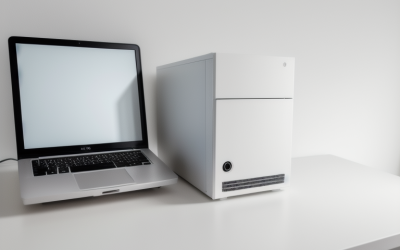
Mini PCs and small form factor units are worth considering in this tier. They’re quieter, use less power, and take up a fraction of the desk space of a tower. The trade-off is upgradability: most mini PCs have soldered RAM or very limited expansion, so buy the configuration you’ll want in three years, not the cheapest one today.
3-5: Mainstream and mid-range gaming desktops
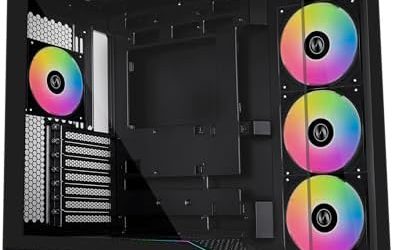
This is where most “best desktop” lists spend all their time, for good reason: it’s the widest category and the one with the most ways to get ripped off. A good mid-range gaming PC in the $900-1500 range should have a current-generation 6-core or 8-core CPU, 16GB of RAM (32GB if you also stream or run a lot of background apps), and a GPU that can handle 1440p at reasonable settings. If you’re shopping this tier, browsing a gaming desktop computer listing will show you how wide the price-to-spec spread actually is for what looks like the same box.
Two things sink buyers in this tier. First, PSU quality: a cheap, generic power supply is the single most common cause of random shutdowns and premature part failure in budget gaming builds, and it’s the component manufacturers cut corners on because most buyers never check it. Second, storage bottlenecking: a fast CPU and GPU paired with a slow spinning hard drive as the boot drive will feel sluggish in everything, including games, because load times and OS responsiveness depend on storage speed more than people expect.
Pre-built or self-built matters less than people think, as long as you check the parts list. Pre-builts save you the assembly time and usually include a warranty on the whole system, which is genuinely valuable if something fails and you don’t want to diagnose it yourself. The downside is some pre-built lines use proprietary motherboards or non-standard PSU connectors that make future upgrades harder. If you expect to upgrade the GPU in two years, ask about this before buying, not after.
6-7: Content creation and workstation desktops
Video editing, 3D rendering, CAD, and heavy multitasking (dozens of Chrome tabs plus Photoshop plus a VM) need a different balance than gaming: more CPU cores, more RAM, and fast storage matter more than top-tier GPU horsepower, unless your software specifically leans on GPU rendering (Premiere, DaVinci Resolve, and most 3D renderers do). 32GB of RAM is a reasonable floor here, and 64GB is worth it if you work with large video files or big Photoshop/Illustrator documents.
The real differentiator in this tier is storage architecture, not raw CPU speed. A single large NVMe drive for your OS and active projects, plus separate storage for archives, keeps your working drive from filling up and slowing down. This is also where you should stop thinking “SSD vs HDD” and start thinking about an actual NVMe SSD as a line item in your budget, since the jump from SATA SSD to NVMe is noticeable in file-heavy workflows in a way it isn’t for gaming.
8-9: Small form factor and compact desktops
Compact towers and mini-ITX builds trade some performance ceiling and upgrade room for desk space and (often) quieter operation. Thermal headroom is the real constraint: cramming a high-power CPU and GPU into a small case means hotter running components, louder fans under load, or both. If you’re buying compact, don’t pair it with the most power-hungry parts in a given tier; buy slightly below the performance ceiling and you’ll get a quieter, more reliable machine.
This tier suits people who want a capable desktop in a living room, a dorm, or a small apartment, not people chasing maximum frame rates. If raw performance is the priority, a standard mid-tower will always give you more thermal and upgrade headroom per dollar.
10: High-end and enthusiast desktops
Top-tier desktops with flagship CPUs and GPUs are easy to justify if you have a specific, demanding use case: competitive gaming at high refresh rates, 4K content work, or heavy local AI/ML workloads. They are a poor purchase if you’re buying one “to future-proof” general use, since the performance gap over mid-range for everyday tasks is invisible in practice. Spend the premium only if you can name the specific workload that needs it.
| Category | Typical price range | Best for | Main trade-off |
|---|---|---|---|
| Budget/office | $400-700 | Browsing, office work, email | Little to no upgrade room |
| Mainstream gaming | $900-1500 | 1080p-1440p gaming | PSU/storage corners get cut at low end |
| Workstation | $1500-3000+ | Video, 3D, heavy multitasking | Cost scales fast with RAM/storage |
| Small form factor | $700-1800 | Tight spaces, quieter use | Thermal limits on sustained load |
| High-end enthusiast | $2500+ | Competitive gaming, 4K, AI/ML | Poor value without a specific need |
FAQ
Should I buy pre-built or build my own desktop?
Build your own if you want to control every part and don’t mind spending a weekend on it. Buy pre-built if you want a single warranty to call when something breaks and don’t want to troubleshoot component compatibility yourself. Price difference between the two has shrunk in recent years; it’s no longer a reliable way to save significant money.
How much RAM do I actually need?
16GB is the realistic floor for gaming and general use in 2024 onward. 32GB is worth it for streaming, heavy multitasking, or content creation. 8GB will work but will show its age within a year or two as apps and games get heavier.
Is a cheaper desktop with a bigger hard drive better than a pricier one with a smaller SSD?
No. An SSD, even a smaller one, makes the whole system feel faster in daily use than extra storage capacity on a mechanical drive. Buy the SSD for your main drive and add cheap bulk storage separately later if you need more space.
How long should a mid-range desktop last before it feels outdated?
For general use, 5-7 years is realistic. For gaming at the settings you bought it for, expect 3-4 years before you’ll want to drop settings or upgrade the GPU. Workstation builds for professional work often need a RAM or storage bump sooner, around 2-3 years, as project file sizes grow.