SpiderHeck, Neverjam’s physics brawler about spiders duelling with lightsabers, launched on Steam in September 2022 with one of the plainest platform records in this cluster. Steam flags the game for Windows alone, and nothing underneath that flag argues back: no second depot, no dissenting add-on, no package fine print. The only documents that say otherwise are a pair of empty headings on the store page and a classification label on the community compatibility site.
So the practical question is the Proton one. How well does the single Windows build travel to a Linux desktop, what did Valve’s testers find when they graded it for Steam Deck, and does any other storefront sell a different copy? The sections below read each record on its own terms: flags and fields, depots and packages, the add-on family, anti-cheat, the community file and the Deck paperwork.
As an Amazon Associate, we earn from qualifying purchases.
Quick answer
SpiderHeck is not native on Linux. Steam flags the game Windows only, its Linux requirements field is an empty shell, and the single content depot and purchase package are Windows only too. The route is Proton: ProtonDB’s page shows a Gold tier across 28 reports, and Valve rates the game Verified on Steam Deck. Buy the Steam copy, the only PC edition.
What the store record actually says
Steam’s appdetails record for SpiderHeck (app 1329500) names Neverjam as developer and tinyBuild as publisher, released 22 September 2022. Its platform flags read Windows true, Mac false, Linux false. The record carries no DRM notice and no external-account notice, and its category list is the multiplayer set: online and shared-screen PvP and co-op, cross-platform multiplayer, full controller support, Steam Workshop and Remote Play Together.
The requirements fields sharpen the picture. The Windows minimum is genuinely written out: Windows 10 64-bit, an Intel i3-2125, 4 GB of RAM, an nVidia GTX 550 Ti, DirectX 11 and 1100 MB of storage. The Linux field, by contrast, is an empty shell — the Minimum and Recommended headings printed over lists that hold no entries at all, and the Mac field is the same hollow shape. An empty shell is paperwork, not a port: it is what a store template leaves behind when no build was ever described.
The delivery layer: one depot, one package
Store text can be wrong in either direction, so the depot table is where this series checks next. SteamDB lists exactly one content depot, depot 1329501 at 1.45 GiB, with no operating-system split and no companion depot for any other platform. Beside it sit only a Windows redistributable (the VC 2022 package) and a depot marked Unused belonging to an associated app covered below. There is no Linux depot in any form.
The package layer agrees. The game’s single store package (sub 464357) reads Windows true, Mac false, Linux false on Steam’s own packagedetails record, and grants the game app alone, so a normal purchase delivers the Windows build by construction. The public branch is still maintained — its current build dates from March 2024 — so the shape is live rather than a launch-era fossil.
The family sweep: a supporter pack, a demo and an app with no record
The store record’s DLC array holds exactly one app, opened individually. SpiderHeck – Show Your Support (app 2156362, December 2022) flags Windows true, Mac false, Linux false — it agrees with the game. The app class that most often springs a false Linux flag here confirms the verdict instead.
Two further apps sit outside that array. The SpiderHeck Demo (app 1740350, September 2021) is the game’s trial build and also flags Windows only, so no free route onto Linux hardware exists either. SteamDB additionally associates app 2087130, whose depot appears in the game’s depot table marked Unused; the store API returns no record for that app at all, so it publishes no platform claim.
Anti-cheat, from three separate sources
For an online brawler, the anti-cheat layer decides whether the Proton route is even allowed to work, so the three sources are reported separately. Steam’s own record names no anti-cheat system, and carries neither a DRM notice nor an external-account notice. SteamDB’s detected-technology list is engine and services plumbing only: the Unity engine, the Epic Online Services SDK, Mono, SteamworksNET and cURL among them. The Epic entry is a networking layer, not an anti-cheat verdict. The third source, the Are We Anti-Cheat Yet dataset, carries no entry for SpiderHeck at all, searched by name and by app id. Three sources, three silences: nothing on the record blocks the Proton route.
The Proton file, and a heading that overclaims
ProtonDB’s summary feed did not answer for this title during this check — the endpoint returned an error page on repeated attempts — so the community evidence here is page-level only, with no tier split or confidence figure claimed. The game page displays a Gold tier beside the game’s name, across 28 reports.
The same page carries the one false signal in the whole file. Its requirements block is headed with a label claiming the game natively supports Linux, a classification Steam’s record contradicts at every layer walked through above. The article follows Steam, and names the label so readers are not misled.
The report texture is kept at report weight. Recent filings on current Proton builds describe the game running well, and a Steam Deck filing rates local multiplayer at the top grade. Older filings mention a first-launch installer step for the online services libraries, and a minority describe graphics initialisation errors on particular setups. Filings disagree about online sessions, so no broader claim is made.
Steam Deck: Verified, on paperwork that predates the current build
Valve’s compatibility file for SpiderHeck reads Verified, with SteamOS separately rated Compatible. The verdict and paperwork were read through SteamDB’s republication of Valve’s compatibility data, because Valve’s own endpoint returned an unreadable compressed response during this check; the route is disclosed rather than hidden. All four Verified items pass — full functionality under the default controller configuration, Steam Deck controller icons, legible interface text, and a default graphics configuration that performs well — and the configuration notes are clean: gamepad input, no manual keyboard invocation, no launcher step, no internet required for setup or single-player. The recommended runtime is a Proton 7.0-series build, underlining what the badge certifies: the Windows build under Proton.
The paperwork, though, is older than the game it grades. Valve’s test was recorded on 24 January 2023 against build 10352155, while the public branch now serves a build from March 2024. The Verified grade remains the current store verdict, but the test sheet does not describe the build a buyer installs today.
The second storefront
No GOG edition exists: GOG’s product and embed searches return no product for the game, and its natural GOG address resolves to the general catalogue rather than a product page, so no product record could be verified. Wishlist listings are not editions and are not claimed either way.
Gear that fits the record
The gear below follows the record’s shape: the handheld the badge was written for, two pads for the brawling, a mouse for the Workshop, and library storage.
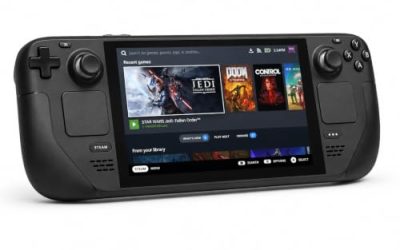
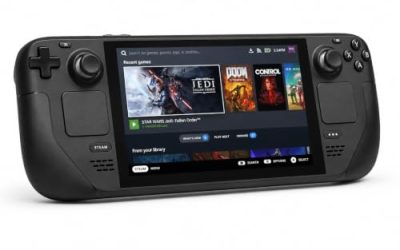
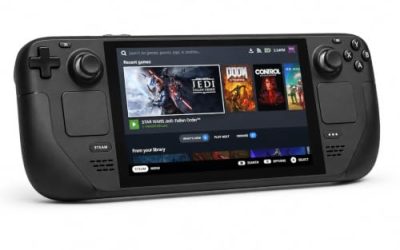
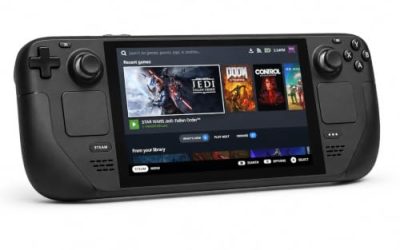
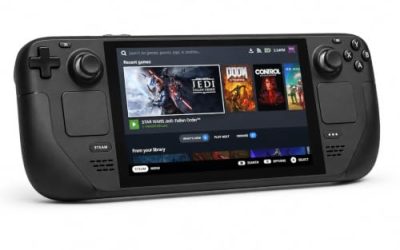
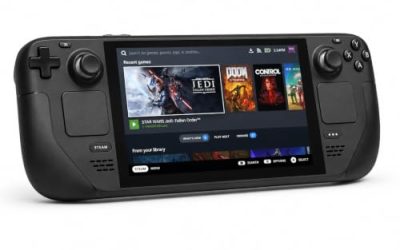
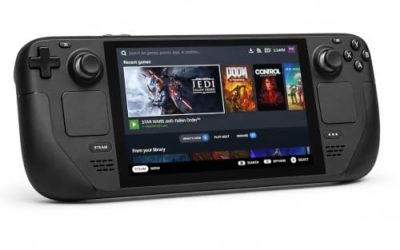
Valve Steam Deck OLED 512GB

The handheld the Verified badge was written for: Valve’s sheet gives the Windows build a clean pass under Proton, and the game’s modest requirements sit far below this APU.
Specs
- Display: 7.4-inch HDR OLED, 1280 by 800, up to 90 Hz
- Processor: AMD Zen 2 and RDNA 2 custom APU
- Memory: 16 GB LPDDR5
- Storage: 512 GB NVMe, plus a microSD slot
- Wireless: Wi-Fi 6E and Bluetooth
- Channel note: Valve sells the Deck mainly through its own store, so Amazon listings are third-party sellers
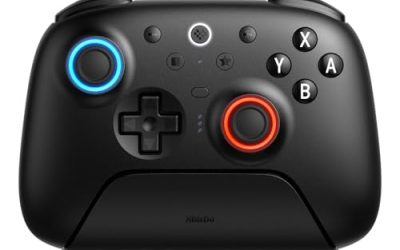
8BitDo Ultimate 2 Bluetooth Controller
The docked and desktop pad pick: a gamepad-shaped brawler wants modern sticks, triggers and back buttons for the inputs a long session repeats.
Specs
- Connectivity: Bluetooth wireless and USB-C wired
- Joysticks: TMR electromagnetic, anti-drift design
- Triggers: Hall effect, with mode switching
- Extras: two remappable back buttons, motion control
- In the box: charging dock included
Xbox Wireless Controller, Carbon Black
The safest guest pad in PC gaming: Steam Input support is universal, the glyphs match what most games display, and it pairs over Bluetooth or its own wireless standard.
- Connectivity: Xbox Wireless and Bluetooth
- Port: USB-C for wired play
- Controls: hybrid D-pad, dedicated Share button
- Power: AA batteries or optional rechargeable pack
Logitech G502 HERO
At a desk, the Workshop and level editor are mouse territory: a precise wired mouse turns map browsing into single clicks.
Specs
- HERO optical sensor, up to 25,600 DPI
- 11 programmable buttons
- Adjustable weight system
- Wired USB connection
- On-board memory profiles
Samsung T9 Portable SSD 2TB
For moving a Linux game library between machines, a fast USB-C drive is the simple answer. The headline figure needs a Gen 2×2 host port; on a lesser port the drive runs at that ceiling.
Specs
- Capacity: 2 TB portable SSD
- Interface: USB 3.2 Gen 2×2, USB-C connector
- Maker-rated speeds: up to 2,000 MB per second read, 1,950 MB per second write
- Features: Dynamic Thermal Guard, maker-rated drop resistance
How to choose
Choose the Steam copy, because it is the only PC edition on sale and the exact build both compatibility records describe. On a Linux desktop or laptop, install it under Proton and start from the default compatibility tool; the Gold page tier says the build travels well, and the three-source anti-cheat silence means nothing blocks the route. On Steam Deck, the Verified badge means no configuration work is expected: install and launch, remembering the test behind the badge ran against an older build than the one now served. For input, treat this as a pad game first — local brawls want a controller per player.
Who should skip
Skip this one if you are shopping for a native Linux brawler: SpiderHeck is not one, whatever the community page’s heading suggests, and no Linux depot exists to wait for. Skip it if you want a DRM-free offline installer, because no GOG edition exists. Skip it if your group plays only online and you need certainty rather than a mixed community file — the filings disagree about online sessions. And skip the supporter pack as a Linux purchase in its own right: it flags Windows only, like the game it decorates.
FAQ
Is SpiderHeck native on Linux?
No. Steam flags the game Windows only, the Linux requirements field is an empty shell, the single content depot carries no operating-system split, and the purchase package reads Windows only.
How does SpiderHeck run on Linux through Proton?
ProtonDB’s game page displays a Gold tier across 28 reports; its summary feed did not answer during this check, so no finer split is claimed. Recent filings describe the Windows build running well on current Proton versions, with local multiplayer rated at the top grade in a Deck filing.
Is SpiderHeck Verified on Steam Deck?
Yes. Valve’s file rates it Verified, all four checks passing with a clean configuration sheet, and SteamOS separately Compatible. The test behind the badge dates from January 2023, predating the branch build served since March 2024.
Can I buy SpiderHeck somewhere other than Steam?
No. GOG’s searches return no product and its natural GOG address resolves to the general catalogue, so no GOG edition exists. The Steam copy is the only PC edition.
Final verdict
SpiderHeck’s Linux story is a tidy negative with a workable route. There is no native build and no document in the record that honestly promises one: the flag, the hollow field, the single unsplit depot, the Windows-only package and the agreeing supporter pack and demo all point the same way, and no GOG edition exists to offer a second copy. What the record offers instead is a clear Proton path — a Gold community file, a three-source anti-cheat silence and a Verified Deck badge, with the single caveat that the badge’s paperwork predates the current build. Buy the Steam copy for Proton play, with open eyes about the badge’s age.
Product and ASIN Reference
| Product | ASIN |
|---|---|
| Valve Steam Deck OLED 512GB | B0CQ3RWQQZ |
| 8BitDo Ultimate 2 Bluetooth Controller | B0F194QFT2 |
| Xbox Wireless Controller, Carbon Black | B08DF248LD |
| Logitech G502 HERO | B07GBZ4Q68 |
| Samsung T9 Portable SSD 2TB | B0CHFS9K14 |