

- Top Pick: Skytech Gaming PC Nebula, Ryzen 5, RTX 3050, 16GB RAM, 1TB SSD
- Best Value: Skytech Gaming Nebula 2 Gaming PC, Intel i5 14400F 2.5GHz, NVIDIA RTX 3050 6GB VRAM, 1TB NVMe SSD, 16GB DDR5 RAM 6000, 650W Gold PSU, Wi-Fi 5, Windows 11, Desktop
- Premium Choice: Skytech Gaming Nebula 2 Gaming PC, Ryzen 5 5500, RTX 3050
🛒 Best Price Today on Amazon
Prime members get fast, free shipping on everything above, plus member-only deals. New members get a 30-day free trial — cancel anytime.
- Top Skytech Nebula Gaming Ryzen 5500 Picks for 2026
- Skytech Gaming Nebula at a Glance
- CPU and General Performance
- GPU and Target Resolution
- Memory and Storage
- Build Quality and Thermals
- Who Is the Skytech Nebula For?
- Pros and Cons
- Is the Skytech Nebula Worth It?
- Related Guides
- Frequently Asked Questions
- More Gaming PC Reviews
- Related Articles
- Related Guides
Top Skytech Nebula Gaming Ryzen 5500 Picks for 2026
Here are our current top skytech nebula gaming ryzen 5500 picks, compared on real Amazon owner reviews, price, and features. Live prices update below.
As an Amazon Associate we earn from qualifying purchases at no extra cost to you.


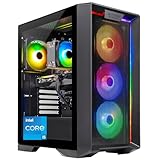



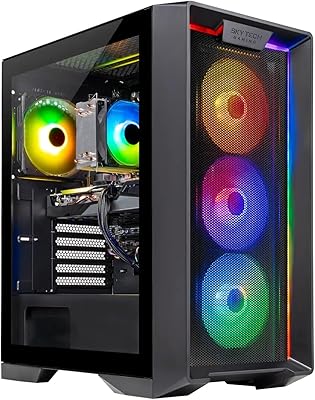


The Skytech Gaming Nebula is a budget-friendly prebuilt aimed at first-time PC gamers who want a complete, ready-to-play machine without a high outlay. It pairs an AMD Ryzen 5 5500 processor with an NVIDIA GeForce RTX 3050 6GB graphics card and a 1TB NVMe SSD for around $949.99. This Skytech Nebula review covers the specifications, gaming performance, build and value proposition.
27
Skytech Gaming Nebula Gaming PC, AMD Ryzen 5 5500 3.6GHz, NVIDIA RTX 3050 6GB VRAM, 1TB NVMe SSD, 16GB DDR4 RAM 3200, 650W Gold PSU, WI-FI 5, Windows 11, Desktop
In Stock
Updated: May 27, 2026


As an Amazon Associate we earn from qualifying purchases. Product prices and availability are accurate as of the date/time indicated.
Skytech Gaming Nebula at a Glance
| Component | Specification |
|---|---|
| Processor | AMD Ryzen 5 5500 (6 cores, 12 threads, up to 4.2 GHz) |
| Graphics | NVIDIA GeForce RTX 3050 6GB GDDR6 |
| Memory | 16GB DDR4 |
| Storage | 1TB NVMe SSD |
| Motherboard | AM4 platform |
| Cooling | Air cooling |
| Connectivity | Wi-Fi, Gigabit Ethernet, USB |
| Operating system | Windows 11 Home |
| Price | around $949.99 |
CPU and General Performance
The Ryzen 5 5500 is a 6-core, 12-thread Zen 3 processor running at up to 4.2 GHz, a chip that became a default budget-gaming pick when AMD’s AM4 platform matured. It is not a current-generation CPU, but for a sub-$1,000 prebuilt that is exactly the point: it offers a strong price-to-performance ratio and pairs sensibly with the entry-class GPU it accompanies. For mainstream gaming, web browsing, office work, content streaming and light multitasking, the 5500 is responsive and capable. The 16GB of DDR4 memory is the modern minimum for gaming and gives the system headroom for a few background tabs alongside a running game. Where the 5500 shows its budget roots is in heavy creative work or in games that scale aggressively with more cores — buyers chasing that should step up the GPU and CPU tier. For value-focused builds the Ryzen 5 family remains a strong base; see our best Ryzen 5 gaming PCs guide for context.
GPU and Target Resolution
The graphics card is the heart of any gaming PC, and here it is the NVIDIA GeForce RTX 3050 with 6GB of GDDR6 memory. The RTX 3050 is an entry-tier discrete graphics option targeted squarely at 1080p gaming — at that resolution, with sensible quality settings, it can run a wide range of modern titles smoothly, and it handles esports games such as Valorant, CS2, Rocket League and Fortnite with significant headroom. NVIDIA’s DLSS upscaling, supported by the RTX 3050, is a real benefit in supported titles and helps lift frame rates further. Ray tracing is supported in hardware but is best treated as a feature for occasional showcase use rather than a full-time setting at this tier. The 6GB VRAM is adequate for 1080p but not generous, which reinforces that this is a 1080p-class build. For an entry-level prebuilt at this price, the RTX 3050 is a sensible, honest GPU choice. Compare options in our best budget gaming PCs roundup.
Memory and Storage
The Nebula ships with 16GB of DDR4 memory and a 1TB NVMe SSD. 16GB is the comfortable mainstream baseline for gaming today, leaving room for a game plus a browser, voice chat and streaming software without trouble. The 1TB NVMe SSD is the most quietly important spec on the sheet: it gives fast Windows boot times, fast game loads and a meaningful amount of storage — large enough for an operating system, productivity apps and a real gaming library before space pressure forces decisions. For a budget prebuilt to ship with NVMe primary storage rather than a slow SATA SSD or a hard drive is a notable plus. Buyers who fill 1TB can add a second drive later, since the AM4 platform supports standard expansion.
Build Quality and Thermals
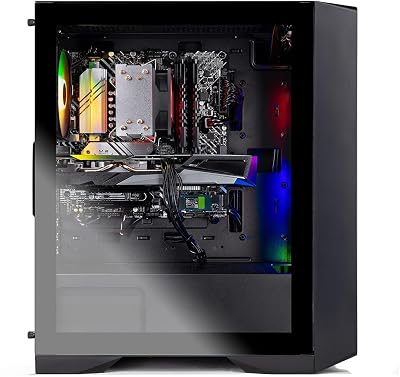
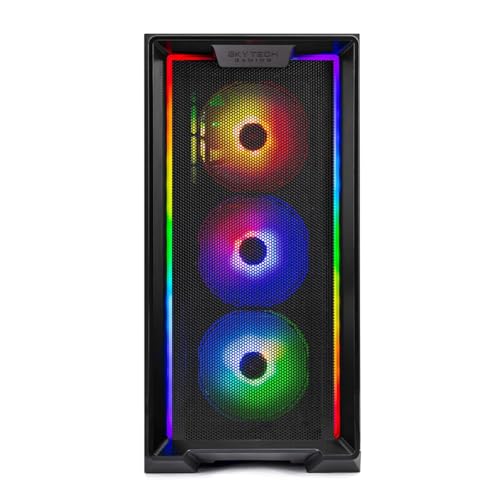
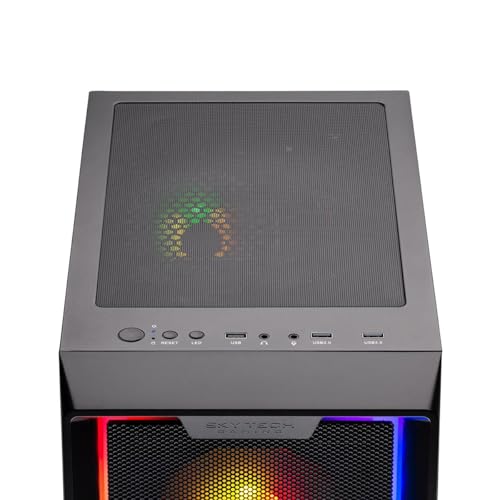
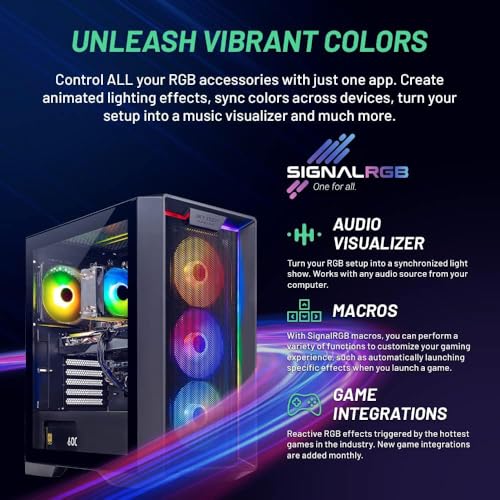
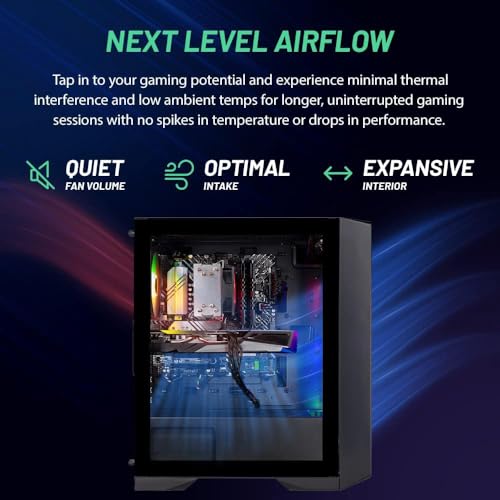
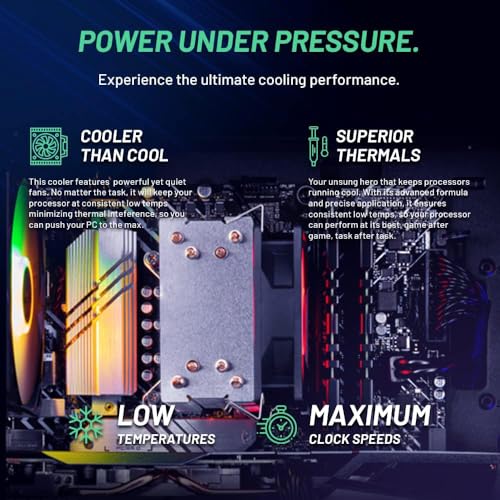
The Nebula uses a standard Skytech mid-tower chassis with RGB lighting. Skytech is a well-known systems integrator that specialises in this entry-tier prebuilt market, and the Nebula reflects its experience: a tidy build, sensible airflow, an air cooler matched to the modest TDP of the Ryzen 5 5500, and components that work together without surprises. Thermals are well within limits for the modest 6-core CPU and entry GPU it carries — neither component is particularly demanding to cool. The all-air cooling design keeps cost down and maintenance trivial. For more elaborate cooling options at higher tiers, our best liquid-cooled gaming PCs guide is a useful reference.
Connectivity is sensible for a 2026 prebuilt: integrated Wi-Fi and Gigabit Ethernet cover home networking without needing an aftermarket card, and USB ports on front and rear handle peripherals, controllers and external storage. There is room inside the chassis to add more memory, a second SSD or a hard drive later, which is one of the practical advantages of buying a tower prebuilt rather than a compact form factor — upgrade paths stay open. For a first-time PC owner, the standard ATX-style construction also makes future component swaps approachable.
Who Is the Skytech Nebula For?
The Nebula is for the first-time PC gamer who wants a complete, ready-to-play machine for around $1,000 and does not want to build their own PC. If you play esports titles and a mix of modern AAA games at 1080p, want a single sub-$1,000 purchase that includes Windows 11 and is ready to go out of the box, and value the simplicity of a prebuilt with warranty support, the Nebula is squarely aimed at you. It is not the right pick for two groups: buyers who want 1440p or 4K gaming, who should look at the RTX 5060 tier and above; and DIY enthusiasts comfortable building their own PCs, who can often squeeze more value at this price by sourcing parts individually. For its target buyer, however, it is well judged. See more options in our best gaming PCs under $1,000 guide.
Pros and Cons
Pros: Genuinely affordable complete prebuilt; capable RTX 3050 for 1080p gaming; fast 1TB NVMe SSD; 16GB RAM; Windows 11 pre-installed; Wi-Fi included; established Skytech support and warranty.
Cons: Last-generation Ryzen 5 5500 CPU rather than current AM5; entry-tier GPU not suited to 1440p; 6GB VRAM is modest; modest RGB and chassis at the price.
Is the Skytech Nebula Worth It?
At around $949.99 the Skytech Gaming Nebula is a fair-value entry-level gaming desktop. It does not try to be anything more than what the price suggests, and that honesty is part of its appeal: a working, ready-to-play 1080p gaming PC with name-brand components, a fast NVMe SSD, modern memory capacity and warranty support. The Ryzen 5 5500 and RTX 3050 are sensible, well-matched choices for the budget. It earns a recommendation for first-time PC gamers who want a complete sub-$1,000 system without the complexity of a DIY build. Buyers ready to spend a little more for substantially more performance should compare it with our best gaming PCs under $1,500 guide and the RTX 5060-class machines.
Frequently Asked Questions
Is the Skytech Nebula good for 1080p gaming?
Yes. The RTX 3050 6GB is built for 1080p, and with sensible settings the Nebula handles a wide range of modern games smoothly. Esports titles run with significant headroom.
Can the Skytech Nebula run games at 1440p?
It is not the intended target. The RTX 3050 is an entry-tier GPU optimised for 1080p; 1440p is possible in lighter titles but expect to drop settings. Buyers wanting 1440p should look to the RTX 5060 tier.
Does the Skytech Nebula come with Windows?
Yes. The system ships with Windows 11 Home pre-installed, so it is ready to use out of the box.
Does the Skytech Nebula have Wi-Fi?
Yes. The Nebula includes Wi-Fi connectivity alongside Gigabit Ethernet, so it can connect to a home network without a wired run.
More Gaming PC Reviews
- KOTIN Gaming PC Review: Ryzen 5 9600X + RTX 5060 (Mid)
- KOTIN Gaming PC Review: Ryzen 5 9600X + RTX 5060 (Value)
- KOTIN Gaming PC Review: Ryzen 7 9700X + RTX 5060 32GB
- KOTIN G60B Gaming PC Review: Ryzen 7 9700X + RTX 5070
- CyberPowerPC Gamer Xtreme Review: Core i5-14400F + RTX 5060
- Gaming Desktop PC Review: Ryzen 7 9800X3D + RTX 5070
- Thermaltake LCGS Versa i570S Review: Core i9-14900KF Liquid
- Thermaltake LCGS View i1470S-380 Review: i9-14900KF + 360 AIO
Affiliate Disclosure: As an Amazon Associate, we earn from qualifying purchases. If you click a link and make a purchase, we may earn a small commission at no extra cost to you. Prices and availability are accurate as of publication and may change.
Ready to decide? Our #1 pick for 2026 is the Processor.
Live price & availability on Amazon.


